Redash: Images embedded on dashboards don't scale to the widget size
Issue Summary
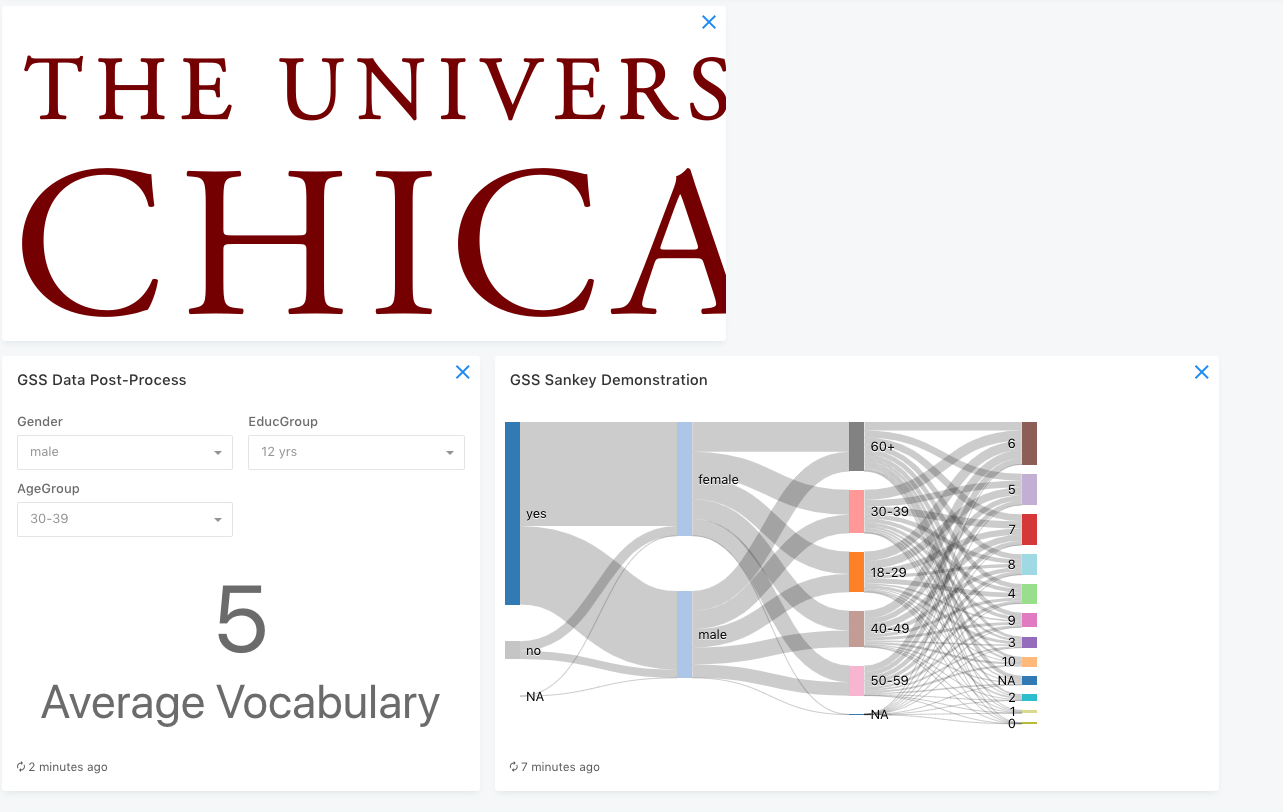
Images embedded in a dashboard maintain their aspect ratio and DPI from the source file. The displayed image remains the same size even when I resize the dashboard widget.
Steps to Reproduce
- Embed this image in a dashboard
- Notice how on smaller sized widgets (less than 400px) the image is chopped off
I expect that the image should be auto-scaled down to fit the widget. I'd like to include my company logo on our dashboards but our standard available assets are way too big for dashboards.
Technical details:
- Redash Version: current Saas version
- Browser/OS: Chrome & Firefox
 susodapop
All 8 comments
When closed update https://discuss.redash.io/t/image-resize-with-markdown/3632
 ranbena
on 16 Apr 2019
ranbena
on 16 Apr 2019
One way to go about this is to let image dimensions be set with non-standard markdown syntax.
I'm unaware of an npm package that allows this, but if found it's an easy fix.
ranbena
on 16 Apr 2019
How about max-width: 100% for #markdown img for now?
 deecay
on 12 May 2019
deecay
on 12 May 2019
How about
max-width: 100%for#markdown imgfor now?
I like it. @gabrieldutra @kravets-levko any input on this?
ranbena
on 12 May 2019
I like it. @gabrieldutra @kravets-levko any input on this?
LGTM, the resulting behavior is pretty much what I expected :slightly_smiling_face:
 gabrieldutra
on 12 May 2019
gabrieldutra
on 12 May 2019
I don't think we should change Markdown syntax, the max-width solution should be good enough for now. In the future we will probably switch over to a different parser, which will allow safe HTML. Then people can customize this with an <img> tag.
 arikfr
on 12 May 2019
arikfr
on 12 May 2019
max-width: 100% is not enough. We also need height: auto
 gpakosz
on 4 Jul 2020
gpakosz
on 4 Jul 2020
max-width: 100%is not enough. We also needheight: auto
@gpakosz height: auto is supposed to be the default browser behavior, can you provide more details on which browser and version it fails? If possible you can try to reproduce it in our preview instance to make sure the latest master branch is tested.
Thanks!
gabrieldutra
on 13 Jul 2020
Related issues
susodapop
·
3Comments
 brylie
·
3Comments
arikfr
·
4Comments
brylie
·
3Comments
arikfr
·
4Comments
 Leedorado
·
3Comments
Leedorado
·
3Comments
 GitSumito
·
3Comments
GitSumito
·
3Comments