Recyclerlistview: Dynamic height on layout provider
how i can achieve dynamic height on layout provider, i dont know which height each item rendered,
so im trying to set layout provider like that
const layoutProvider = new LayoutProvider(
  () => 0,
  (type, dim) => {
    dim.width = window.width;
  }
);
i only know the width of rendered item, if i not set dim.height the item not rendering, and i already wrap recyclerview with flex view
<View style={{ flex: 1 }}>
        <RecyclerListView
          dataProvider={order}
          layoutProvider={layoutProvider}
          forceNonDeterministicRendering={true}
          rowRenderer={this.renderItem}
        />
</View>
and item
<View style={{ flex: 1, paddingHorizontal: 16 }}>
      <View style={styles.orderItemHeader}>
        <View style={styles.orderItemHeaderUser}>
          <AntDesign name="user" size={14} color="rgba(0,0,0, .7)"/>
          <Text style={styles.orderItemHeaderUserText}>Ardy Febriansyah</Text>
        </View>
        <Text font={Font.MEDIUM} style={styles.orderItemHeaderStatus}>Menunggu dikirim</Text>
      </View>
</View>
 ardyfeb
All 6 comments
Hi, If the heights of the items are not known before in hand, an estimated height must be provided in the layout provider. The item will then resize according its dynamic height. An estimated height has to be provided along with the width in the layout provider.
 arunreddy10
on 17 Nov 2019
arunreddy10
on 17 Nov 2019
Hi, If the heights of the items are not known before in hand, an estimated height must be provided in the layout provider. The item will then resize according its dynamic height. An estimated height has to be provided along with the width in the layout provider.
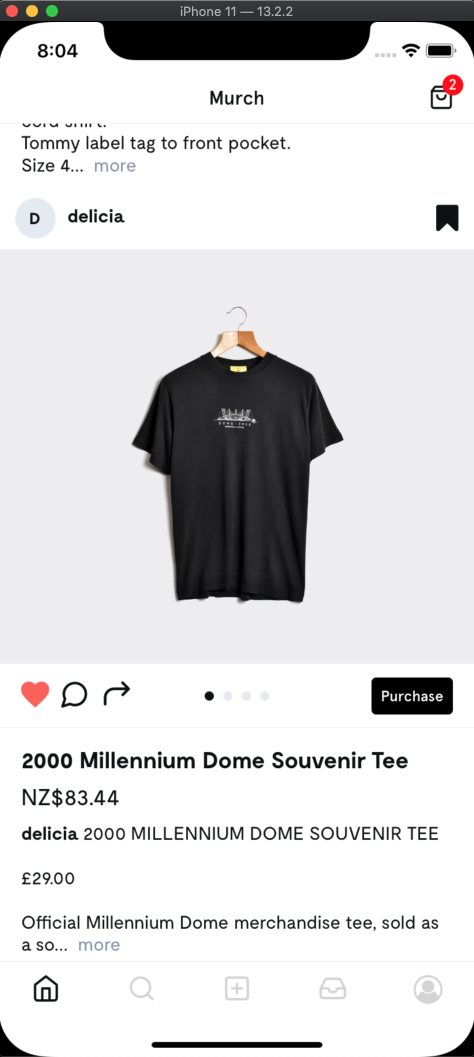
How exactly could we do this, I have an estimated height like so but the end result is extremely jagged (not as expected) with the views being clipped
private layoutProvider = new LayoutProvider(
    () => FeedViewTypes.FULL,
    (type, dimension) => {
      switch (type) {
        case FeedViewTypes.FULL:
          dimension.width = metrics.screenWidth
          dimension.height = LISTING_ITEM_ESTIMATED_HEIGHT
        default:
          dimension.width = metrics.screenWidth
          dimension.height = LISTING_ITEM_ESTIMATED_HEIGHT
      }
    }
  )
The result using Recycler List View

The result using FlatList
 jesster2k10
on 17 Nov 2019
jesster2k10
on 17 Nov 2019
Have you set the forceNonDeterministicRendering prop? otherwise the item will not resize accordingly. Could you help us with a demo code to reproduce the issue so that it can be looked into?
arunreddy10
on 18 Nov 2019
Hi, If the heights of the items are not known before in hand, an estimated height must be provided in the layout provider. The item will then resize according its dynamic height. An estimated height has to be provided along with the width in the layout provider.
i solved my problem with set dim.height = 1
ardyfeb
on 18 Nov 2019
Closing due to inactivity
arunreddy10
on 20 Dec 2019
Have you set the forceNonDeterministicRendering prop? otherwise the item will not resize accordingly. Could you help us with a demo code to reproduce the issue so that it can be looked into?
If I use forceNonDeterministicRendering={true} , the blanck would appear when I scroll fastly. How shoud I solve this problem.
 yibingxiong
on 28 Apr 2020
yibingxiong
on 28 Apr 2020
Related issues
 gilra2000
·
6Comments
gilra2000
·
6Comments
 sksin28
·
8Comments
sksin28
·
8Comments
 h-asadollahi
·
8Comments
h-asadollahi
·
8Comments
 witalobenicio
·
8Comments
witalobenicio
·
8Comments
 teryi
·
5Comments
teryi
·
5Comments
Most helpful comment
i solved my problem with set
dim.height = 1