Realm failed to connect to the embedded debug server inside the app. If attempting to use Chrome debugging from a device, ensure the device is reachable on the same network as this machine


 duxiwei
All 27 comments
Please provide more information, for example do you use a real device or emulator. Is it Android or iOS? Which version of Realm JS do you use?
 kneth
on 25 Jun 2018
kneth
on 25 Jun 2018
My device is Android , the version of Realm JS I use is 2.21,thank you very much!!
duxiwei
on 11 Jul 2018
@duxiwei Do you forward ports using adb?
kneth
on 12 Jul 2018
yes
duxiwei
on 12 Jul 2018
Does the debugger open in Chrome when you run react-native run-android? Do you enable remote debugging in your app on the device?
kneth
on 12 Jul 2018
It's ok,but the debugger can't work , in other words the same computer,the same android phone ,the debugger of my other program is react-native can work
duxiwei
on 12 Jul 2018
Since your screenshot says 192.168.1.115 and not 127.0.0.1, please explain your set up. Just so I can replicate it.
kneth
on 12 Jul 2018
System:Ubuntu18.04 , IDE:Webstorm2018.1.5 , node:v8.10.0 ; realm:2.2.1,react-native:0.52.0 , thanks
duxiwei
on 12 Jul 2018
same issues.
 V1sk
on 12 Jul 2018
V1sk
on 12 Jul 2018
@duxiwei Realm JS 2.2.1 is fairly old, so could you try a recent version (2.12.0 or 2.13.0)?
kneth
on 13 Jul 2018
I have tried it you said many times, but it never works.
duxiwei
on 16 Jul 2018
same issue
"dependencies": {
"react": "16.3.1",
"react-native": "0.55.4",
"realm": "^2.13.0"
},

Some infomation as follow via the Charles

 FokingGit
on 22 Jul 2018
FokingGit
on 22 Jul 2018
@FokingGit Can you try debugging over USB instead?
kneth
on 6 Aug 2018
I have a similar issue on an iPhone 6 real device when I try to Debug JS remotely (my app is working fine when I don't when to enable the debugger):
"dependencies": {
"react": "16.4.1",
"react-native": "0.56.0",
"realm": "^2.14.1"
}
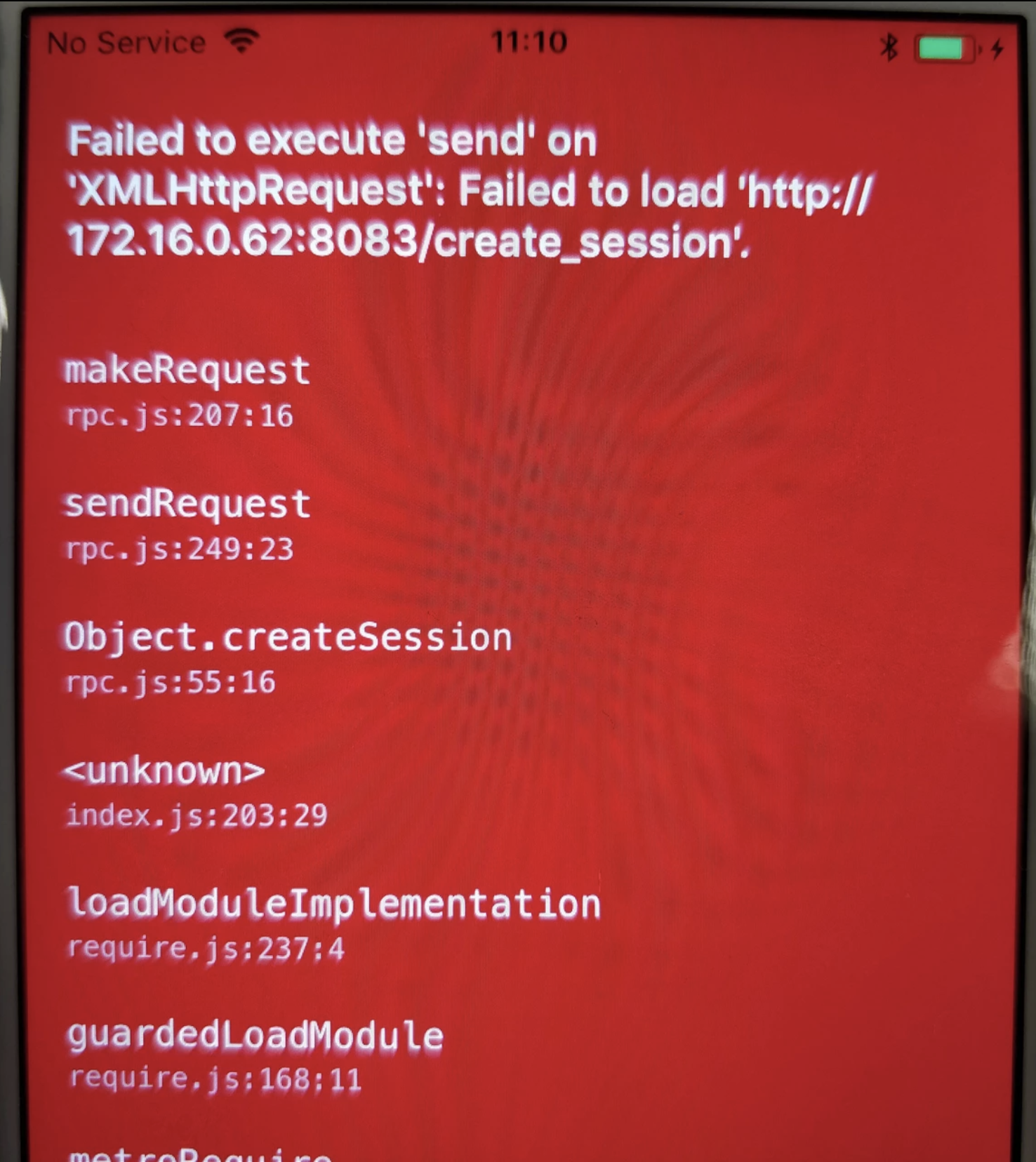
Console errors:
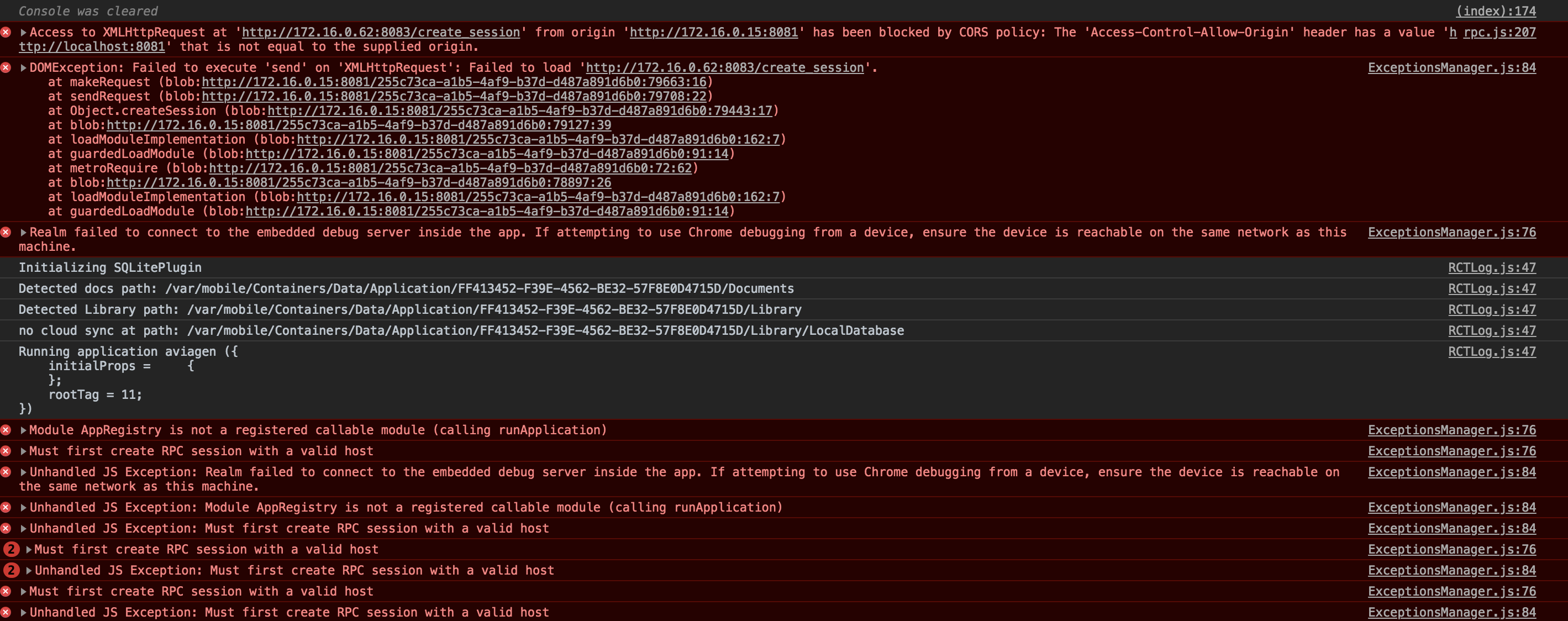
I have no problem with Android though, I can debug and see my console logs.
Update:
I found this thread about the Cors error: https://github.com/facebook/react-native/issues/18006
So far the remote js debugger is working with the emulator but not with a real ios device for me.
 Alex-DG
on 8 Aug 2018
Alex-DG
on 8 Aug 2018
@Alex-DG Thanks for the link to the RN issue. It indicates that using RN < 0.52 is a good idea - or wait for the fix to be released.
kneth
on 13 Aug 2018
For me, It was solved after connecting the device to the same network although it was connected by USB cable.
 adnkh
on 10 Jan 2019
adnkh
on 10 Jan 2019
hey, so is there any work around this issue ??
I have my device on same the network (iPhone), rn 0.57.8, realm 2.22.0
thanks
 palevoo
on 29 Jan 2019
palevoo
on 29 Jan 2019
Same issue, can't debug a react native application and use realm at the same time. Same error as above.
 cristianoccazinsp
on 11 Apr 2019
cristianoccazinsp
on 11 Apr 2019
@palevoo @cristianoccazinsp How do you connect the device? Does it work if you use a simulator?
kneth
on 12 Apr 2019
@kneth Device connected through a USB cable.
As it turns out, I had two issues. First, my device had to be on the same LAN/WiFi. Secondly, my host OS (Mac in my case) and firewall had to enable inbound connections. Oddly enough, not all devices prompted me to allow these connections (reason I didn't notice initially).
After resolving the above two, the error is gone. However, I really don't like the fact that I need to be both connected and to also accept incoming network requests through the WiFi. Why can't Realm just use the cable connection like React?
cristianoccazinsp
on 12 Apr 2019
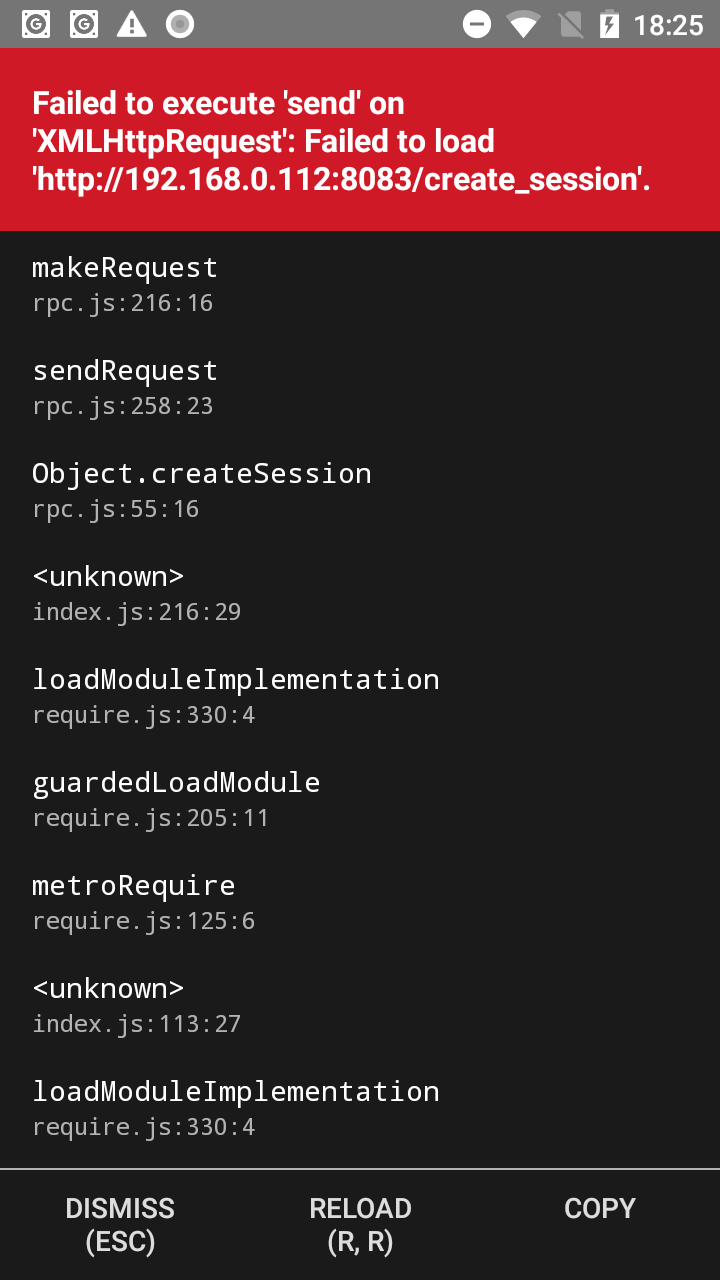

Facing the same issue when trying to debug using android device connected through usb cable.
Environment:
react-native:0.59.4
realm:^2.26.1
node:10.15.3
Here are some solutions which i tried but not even single solution worked
-> adb forward tcp:8083 tcp:8083
-> adb forward tcp:8082 tcp:8082
-> changing the file rpc.js in node_modules/realm/lib/browser/
The solution provided Selman555 at https://github.com/realm/realm-js/issues/578
-> changing the version of realm to 2.17
and many more but nothing really worked.
 vinaytechindustan
on 15 Apr 2019
vinaytechindustan
on 15 Apr 2019
Facing the same issue when trying to debug using android device connected through usb cable.
Environment:
react-native:0.59.4
realm:^2.26.1
node:10.15.3Here are some solutions which i tried but not even single solution worked
-> adb forward tcp:8083 tcp:8083
-> adb forward tcp:8082 tcp:8082
-> changing the file rpc.js in node_modules/realm/lib/browser/
The solution provided Selman555 at #578
-> changing the version of realm to 2.17
and many more but nothing really worked.
Same here, I get a few require lifecycle warnings, then there's a pause for about 10 seconds, then "Failed to execute..." message appears
 madandrija
on 30 Apr 2019
madandrija
on 30 Apr 2019
i install microsoft visual studio 2017 with realm ^2.28.1 and it's works for me

 autotrof
on 23 Jun 2019
autotrof
on 23 Jun 2019
@madandrija Is this still an issue for you?
 bmunkholm
on 19 Aug 2019
bmunkholm
on 19 Aug 2019
@madandrija Is this still an issue for you?
With:
react-native:0.59.9
realm: 3.0.0-beta.1
doesn't seem so.
madandrija
on 19 Aug 2019
@adnkh Came here for the issue and your solution worked like a charm for me. Thanks!
 ScripterSugar
on 29 Jan 2020
ScripterSugar
on 29 Jan 2020
For future reference to anybody reading this.
Try to disable your firewall.
First mentioned from @cristianoccazinsp
 geocfu
on 7 Apr 2020
geocfu
on 7 Apr 2020
Related issues
 ashah888
·
3Comments
ashah888
·
3Comments
 arshbot
·
3Comments
arshbot
·
3Comments
 camslaz
·
4Comments
camslaz
·
4Comments
 jmartindivmedianet
·
3Comments
jmartindivmedianet
·
3Comments
 ugendrang
·
3Comments
ugendrang
·
3Comments
Most helpful comment
Does the debugger open in Chrome when you run
react-native run-android? Do you enable remote debugging in your app on the device?