Realm-cocoa: Can't archive app on Xcode 11 beta 4
The app can run successfully, but can't archive.
RealmSwift 3.17.1.
Xcode 11 beta 4.
macOS 10.15 beta 4.

 owenzhao
All 14 comments
Do not archive apps on Xcode beta.
 ppamorim
on 19 Jul 2019
ppamorim
on 19 Jul 2019
Do not archive apps on Xcode beta.
No. Everything was fine in beta 3.
owenzhao
on 20 Jul 2019
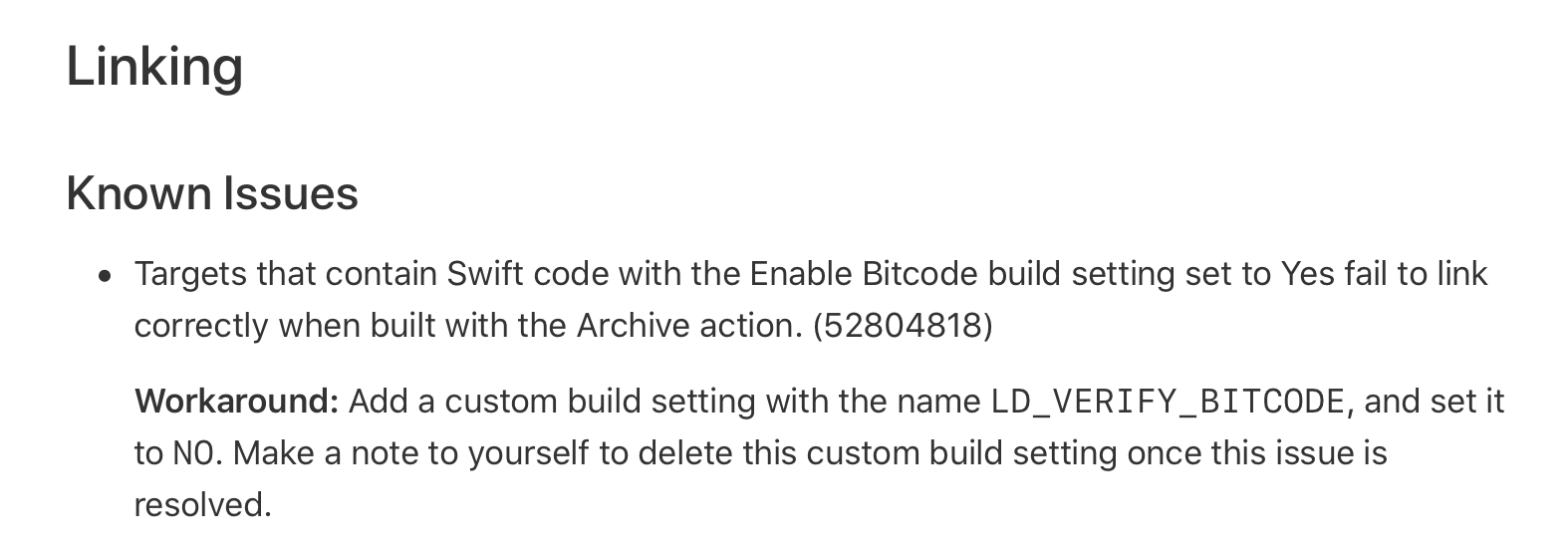
This is a known issue of Xcode 11 beta 4. https://stackoverflow.com/questions/57116047/xcode-11-beta-4-archive-swift-errors
Workaround:
owenzhao
on 20 Jul 2019
More, the above setting must set on the target of RealmSwift, not your own app.

owenzhao
on 20 Jul 2019
I have a similar build problem to owenzhao, at least it looks like the same error.
In my case, I'm simply trying to build RealmSwift from command line, using latest master branch,
SHA1: 026a03308360ab301e647754c44881a2ee3b15e1
trying to build using Xcode 11 beta 4 (and yes, Command Line Tools is set to Xcode 11's)
(ios-static and ios-dynamic build fine, btw).
On command line I did: DEVELOPER_DIR=/Applications/Xcode-beta.app/Contents/Developer ./build.sh ios-swift
Undefined symbols for architecture arm64:
"Swift.String.UTF16View._nativeGetOffset(for: Swift.String.Index) -> Swift.Int", referenced from:
function signature specialization
"Swift.String.UTF16View._foreignCount() -> Swift.Int", referenced from: ...
Anyone know how to build RealmSwift from command line using Xcode 11 beta 4?
 smartcat32
on 22 Jul 2019
smartcat32
on 22 Jul 2019
I think you just need the command line way to modify the build settings like I did in Xcode.
However, I didn't know how to that with command line.
If I were you, I would create an empty project and did what I did above. The changes could easily watched by git. So you can use vim to change the project accordingly.
owenzhao
on 23 Jul 2019
@owenzhao I have tried the workaround, but it is helpless, same error result...
 ajmeerkhan
on 24 Jul 2019
ajmeerkhan
on 24 Jul 2019
@owenzhao I have tried the workaround, but it is helpless, same error result...
Please provide your sample Xcode project and I will try it.
owenzhao
on 24 Jul 2019
My issue is solved by Xcode beta 5. If you can confirm yours @ajmeerkhan , I will close this issue.
owenzhao
on 30 Jul 2019
@owenzhao its working fine now.
ajmeerkhan
on 30 Jul 2019
Hey - looks like you forgot to add a T:* label - could you please add one?
![realm-probot[bot] picture](https://avatars2.githubusercontent.com/in/13999?v=4&s=40) realm-probot[bot]
on 30 Jul 2019
realm-probot[bot]
on 30 Jul 2019
Hello, what was the working solution to this problem?
 rkittinger
on 26 Sep 2019
rkittinger
on 26 Sep 2019
Hello, what was the working solution to this problem?
You should not encounter this issue as it is fixed in Xcode 11 beta 5.
owenzhao
on 26 Sep 2019
Was is release version, problem with SwiftSoup. Here solution for that:
https://stackoverflow.com/questions/58001433/xcode-11-stuck-on-archiving
rkittinger
on 26 Sep 2019
Related issues
 mowens
·
3Comments
mowens
·
3Comments
 dennisgec
·
3Comments
dennisgec
·
3Comments
 menhui222
·
3Comments
menhui222
·
3Comments
 BackWorld
·
3Comments
BackWorld
·
3Comments
 ciminuv
·
3Comments
ciminuv
·
3Comments
Most helpful comment
@owenzhao its working fine now.