Reactstrap: No control over Media thumbnail size
I'm using "reactstrap": "^5.0.0-beta.3" and https://reactstrap.github.io/components/media/.
I have a Media object in my render()
let imgStyle = {
minHeight: '128px',
minWidth: '128px'
}
...
<Media>
<Media left>
<Media style={imgStyle} object src={'https://image.tmdb.org/t/p/w500' + data.season.episodes[i].still_path} />
</Media>
<Media body middle>
<Media heading>
{data.season.episodes[i].name} 
<Badge color="primary">{'Episode ' + data.season.episodes[i].episode_number}</Badge>
</Media>
Cras sit amet nibh libero, in gravida nulla. Nulla vel metus scelerisque ante sollicitudin commodo. Cras purus odio, vestibulum in vulputate at, tempus viverra turpis. Fusce condimentum nunc ac nisi vulputate fringilla. Donec lacinia congue felis in faucibus.
</Media>
</Media>
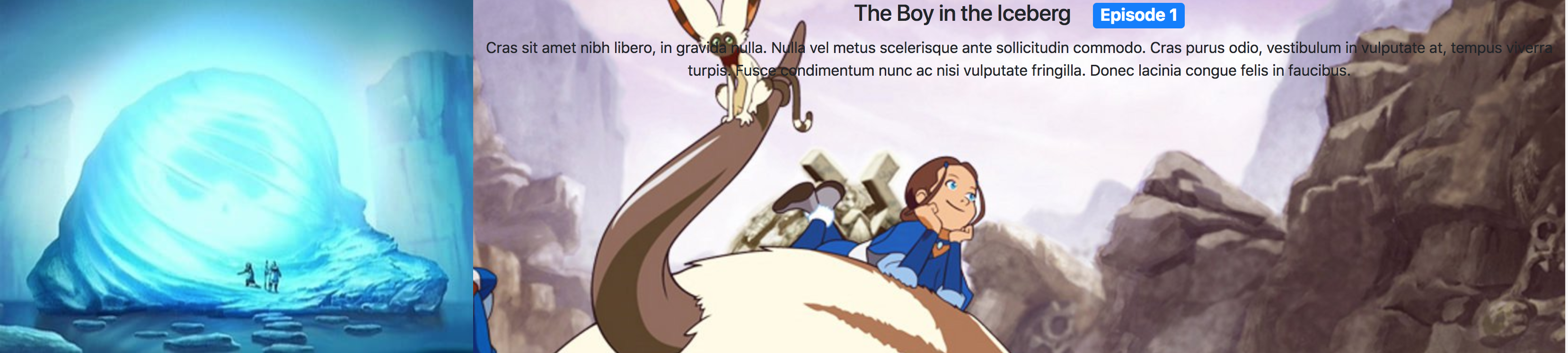
The image style is not working as expected. I want the image on the left is full sized but I want it to appear as a thumbnail and positioned beside the heading and body, like an item from a vertical playlist (i.e. youtube 'up next' )
 ridhwaans
All 3 comments
woohoo its issue #1000
ridhwaans
on 3 May 2018
🎉1
😄1
Here is your code minus the variables: https://stackblitz.com/edit/reactstrap-v6-cahuzf?file=Example.js
Here is how it looks:
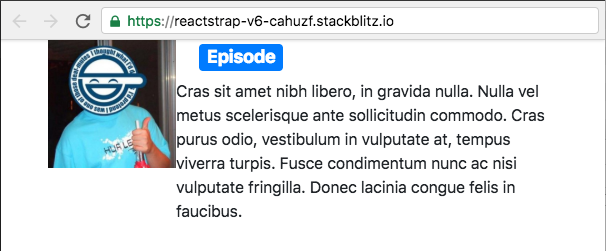
You'll need some of the spacing utility classes to add some space between the image and the content, but overall the image size looks right.
 TheSharpieOne
on 3 May 2018
TheSharpieOne
on 3 May 2018
❤1
thanks
ridhwaans
on 3 May 2018
Was this page helpful?
0 / 5 - 0 ratings
Related issues
 Puschek
·
3Comments
Puschek
·
3Comments
 dhwrwmgwra
·
3Comments
dhwrwmgwra
·
3Comments
 sjorsvanheuveln
·
3Comments
sjorsvanheuveln
·
3Comments
 wzup
·
3Comments
wzup
·
3Comments
 NoMoreViolence
·
3Comments
NoMoreViolence
·
3Comments
Most helpful comment
woohoo its issue #1000