Reactotron: Reactotron is not sync on Windows
I am trying to debug with Reactotron on Windows, but currently I do have a problem right now. I already set all the configuration in my ReactotronConfig.js file. But it is not display anything in the Reactotron screen. I already gave permission to have access on the firewall.
I would like
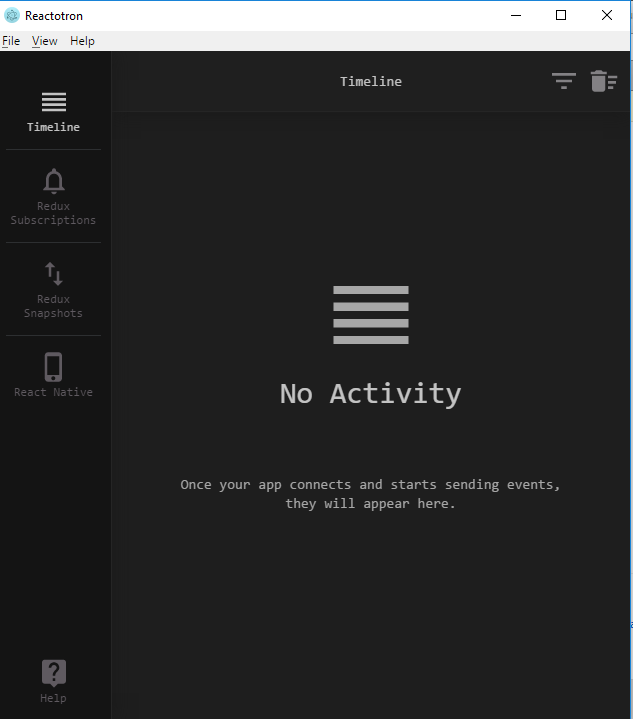
to know what Do I need to do?
 AugustoAleGon
All 7 comments
What kind of setup are you running? A simulator? A device? Same network? Android? Did you run adb reverse tcp:9090 tcp:9090 to open Android's port forwarding?
 skellock
on 10 Nov 2017
skellock
on 10 Nov 2017
I was using this config:
import Reactotron from 'reactotron-react-native'
import { reactotronRedux as reduxPlugin } from 'reactotron-redux'
import sagaPlugin from 'reactotron-redux-saga'

console.disableYellowBox = true

// First, set some configuration settings on how to connect to the app
Reactotron.configure({
  name: 'Demo App'
  // host: '10.0.1.1',
  // port: 9091
})

Reactotron.useReactNative({
  asyncStorage: { ignore: ['secret'] }
})

// add some more plugins for redux & redux-saga
Reactotron.use(reduxPlugin())

// if we're running in DEV mode, then let's connect!
if (__DEV__) {
  Reactotron.connect()
  Reactotron.clear()
}

console.tron = Reactotron
I am running on Android Device. Yes on the same network it is connected for usb. I didn't know that I had to run '`adb reverse tcp:9090 tcp:9090``. Do I have to enable on Window for that port 9090?
Can you give a sbrief step by step setting? I will appreaciate it.
Thanks for taking your time to answer me.
AugustoAleGon
on 10 Nov 2017
Running adb reverse tcp:9090 tcp:9090 solved the issue on my windows machine. Thanks @skellock
 guy-shahine
on 1 Dec 2017
guy-shahine
on 1 Dec 2017
Please mention this in the docs :)
It might have saved my 30-40mins
 faizalshap
on 21 Aug 2018
faizalshap
on 21 Aug 2018
@faizalshap we do have this in the tips, but is there somewhere else it makes sense to have?
skellock
on 21 Aug 2018
I came back to this thread because Reactotron stopped working again after I upgraded to version 2.x+ and this time, I had to install the newest version of Reactotron.exe from Github.
@skellock How do you feel about hosting Reactotron on Chocolatey? Let me know if you there is interest in creating a Windows Installer, I'd be happy to help.
btw @faizalshap adb reverse is also mentioned in troubleshooting section
guy-shahine
on 12 Oct 2018
@chlela We're switching up in v3 to not using electron anymore, but a web site. This means we'll be able to ship reactotron completely as devDependencies. I appreciate the offer!
skellock
on 12 Oct 2018
Related issues
 Anahkiasen
·
5Comments
skellock
·
4Comments
Anahkiasen
·
5Comments
skellock
·
4Comments
 dhruwal
·
3Comments
dhruwal
·
3Comments
 tolu360
·
5Comments
tolu360
·
5Comments
 itaied246
·
4Comments
itaied246
·
4Comments
Most helpful comment
Running
adb reverse tcp:9090 tcp:9090solved the issue on my windows machine. Thanks @skellock