Reactivesearch: Result Card does not accept a custom component
Issue Type:
'enhancement'
Platform:
Web
Description:
Enhance Result Card to accept a custom component
I am using React Material-UI library so I wanted to make a Result List using Card items, but the issue is that it renders itself as a list (only vertical). So I checked the Result Card but it cannot accept a component, it only accept a specific object.
Thanks.
 soflass1293
All 5 comments
You can use ReactiveList instead, and easily render custom markup as you please 😸
 metagrover
on 25 Jun 2018
metagrover
on 25 Jun 2018
Hello
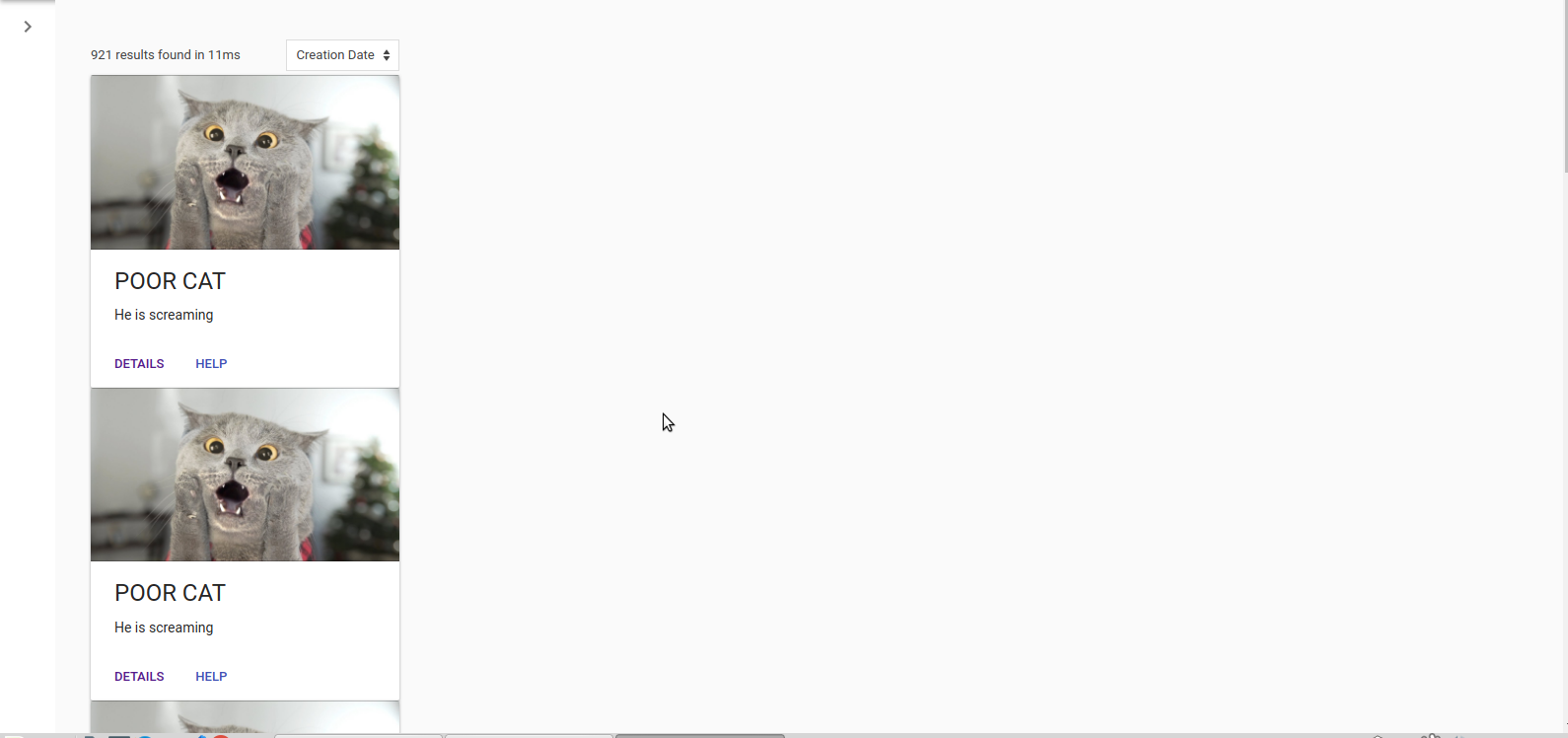
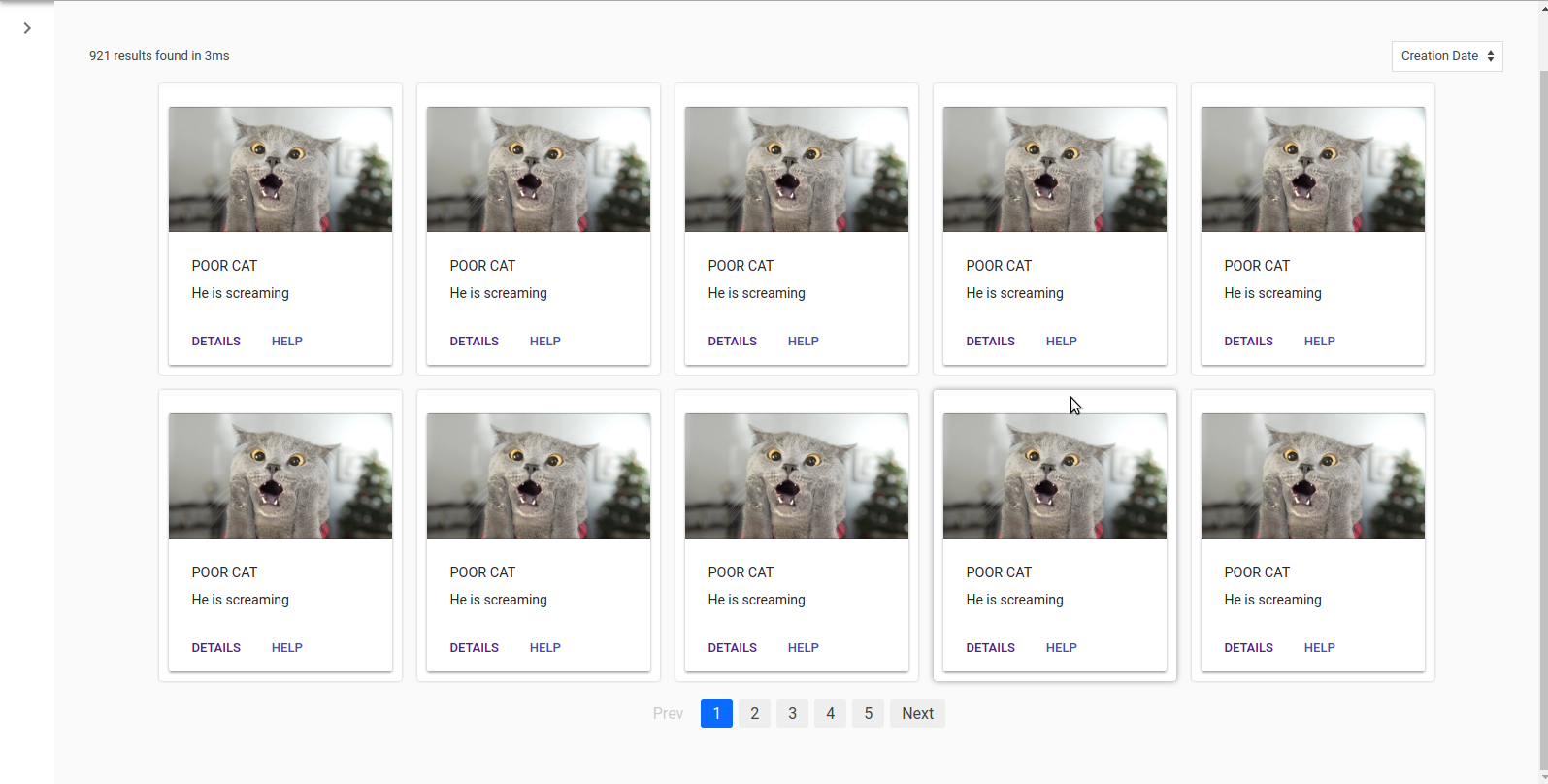
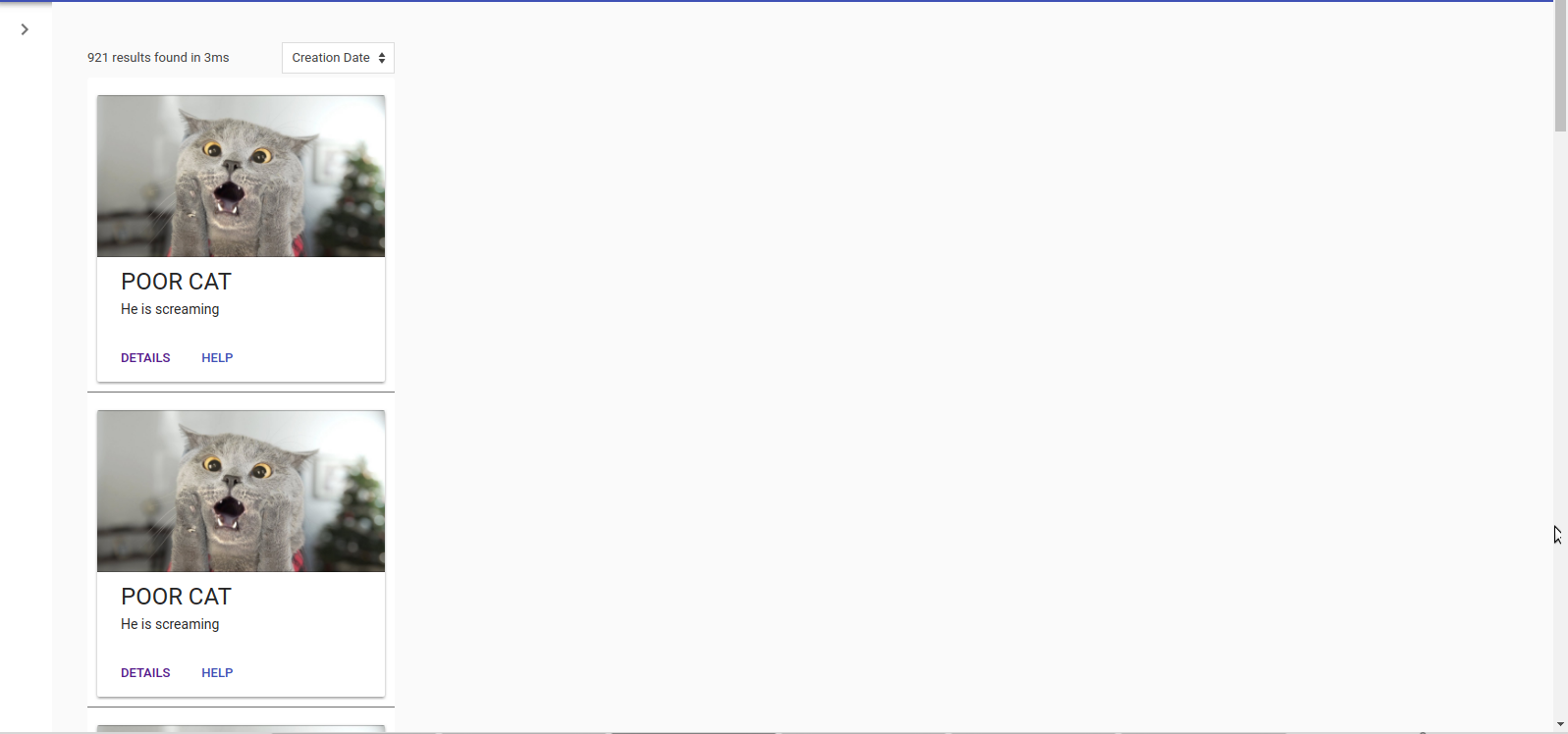
I tried it but it has the same issue, it renders items each one in the whole row. For example I want to have 4 items in one row, that an be done in Result Card.
The problem in Result Card is not customizable, the only way I found is to inject the component in the description field
onData={(res) => {return {
description: <GridItem />
}}}
but the problem is that it is in a field and it shows the border of the original card.
I have attached 3 images of examples:
Reactive List, Result Card and Result List.
I want the result to be similar to Result Card but using a custom component
onData={(res) =>
<GridItem />
}
Reactive List
Result Card
Result List
soflass1293
on 25 Jun 2018
It's a simple css issue. You can use flex or css-grid to arrange the components on your screen.
If you want to access the container styling along with this- you can use onAllData prop on ReactiveList.
metagrover
on 25 Jun 2018
It's a simple css issue. You can use
flexorcss-gridto arrange the components on your screen.If you want to access the container styling along with this- you can use
onAllDataprop onReactiveList.
Hi, are there any example on how to do this?
I've tried using ReactiveList with CSS Grid to create columns, but ReactiveList would just return items in rows, like the following:
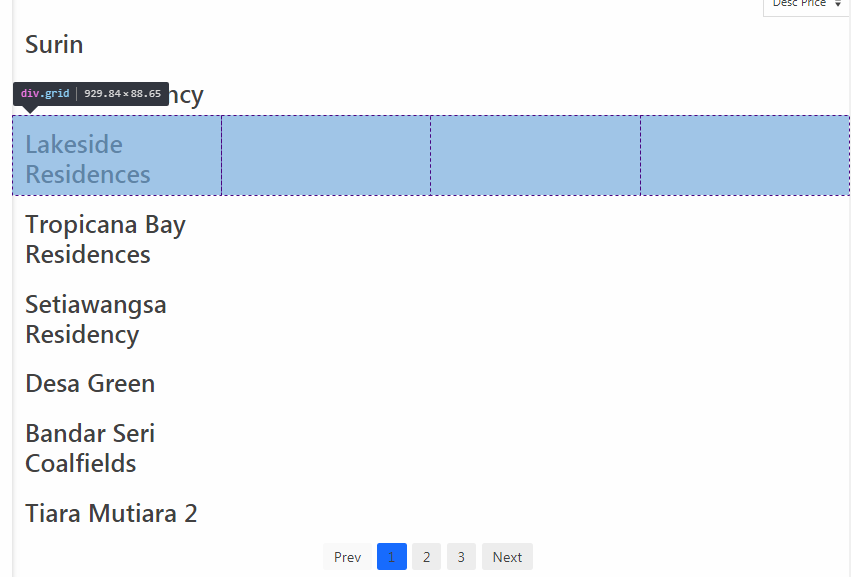
And my custom component:
propertyResultList(data) {
return (
<div className="grid" key={data._id}>
<h3>{data.propertyName}</h3>
</div>
);
}
Also, do you have any simple example of using onAllData? The documentation doesn't provide usage example, and the only example I could find using onAllData is from here:
https://medium.appbase.io/building-a-realtime-todomvc-app-with-reactivesearch-and-appbase-io-ecf105e7729e
but I couldn't for the life of me figure out how it works...
 amirasyraf
on 8 Dec 2018
amirasyraf
on 8 Dec 2018
This should help:
onAllData(allData, streamData) {
    return (
        <div className="grid">
            {allData.map(item => <h3>{item.propertyName}</h3>)}
        </div>
    );
}
onAllData expects you to return one element (container) which contains everything you want to render in the results component. Hence, we wrap all the results in one div.grid.
metagrover
on 10 Dec 2018
Related issues
 scheiblr
·
3Comments
scheiblr
·
3Comments
 tiagogm
·
3Comments
tiagogm
·
3Comments
 mrtinkz
·
3Comments
mrtinkz
·
3Comments
 rbeers
·
3Comments
rbeers
·
3Comments
 kud
·
4Comments
kud
·
4Comments
Most helpful comment
This should help:
onAllDataexpects you to return one element (container) which contains everything you want to render in the results component. Hence, we wrap all the results in onediv.grid.