React-window: Jumps to top of list when scrollbar dragged past bottom
It's a bit tricky to explain i'll do my best!
Browser - Tested only in Chrome (70.0.3538.110).
Example - https://codesandbox.io/s/k2lpl9m0l3
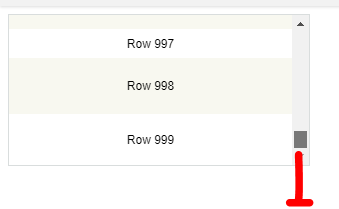
Method - Ensure the scrollbar is not fully scrolled to the bottom of the list (variable or fixed). Next start to drag the scrollbar down, once your mouse cursor gets past the end of the list (at around +30px see below screenshot for rough estimate of where it triggers) the list jumps to the top.
 rssfrncs
All 13 comments
I've also noticed that if you are scrolled somewhere in the list (not top or bottom) and you scroll up and go past the top it will jump back to the start point of the drag.
rssfrncs
on 3 Dec 2018
Might be of interest, I can't reproduce the issue on Firefox or Edge.
rssfrncs
on 3 Dec 2018
I can't reproduce this issue using Chrome 70.0.3538.77 on macOS 10.13.6 (with "Show scroll bars: Always")
Any chance I can get a recording from you?
Any chance you could add logging to your version of react-window (inside of node_modules) to print what the scrollTop values are here?
I could add a min/max gate if needed, although it seems like it shouldn't be required.
 bvaughn
on 3 Dec 2018
bvaughn
on 3 Dec 2018
On Windows 10 I've confirmed the above behavior. I don't have an clues as to the cause as of yet
System: Windows 10
Chrome: 70.0.3538.110
 JeffBaumgardt
on 3 Dec 2018
JeffBaumgardt
on 3 Dec 2018
Repros in Chrome 70.0.3538.110 on Windows 10
Does not repro in Firefox Dev Edition, 64.0b13 on Windows 10.
 ghurlman
on 3 Dec 2018
ghurlman
on 3 Dec 2018
Probably unsurprisingly, this seems to be Windows behavior (rather than specific to react-window):
http://www.tomshardware.com/answers/id-3663415/stop-scrollbar-jumps-top-behaviour.html
That doesn't mean I shouldn't work around it, just that it seems to be common-ish?
bvaughn
on 3 Dec 2018
 mattlacey
on 3 Dec 2018
mattlacey
on 3 Dec 2018
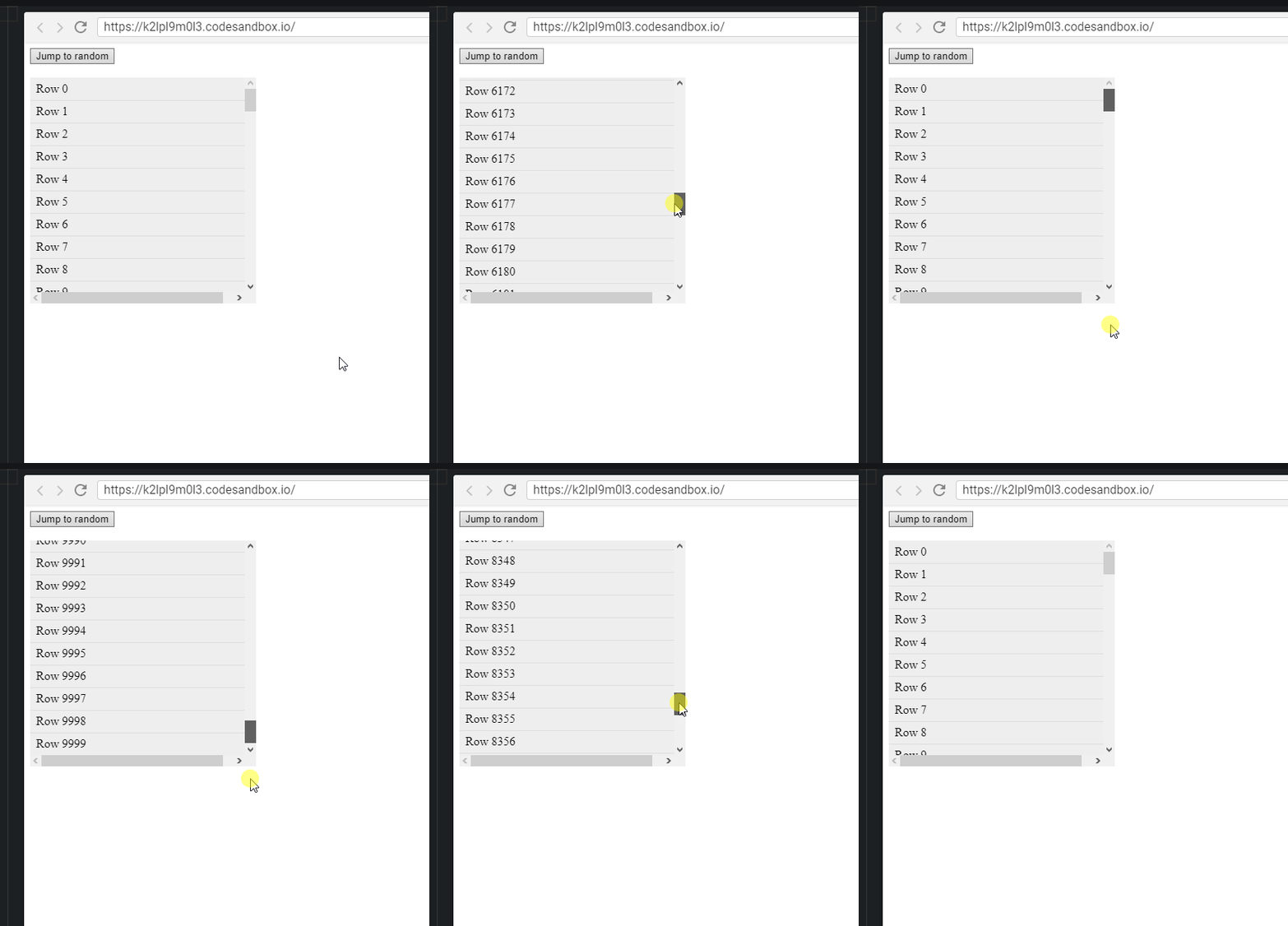
Chrome 70.0.3538.110 Jumps back to where you started dragging from, not just the top. Also happens eventually if you move the mouse to the right.
Firefox 63.0.3 (32-bit) If you start dragging directly down its fine, but drag off to the right and it will jump back
 BottomleyIan
on 4 Dec 2018
BottomleyIan
on 4 Dec 2018
It is a common windows behavior as I've replicated this in non-browser applications as well as browsers.
JeffBaumgardt
on 4 Dec 2018
I was playing a bit, looks like the shared behavior between browsers is jumping back to the initial position if you drag the mouse far enough through the other axis direction. Firefox, Edge, IE, Chrome and w10 system. Is it a default behavior in general or it is a windows "feature"?
Dragging in the same axis... it happens to Chrome and w10 explorer, other browsers works fine, even IE
 Agedjus
on 4 Dec 2018
Agedjus
on 4 Dec 2018
Thanks so much for the added context folks. I'm not sure this is something I can reasonably fix– if the browser is sending _valid_ (e.g. between 0 and max offset) but "incorrect" offsets.
bvaughn
on 4 Dec 2018
I can reproduce it on the window scroll of the browser, on the windows file explorer.
I don't think you need to fix it since it's consistent for windows users.
 Julienng
on 4 Dec 2018
Julienng
on 4 Dec 2018
Thanks again for all of the input everyone!
After looking at this a bit closer, I think I'm going to close this issue as "won't fix" because (1) it seems to be widespread on Windows and (2) I don't think there's a reasonable way for me to detect and work around it.
Cheers!
bvaughn
on 4 Dec 2018
Related issues
 carolin913
·
3Comments
carolin913
·
3Comments
 brunolemos
·
3Comments
brunolemos
·
3Comments
 ivan-badmaev
·
3Comments
ivan-badmaev
·
3Comments
 ShivamJoker
·
3Comments
ShivamJoker
·
3Comments
 jsu93
·
4Comments
jsu93
·
4Comments
Most helpful comment
Thanks again for all of the input everyone!
After looking at this a bit closer, I think I'm going to close this issue as "won't fix" because (1) it seems to be widespread on Windows and (2) I don't think there's a reasonable way for me to detect and work around it.
Cheers!