React-virtualized: Scroll performance issue (setState from _handleWindowScrollEvent() in WindowScroller)
First, thank you for open sourcing and maintaining this library.
Observed problem is that it jitter/freeze/flicker when scrolling. I'm using WindowScroller, AutoSizer, Masonry. here is the gif
Here are what I've tried.
It seems like _handleWindowScrollEvent() from WindowScroller takes up the time and specifically setState part. I think It's not the setState itself rather It is the cascading updates by setStating value of isScrolling, scrollLeft, scrollTop. It cascades to WindowScroller -> AutoSizer -> Masonry -> cellRenderer -> and my components. I don't find any problem with the code, but I have this issue taking up a lot of time at scripting(not rendering)
Here are more details from chrome devtool's performance tool. As you see, most of time is used for scripting not rendering of components. 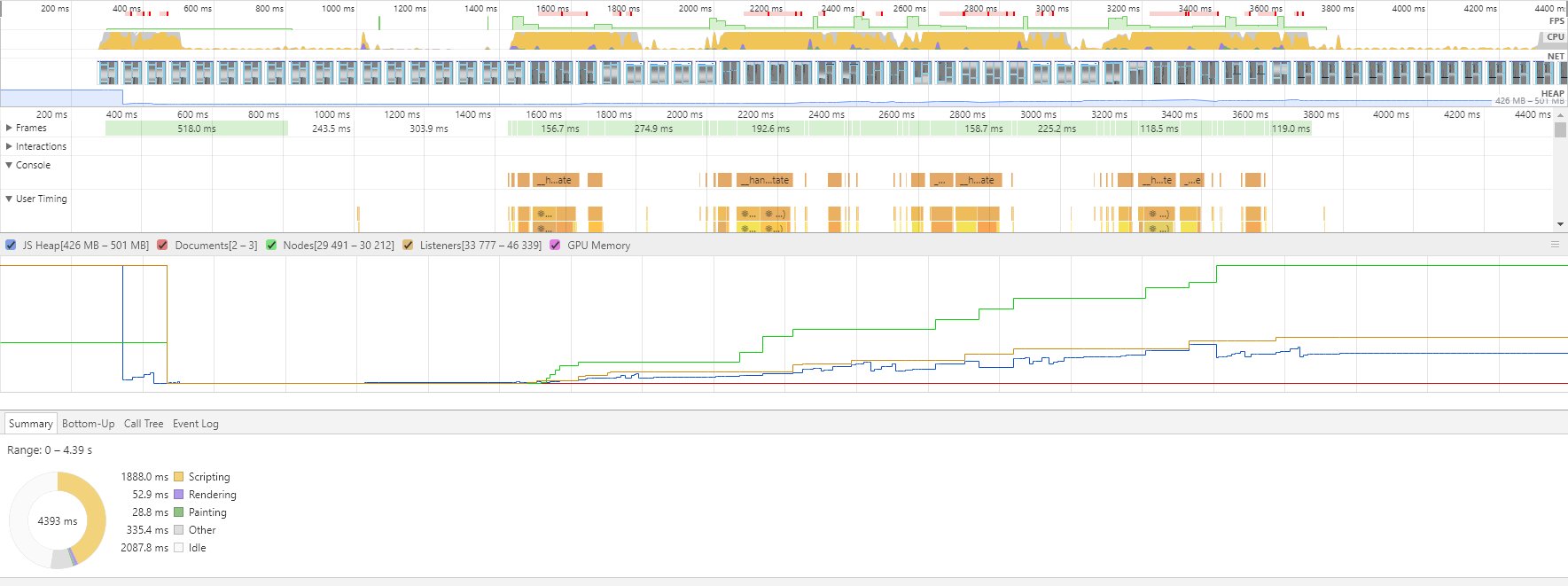
This is how the each Scroll event looks like.
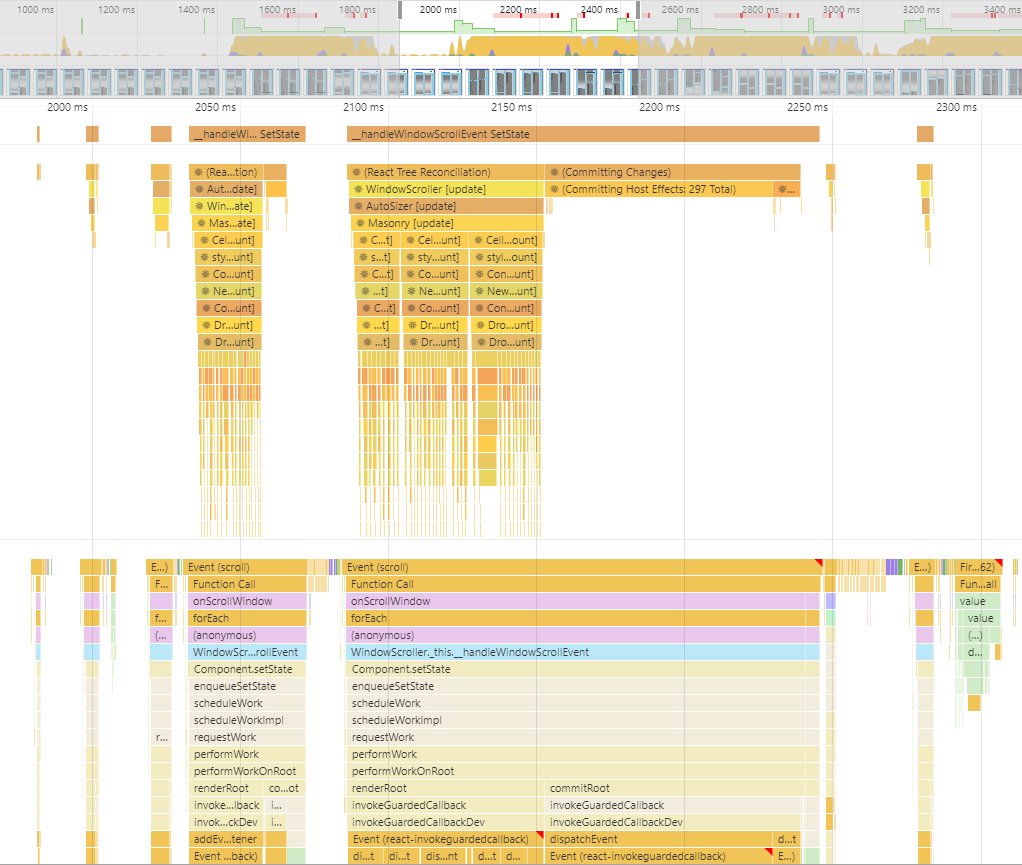 That Event(scroll) blocks can vary. It is short and not slow when cascade update downs to cellRenderer and not rendering my component. It is long when I have to render my components. It sounds like an re-rendering problem... I'm not really sure...
Here is how my components are rendered.
 you can see how the cascading updates look like.
In terms of re-rendering or re-mounting, #1028 #368 are related.
So, This is kind of a temporary hack I've done. Problem seems severe when my components need to be rendered. Prevent rendering kind of make this issue less heavy. I just overscanByPixels={4000} to something like this so that It just renders a lot at one time. This will make using virtualization technique useless, but It prevents re-rendering/re-mounting components at every scroll. Here is what It looks like
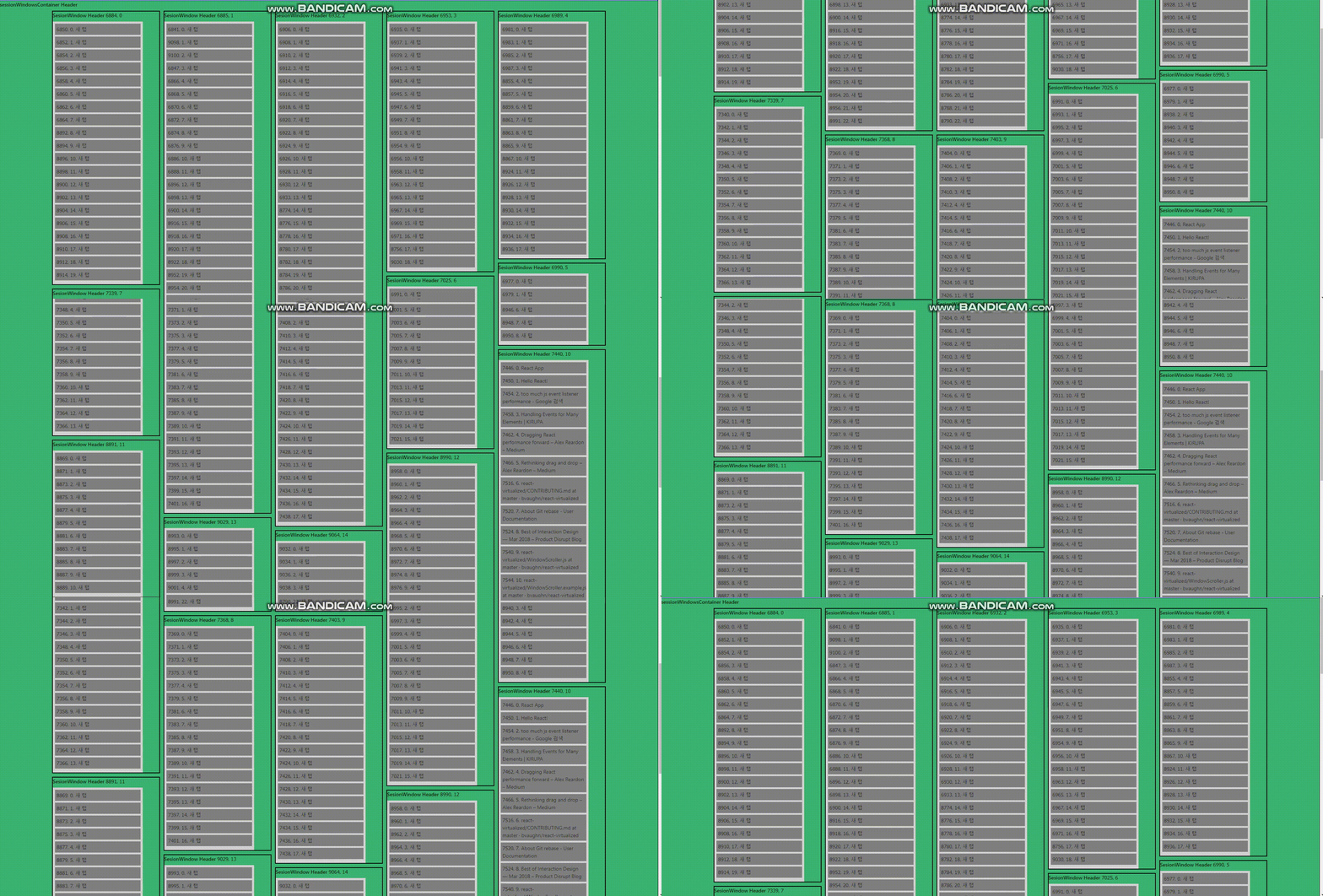
I feel like It is almost smooth. It still takes up sometime though(compared to the Masonry docs example)
I've digged in to WindowScroller.js, onScroll.js or issues or stack overflow but I couldn't fix this problem.
What do you think of this? It doesn't seem like browser issue.... but I've tested at chrome 65.0.3325.181
Here is the performace profiler file. It is a json file. you can F12 and go to performance tab and click "Load profile..." https://drive.google.com/open?id=1t20lzwrAlRy0q3A3bGf40Z5F3nsI33Wh
(btw I'm using react-redux(Connect) with reselect and passing ids only to child so I think It is not the problem..? also I'm wrapping my components with react-beautiful-dnd(Droppable, Draggable) before I used react-dnd(DropSource, DropTarget, DragLayer) but had same issue. maybe helpful info)
 lonyele
All 11 comments
Try do not pass isScrolling to the table.
 TrySound
on 23 Apr 2018
TrySound
on 23 Apr 2018
I'm using it like this. not using isScrolling props. WindowScroller for height and scrollTop, AutoSizer for width and at last Masonry. (That willChange: 'auto' is for the compatibility issue with react-beautiful-dnd. Also tweaked scrollingReseTimeInterval but doesn't like noticeable)
<WindowScroller scrollingResetTimeInterval={1000}>
  {({ height, scrollTop }) => (
    <AutoSizer
       onResize={this._onResize}
       disableHeight={true}
     >
       {({ width }) => (
         <Masonry
           autoHeight={true}
           cellCount={this.props.component.length}
           cellMeasurerCache={this._cache}
           cellPositioner={this._cellPositioner}
           cellRenderer={this.cellRenderer}
           height={height}
           width={width}
           ref={this._setMasonryRef}
           scrollTop={scrollTop}
           style={{willChange: 'auto'}}
           overscanByPixels={3000}
          />
       )}
    </AutoSizer>
   )}
</WindowScroller>
I have the same performance issues. Removing onChildScroll from WindowScroller improved performance. Furthermore I render simple elements in my cell renderer if isScrolling is true.
 davincho
on 7 May 2018
davincho
on 7 May 2018
I think we're going to try to tackle perf issues in v10 💯
 wuweiweiwu
on 8 May 2018
wuweiweiwu
on 8 May 2018
Looking forward to get this fixed! :D
 filipemonteiroth
on 30 May 2018
filipemonteiroth
on 30 May 2018
Hi @filipemonteiroth , I currently don't have much time to dedicate to perf issues in react-virtualized.
However, v10 is currently in alpha and is here in which @bvaughn has made a bunch of performance gains.
wuweiweiwu
on 8 Jun 2018
In my case, the components in the list were re-rendering on each scroll about 3 times (probably scroll event fires that often). After making sure they don't re-render, each scroll cost dropped from 1.5 seconds to just a few milliseconds.
 thehappycoder
on 11 Sep 2018
thehappycoder
on 11 Sep 2018
Hi, @thehappycoder. I have the same issue. Please, could you give me a tip on how to avoid re-rendering?
 cecbr
on 21 Sep 2018
cecbr
on 21 Sep 2018
@cecbr You can find out about that here https://reactjs.org/docs/optimizing-performance.html In most case the cause is an anonymous function created and passed from parent's render method.
thehappycoder
on 21 Sep 2018
Hi @thehappycoder. Thanks for tip. I made some changes and using PureComponent
the performance has improved a lot. But my component continues to be re-rendered three times each scroll. Could you help me with some other tip specifically about this? Were you able to solve this situation?
cecbr
on 24 Sep 2018
@cecbr scroll event probably fires 3 times. Can't probably change that. I didn't look further into that.
thehappycoder
on 24 Sep 2018
Related issues
 ms007
·
4Comments
ms007
·
4Comments
 mikedevita
·
3Comments
mikedevita
·
3Comments
 hyeminHwang
·
3Comments
hyeminHwang
·
3Comments
 johnnyji
·
3Comments
johnnyji
·
3Comments
 EdBoucher
·
3Comments
EdBoucher
·
3Comments
Most helpful comment
I think we're going to try to tackle perf issues in v10 💯