React-virtualized: List flashing when scrolling
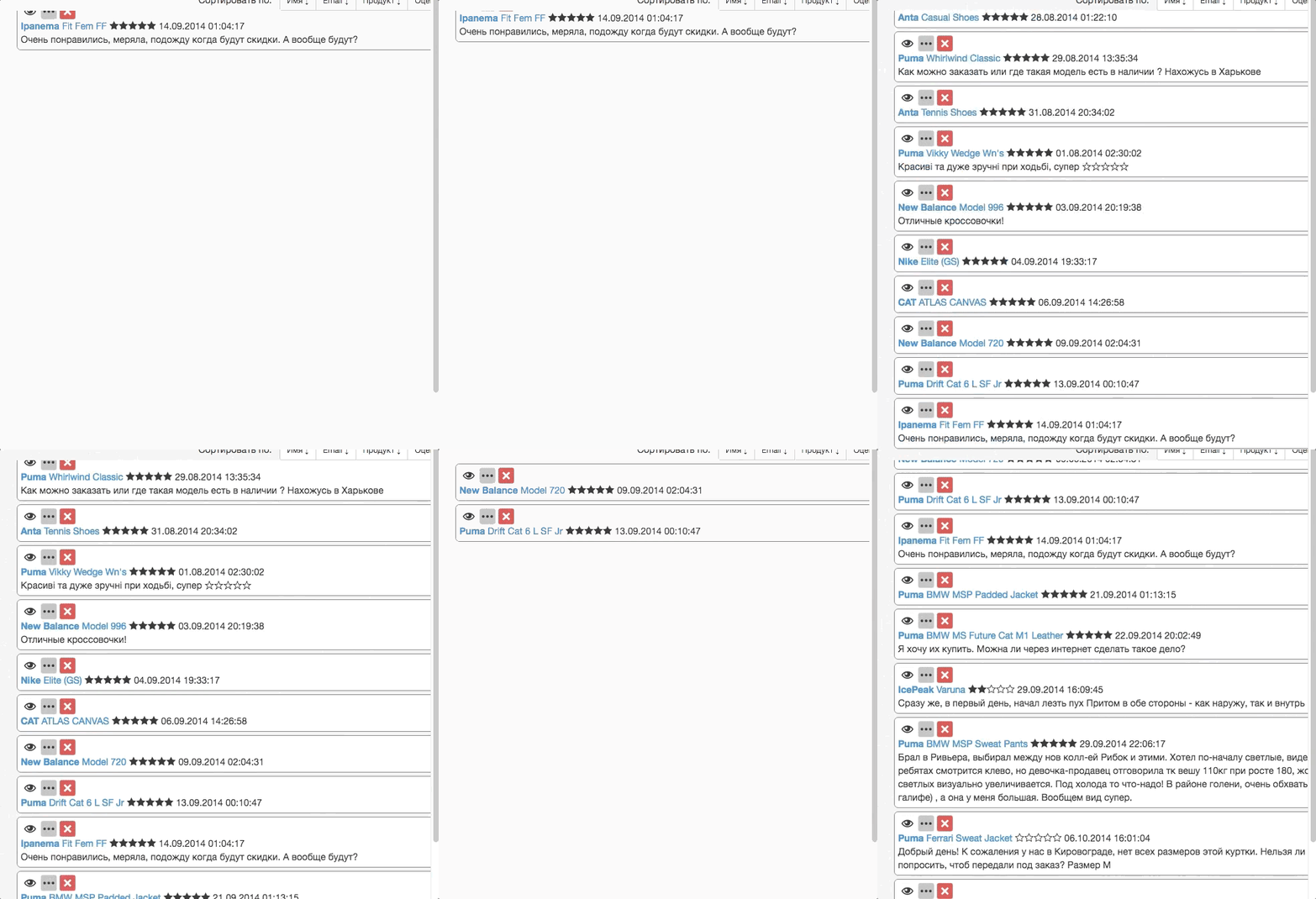
Hi. What I can do with this problem?
Code:
rowCount={reviews.length}
rowRenderer={this.rowRenderer}
width={720}
className={'rewiews-list'}
rowHeight={80}
sortBy={() => {
this.makeSort();
this.list.forceUpdate();
}}
/>
 kramarmm
All 8 comments
It helps a lot of this sort of issue is filed as a repro case (in Webpackbin or Plnkr) rather than a partial code snippet and a gif. I have very little visibility into what could be going wrong at the moment.
I would say that your sortBy prop looks fishy. You're passing a function, which will change each time render is called, which would bypass any smart shouldComponentUpdate checks- although I don't think that would be the cause of what your image shows.
As it is, this issue isn't really answerable, so I'm closing this issue. If you can provide a repro case I'll take a look. 😄
 bvaughn
on 3 Jul 2017
bvaughn
on 3 Jul 2017
Hi @kramarmm did you figure out what causing your issue? Thanks
(Met exact same issue, it only happens when scroll, and I don't have sortBy)
 Hongbo-Miao
on 3 Jan 2018
Hongbo-Miao
on 3 Jan 2018
@Hongbo-Miao
I'm using CellMeasurer and CellMeasurerCache
in constructor:
this._cache = new CellMeasurerCache({
fixedWidth: true,
keyMapper: rowIndex =>${uniqueKey},
});
and then, if your row height or width, will be depended on props - rewrite cache in componentWillReceiveProps:
componentWillReceiveProps() {
this._cache = new CellMeasurerCache({
fixedWidth: true,
keyMapper: rowIndex =>${uniqueKey},
});
}
kramarmm
on 3 Jan 2018
Thanks for response, @kramarmm !
Seems something else causing my issue, I will post back once I found the issue.
I am still new to this package. Need more time to learn.
Hongbo-Miao
on 3 Jan 2018
I think this issue is genuine, I am also using it and having same issue, I have over 10K records in my list
 sslgeorge
on 27 Apr 2018
sslgeorge
on 27 Apr 2018
The virtualized list rerenders on every 1px scroll. Given that you are creating all of the elements from scratch on every scroll, you have to be careful to not rerender the inner parts of the tree, so that diff stays fast. If diff is wrong and rendering is slow, you'll get a dismount and then mount again, and that will leave a visible flashing effect.
 vjeranc
on 13 May 2018
vjeranc
on 13 May 2018
Hi @sslgeorge @vjeranc Can you guys open a new issue and link back to this one? And also provide a minimum reproduction in a codesandbox?
That'll be great!
 wuweiweiwu
on 15 May 2018
wuweiweiwu
on 15 May 2018
In case this helps others searching for this issue:
I was having this same problem for a while; the cause was that the style parameter of my rowRenderer was not being applied to the list elements. In my specific case it was a bit tricky because it _looked_ like it was being applied, but I had created a custom list item React component that was not applying this.props.style to its root element. The problem was solved when I fixed this.
Main loop:
<AutoSizer>{
    ({ height, width }) => {
        return (
            <List
                deferredMeasurementCache={this.measurerCache}
                height={height}
                width={width}
                rowCount={modules.length}
                rowHeight={80}
                rowRenderer={this.mkRow}
                />
        );
    }
}</AutoSizer>
Row renderer:
mkRow({ key, index, isScrolling, isVisible, style, parent }) {
    const { errorOpen, errorTitle, errorMessage         } = this.state;
    const { classes,   className,  Search, ModuleFilter } = this.props;

    const modules = this.state[ModuleFilter];
    const module  = modules[index];

    return (
        <CellMeasurer cache={this.measurerCache} key={module.Identifier} parent={parent} rowIndex={index}>
            <ModulesListItem style={style} module={module} Search={Search} />
        </CellMeasurer>
    );
}
List item's render() broken:
<ListItem className={classes.root} component="div" ContainerComponent="div">
List item's render() fixed:
<ListItem style={this.props.style} className={classes.root} component="div" ContainerComponent="div">
Thanks to the team members for this nice component; it's really quite impressive once it's working!
 HebaruSan
on 27 May 2018
HebaruSan
on 27 May 2018
Related issues
bvaughn
·
30Comments
 martinpesout
·
52Comments
martinpesout
·
52Comments
 Guria
·
24Comments
Guria
·
24Comments
 kof
·
81Comments
kof
·
81Comments
 jedwards1211
·
22Comments
jedwards1211
·
22Comments
Most helpful comment
In case this helps others searching for this issue:
I was having this same problem for a while; the cause was that the
styleparameter of myrowRendererwas not being applied to the list elements. In my specific case it was a bit tricky because it _looked_ like it was being applied, but I had created a custom list item React component that was not applyingthis.props.styleto its root element. The problem was solved when I fixed this.Main loop:
Row renderer:
List item's
render()broken:List item's
render()fixed:Thanks to the team members for this nice component; it's really quite impressive once it's working!