React-virtualized: InfiniteLoader with FlexTable doesn't work correctly
I tried the demo with the InfiniteLoader using a VirtualScroll and it posed no problems. But when I exchanged the VirtualScroll with the FlexTable it results in an unexpected behaviour.
It seems to start loading the items but doesn't rerender the items until I scroll again.
This gif shows the issue:
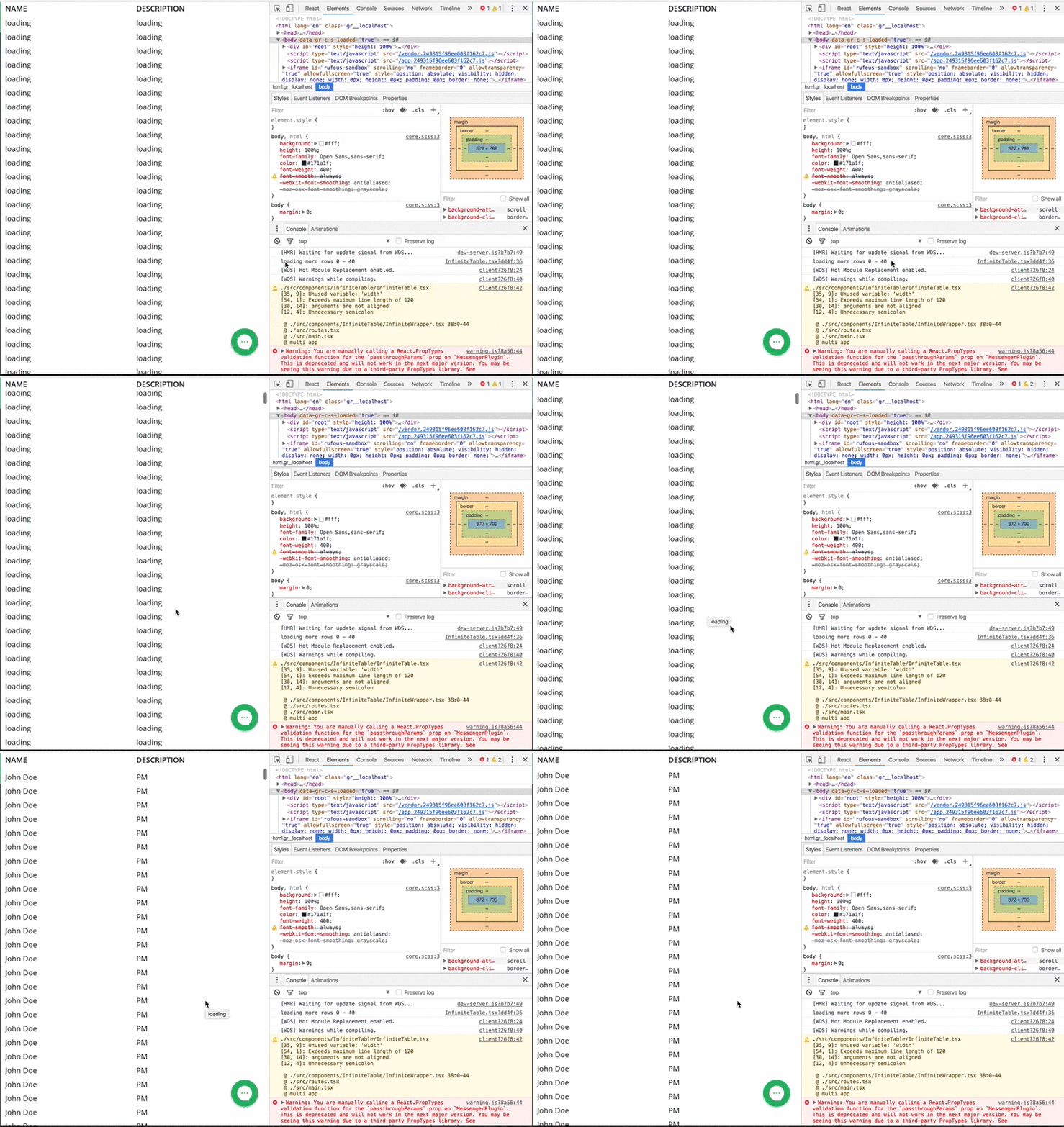
When you initialize the list, it'll say loading forever. No matter how long you wait. But as soon as you start scrolling, the loaded date will be rendered)
vs expected behavior (using VirtualScroll):
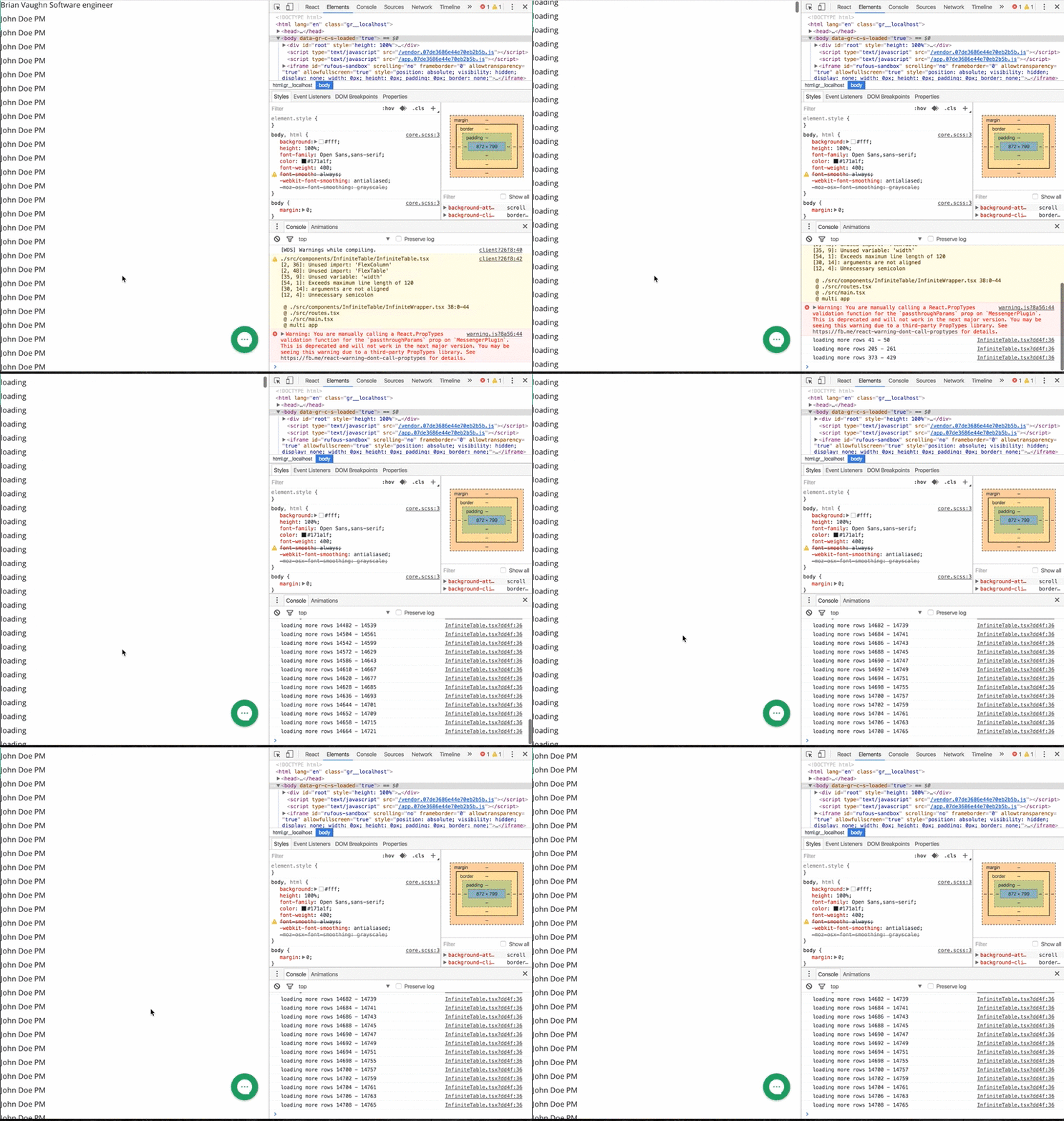
Code using FlexTable:
import * as React from 'react'
import {AutoSizer, InfiniteLoader, FlexColumn, FlexTable} from 'react-virtualized'

interface Props {
  model: any
}

export default class InifiniteTable extends React.Component<Props, {}> {
  list = [
      { name: 'Brian Vaughn', description: 'Software engineer', loaded: false },
      { name: 'John Doe', description: 'PM', loaded: false },
  ];

  constructor() {
    super()
    for (let i = 0; i < 3000000; i++) {
      this.list.push({ name: 'John Doe', description: 'PM', loaded: false })
    }
  }

  loadMoreRows = ({startIndex, stopIndex}) => {
    console.log(`loading more rows ${startIndex} - ${stopIndex}`)
    return new Promise(
      (resolve) =>
          setTimeout(() => {
            for (let i = startIndex; i < stopIndex; i++) {
              this.list[i].loaded = true
            }
            resolve(this.list.slice(startIndex, stopIndex))
          }, 1000)
    )
  }

  render() {
    let width = 408 / this.props.model.fields.edges.length
    return (
      <div style={{height: '100%'}}>
        <InfiniteLoader
          rowCount={this.list.length}
          isRowLoaded={({index}) => this.list[index].loaded}
          loadMoreRows={this.loadMoreRows}
        >
          {({onRowsRendered, registerChild}) => (
          <AutoSizer>
            {({width, height}) => (
            <FlexTable
              ref={registerChild}
              width={width}
              height={height}
              onRowsRendered={onRowsRendered}
              headerHeight={30}
              rowHeight={30}
              rowCount={this.list.length}
              rowGetter={({index}) => this.list[index].loaded ? this.list[index] : ({name: 'loading', description: 'loading'})}
            >
              <FlexColumn label='Name' dataKey='name' width={width / 2} />
              <FlexColumn label='Description' dataKey='description' width={width / 2} />
            </FlexTable>
            )}
          </AutoSizer>
          )}
        </InfiniteLoader>
      </div>
    )
  }
}
 renebrandel
All 14 comments
Interesting. I'm using FlexTable and InfiniteLoader together in production code and I don't see this issue. Hm...
 bvaughn
on 29 Aug 2016
bvaughn
on 29 Aug 2016
Do you have the production code somewhere to compare? And can you check if it's using the latest version?
renebrandel
on 29 Aug 2016
My app code? No. It's not in a public repo. It's using a fairly recent version of react-virtualized though fwiw (^7.19.0). Nothing relevant has changed in the range between that and the latest.
I'll dig into this more at some point today when I can find the time. Being able to reproduce it with your sample helps a lot. 😁
bvaughn
on 29 Aug 2016
Thanks for looking into it today. Let me know if you need any additional info 😉
renebrandel
on 29 Aug 2016
D'oh. The issue is that InfiniteLoader is calling forceUpdate on the registered child, but for FlexTable we would actually need to call forceUpdateGrid. Not yet sure why this works for VirtualScroll though since it's essentially the same.
bvaughn
on 29 Aug 2016
So one easy fix for this- although it's a little _meh_- would be to check for that special method and fall back to the built-in method like...
if (this._registeredChild) {
  typeof this._registeredChild.forceUpdateGrid === 'function'
    ? this._registeredChild.forceUpdateGrid()
    : this._registeredChild.forceUpdate()
}
Hm... this seems more like a hack. Is there a reason, why one method is called forceUpdate and the other forceUpdateGrid?
renebrandel
on 29 Aug 2016
Agreed, it feels a bit _meh_ as I said 😅
forceUpdate is a React Component method- but it only forces an update 1 level deep. When you have nested components that use shallowCompare then only the outermost component gets updated by this.
Since FlexTable and VirtualScroll wrap Grid (all of which use shallowCompare) I expose forceUpdateGrid to give users a way of forcefully re-rendering the inner grid _even if external props haven't changed_. Unfortunately it's necessary to expose this method if we want the performance benefits of shallowCompare.
bvaughn
on 29 Aug 2016
what if we add a "forceUpdateVirtualized" to both components and then we can redirect it to the correct one respectively.
renebrandel
on 29 Aug 2016
I don't see how that's any different than what I'm already doing, via forceUpdateGrid
bvaughn
on 29 Aug 2016
Oh yeah right! Then why don't we just call forceUpdateGrid instead of ever using forceUpdate?
renebrandel
on 29 Aug 2016
Because InfiniteLoader may wrap a Grid 😁 in which case, forceUpdate is appropriate to call
bvaughn
on 29 Aug 2016
In either way, the fix is easy (despite being a bit hackish). I'll add some tests and inline comments explaining the reasoning...then I should be able to deploy. If not before lunch, then sometime this afternoon. I'll ping this issue again once the fix is live.
bvaughn
on 29 Aug 2016
Check out release 7.22.1 ~ should be fixed for you 😄
Thanks for the nice bug report.
bvaughn
on 29 Aug 2016
Related issues
 barbalex
·
3Comments
barbalex
·
3Comments
 mikedevita
·
3Comments
mikedevita
·
3Comments
 ms007
·
4Comments
ms007
·
4Comments
 clauderic
·
3Comments
clauderic
·
3Comments
 zllc
·
3Comments
zllc
·
3Comments
Most helpful comment
Check out release 7.22.1 ~ should be fixed for you 😄
Thanks for the nice bug report.