React-to-print: Print error on ipad
Hi everyone, i has error when printing on ipad ( ios 11.4). Print window is blank. see video:
https://photos.app.goo.gl/YoHyuk6KqFkuopb76 . You can help me solve it, please. Thanks much.
 hungnt167
All 15 comments
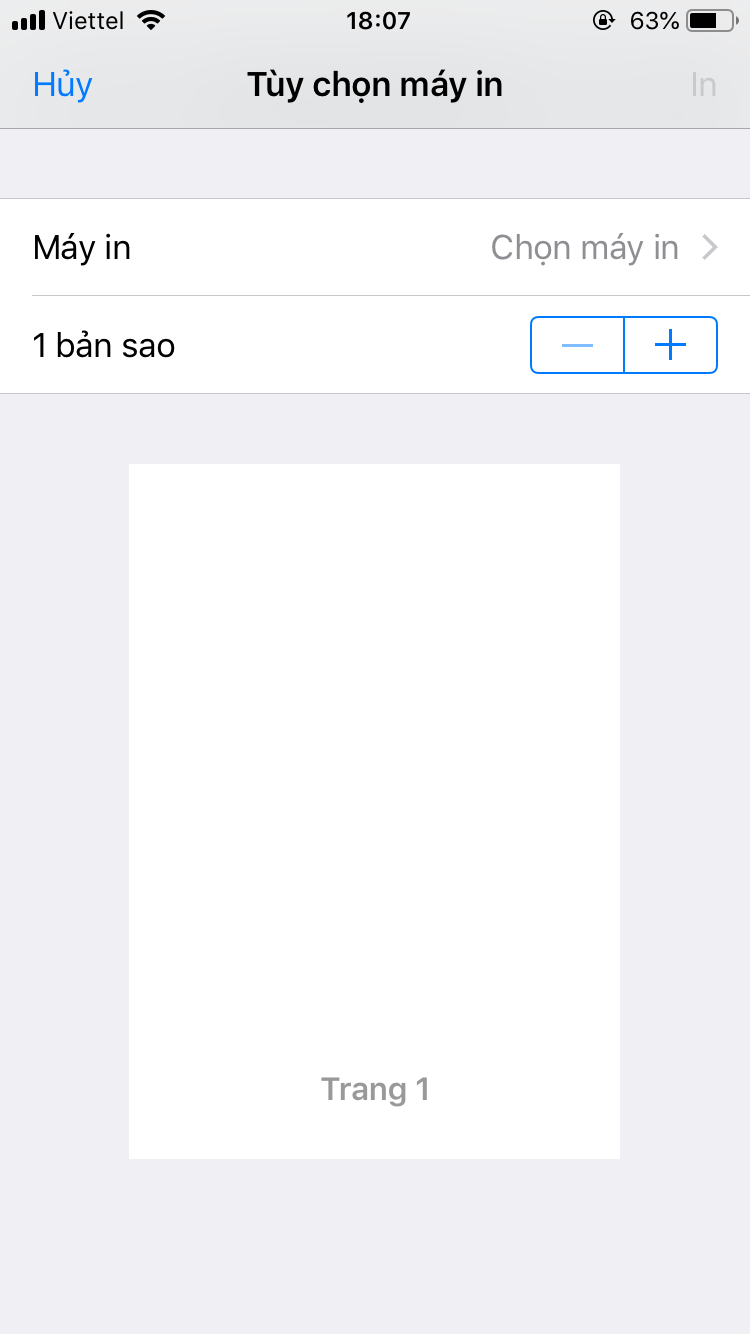
Also error on iphone ios 12.1.4
 berooney
on 2 Jan 2019
berooney
on 2 Jan 2019
Are there any errors in the dev console by chance if you have access to it? I don't have an iPad so it's impossible for me to reproduce this.
 MatthewHerbst
on 2 Jan 2019
MatthewHerbst
on 2 Jan 2019
Are there any errors in the dev console by chance if you have access to it? I don't have an iPad so it's impossible for me to reproduce this.
Thanks for your response, i tried, but have no error line on dev console. watch : https://goo.gl/QM7UNE . :(
hungnt167
on 3 Jan 2019
Please check my pull request: https://github.com/gregnb/react-to-print/pull/87
hungnt167
on 4 Jan 2019
Is it still not resolved? I am also having blank page. When I install beta version, it renders page fine, but I have canvas on page and it is not displayed. I know that canvas is supported in alpha version, but, as I stated above, it doesn't work on mobile Safari. Is there any solution for it? Could someone please help me with this issue?
 Okami92
on 28 Mar 2019
Okami92
on 28 Mar 2019
but, as I stated above
@Okami92 I don't see any previous posts from you in this thread
Do you see any errors in the dev console? I don't have an iPad and so cannot replicate this issue.
MatthewHerbst
on 28 Mar 2019
Is it still not resolved? I am also having blank page.
I had a min-height: 100% in the CSS which made me have a full blank page just like you, maybe it helps ti set height: 99%, it did for me 👍
 p4cm4n
on 3 Jun 2019
p4cm4n
on 3 Jun 2019
Hi all, I'm getting blank page in safari iPad & iPhone :(. For chrome, it return a whole screen not the content I want to print. Can anyone help me ? It works fine in desktop only
 phongle2512
on 12 Jun 2019
phongle2512
on 12 Jun 2019
Is it still not resolved? I am also having blank page.
I had a min-height: 100% in the CSS which made me have a full blank page just like you, maybe it helps ti set height: 99%, it did for me 👍
where I can set the min-height, I used a simple content but nothing shows, here is my content
dangerouslySetInnerHTML={{ __html: "
Hello
" }}/>
phongle2512
on 12 Jun 2019
Hello. I just published v2.1.3 which has a fix for Safari printing. Can you please let me know if it solves the problem you've encountered? Thanks!
MatthewHerbst
on 23 Jun 2019
Hello. I just published v2.1.3 which has a fix for Safari printing. Can you please let me know if it solves the problem you've encountered? Thanks!
It is working now! Thanks!
 felipevlourenco
on 24 Jun 2019
felipevlourenco
on 24 Jun 2019
Thanks @MatthewHerbst , It works for me now.
And I have a performance issue with Print function: My Tickets page shows all user's tickets, for each ticket, user can print it. The problem is when user has many tickets (100 tickets), the page is getting slow because the UI has to prepare 100 tickets data for printing (each ticket is a table). Do you have any suggestion ?
phongle2512
on 24 Jun 2019
The wrapper that react-to-print puts around your trigger has almost no overhead, so my guess is that your UI code is relatively heavy, or that it's re-rending needlessly. There are many strategies to deal with large UIs in React. First you should optimize your components; make sure they are only rendering what is needed, make sure they are all PureComponents, and make sure you are not changing props when you don't need to. For example:
prop1={() => doSomething()} // this will cause a re-render on every render
prop2={{ a: '1' }} // this will cause a re-render on every render
Once you have your components optimized, a next step that you can do, especially if you allow scrolling, is to do virtual rendering: only render the items that are actually on the screen, rather than rendering the entire list.
For more details I would suggest asking a more specific question on StackOverflow with some code examples and I would be happy to help you work them out there.
MatthewHerbst
on 24 Jun 2019
Thanks @MatthewHerbst your suggestion, I'll try to use PureComponent to see
phongle2512
on 24 Jun 2019
Going to close this out since the bug seems to be fixed. Please let me know if there are any other remaining issues.
MatthewHerbst
on 26 Jul 2019
Related issues
 erangia
·
7Comments
erangia
·
7Comments
 manfye
·
5Comments
manfye
·
5Comments
 sprietNathanael
·
4Comments
sprietNathanael
·
4Comments
 AJTJ
·
4Comments
AJTJ
·
4Comments
 quadh
·
5Comments
quadh
·
5Comments
Most helpful comment
Hello. I just published v2.1.3 which has a fix for Safari printing. Can you please let me know if it solves the problem you've encountered? Thanks!