React-table: Is there a standard example for filtering all columns from one input field?
I cannot seem to find an example for this very standardized case. All of them show customized filtering and such; I merely wish to filter through every row and every column, from one input field.
I have filterable={true} on the ReactTable itself, as well as filterable: true on the given columns I wish to filter through. However, I'm unsure of how to access the option itself for every column/row?
My component is something along these lines:
    constructor(props) {
        super(props);
        this.state = {
            filtered: []
        };

        this.handleFilter = this.handleFilter.bind(this);
    }

    handleFilter = (e) => {
        console.log(e.target.value);
        this.setState({
          filtered: e.target.value
        })
    };
    // Render method ..
    const columns = [{
            header: 'Address',
            filterable: true,
            accessor: 'Addr',
        }, {
            header: 'Version',
            filterable: true,
            accessor: 'osVersion',
        }, {
            header: 'Type',
            filterable: true,
            accessor: 'addType',
        }, {
            header: 'Count',
            filterable: false,
            accessor: 'obsCount',
        },{
            header: "Software",
            // Custom render component
        }];


        return(
            <div>
                <div className="searchcontainer">
                    <div className="ui search" style={{display: "inline-block", position: "absolute", right: "1%"}}>
                        <div className="ui icon input">
                            <input type="text" onChange={this.handleFilter} className="prompt"  placeholder="Search.. " />
                            <i className="search icon" />
                        </div>
                    </div>
                </div>
                <div style={{marginTop: "2%"}}>
                    <ReactTable
                        className='-striped -highlight'
                        defaultPageSize={10}
                        pageSizeOptions={[5, 10, 15]}
                        data={tableArr}
                        filterable
                        filtered={this.state.filtered}
                        columns={columns}
                    />
                </div>
            </div
The input to onChange goes correctly into the this.state.filtered .. but nothing really changes. Maybe I am misunderstanding the component?
 cbll
cbll
All 5 comments
No there is not. But since there is no UI built into react-table to do this, you can technically achieve it by any means you please. Here is a simple example: https://codepen.io/tannerlinsley/pen/MoQome?editors=0010
 tannerlinsley
on 30 Jun 2017
tannerlinsley
on 30 Jun 2017
@tannerlinsley
Hi tannerlinsley, i tried your suggestion but its not perfect for me, let me explain it.
I am using redux. And my data lenght is about 5K
When i start typing to filter my column it causes lag, slows and very bad user experience.
I need something pretty fast.
Here you are a screen shot from my project.
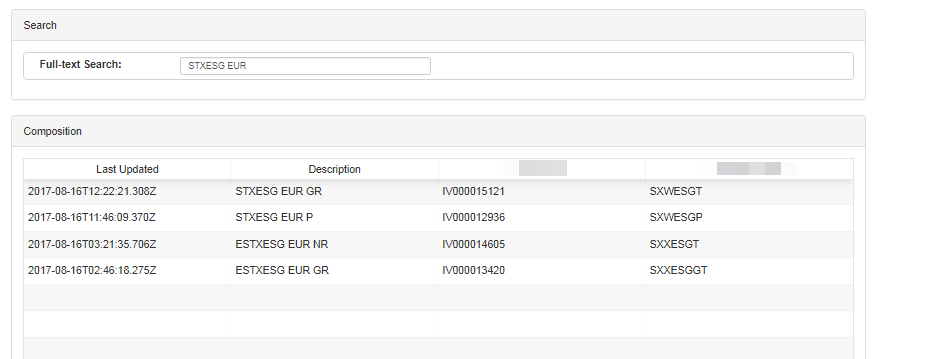
I typed this text in 5 seconds (about). Because it causes lags for a second.
So 1 char = 0.5 second
10 char = 5 second
= Customers gone.
(I did not calculated this for real but to explain the situation)
I hope you can give me some solution to figure out this.
Thanks.
 nzhtrtlc
on 16 Aug 2017
nzhtrtlc
on 16 Aug 2017
You need to debounce the input so it's not changing immediately.
tannerlinsley
on 16 Aug 2017
@tannerlinsley
Thanks for your answer, it helped me a little bit. But i need to change it immediately.
Also my table still have lag while filtering because of 5k data. I need something more fast.
React-Table's original filter is fast enought. But i dont want to use filter input under the columns.
Do you have any API that i can use ? Like jquery DataTables. You can search anything in thousands of data with super fast.
Edit:
Here is my code to fiter data.
case types.FILTER_COMPOSITIONS: {
let currentData = state.edgeComposition;
let filterValue = action.value;
currentData = currentData.filter(row => {
return row.description.includes(filterValue)
});
return {
...state,
edgeComposition: currentData
};
}
nzhtrtlc
on 16 Aug 2017
I have a similar problem when using GlobalFilter.
I need a custom search and I can't change the filtering mode that always uses the default
 YazMarcelo
on 2 Apr 2020
YazMarcelo
on 2 Apr 2020
Related issues
 monarajhans
·
3Comments
monarajhans
·
3Comments
 alexanderwhatley
·
3Comments
alexanderwhatley
·
3Comments
 bdkersey
·
3Comments
bdkersey
·
3Comments
 kieronsutton00
·
3Comments
kieronsutton00
·
3Comments
 dwjft
·
3Comments
dwjft
·
3Comments
Most helpful comment
No there is not. But since there is no UI built into react-table to do this, you can technically achieve it by any means you please. Here is a simple example: https://codepen.io/tannerlinsley/pen/MoQome?editors=0010