React-starter-kit: Heroku deploy failed with babel-node not found
Environment
OS: Win10 up to date
Deploy: Heroku 64bit latest
React Starter Kit: Latest Version
Problem
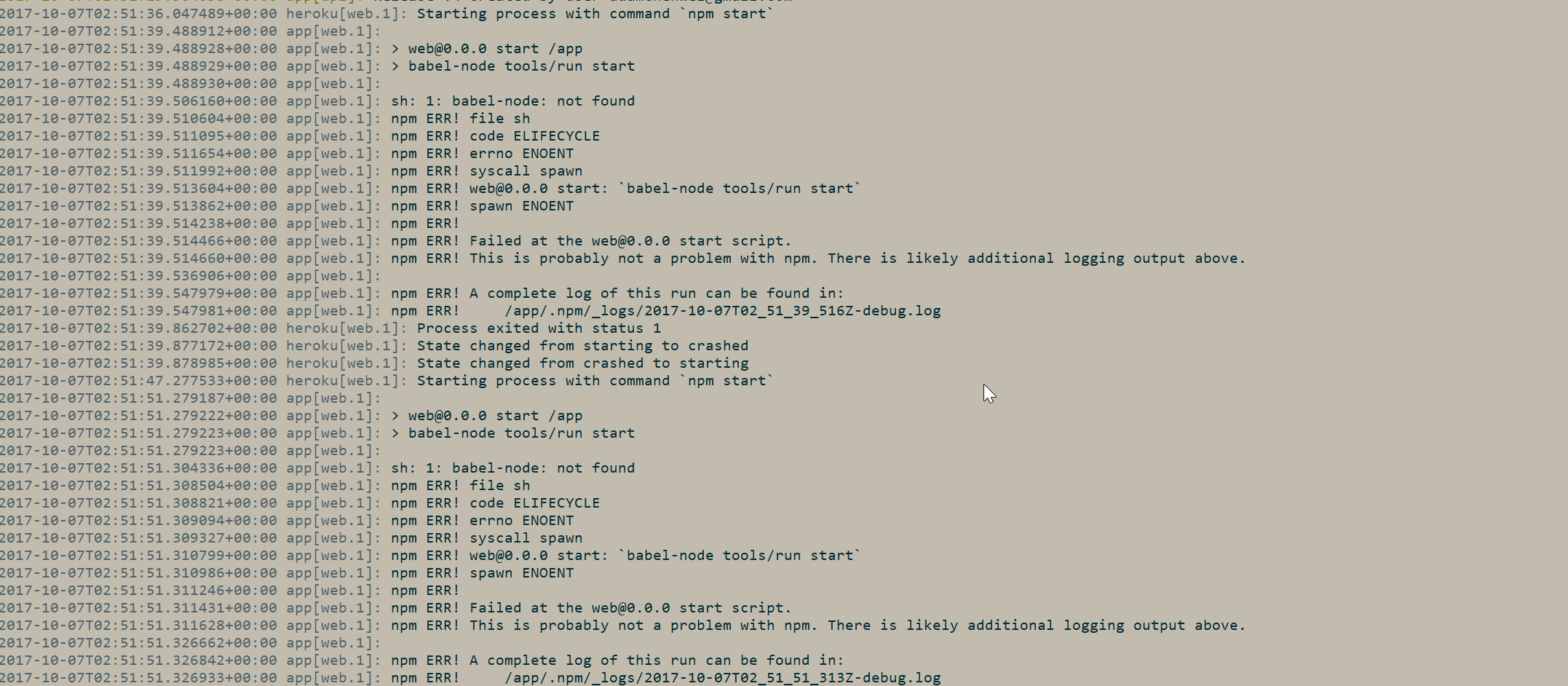
I see the tools/deploy.js has a config with a commented out heroku config (and yes I switched the url to my heroku url repo name instead), so I enable that and disable one the default enabled for git. I did the regular heroku actions, adding stuff into heroku and just do git push heroku master
However every time I do it keep getting the error log above... Is there any step I missed?
I know maybe simple way is just to install it in prod, but I heard its not recommended, so definately want a right fix, than hack
Comment
On the side note:
Is that possible to have more explanation on Note, you should only deploy the contents of the /build folder to a remote server. for the getting start page? https://github.com/kriasoft/react-starter-kit/blob/master/docs/getting-started.md
I am not really sure how to just deploy /build? Like, how can it be not deploying just build?
Thanks
 achenwei-chwy
All 2 comments
Did you deploy from build directory?
yarn build --release # or npm run build -- --release
cd build
ls # there is what you need to deploy
 langpavel
on 7 Oct 2017
langpavel
on 7 Oct 2017
actually, yea, I was exploring myself also found that that's how it should go as well lol
Thanks for pointing it out though!
The flow for heroku is really
- init heroku repo
- uncomment out the
deploy.jsheroku config and comment out git config - check heroku git remote info, copy and paste that into the
deploy.jsreplace placeholder text for repo name - then do exactly ou mentioned
yarn build --releaseand thenyarn run deploy.
Worked very well!!! Very excited! Thanks
achenwei-chwy
on 7 Oct 2017
Related issues
 Jeff-Kook
·
3Comments
Jeff-Kook
·
3Comments
 WiktorKa
·
3Comments
WiktorKa
·
3Comments
 cbravo
·
3Comments
cbravo
·
3Comments
 fchienvuhoang
·
3Comments
fchienvuhoang
·
3Comments
 nguyenbathanh
·
4Comments
nguyenbathanh
·
4Comments
Most helpful comment
actually, yea, I was exploring myself also found that that's how it should go as well lol
Thanks for pointing it out though!
The flow for heroku is really
deploy.jsheroku config and comment out git configdeploy.jsreplace placeholder text for repo nameyarn build --releaseand thenyarn run deploy.Worked very well!!! Very excited! Thanks