React-sortable-tree: Example of Adding child node
Hi guys
I'm wondering if there were any examples of adding child nodes?
I'm wanting to have a button on each node that allows you to add a new child node. The tree will only ever be three nodes deep (Parent > Child > Grandchild).
Something like this...

Thanks in advance :)
 robhadfield
All 9 comments
I think what I need is what the 'path' would be? I can see they each have an index but this seems to be irrelevant of their nested position... or is that the point? :)
EDIT: What's a example call to this function? addNodeUnderParent
robhadfield
on 9 Apr 2017
Hello,
You may check this link for an example:
https://github.com/fritz-c/react-sortable-tree/issues/49
 Guzinsson
on 10 Apr 2017
Guzinsson
on 10 Apr 2017
Brilliant, thanks @Borknagar parentKey is the phrase I didn't know 👍
robhadfield
on 10 Apr 2017
Adding and removing can be done like this.
Note: If the parentKey is undefined then the node is added to the root of the tree.
```
addNewNode(rowInfo) {
const NEW_NODE = { title: 'Another Node', isDirectory: true, expanded: true };
const newTree = addNodeUnderParent({
treeData: this.state.treeData,
newNode: NEW_NODE,
expandParent: true,
parentKey: rowInfo ? rowInfo.treeIndex : undefined,
getNodeKey: ({ treeIndex }) => treeIndex,
});
this.updateTreeData(newTree.treeData);
}
removeNode(rowInfo) {
const { path } = rowInfo;
const newTree = removeNodeAtPath({
treeData: this.state.treeData,
path,
getNodeKey: ({ treeIndex }) => treeIndex,
});
this.updateTreeData(newTree);
}```
 deepakkadarivel
on 23 Jul 2019
deepakkadarivel
on 23 Jul 2019
This is an example of how can a node could be added to the tree:
<SortableTree
        treeData={state}
        onChange={tree => setState(tree)}
        generateNodeProps={({ node, path }) => ({
          title: <Typography variant="overline">{node.title}</Typography>,
          buttons: [
            <IconButton
              color="primary"
              onClick={() => {
                setState(
                  addNodeUnderParent({
                    treeData: state,
                    parentKey: path[path.length - 1],
                    expandParent: true,
                    newNode: { title: "new tag", children: [] },
                    getNodeKey: ({ treeIndex }) => treeIndex
                  }).treeData
                );
              }}
            >
              <AddIcon />
            </IconButton>,
            <IconButton color="secondary">
              <DeleteIcon />
            </IconButton>
          ]
        })}
        theme={Theme}
      />
 CristianAbrante
on 20 Sep 2019
CristianAbrante
on 20 Sep 2019
@CristianAbrante is there any possibility to add buttons before the title
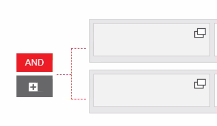
like this i want
 shaikhussian
on 17 Nov 2019
shaikhussian
on 17 Nov 2019
Is there any way to add a node as a grandchild to the current given node?
 ut2k
on 14 Aug 2020
ut2k
on 14 Aug 2020
This is an example of how can a node could be added to the tree:
<SortableTree
        treeData={state}
        onChange={tree => setState(tree)}
        generateNodeProps={({ node, path }) => ({
          title: <Typography variant="overline">{node.title}</Typography>,
          buttons: [
            <IconButton
              color="primary"
              onClick={() => {
                setState(
                  addNodeUnderParent({
                    treeData: state,
                    parentKey: path[path.length - 1],
                    expandParent: true,
                    newNode: { title: "new tag", children: [] },
                    getNodeKey: ({ treeIndex }) => treeIndex
                  }).treeData
                );
              }}
            >
              <AddIcon />
            </IconButton>,
            <IconButton color="secondary">
              <DeleteIcon />
            </IconButton>
          ]
        })}
        theme={Theme}
      />
how can we add multiple node while clicking on one time
 ashishsid99
on 21 Jan 2021
ashishsid99
on 21 Jan 2021
on Onclick it is creating a one new node
i want while on click at a time it should create multiple node
ashishsid99
on 21 Jan 2021
Related issues
 vladimirsvsv77
·
5Comments
vladimirsvsv77
·
5Comments
 theonelucas
·
3Comments
theonelucas
·
3Comments
 bigjujube
·
4Comments
bigjujube
·
4Comments
 29er
·
5Comments
29er
·
5Comments
 mcolburn
·
4Comments
mcolburn
·
4Comments
Most helpful comment
Adding and removing can be done like this.
Note: If the
parentKeyisundefinedthen the node is added to the root of the tree.```
addNewNode(rowInfo) {
const NEW_NODE = { title: 'Another Node', isDirectory: true, expanded: true };
const newTree = addNodeUnderParent({
treeData: this.state.treeData,
newNode: NEW_NODE,
expandParent: true,
parentKey: rowInfo ? rowInfo.treeIndex : undefined,
getNodeKey: ({ treeIndex }) => treeIndex,
});
this.updateTreeData(newTree.treeData);
}
removeNode(rowInfo) {
const { path } = rowInfo;
const newTree = removeNodeAtPath({
treeData: this.state.treeData,
path,
getNodeKey: ({ treeIndex }) => treeIndex,
});
this.updateTreeData(newTree);
}```