React-slick: Unslick setting not working
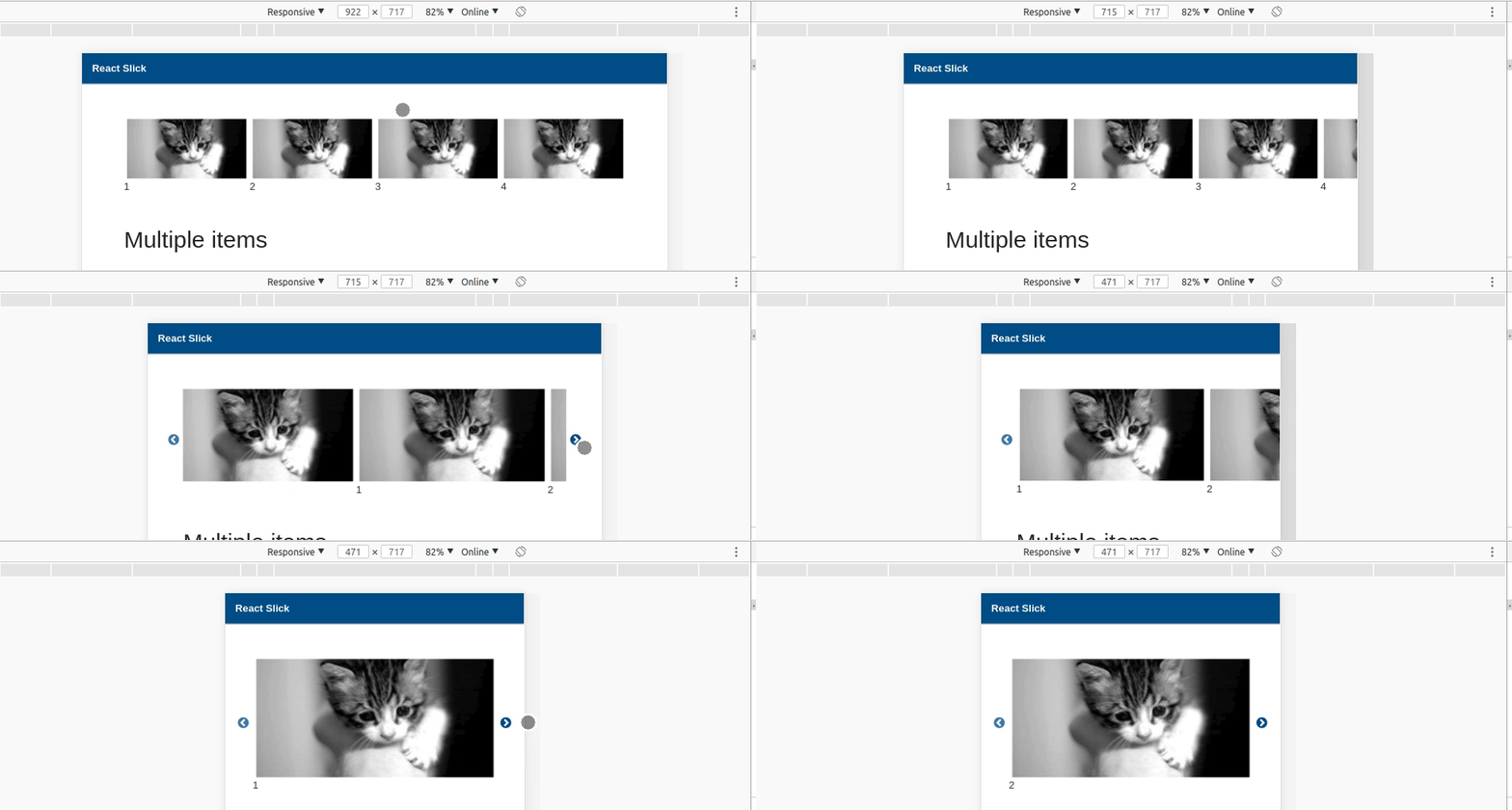
I upgraded to v.19 and this setting is breaking my layouts. Unslick setting failed to change .slick-slider to .unslick on container wrapping .slick-list. Is this left out on purpose? Weird thing is that this setting works on smaller breakpoint values. I have both on the same page and one works and the larger doesn't.
Example code: https://codesandbox.io/s/n4yvkqn46j
 yenly
yenly
All 12 comments
Thanks for pointing it out.
Commit: af6d2da7aae298e8256a0cc8a05abf14d8e4d431 should fix this, this change will release soon.
 laveesingh
on 2 Mar 2018
laveesingh
on 2 Mar 2018
I'm still seeing this bug in v0.20.0. as seen here:
https://codesandbox.io/s/vmxv13rz43
yenly
on 7 Mar 2018
@yenly I'm not sure that's still the case. I copied the snippet from your demo to run with my custom CSS, and it's working fine. Looks like you need to be careful with your CSS.
laveesingh
on 7 Mar 2018
In previous versions, when we choose to unslick, it changes CSS classes .slick-slider to .unslick. That lets us use our own custom CSS. Currently in 0.20, it still shows as

This screen capture is from my demo code and I have not change the CSS taken from the demo from your docs.
yenly
on 15 Mar 2018
Readded the 'unslicked' class. Thanks!
https://github.com/akiran/react-slick/pull/1087/commits/231e91d7eb4f89705b9da434ef6f1a0bc9184cb4
laveesingh
on 16 Mar 2018
I apologize for having to return to this again. Your latest fix adds .unslicked but it doesn't removed .slick-initialized .slick-slider. Having these classes requires having extra CSS to override those two classes. Previous versions of react-slick, replaces .slick-initialized .slick-slider with .unslicked when we use setting: 'unslick'. Previous approach is better for custom CSS styling.

yenly
on 19 Mar 2018
slick reflects similar behaviour, so that's what we're going to retain.
We currently have 'unslicked' class so that you can apply different styling in case of unslick mode, but you shouldn't even rely upon that because that's more likely to be removed in a stable release.
Just know that unslick mode will be enabled if unslick settings are passed or slidesToShow >= slideCount. You can keep track of both the conditions and pass the className prop accordingly so that you can handle unslicked styles as you like.
laveesingh
on 20 Mar 2018
I appreciate all the work you're doing, @laveesingh. Ken Wheeler's slick library does not have a similar behavior. I download his library examples and set the first one to unslick to explore the HTML. As shown in the screen capture, the original slick library removes .slick-initialized .slick-slider. as well as all slider CSS classes to prevent unwanted cascaded styles applied to its child elements. I hope you would reconsider.


yenly
on 20 Mar 2018
@yenly you are right. I missed the point that slick has two kinds of unslick behaviour. One if explicitly unslicked and second if slidesToShow > slideCount. Thank you for notifying the error.
I dug a bit deeper and commit a44da263d56e02181997951ac008f84eb81e4e30 does what we're looking for.
laveesingh
on 21 Mar 2018
This has been impelemented and will be released soon.
laveesingh
on 30 Mar 2018
how to disable height in class slick-track? Can you hep me?
 havantuan
on 21 Aug 2018
havantuan
on 21 Aug 2018
@laveesingh this seems broken again? I don't see a way to recognise an unslicked slider in the current 0.23.2 version..
 lauraseidler
on 13 Nov 2018
lauraseidler
on 13 Nov 2018
Related issues
 quarklemotion
·
4Comments
quarklemotion
·
4Comments
 enriquelopez-atlas
·
3Comments
enriquelopez-atlas
·
3Comments
 Exomnius
·
3Comments
Exomnius
·
3Comments
 rohitgoyal7
·
3Comments
rohitgoyal7
·
3Comments
 BradyEdgar94
·
3Comments
BradyEdgar94
·
3Comments
Most helpful comment
@laveesingh this seems broken again? I don't see a way to recognise an unslicked slider in the current 0.23.2 version..