React-select: [v2] Enter in input does not submit forms
Example:
https://codesandbox.io/s/zrm89776zp
If the input has focus, with the menu closed, pressing enter should submit a containing form.
What's your use case? (Tell us about your application and what problem you're trying to solve.)
We're using it as an input in a form.What interface do you have in mind? (What new properties or methods do you think might be helpful?)
Don't prevent default when enter is pressed unless the menu is open. From the look of it, right now it's at the end of the switch case: https://github.com/JedWatson/react-select/blob/v2/src/Select.js
 denchp
All 6 comments
I second @denchp on this. Right now, the user has to leave the select field with a tab, then hit the enter key to submit the form.
 BertrandFritsch
on 16 Jul 2018
BertrandFritsch
on 16 Jul 2018
I'm getting the same behavior as well. This is a regression of
https://github.com/JedWatson/react-select/pull/2539/commits/7cf28130f86527f15013ed09906138c7edc4ad41
And with how the code is structured, doesn't look like there is a reasonable workaround
 goldbuick
on 27 Jul 2018
goldbuick
on 27 Jul 2018
I found a workaround: Attach a ref, use the onKeyDown prop, check for event.key === 'Enter' && !theRef.state.menuIsOpen - this means that the user pressed enter while the menu was closed, so you can submit the form :)
 sarink
on 21 Sep 2018
sarink
on 21 Sep 2018
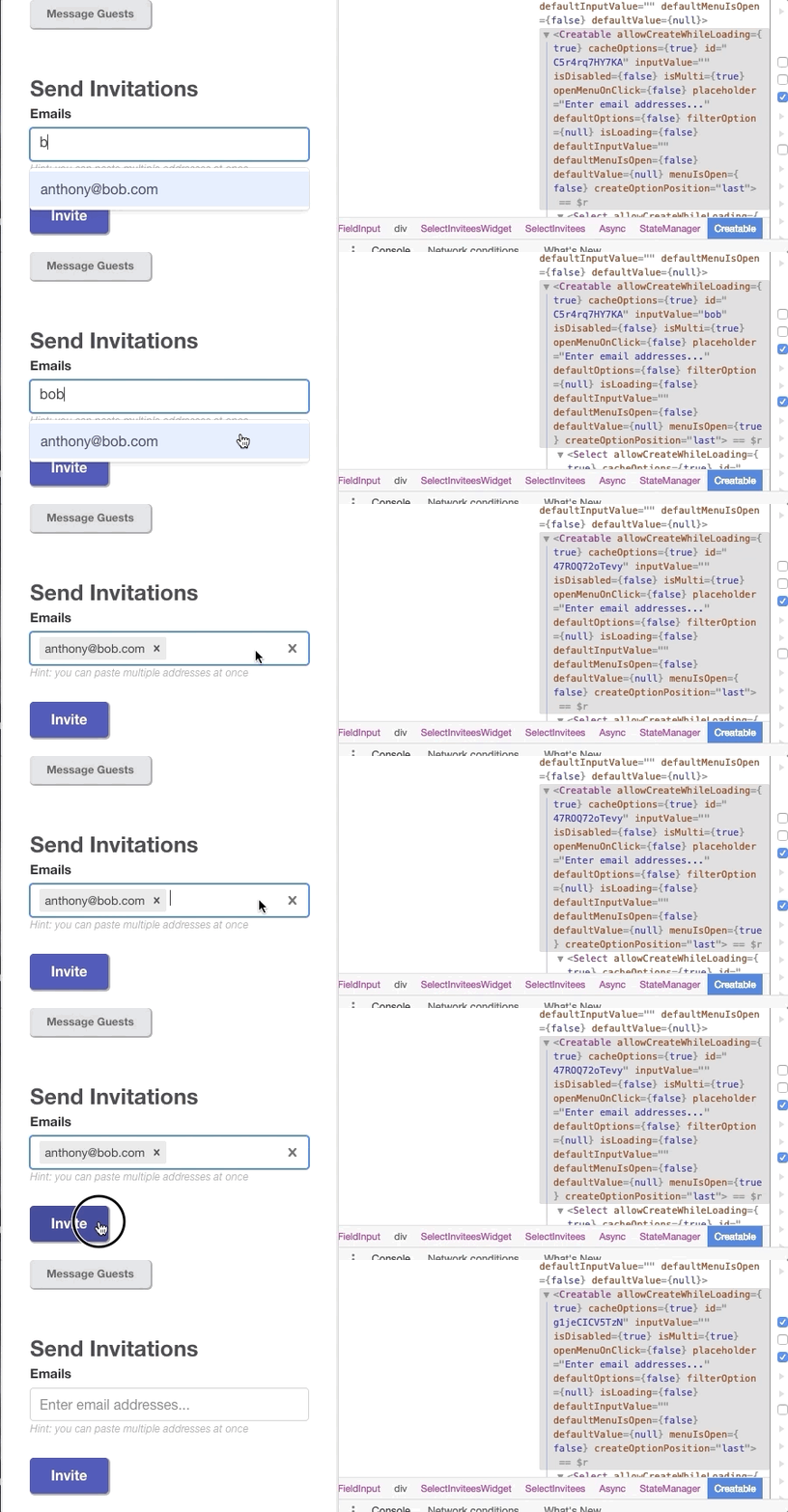
Having a similar issue. When the user clicks a dropdown menu option they are unable to submit using ENTER unless they click on the field or hit another key first.
The problem is related to the “menuIsOpen” state on the Creatable component (see gif). When I click on the field you can see the menuIsOpen state changes for "false" and then I'm able to submit.
 AntCas
on 29 Mar 2019
AntCas
on 29 Mar 2019
Was this issue fixed? It works now after upgrading from 2.2.0 to 3.1.0.
 LiborOl
on 29 Jul 2020
LiborOl
on 29 Jul 2020
Thanks for the feedback @LiborOl! If this is indeed not fixed, we'll reopen the issue.
 bladey
on 24 Aug 2020
bladey
on 24 Aug 2020
Related issues
 ericj17
·
3Comments
ericj17
·
3Comments
 coder-guy22296
·
3Comments
coder-guy22296
·
3Comments
 jonorogers
·
3Comments
jonorogers
·
3Comments
 steida
·
3Comments
steida
·
3Comments
 joshualimpj
·
3Comments
joshualimpj
·
3Comments
Most helpful comment
I found a workaround: Attach a
ref, use theonKeyDownprop, check forevent.key === 'Enter' && !theRef.state.menuIsOpen- this means that the user pressed enter while the menu was closed, so you can submit the form :)