React-select: Support css transitions for menu open/close
I'm very new to react and react-select, but it seems to me that the strategy of removing the .Select-outer-menu node instead of just styling it as invisible (or doing a getComputedStyle() trick plus styling for dom performance) interferes with css transitions for animating the opening and closing of the menu items.
Can it please somehow support animated transitions when opening and closing the menu?
 JasonKleban
All 14 comments
Here's a jsfiddle of a no-lib implementation, but frankly I'm not sure how to incorporate this into the react way of doing things with its virtual dom and the render function.
https://jsfiddle.net/stbjg78L/1/
If you give some guidance on that I could do a PR.
I also looked at either adding a dependency on react-addons-css-transition-group and its ReactCSSTransitionGroup, or somehow passing that in as a prop for a soft dependency.
I can't think of a way to correctly wrap this with a higher-order-component, partially because even though it isn't prefixed with an underscore the renderOuter() seems to me to be intended as a private member.
JasonKleban
on 15 Jun 2016
Yeah this could be a great feature to have.
indeed the removal of .Select-outer-menu conflicts with css transitions.
I think we can do it with animations and keyframes though, we can listen to animationend.
something like ref.addEventListener('animationend', this.removal)
 sag1v
on 5 Jun 2017
sag1v
on 5 Jun 2017
2 years later, anyone working on this feature by any chance?
sag1v
on 18 Mar 2018
if no one is taking this i would like to do it.
I think the entry point for such a PR would be this line:
{isOpen ? this.renderOuter(options, valueArray, focusedOption) : null}
Instead of rendering null when isOpen is false we can just render it with a proper CSS to hide it.
This way we can allow to manipulate the node's styling with transitions or animations because it is still exists in the DOM.
What do you think? @JedWatson @agirton
sag1v
on 18 Mar 2018
I'm taking a look at this as well.
 tsteele2013
on 3 Apr 2018
tsteele2013
on 3 Apr 2018
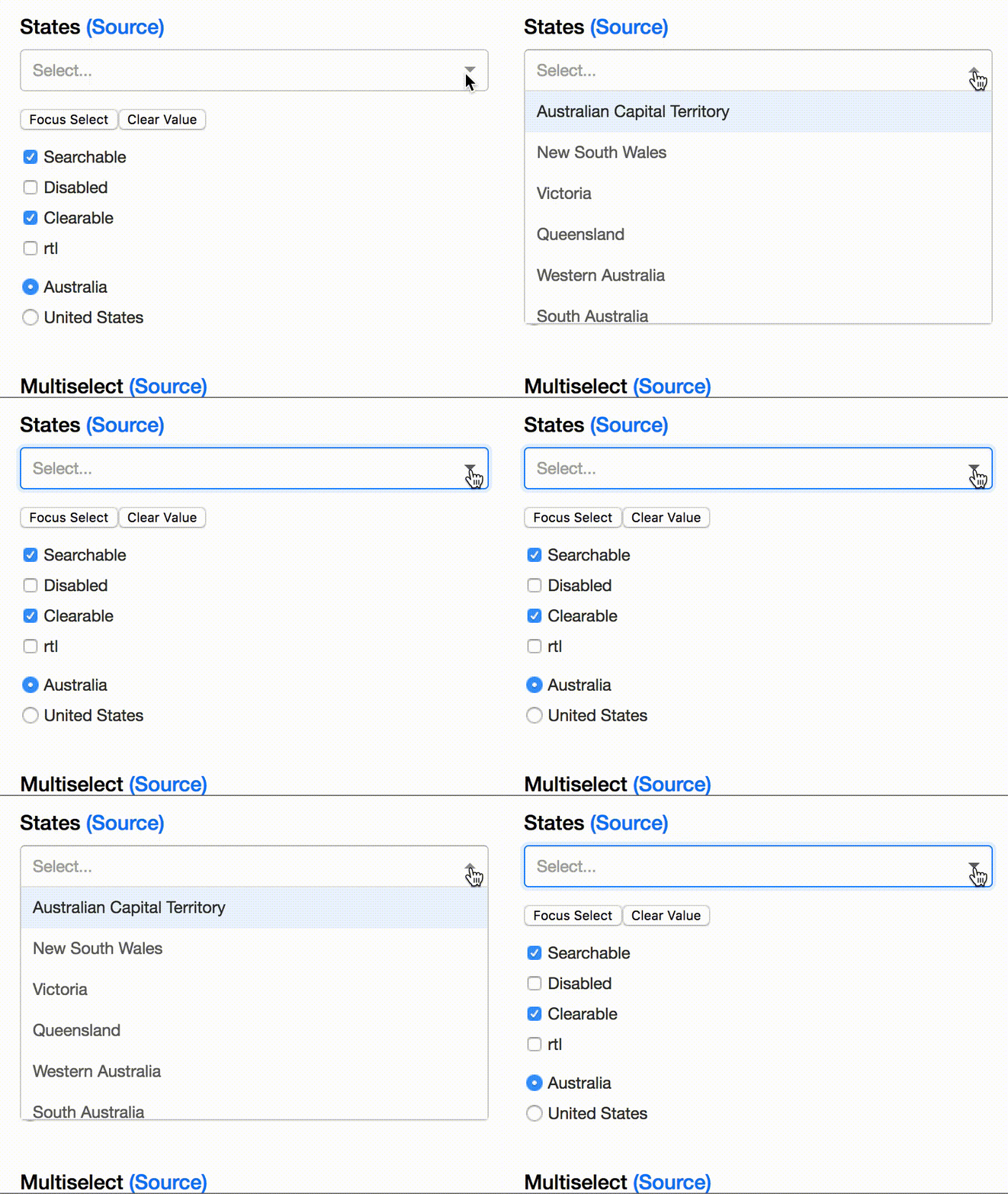
Here's what I've got so far:
renderOuter(options, valueArray, focusedOption) {
    let menu = this.renderMenu(options, valueArray, focusedOption);
    let isOpen = this.state.isOpen;

    if (!menu) {
      return null;
    }

    return (
      <div ref={ref => this.menuContainer = ref} className="Select-menu-outer" style={isOpen ? this.props.menuContainerStyle : { border: 0 }}>
        <div
          className="Select-menu"
          id={`${this._instancePrefix}-list`}
          onMouseDown={this.handleMouseDownOnMenu}
          onScroll={this.handleMenuScroll}
          ref={ref => this.menu = ref}
          role="listbox"
          style={{ maxHeight: isOpen ? '198px' : '0px', transition: 'max-height .2s ease-out' }}
          tabIndex={-1}
        >
          {menu}
        </div>
      </div>
    );
  }
Adding those styles to the Select-menu-outer/Select-menu divs and always executing the renderOuter() func as suggested by @sag1v produces the following. There are still some issues I'm working around, but this seems to be a good start. @JedWatson @agirton would this be worthy of a new property for the component? Perhaps menuAnimationDuration? It could default to null, or accept a value for milliseconds.
tsteele2013
on 3 Apr 2018
@tsteele2013 Good work thanks.
I think we should use CSS classes here instead of inline-styles, as styles are harder to override and more importantly we will keep with the same pattern of react-select for styling things.
sag1v
on 3 Apr 2018
@sag1v Most definitely. Just rolling with inline styles for now while I figure out the best way to implement everything.
tsteele2013
on 3 Apr 2018
@tsteele2013 @sag1v Is there a current work around for this?
 ptimson
on 25 Aug 2018
ptimson
on 25 Aug 2018
@ptimson No, not something that fully works (without changing the source code of course).
I'm not sure but maybe the new version Select 2.0 is supporting transition or animation out of the box.
Maybe @JedWatson can shed some light on this.
sag1v
on 27 Aug 2018
does anybody have a solution for this?
 bryant-sharethis
on 31 Oct 2018
bryant-sharethis
on 31 Oct 2018
So what I did to have the animation on the menu is to customise the Menu component entirely.
Below is my working code, (I am using CSS modules here):
// JS file
// Need to import components from React-Select.
import Select, { components } from 'react-select'

const Menu = props => {
  return (
    <Fragment>
      <components.Menu {...props} className={styles.menu}>
        {props.children}
      </components.Menu>
    </Fragment>
  )
}

export default () => (
  <Select
    id={genID}
    options={listItems}
    className={styles.select}
    classNamePrefix="select"
    defaultMenuIsOpen={false}
    placeholder={placeholder}
    onChange={this.handleOnChange}
    blurInputOnSelect={false}
    tabSelectsValue={false}
    menuShouldScrollIntoView={true}
    components={{ Menu }}
  />
)
// CSS Modules
.menu {
    animation: fade--in .2s ease-in-out;
}

@keyframes fade--in {

    0% {
        opacity: 0;
        transform: translateY(5rem);
    }

    100% {
        opacity: 1;
        transform: translateY(0);
    }
}
Hope that helps anyone who has stumbled across this.
 wongsynee
on 15 May 2019
wongsynee
on 15 May 2019
Hello -
In an effort to sustain the react-select project going forward, we're closing old issues.
We understand this might be inconvenient but in the best interest of supporting the broader community we have to direct our efforts towards the current major version.
If you aren't using the latest version of react-select please consider upgrading to see if it resolves any issues you're having.
However, if you feel this issue is still relevant and you'd like us to review it - please leave a comment and we'll do our best to get back to you!
 bladey
on 28 May 2020
bladey
on 28 May 2020
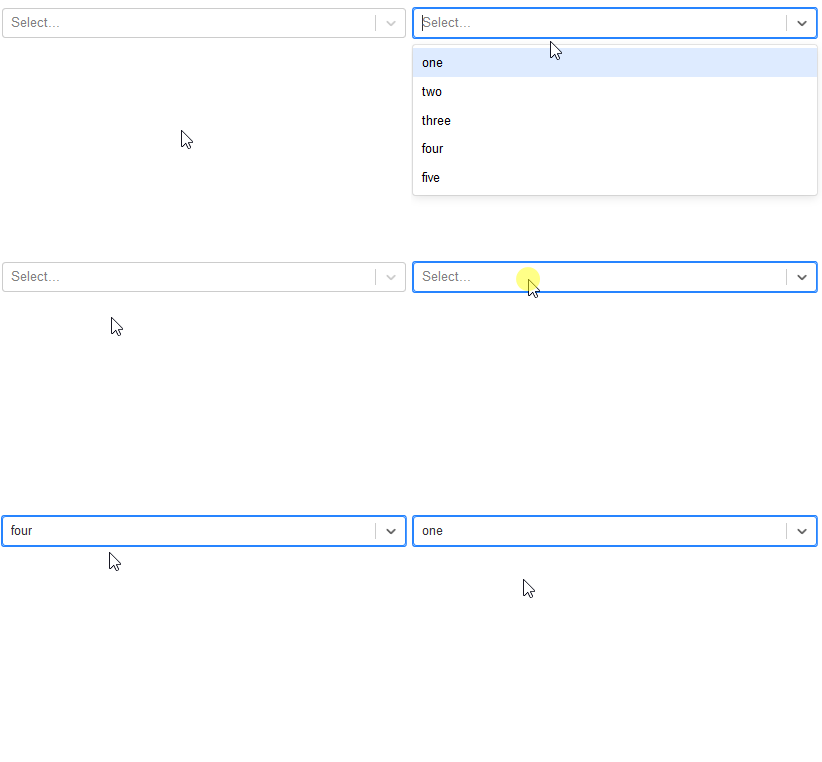
My workaround for the closing animation is to create a clone of menu sub-component and that clone will execute the closing animation. Full example with live demo here.
 NearHuscarl
on 23 Aug 2020
NearHuscarl
on 23 Aug 2020
Related issues
 mjuopperi
·
3Comments
mjuopperi
·
3Comments
 mbonaci
·
3Comments
mbonaci
·
3Comments
 sampatbadhe
·
3Comments
sampatbadhe
·
3Comments
 jonorogers
·
3Comments
jonorogers
·
3Comments
 pablote
·
3Comments
pablote
·
3Comments
Most helpful comment
@ptimson No, not something that fully works (without changing the source code of course).
I'm not sure but maybe the new version Select
2.0is supportingtransitionor animation out of the box.Maybe @JedWatson can shed some light on this.