React-responsive-carousel: How to customize arrows styling
Hello,
how can I customize the arrows styling or override it with another element?
thanks
 tiavina-mika
👀3
👍3
All 2 comments
Hello,
how can I customize the arrows styling or override it with another element?
thanks
You carn overide styles using a external .css file.
Your react file where you are importing react-responsive-carrousel:
import './myNewGalleryStyles.css';
Your css file:
.carousel.carousel-slider {
    overflow: inherit;
}

.carousel .control-next.control-arrow, .carousel .control-next.control-arrow:hover{
    background-color: transparent;
    right: -146px;
}

.carousel .control-prev.control-arrow, .carousel .control-prev.control-arrow:hover {
    background-color: transparent;
    left: -146px;
}

.carousel .control-arrow, .carousel.carousel-slider .control-arrow{
    opacity: 1;
}

.carousel .control-next.control-arrow:before {
    content: '';
    border: solid #0135AD;
    border-width: 0 8px 8px 0;
    display: inline-block;
    padding: 14px;
    transform: rotate(-45deg);
    -webkit-transform: rotate(-45deg);
}

.carousel .control-prev.control-arrow:before {
    content: '';
    border: solid #0135AD;
    border-width: 0 8px 8px 0;
    display: inline-block;
    padding: 14px;
    transform: rotate(135deg);
    -webkit-transform: rotate(135deg);
}
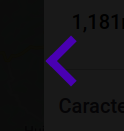
Result:

 dulcineapena1
on 9 Aug 2019
dulcineapena1
on 9 Aug 2019
👍6
You can create your own elements and style them however you want. Then you can manually handle the index of the carousel as you want.
class Example extends Component {
  constructor() {
    this.state = {
      currentImageIndex: 0,
    };
  }

  next = () => {
    this.setState(state => {
      return {
        currentImageIndex: state.currentImageIndex + 1,
      };
    });
  };

  prev = () => {
    this.setState(state => {
      return {
        currentImageIndex: state.currentImageIndex - 1,
      };
    });
  };
  render() {
    const { images } = this.props;
    const { currentImageIndex } = this.state;
    return (
      <div className="gallery-carousel">
          <button
            className="gallery_previous"
            onClick={this.prev}
            type="button"
          >
            <i className="fa fa-chevron-left" />
          </button>
        <Carousel
          selectedItem={currentImageIndex}
          onChange={this.updateCurrentImageIndex}
          showStatus={false}
          showThumbs={false}
          showIndicators={false}
          showArrows={false}
          infiniteLoop={true}
          transitionTime={200}
          useKeyboardArrows
        >
          {images.map(image => (
              <GalleryImage
                image={image}
              />
          ))}
        </Carousel>
        <button
          className="gallery_next"
          onClick={this.next}
          type="button"
        >
          <i className="fa fa-chevron-right" />
        </button>
      </div>
    );
  }
}
 willedanielsson
on 25 Sep 2019
willedanielsson
on 25 Sep 2019
👍5
Was this page helpful?
0 / 5 - 0 ratings
Related issues
 sprlwrksAprilmintacpineda
·
6Comments
sprlwrksAprilmintacpineda
·
6Comments
 ajmas
·
5Comments
ajmas
·
5Comments
 ShineOfFire
·
6Comments
ShineOfFire
·
6Comments
 adomoshe
·
5Comments
adomoshe
·
5Comments
 jasonogasian
·
3Comments
jasonogasian
·
3Comments
Most helpful comment
You carn overide styles using a external .css file.
Your react file where you are importing react-responsive-carrousel:
import './myNewGalleryStyles.css';Your css file:
Result:

