React-responsive-carousel: SSR example/ instructions?
I'd like to use this in a next.js application where the page is SSR by default but there aren't any instructions in the documents on how to use the SSR feature? Do you have an example or some instructions for this?
 rockchalkwushock
All 15 comments
You shouldn't need anything special to render the carousel in the server. Just add it to your render method.
What is currently happening?
 leandrowd
on 25 Oct 2017
leandrowd
on 25 Oct 2017
@leandrowd
I figured out the SSR problem I was having, developer related 😩
I am having a problem with the carousel formatting/styling though. The demo is a separate page with none of _my local css_ applied. The only CSS applied is that which can be found at:
react-responsive-carousel/lib/styles/carousel.min.css
I'm using styled-jsx which renders the CSS from the server. I just copied the CSS source code and dropped it in the file:
import { Carousel } from 'react-responsive-carousel'
const src = [
'https://res.cloudinary.com/rockchalkwushock/c_scale,dpr_2.0,f_auto,q_auto:best,w_320/girl_in_red_dress',
'https://res.cloudinary.com/rockchalkwushock/c_scale,dpr_2.0,f_auto,q_auto:best,w_320/girl_looking_down',
'https://res.cloudinary.com/rockchalkwushock/c_scale,dpr_2.0,f_auto,q_auto:best,w_320/family_black_white'
]
const AppCarousel = () => (
<div>
<Carousel
showThumbs={false}
>
{src.map(url => (
<div key={url}>
<img src={url} />
</div>
))}
</Carousel>
<style jsx>{`
.carousel .control-arrow,
.carousel.carousel-slider .control-arrow {
-webkit-transition: all 0.25s ease-in;
-moz-transition: all 0.25s ease-in;
-ms-transition: all 0.25s ease-in;
-o-transition: all 0.25s ease-in;
transition: all 0.25s ease-in;
opacity: 0.4;
position: absolute;
z-index: 2;
top: 20px;
background: 0 0;
border: 0;
font-size: 32px;
cursor: pointer;
}
.carousel .control-arrow:hover {
opacity: 1;
}
.carousel .control-arrow:before,
.carousel.carousel-slider .control-arrow:before {
margin: 0 5px;
display: inline-block;
border-top: 8px solid transparent;
border-bottom: 8px solid transparent;
content: '';
}
.carousel .control-disabled.control-arrow {
opacity: 0;
cursor: inherit;
display: none;
}
.carousel .control-prev.control-arrow {
left: 0;
}
.carousel .control-prev.control-arrow:before {
border-right: 8px solid #fff;
}
.carousel .control-next.control-arrow {
right: 0;
}
.carousel .control-next.control-arrow:before {
border-left: 8px solid #fff;
}
.carousel {
position: relative;
width: 100%;
}
.carousel * {
margin: 0;
padding: 0;
-webkit-box-sizing: border-box;
-moz-box-sizing: border-box;
box-sizing: border-box;
}
.carousel button {
outline: 0;
border: 0;
background: 0 0;
}
.carousel img {
width: 100%;
display: inline-block;
pointer-events: none;
}
.carousel .carousel {
position: relative;
}
.carousel .control-arrow {
top: 50%;
margin-top: -13px;
font-size: 18px;
}
.carousel .thumbs-wrapper {
margin: 20px;
overflow: hidden;
}
.carousel .thumbs {
-webkit-transition: all 0.15s ease-in;
-moz-transition: all 0.15s ease-in;
-ms-transition: all 0.15s ease-in;
-o-transition: all 0.15s ease-in;
transition: all 0.15s ease-in;
-webkit-transform: translate3d(0, 0, 0);
-moz-transform: translate3d(0, 0, 0);
-ms-transform: translate3d(0, 0, 0);
-o-transform: translate3d(0, 0, 0);
transform: translate3d(0, 0, 0);
position: relative;
list-style: none;
white-space: nowrap;
}
.carousel .thumb {
-webkit-transition: border 0.15s ease-in;
-moz-transition: border 0.15s ease-in;
-ms-transition: border 0.15s ease-in;
-o-transition: border 0.15s ease-in;
transition: border 0.15s ease-in;
display: inline-block;
width: 80px;
margin-right: 6px;
white-space: nowrap;
overflow: hidden;
border: 3px solid #fff;
padding: 2px;
}
.carousel .thumb.selected,
.carousel .thumb:hover {
border: 3px solid #333;
padding: 2px;
}
.carousel .thumb img {
vertical-align: top;
}
.carousel.carousel-slider {
position: relative;
margin: 0;
overflow: hidden;
}
.carousel.carousel-slider .control-arrow {
top: 0;
color: #fff;
font-size: 26px;
bottom: 0;
margin-top: 0;
padding: 5px;
}
.carousel.carousel-slider .control-arrow:hover {
background: rgba(0, 0, 0, 0.2);
}
.carousel .slider-wrapper {
overflow: hidden;
margin: auto;
width: 100%;
-webkit-transition: height 0.15s ease-in;
-moz-transition: height 0.15s ease-in;
-ms-transition: height 0.15s ease-in;
-o-transition: height 0.15s ease-in;
transition: height 0.15s ease-in;
}
.carousel .slider-wrapper.axis-horizontal .slider {
-ms-box-orient: horizontal;
display: -webkit-box;
display: -moz-box;
display: -ms-flexbox;
display: -moz-flex;
display: -webkit-flex;
display: flex;
}
.carousel .slider-wrapper.axis-horizontal .slider .slide {
flex-direction: column;
flex-flow: column;
}
.carousel .slider-wrapper.axis-vertical {
-ms-box-orient: horizontal;
display: -webkit-box;
display: -moz-box;
display: -ms-flexbox;
display: -moz-flex;
display: -webkit-flex;
display: flex;
}
.carousel .slider-wrapper.axis-vertical .slider {
-webkit-flex-direction: column;
flex-direction: column;
}
.carousel .slider {
position: relative;
list-style: none;
width: 100%;
}
.carousel .slider.animated {
-webkit-transition: all 0.35s ease-in-out;
-moz-transition: all 0.35s ease-in-out;
-ms-transition: all 0.35s ease-in-out;
-o-transition: all 0.35s ease-in-out;
transition: all 0.35s ease-in-out;
}
.carousel .slide {
min-width: 100%;
margin: 0;
position: relative;
text-align: center;
background: #000;
}
.carousel .slide img {
width: 100%;
vertical-align: top;
border: 0;
}
.carousel .slide iframe {
display: inline-block;
width: calc(100% - 80px);
margin: 0 40px 40px;
border: 0;
}
.carousel .slide .legend {
-webkit-transition: all 0.5s ease-in-out;
-moz-transition: all 0.5s ease-in-out;
-ms-transition: all 0.5s ease-in-out;
-o-transition: all 0.5s ease-in-out;
transition: all 0.5s ease-in-out;
position: absolute;
bottom: 40px;
left: 50%;
margin-left: -45%;
width: 90%;
border-radius: 10px;
background: #000;
color: #fff;
padding: 10px;
font-size: 12px;
text-align: center;
opacity: 0.25;
-webkit-transition: opacity 0.35s ease-in-out;
-moz-transition: opacity 0.35s ease-in-out;
-ms-transition: opacity 0.35s ease-in-out;
-o-transition: opacity 0.35s ease-in-out;
transition: opacity 0.35s ease-in-out;
}
.carousel .control-dots {
position: absolute;
bottom: 0;
margin: 10px 0;
text-align: center;
width: 100%;
}
@media (min-width: 960px) {
.carousel .control-dots {
bottom: 0;
}
}
.carousel .control-dots .dot {
-webkit-transition: opacity 0.25s ease-in;
-moz-transition: opacity 0.25s ease-in;
-ms-transition: opacity 0.25s ease-in;
-o-transition: opacity 0.25s ease-in;
transition: opacity 0.25s ease-in;
opacity: 0.3;
box-shadow: 1px 1px 2px rgba(0, 0, 0, 0.9);
background: #fff;
border-radius: 50%;
width: 8px;
height: 8px;
cursor: pointer;
display: inline-block;
margin: 0 8px;
}
.carousel .control-dots .dot.selected,
.carousel .control-dots .dot:hover {
opacity: 1;
}
.carousel .carousel-status {
position: absolute;
top: 0;
right: 0;
padding: 5px;
font-size: 10px;
text-shadow: 1px 1px 1px rgba(0, 0, 0, 0.9);
color: #fff;
}
.carousel:hover .slide .legend {
opacity: 1;
}
`}</style>
</div>
)
export default AppCarousel
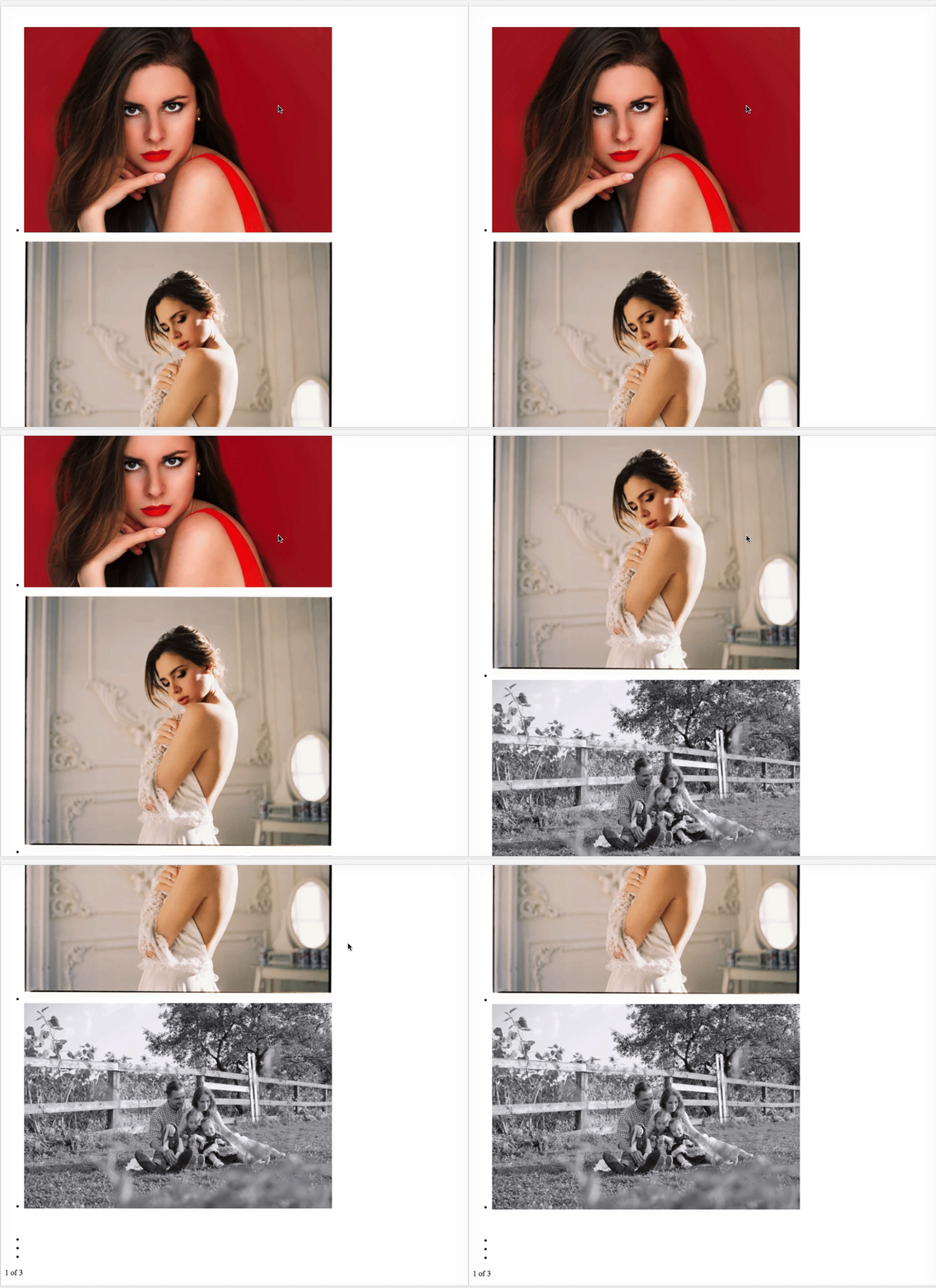
The demo:
rockchalkwushock
on 25 Oct 2017
Sorry mate, haven't tested your approach. Maybe some config is missing? Check the output of your CSS to see if it looks alright...
leandrowd
on 26 Oct 2017
I will look at it more this afternoon. I'm going to close this since it doesn't seem to necessarily be an issue with any code from the library. If I find anything that changes that I'll reopen. Thanks for your quick responses 👍
rockchalkwushock
on 26 Oct 2017
I am having this issue too, have you found any solution?
 liyanalzm
on 2 Aug 2018
liyanalzm
on 2 Aug 2018
Same issue for me using gatsby v2, which uses ssr
 julessaysrawr
on 28 Feb 2019
julessaysrawr
on 28 Feb 2019
same here on next.
@rockchalkwushock did you find the solution?
 sonthen
on 16 Jun 2019
sonthen
on 16 Jun 2019
I found the solution, turns out that there are some problems with my webpack settings for css and scss loader.
liyanalzm
on 17 Jun 2019
@liyanalzm What were the problems?
 edsu
on 8 Nov 2019
edsu
on 8 Nov 2019
@edsu
I solved the css with
componentDidMount() {
this.css = require("react-responsive-carousel/lib/styles/carousel.min.css")
this.getCarousel = ReactDOMServer.renderToString(<Carousel items={this.props.items} />)
}
and
{
// For pure CSS (without CSS modules)
test: /\.css$/i,
exclude: /\.module\.css$/i,
use: ['style-loader','css-loader'],
},
in next.config (and npm install --save-dev css-loader)
 seanfoundry
on 20 Nov 2019
seanfoundry
on 20 Nov 2019
Hey not sure if anyone needs this but I just fixed it doing this:
- run the command
npm i @zeit/next-css - create a
next.config.jsfile - inside of the file put the following
const withCSS = require('@zeit/next-css')

module.exports = withCSS({})
- put this line of import code at whatever file you need it in:
import 'react-responsive-carousel/lib/styles/carousel.min.css'
- not sure if all these steps need to be taken however from my experience you need to create the config like this just to be able to use CSS from the server. Haven't tested like I said but LMK!
 sargtier1
on 31 Dec 2019
sargtier1
on 31 Dec 2019
Can confirm @sargtier1 's solution works :D
 jamesryan-dev
on 6 Aug 2020
jamesryan-dev
on 6 Aug 2020
@jimmynames aww shucks thanks man
sargtier1
on 6 Aug 2020
Just put it in _app.tsx
import "react-responsive-carousel/lib/styles/carousel.min.css";
work for me
 kirx76
on 3 Sep 2020
kirx76
on 3 Sep 2020
import "react-responsive-carousel/lib/styles/carousel.min.css";
didnt work for me. I use TailwindCSS so not sure if that was the problem. Anyhow, I've managed to adjust this approach and add @import "react-responsive-carousel/lib/styles/carousel.min.css";
in style.scss right after importing tailwind
 ikusteu
on 16 Nov 2020
ikusteu
on 16 Nov 2020
Related issues
 Jordanh1996
·
6Comments
Jordanh1996
·
6Comments
 adomoshe
·
5Comments
adomoshe
·
5Comments
 sprlwrksAprilmintacpineda
·
6Comments
sprlwrksAprilmintacpineda
·
6Comments
 ajmas
·
5Comments
ajmas
·
5Comments
 ledbetterljoshua
·
6Comments
ledbetterljoshua
·
6Comments
Most helpful comment
Hey not sure if anyone needs this but I just fixed it doing this:
npm i @zeit/next-cssnext.config.jsfileimport 'react-responsive-carousel/lib/styles/carousel.min.css'