React-rails: Process is not defined
I followed the tutorial and install the react-rails using these commands:
bundle install
rails g react:install
After that I created a component HelloMessage.jsx on /components folder:
var HelloMessage = React.createClass({
  render: function() {
    return (
      <h1>Hello {this.props.name}!</h1>
    )
  }
});
And when I render it:
<%= react_component('HelloMessage', name: 'John') %>
These errors are raised:

Uncaught ReferenceError: process is not defined
at index.self-a216c390bf956cbb906c66d29fdb2e2ad6999464a5ca83e476533a6f25ad0ef3.js?body=1:3
(anonymous) @ index.self-a216c390bf956cbb906c66d29fdb2e2ad6999464a5ca83e476533a6f25ad0ef3.js?body=1:3
HelloMessage.self-4549b24fbb2deaf10a4a0b39add3517999d4dfe318fedb65f157caa5c1ccf19c.js?body=1:1 Uncaught ReferenceError: React is not defined
at HelloMessage.self-4549b24fbb2deaf10a4a0b39add3517999d4dfe318fedb65f157caa5c1ccf19c.js?body=1:1
(anonymous) @ HelloMessage.self-4549b24fbb2deaf10a4a0b39add3517999d4dfe318fedb65f157caa5c1ccf19c.js?body=1:1
react_ujs_mount.self-169a668bfd47eb081c36fa9e36ed23fa4d6088ff552a2065a64a571fc3c29837.js?body=1:83 [react-rails] Cannot find component: 'HelloMessage' for element <div data-react-class="HelloMessage" data-react-props="{"name":"John"}"></div>
react_ujs_mount.self-169a668bfd47eb081c36fa9e36ed23fa4d6088ff552a2065a64a571fc3c29837.js?body=1:84 Uncaught Error: Cannot find component: 'HelloMessage'. Make sure your component is globally available to render.
at Object.mountComponents (react_ujs_mount.self-169a668bfd47eb081c36fa9e36ed23fa4d6088ff552a2065a64a571fc3c29837.js?body=1:84)
at HTMLDocument.<anonymous> (react_ujs_turbolinks.self-19cb50a828b179c80e0ef6463ceb612ae3e75f377fb2dd6f4afdc3b46ae75d56.js?body=1:5)
at Object.Turbolinks.dispatch (turbolinks.self-2db6ec539b9190f75e1d477b305df53d12904d5cafdd47c7ffd91ba25cbec128.js?body=1:6)
at e.Turbolinks.Controller.e.notifyApplicationAfterPageLoad (turbolinks.self-2db6ec539b9190f75e1d477b305df53d12904d5cafdd47c7ffd91ba25cbec128.js?body=1:7)
at e.Turbolinks.Controller.e.pageLoaded (turbolinks.self-2db6ec539b9190f75e1d477b305df53d12904d5cafdd47c7ffd91ba25cbec128.js?body=1:7)
at turbolinks.self-2db6ec539b9190f75e1d477b305df53d12904d5cafdd47c7ffd91ba25cbec128.js?body=1:6
 BrunoQuaresma
All 16 comments
Could you post the contents of your index.js?
I suspect that, or one of its dependencies will reference process which usually is serverside only and will correctly crash client-side.
 BookOfGreg
on 7 Mar 2018
BookOfGreg
on 7 Mar 2018
My js file:
//= require rails-ujs
//= require turbolinks
//= require react
//= require react_ujs
//= require components
//= require_tree .
$ ruby -v
ruby 2.4.3p205 (2017-12-14 revision 61247) [x86_64-darwin16]
$ rails -v
Rails 5.1.5
$ rails new foo
$ cd foo
# add react-rails to gemfile locked at 2.4.4
$ bundle install
$ rails g react:install
# add your HelloMessage.jsx
$ rails g controller home index
# add `<%= react_component('HelloMessage', name: 'John') %>` to home/index.html.erb
$ rails s

# Got `Uncaught TypeError: React.createClass is not a function`

# downgrade react-rails to 2.3.1
$ bundle install
$ rails s

# Renders just fine.

The reason it didn't work on 2.4.4 is React v16 doesn't support createClass anymore.
In React-rails v2.4.4
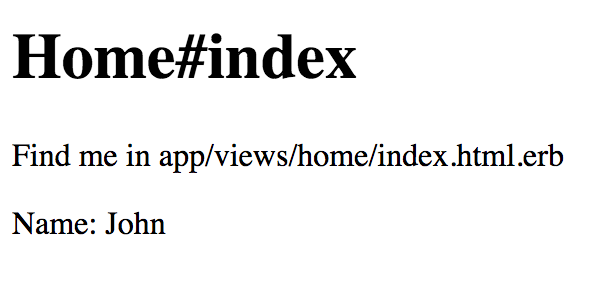
rails g react:component HelloNote name:string
makes
var HelloNote = createReactClass({
  propTypes: {
    name: PropTypes.string
  },

  render: function() {
    return (
      <React.Fragment>
        Name: {this.props.name}
      </React.Fragment>
    );
  }
});
I suspect you have an issue accidentally loading packages (perhaps in node_modules) that sprockets is trying to compile which reference process, which is not allowed.
I can't help you further with the steps provided as I cannot replicate them.
BookOfGreg
on 9 Mar 2018
I removed the folder node_modules, ran again 'rails g react: install` and it worked.
BrunoQuaresma
on 12 Mar 2018
Yeah it works when I remove node_modules but I need babel-loader when I remove node_modules I can't use babel
 0x2C6
on 13 Aug 2018
0x2C6
on 13 Aug 2018
@0x2C6
The core of the issue is the previous people were trying to use process client-side. You should be compiling your JS before running it so you aren't trying to run babel in someone's browser.
If you're using webpack this is much easier for you to spot.
BookOfGreg
on 13 Aug 2018
Does This React-Rails version doesn't work in rails v2.3.3?
or maybe there is something wrong with my personality?
mean while this is my gemfile, and i hope you consider my question.

 ceancymavs
on 22 Oct 2018
ceancymavs
on 22 Oct 2018
@ceancymavs Firstly if you have a new issue, please open an issue rather than commenting in a closed thread.
Secondly we do support Ruby 2.3 and Rails 5.2 at the current time.
What is your issue?
BookOfGreg
on 22 Oct 2018
@richling that isn't very polite. If you have an issue please open a new one without cursing.
BookOfGreg
on 30 Nov 2018
For anyone else who is having this issue, I found a fix which involved doing two things:
If you have a
app/assets/javascripts/server_rendering.jsfile, delete the whole file and make sure it isn't referenced in a//= requirestatement inapp/assets/javascripts/application.jsGo to your
app/assets/javascripts/application.jsfile and remove the following lines if they exist:
//= require react
//= require react_ujs
I think the reason why the error occurs is because my project was initially configured to run the react-rails gem in Asset Pipeline mode, whereby the first command I ran after installing the gem was:
rails g react:install
This adds those extra require statements in the app/assets/javascripts/server_rendering.js & app/assets/javascripts/application.js files, as it expects Rails' asset pipeline to be bundling the react components.
Switching to Webpacker mode requires removing those require statements in those two files.
 jacksontrieu
on 20 Feb 2019
jacksontrieu
on 20 Feb 2019
@jacksontrieu Just running in to same issue and have some additional questions for ur solution
I did 1 and 2 for migrating Asset Pipeline mode to Webpacker mode and we do have existing components in app/assets/components still. So I changed the context in app/javascripts/packs/server_rendering.js to the following so we don't have to move those existing components
# app/javascripts/packs/server_rendering.js

var componentRequireContext = require.context("../../assets/javascripts/components", true);
var ReactRailsUJS = require("react_ujs");
ReactRailsUJS.useContext(componentRequireContext);
Then went into Uncaught ReferenceError: React is not defined for
var HelloMessage = React.createClass({ . <--------
...
...
for the components in app/assets/javascripts/components which then I tried to add
# app/javascripts/packs/server_rendering.js
import React from 'react';
import ReactDOM from 'react-dom';

var componentRequireContext = require.context("../../assets/javascripts/components", true);
var ReactRailsUJS = require("react_ujs");
ReactRailsUJS.useContext(componentRequireContext);
Let me know if you have any idea what that might be
 AirWick219
on 1 May 2019
AirWick219
on 1 May 2019
@AirWick219 I think the quickest solution will be to move your components from app/assets/components to app/javascript/components.
This is because the javascript files in app/assets/components are being handled by the Rails Asset pipeline, and as a result don't have access to React or other js libraries defined in package.json / added by yarn.
jacksontrieu
on 1 May 2019
@jacksontrieu Thanks for the quick response.. those error seems to went away for now
But I guess I will have to convert React.createClass for react 16 at some point. Also will need to add export those old components with all the Common.js module format... T__T This is going to be a pain.
So I noticed that the following code already in packs/application.js
# app/javascripts/packs/application.js

var componentRequireContext = require.context("components", true);
var ReactRailsUJS = require("react_ujs");
ReactRailsUJS.useContext(componentRequireContext);
In which packs/server_rendering.js also have the same code
# app/javascripts/packs/server_rendering.js

var componentRequireContext = require.context("components", true);
var ReactRailsUJS = require("react_ujs");
ReactRailsUJS.useContext(componentRequireContext);
Do I really actually need the one in server_rendering for server side rendering for the existing code ??
AirWick219
on 1 May 2019
@jacksontrieu Another tricky error came up for Execjs wondering if you had run into that along with the Asset Pipeline mode to Webpacker mode
So I got this error when calling = react_conponen <Component> with { prerender: true } option,
it's fine with
ExecJS::ProgramError at /fruits
ReferenceError: Set is not defined
After poking around, seems like therubyracer js runtime gem is pretty old and does not have Set
defined. Ppl recommend to use mini_racer instead. But less gem needs therubyracer run time to work. Doesn't seems like
AirWick219
on 1 May 2019
@AirWick219 I didn't come across that issue when converting from asset pipeline mode to webpacker mode so not sure if I can help
jacksontrieu
on 2 May 2019
@AirWick219
therubyracer won't work with ES6 Javascript as it runs version 3 of LibV8, whereas miniracer runs version 7+ of LibV8 which does allow Set and modern exports and Class syntax.
Both Sprockets and Webpacker use the same ExecJS code for serverside rendering so if it's a new problem after migrating I'd be curious to see a reproduction of that.
Edit: With regards to the less gem, it's deprecated in favour of the less JS repo. You could switch from Less.rb to Less.js and use it through Webpacker:
https://github.com/less/less.ruby#note-from-now-on-new-development-on-less-will-be-happening-in-httpgithubcomlesslessjs
Edit2: In-case anyone is curious why I don't just put a hard dependency on Miniracer about this issue is if you're using jruby, TheRubyRhino works well also, and neither are needed if you just use JS clientside. Very hard for me to reject the use of TheRubyRacer in that circumstance.
@jacksontrieu Thanks for helping out in this thread so far :) hope to see you around.
BookOfGreg
on 2 May 2019
Related issues
 FreeApophis
·
4Comments
FreeApophis
·
4Comments
 scottbarrow
·
5Comments
scottbarrow
·
5Comments
 hieuhlc
·
4Comments
hieuhlc
·
4Comments
 mmccall10
·
4Comments
mmccall10
·
4Comments
 davidlormor
·
3Comments
davidlormor
·
3Comments
Most helpful comment
For anyone else who is having this issue, I found a fix which involved doing two things:
If you have a
app/assets/javascripts/server_rendering.jsfile, delete the whole file and make sure it isn't referenced in a//= requirestatement inapp/assets/javascripts/application.jsGo to your
app/assets/javascripts/application.jsfile and remove the following lines if they exist:I think the reason why the error occurs is because my project was initially configured to run the
react-railsgem in Asset Pipeline mode, whereby the first command I ran after installing the gem was:This adds those extra require statements in the
app/assets/javascripts/server_rendering.js&app/assets/javascripts/application.jsfiles, as it expects Rails' asset pipeline to be bundling the react components.Switching to Webpacker mode requires removing those require statements in those two files.