react-quill crashes app during production build
Development build and webpack-dev-server

Production build (including on heroku)
TypeError: t.isBuffer is not a function
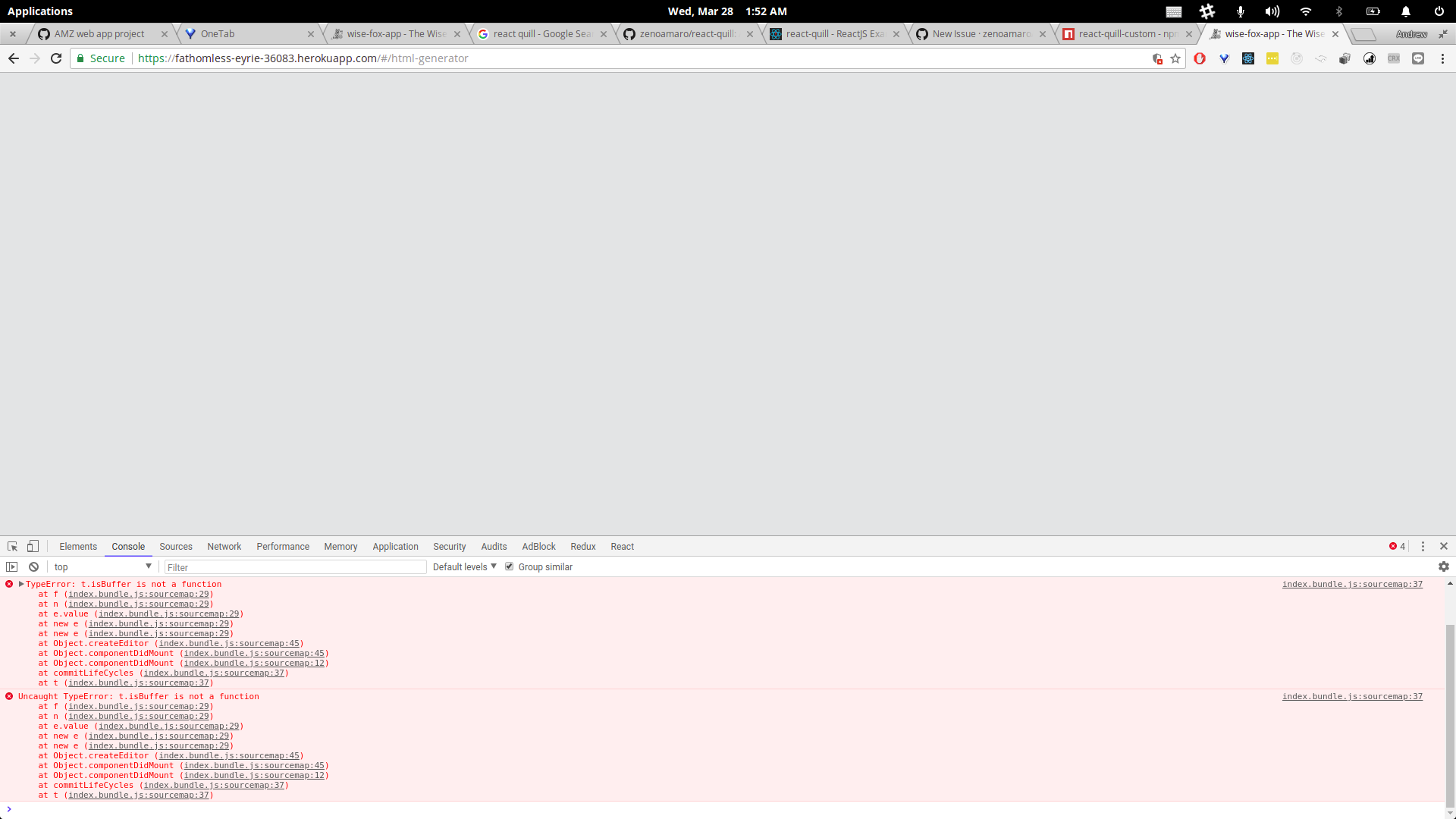
I'm assuming the problem is with my code and not with react-quill, but I don't know where to start debugging this.
Let me know if you want to see other files (such as the webpack.config file). Any thoughts welcome!
React-Quill version
- [X] 1.2.6
 sophyphreak
All 5 comments
Hi,
I was facing the same issue yesterday as well and I've managed to fix the problem by following the advices from the quill.js issue section https://github.com/quilljs/quill/issues/2018 and also installing an updated version of uglify https://github.com/webpack-contrib/uglifyjs-webpack-plugin
Version I am using:
"react": "^16.2.0",
"webpack": "^3.11.0",
"react-quill": "^1.2.6",
Instead of my old webpack.config.js which doesn't work:
module.exports = {
  plugins: [
       new webpack.optimize.UglifyJsPlugin({sourceMap: true}),
  ]
}
I npm installed uglifyjs-webpack-plugin with:
npm i -D uglifyjs-webpack-plugin
And my changed my webpack.config.js to:
const UglifyJsPlugin = require('uglifyjs-webpack-plugin');
module.exports = {
  plugins: [
        new UglifyJsPlugin({sourceMap: true}),
  ]
}
I hope this helps you.
Cheers
 jasonlow90
on 28 Mar 2018
jasonlow90
on 28 Mar 2018
Hey Jason,
It worked! Thanks so much for your help!!
--Andrew
sophyphreak
on 28 Mar 2018
I had fixed this issue with @jasonlow90 fix and it worked until today. Now all of a sudden I am getting the same error again. Anyone else?
 shezankazi
on 16 Jul 2018
shezankazi
on 16 Jul 2018
https://github.com/zenoamaro/react-quill#bundling-with-webpack
 paullaros
on 14 Aug 2018
paullaros
on 14 Aug 2018
for me with wepack 3.10.0 it worked as combination of answer above, but with package downgrade:
npm i -D uglifyjs-webpack-plugin@^1.0.0
and plus this
module: {
noParse : '/node_modules\\/quill\\/dist/'
}
 42x42x42
on 10 Jun 2019
42x42x42
on 10 Jun 2019
Related issues
 Nazanin1369
·
4Comments
Nazanin1369
·
4Comments
 alexkrolick
·
4Comments
alexkrolick
·
4Comments
 LiuChangFreeman
·
3Comments
LiuChangFreeman
·
3Comments
 prosenjitchy
·
3Comments
prosenjitchy
·
3Comments
 ycjcl868
·
5Comments
ycjcl868
·
5Comments
Most helpful comment
Hi,
I was facing the same issue yesterday as well and I've managed to fix the problem by following the advices from the quill.js issue section https://github.com/quilljs/quill/issues/2018 and also installing an updated version of uglify https://github.com/webpack-contrib/uglifyjs-webpack-plugin
Version I am using:
"react": "^16.2.0",
"webpack": "^3.11.0",
"react-quill": "^1.2.6",
Instead of my old webpack.config.js which doesn't work:
module.exports = {
  plugins: [
       new webpack.optimize.UglifyJsPlugin({sourceMap: true}),
  ]
}
I npm installed uglifyjs-webpack-plugin with:
npm i -D uglifyjs-webpack-pluginAnd my changed my webpack.config.js to:
const UglifyJsPlugin = require('uglifyjs-webpack-plugin');module.exports = { plugins: [ new UglifyJsPlugin({sourceMap: true}), ] }I hope this helps you.
Cheers