React-quill: JSX element type 'ReactQuill' does not have any construct or call signatures.
I'm working in Typescript. I have implemented code as per ReadMe instructions but I get an odd Typescript error: "JSX element type 'ReactQuill' does not have any construct or call signatures." on the JSX component (see image).
The editor does render ok, so I'm not sure what the error message is all about.

 Hereward
All 11 comments
Update
this syntax works: const ReactQuill = require('react-quill');
this fails: import ReactQuill from 'react-quill';
this generates error but renders: import * as ReactQuill from "react-quill";
Note: I am compiling to ES6.
Hereward
on 27 Feb 2018
I think this is fixed as of #349
 alexkrolick
on 6 Apr 2018
alexkrolick
on 6 Apr 2018
not work.
"react-quill": "^1.3.1",

 ycjcl868
on 4 Oct 2018
ycjcl868
on 4 Oct 2018
Any update? I'm still getting this error!
 AhmadiRamin
on 24 Nov 2018
AhmadiRamin
on 24 Nov 2018
i also get this error.
 paigeflourin
on 28 Nov 2018
paigeflourin
on 28 Nov 2018
not sure but i managed to make it work by using this import:
import ReactQuill, {Quill} from 'react-quill';
i am using react typescript.
paigeflourin
on 28 Nov 2018
I think the import * as syntax is the problem, not sure what if it's a typescript version difference or something with the Quill or ReactQuill definitions themselves.
alexkrolick
on 28 Nov 2018
@paigeflourin solution works!
 zscaiosi
on 12 Jan 2019
zscaiosi
on 12 Jan 2019
same issue here :(
 leoseccia
on 27 Apr 2019
leoseccia
on 27 Apr 2019
#349 is working for me.
// type.d.s
export class ReactQuill extends React.Component
focus(): void;
blur(): void;
getEditor(): Quill.Quill;
}
export { Quill } from "quill";
export = ReactQuill;
// code
import * as ReactQuill from 'react-quill';
import 'react-quill/dist/quill.snow.css'
 aplaxas
on 21 May 2019
aplaxas
on 21 May 2019
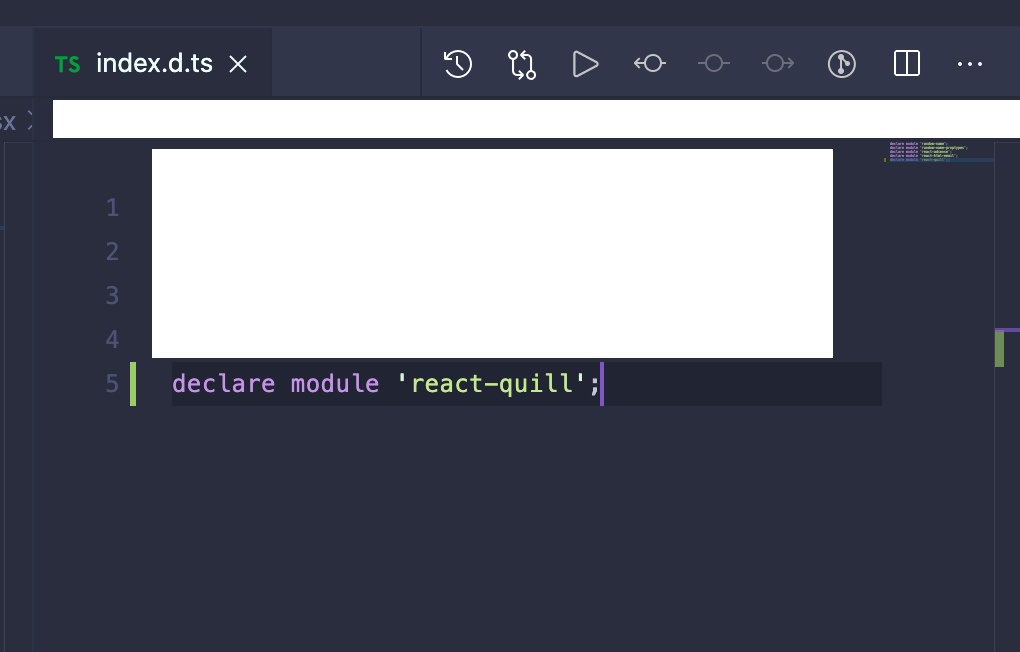
All you need to do is add declare module 'react-quill'; to your ./index.d.ts file for example:
 iamwill123
on 20 Nov 2020
iamwill123
on 20 Nov 2020
Related issues
 Fensterbank
·
3Comments
Fensterbank
·
3Comments
 pooriamo
·
3Comments
pooriamo
·
3Comments
 levous
·
3Comments
levous
·
3Comments
 Nazanin1369
·
4Comments
alexkrolick
·
4Comments
Nazanin1369
·
4Comments
alexkrolick
·
4Comments
Most helpful comment
not sure but i managed to make it work by using this import:
import ReactQuill, {Quill} from 'react-quill';
i am using react typescript.