React-pdf: Halt Render of PDF w/ Large Dataset until Download Button Clicked (Slow Initial Load Time)
Is your feature request related to a problem? Please describe.
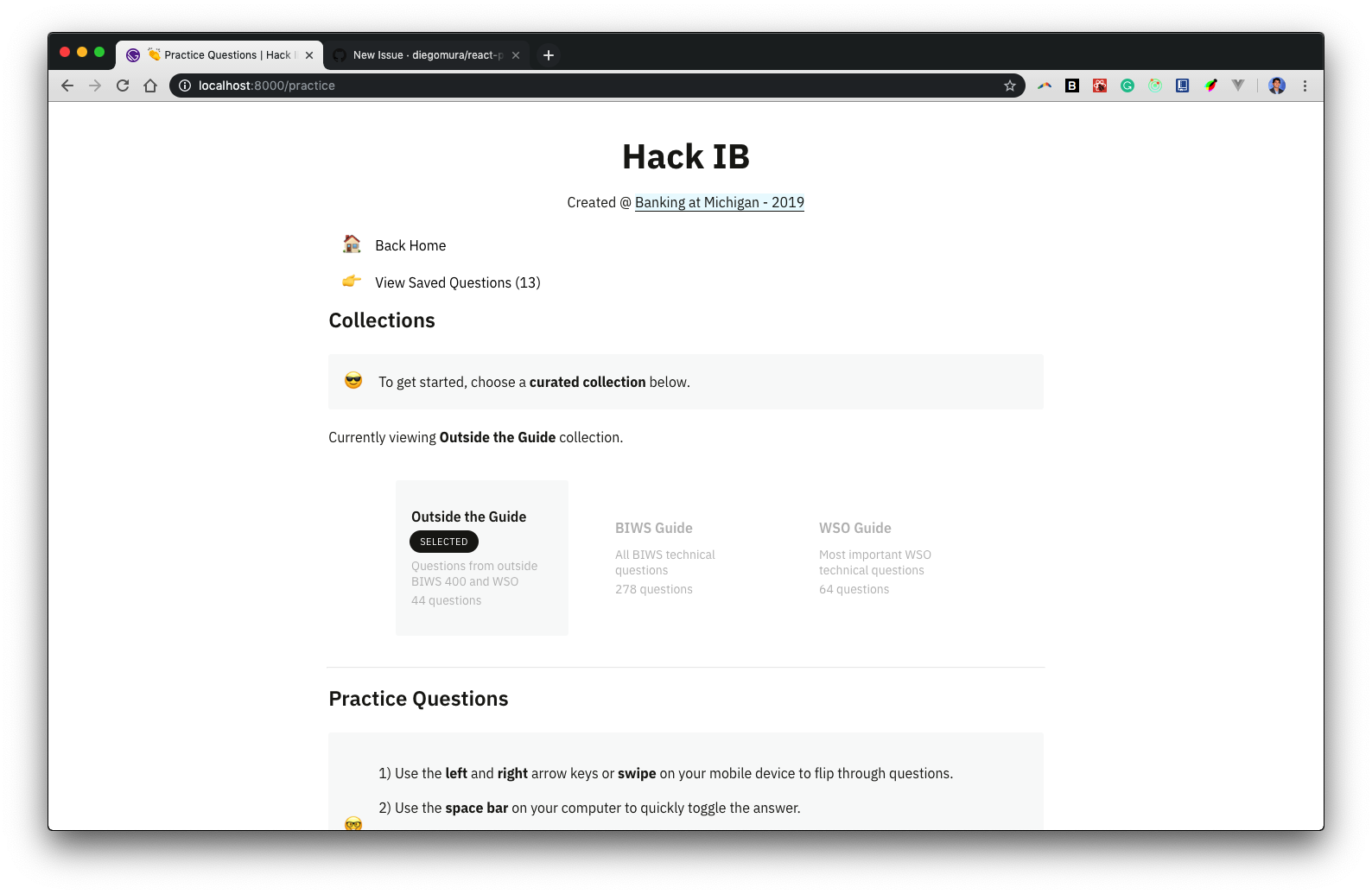
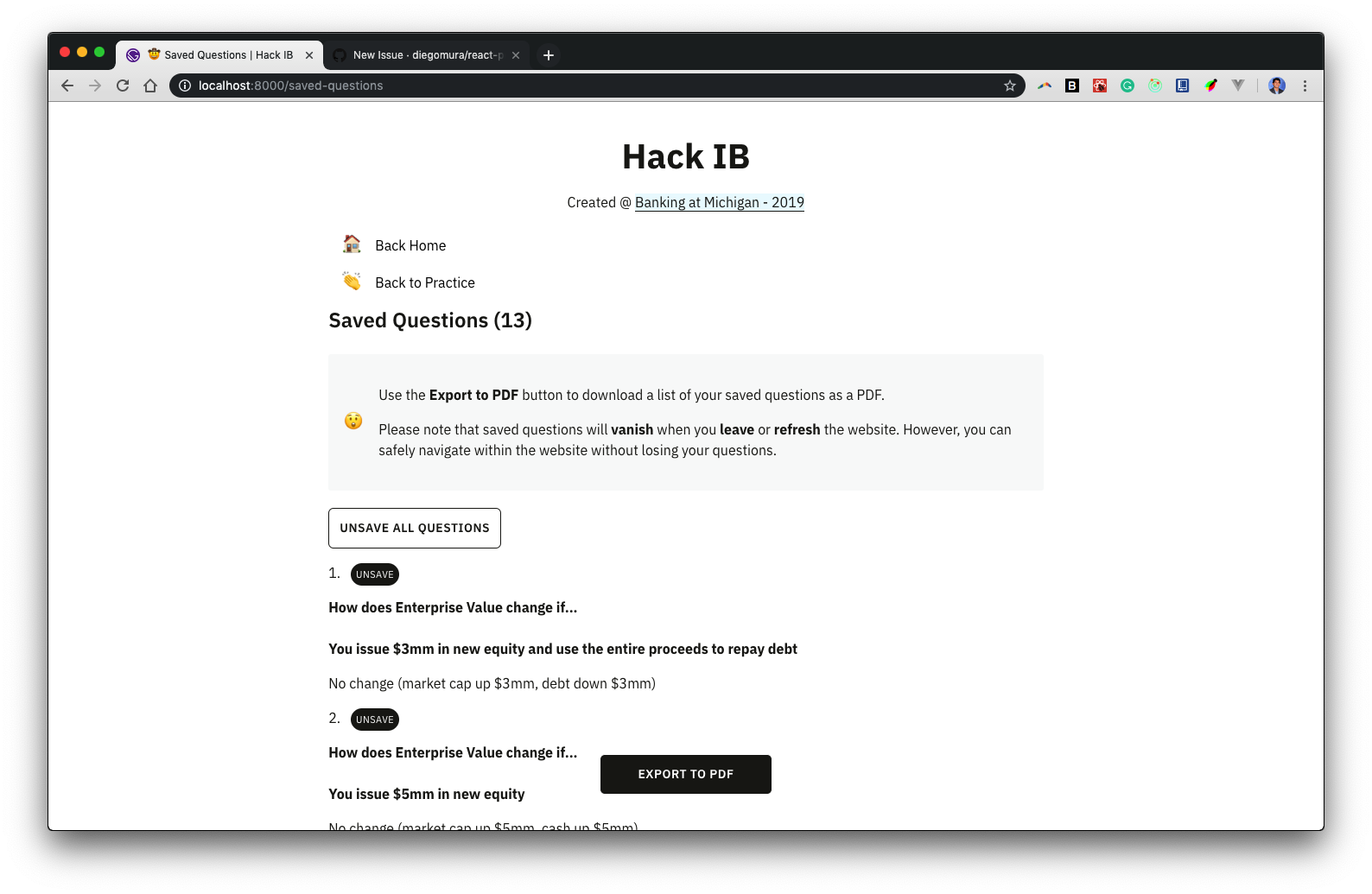
I have a situation where I am passing data from a Redux state to be available for download into a PDF. When I try to access my Page that has the "Export to PDF" with Gatsby's Link component, if the dataset that I am passing in is large, it takes a while to load the page. I understand this comes from the fact that the full page won't load until the PDF component itself renders, even though there is no render required until the <PDFDownloadLink> button is pressed (Export to PDF). For example, below when I click "View Saved Questions" in the first screenshot below, it goes to the saved-questions page which includes my PDF component nested inside a PDFDownloadLink, but it will take a longer time to load the saved-questions page if there are more "questions" saved (larger data set).
Page that Links to Saved Questions Page
Saved Questions Page
Describe the solution you'd like
I propose that a PDF component that is only being used for download purposes should not be rendered until the <PDFDownloadLink> button is pressed (in my case, the Export to PDF button). It would be really nice to have the button change it's inner content to Loading X% and display progress to the user in terms of how long it will take the PDF document to render (from 0% to 100% and then set back to original inner content, e.g. "Export to PDF"). In situations where the PDF is only needed for download purposes, I think this would be very helpful for people generating Large PDFs with a lot of data.
Additional context
Here are my saved-questions page and PdfDocument component (rendered inside of the saved-questions page and set as a prop for the <PDFDownloadLink> component. Happy to provide any additional context if necessary.
saved-questions (gatsby page)
import React, { Component } from "react"
import uuid from "uuid"
import moment from "moment"

import { PDFDownloadLink } from "@react-pdf/renderer"
import { PdfDocument } from "../components/pdf"

import { connect } from "react-redux"
import { removeQuestion, clearAllQuestions } from "../state/app"

import Layout from "../components/layout"
import SEO from "../components/seo"
import PageLink from "../components/pagelink"
import Card from "../components/card"

import "../components/pdf.scss"

class SavedQuestions extends Component {
  unsaveQuestion = question => {
    this.props.removeQuestion(question)
  }

  clearAllQuestions = () => {
    this.props.clearAllQuestions()
  }

  render() {
    let { savedQuestions: questions } = this.props

    let questionList = questions.map((question, i) => (
      <>
        <li key={uuid.v4()}>
          <span
            unselectable="on"
            className="badge ml-8 hoverable"
            onClick={this.unsaveQuestion.bind(this, question)}
          >
            UNSAVE
          </span>
          <p>
            <b>{question.question}</b>
          </p>
          <p>{question.answer}</p>
        </li>
      </>
    ))

    return (
      <Layout location={this.props.location} crumbLabel="Practice">
        <SEO title="🤠 Saved Questions" />
        <PageLink to="/" emoji="🏠" label="Home" title="Back Home" />
        <PageLink
          to="/practice"
          emoji="👏"
          label="Clap"
          title="Back to Practice"
        />
        <div className="header-2">Saved Questions ({questions.length})</div>
        <Card
          label="surprise"
          emoji="😲"
          content={
            <div>
              <p>
                Use the <b>Export to PDF</b> button to download a list of your
                saved questions as a PDF.
              </p>
              <p>
                Please note that saved questions will <b>vanish</b> when you{" "}
                <b>leave</b> or <b>refresh</b> the website. However, you can
                safely navigate within the website without losing your
                questions.
              </p>
            </div>
          }
        />
        <div className="content">
          {questions.length === 0 ? (
            "No questions saved."
          ) : (
            <div className="content btn-ghost" onClick={this.clearAllQuestions}>
              Unsave All Questions
            </div>
          )}
          <ol>{questionList}</ol>
        </div>
        {questions.length > 0 && (
          <PDFDownloadLink
            document={<PdfDocument data={questions} />}
            fileName={
              "hackib-questions-" +
              moment()
                .format("MMM-Do-YY-h-mm-ss-a")
                .toLowerCase() +
              ".pdf"
            }
            className="content btn download-pdf"
          >
            {({ blob, url, loading, error }) =>
              loading ? "PDF Download Unavailable" : "Export to PDF"
            }
          </PDFDownloadLink>
        )}
      </Layout>
    )
  }
}

const mapStateToProps = state => {
  return { savedQuestions: state.app.savedQuestions }
}

export default connect(
  mapStateToProps,
  { removeQuestion, clearAllQuestions }
)(SavedQuestions)
PDF Component
import React from "react"
import {
  Page,
  Text,
  View,
  Document,
  Link,
  StyleSheet,
  Font,
} from "@react-pdf/renderer"
import moment from "moment"

const FONT = "IBM Plex Sans"
const FONT_URL =
  "https://fonts.gstatic.com/s/ibmplexsans/v7/zYXgKVElMYYaJe8bpLHnCwDKhdXeFaxOedfTDw.woff2"

Font.register({
  family: FONT,
  src: FONT_URL,
})

const styles = StyleSheet.create({
  page: {
    backgroundColor: "#ffffff",
    padding: 50,
    fontFamily: "Helvetica",
  },

  headerLayout: {
    textAlign: "center",
  },

  header: {
    fontSize: 16,
    fontFamily: "Helvetica-Bold",
  },

  question: {
    marginBottom: 12.5,
  },

  questionText: {
    fontFamily: "Helvetica-Bold",
  },

  answerText: {
    paddingLeft: 10,
  },

  content: {
    fontSize: 12,
    marginBottom: 10,
  },
})

const WEBSITE_URL = "" // commenting out for purpose of this post

export function PdfDocument({ data }) {
  return (
    <Document>
      <Page size="A4" style={styles.page}>
        <View style={styles.headerLayout}>
          <Text style={[styles.content, styles.header]}>
            HackIB Exported Questions
          </Text>
          <Text style={styles.content}>
            <Link src={WEBSITE_URL}>HackIB Website</Link>
          </Text>
          <Text style={styles.content}>
            {moment().format("MMMM Do YYYY, h:mm:ss a")}
          </Text>
        </View>
        {data.map((question, i) => (
          <View style={styles.question}>
            <Text style={[styles.content, styles.questionText]}>
              {i + 1 + ". " + question.question}
            </Text>
            <Text style={[styles.content, styles.answerText]}>
              {question.answer}
            </Text>
          </View>
        ))}
      </Page>
    </Document>
  )
}
 rishipr
>All comments
I agree this feature would be really helpful. There is a similar (or duplicate) request at #736, and I think this would also resolve issues noted in #420
 benrobertsonio
on 22 Oct 2019
benrobertsonio
on 22 Oct 2019
Related issues
 diegomura
·
4Comments
diegomura
·
4Comments
 GasimGasimzada
·
3Comments
GasimGasimzada
·
3Comments
 foureyedraven
·
3Comments
foureyedraven
·
3Comments
 theobat
·
3Comments
theobat
·
3Comments
 jbrat
·
3Comments
jbrat
·
3Comments
Most helpful comment
I agree this feature would be really helpful. There is a similar (or duplicate) request at #736, and I think this would also resolve issues noted in #420