React-pdf: TypeError: Cannot set property 'getCurrentStack' of undefined
OS: MacOS Sierra
React-pdf version: 1.0.0-alpha.18
Description: Including react-pdf in an existing app as a proof of concept using code snippet below. React-pdf renders an iframe on server render, but on client side it blows up with this error:
2FBN2-NKMGU-EJKY8-ZANKZ-SUJZF:16 Warning: Could not replay rendering after an error. This is likely a bug in React. Please file an issue.
2FBN2-NKMGU-EJKY8-ZANKZ-SUJZF:16 TypeError: Cannot set property 'getCurrentStack' of undefined
    at Object.setCurrentFiber (react-reconciler.development.js:562)
    at performUnitOfWork (react-reconciler.development.js:7888)
    at workLoop (react-reconciler.development.js:7940)
    at renderRoot (react-reconciler.development.js:7980)
    at performWorkOnRoot (react-reconciler.development.js:8598)
    at performWork (react-reconciler.development.js:8520)
    at performSyncWork (react-reconciler.development.js:8492)
    at requestWork (react-reconciler.development.js:8392)
    at scheduleWork (react-reconciler.development.js:8256)
    at scheduleRootUpdate (react-reconciler.development.js:8823)
The component tree is:
    in InternalBlobProvider
    in PDFViewer
    in div
    in PdfContainer
    in ErrorBoundary(PdfContainer)
    in Connect(ErrorBoundary(PdfContainer))
....
    in App
    in Provider
How to replicate issue including code snippet (if applies):
import React from 'react';
import ReactDOM from 'react-dom';
import { Provider } from 'react-redux';
import { Document, Page, View, Text, PDFViewer } from '@react-pdf/renderer';
import configureStore from '../common/configure-store';

const store = configureStore(window.reduxData, true);

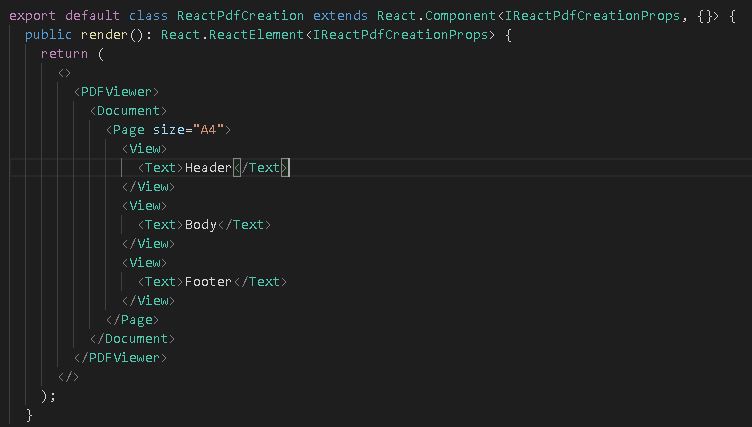
const PdfApp = () => (
  <Document>
    <Page size="A4">
      <View>
        <Text>Header</Text>
      </View>
      <View>
        <Text>Body</Text>
      </View>
      <View>
        <Text>Footer</Text>
      </View>
    </Page>
  </Document>
);

const PdfContainer = () => (
  <div>
    <PDFViewer>
      <PdfApp />
    </PDFViewer>
  </div>
);

const App = () => (
  <main>
    <...subcomponent tree>
      <PdfContainer />
    </...subcomponent tree>
  </main>
);

ReactDOM.render((
  <Provider store={store}>
    <App />
  </Provider>
), document.getElementById('react-root'));
Any pointers will be much appreciated 😄
 DuncanMacWeb
All 12 comments
Hey!
I know people was having trouble when isolating the PDF components in a separate one (your PdfContainer component). Try passing the whole Document tree straight to the PDFViewer.
I’m on vacations right now and without a pc. Sorry I cannot help much on the moment
 diegomura
on 10 Oct 2018
diegomura
on 10 Oct 2018
@diegomura Thanks! I think I’ve been able to work around the issue by setting process.env.NODE_ENV to 'production' at the start of my local/dev webpack config. react-reconciler appears to be blowing up if it’s not set to production, but works perfectly well in dev mode with the workaround. (Bug confirmed in [email protected] as well as the version react-pdf is currently using.)
Do you think this is something to do with the way react-pdf is using react-reconciler, that’s different from how react-art, react-dom and react-native use it? If you don’t think the bug is related to react-pdf I can raise this in the React repo.
DuncanMacWeb
on 19 Oct 2018
By the way, I also confirmed the issue you referred to—that the Document needs to be passed directly into the PDFViewer. I wonder what’s causing that... it would be good to be able to import a Document from another module and render it inside any of the components that provide/use the PDF blob (PDFViewer, PDFDownloadLink, renderToStream, etc).
DuncanMacWeb
on 19 Oct 2018
@DuncanMacWeb Document does not have to be passed directly to PDFViewer anymore!
I couldn't reproduce this issue at all. I'm glad you discovered that workaround. Do you think we can close this or is it still an existing issue?
diegomura
on 6 Nov 2018
@diegomura thanks 👍with 1.0.0-alpha.25 I’ve been able to refactor to isolate Document in a different module from PDFViewer, yay!
Unfortunately the Cannot set property 'getCurrentStack' of undefined error is still being raised without the process.env.NODE_ENV = 'production' workaround though.
DuncanMacWeb
on 15 Nov 2018
@DuncanMacWeb is this still an issue? I'm still not able to reproduce it in any way. I don't have a deep understanding about this issue 😅
diegomura
on 2 Dec 2018
It’s still an issue, but let’s close for now; we are able to work around this using process.env.NODE_ENV = 'production';.
If this is an issue for anyone else (particularly if it’s a blocking issue), please comment and let’s work on a resolution.
DuncanMacWeb
on 16 Jan 2019
I'm seeing this error too. It appeared after splitting out my component using <BlobProvider> into a separate webpack chunk and loading with lazy/Suspense.
// ExportPanel.tsx
const DocumentViewer = React.lazy(() => import('./DocumentViewer'));

    // in render():
      this.state.document != null ?
      <React.Suspense
          fallback={<div>redacted</div>}>
          <DocumentViewer
               document={this.state.document}
               onClose={() => this.setState({ document: null, isSaving: false })}
          />
      </React.Suspense>

// DocumentViewer.tsx
const DocumentViewer = ({ document }) => (
    <BlobProvider
        document={document}>
        {({ blob, url, loading, error }) => {
             // redacted...
        }}
    </BlobProvider>
Package versions
"@react-pdf/renderer": "^1.4.0",
"react": "^16.8.1",
"react-dom": "^16.8.1",
EDIT: I've actually had the react-pdf code in a separate chunk at an earlier point too, but I did not use lazy+Suspense to load the module then.
 markusjohnsson
on 28 Feb 2019
markusjohnsson
on 28 Feb 2019
If you run into this, you might want to check that your environment is consistent. In my (admittedly unconventional) case I had react and react-dom defined as webpack externals, and ended up with a prod version of react-dom clashing with a dev version of react-reconciler.
As long as those were consistent, I was able to use either NODE_ENV=development or NODE_ENV=production without an issue (@react-pdf/[email protected], [email protected]).
 lucasoid
on 24 Aug 2019
lucasoid
on 24 Aug 2019
Hi, where do i need to place this line
process.env.NODE_ENV = 'production';
i do have "TypeError: Cannot set property 'getCurrentStack' of undefined" issue
 kishore075
on 16 Apr 2020
kishore075
on 16 Apr 2020
@markusjohnsson were you able to get react-pdf working with lazy and Suspense? I'm trying to wrap my PDFViewer with a Suspense component now and getting errors in the browser / the page is blank but when I remove the PDFViewer from wrapping the PDF component it renders, just really bad looking.
 izzybaer
on 2 Jul 2020
izzybaer
on 2 Jul 2020
@izzybaer Nope, we have replaced our pdf generation with a separate react-dom page that we run through puppeteer at browserless.io to create PDFs.
markusjohnsson
on 2 Jul 2020
Related issues
 GasimGasimzada
·
3Comments
GasimGasimzada
·
3Comments
 cheald
·
3Comments
cheald
·
3Comments
 mdodge-ecgrow
·
3Comments
DuncanMacWeb
·
4Comments
mdodge-ecgrow
·
3Comments
DuncanMacWeb
·
4Comments
 dvenkatsagar
·
3Comments
dvenkatsagar
·
3Comments