React-native: [Navigator] Push without animation
Hello,
is it currently possible to have a push / jumpTo / etc. without triggering an animation, kind of like "replace"? I don't see anything in the docs about sceneConfig really.
Thanks!
Philipp
 PhilippKrone
All 15 comments
Hey @PhilippKrone you can use the fade transition for Android introduced in 0.7.1. It's nice and works in iOS!
sceneConfig: Navigator.SceneConfigs.FadeAndroid
 yamill
on 14 Jul 2015
yamill
on 14 Jul 2015
hi @yamill - thanks for the hint. This looks really nice, but I'd prefer a transition without animation at all. Let me give some background: I have a navigation bar analogous to the facebook app and I basically want it to behave like that as well. I could use "replace" but then I'm loosing the state of the individual scenes and once I go back to a scene it starts on the main screen instead of the last one the user was navigating to (in the child navigators of each tab I mean). Do you have any idea how to solve that?
PhilippKrone
on 14 Jul 2015
Update. I'm currently solving my issue by using the following:
var NoTransition = {
opacity: {
from: 1,
to: 1,
min: 1,
max: 1,
type: 'linear',
extrapolate: false,
round: 100,
},
};
return {
...Navigator.SceneConfigs.FloatFromLeft,
gestures: null,
defaultTransitionVelocity: 100,
animationInterpolators: {
into: buildStyleInterpolator(NoTransition),
out: buildStyleInterpolator(NoTransition),
},
};
But thats kind of hacky, I know.
PhilippKrone
on 14 Jul 2015
Thanks @PhilippKrone - glad you found a solution. If anyone would like to provide a cleaner API for that, please submit a PR :smile: I will if I ever run into the use case myself.
 brentvatne
on 21 Jul 2015
brentvatne
on 21 Jul 2015
@PhilippKrone Thanks for the solution. I would bump the defaultTransitionVelocity up though to avoid flickering and extend from FadeAndroid instead of FloatFromLeft. Thank you very much though you saved me!
'use strict';

import React, {
    Navigator
} from 'react-native';

const buildStyleInterpolator = require('buildStyleInterpolator');

var NoTransition = {
    opacity: {
        from: 1,
        to: 1,
        min: 1,
        max: 1,
        type: 'linear',
        extrapolate: false,
        round: 100
    }
};

const Transitions = {
    NONE: {
        ...Navigator.SceneConfigs.FadeAndroid,
        gestures: null,
        defaultTransitionVelocity: 1000,
        animationInterpolators: {
            into: buildStyleInterpolator(NoTransition),
            out: buildStyleInterpolator(NoTransition)
        }
    }
};

export default Transitions;
 vincentracine
on 14 Apr 2016
vincentracine
on 14 Apr 2016
@vincentracine @PhilippKrone Thanks,although there also has 3-4 frames animation,on an old slow android phone, but this solution works much faster.
 ds3783
on 15 May 2016
ds3783
on 15 May 2016
@PhilippKrone @vincentracine @ds3783 Have you try to run this hack on a real device ?
On an iphone, all the screen becomes white when the transition is finished: The new view is displayed during few millis and then the white screen pops (or the view becomes transparent, IDK...).
Work like a charm on iOS / Android simulators and on Android devices though...
We only way to get rid of this is to come back to the vanilla FadeAndroid transition.
 ncuillery
on 8 Jun 2016
ncuillery
on 8 Jun 2016
@ncuillery Yes I tested this on my iPhone 6 but I sometimes received the issue you have mentioned when the 'defaultTransitionVelocity' was set higher than 1000. Im not too sure what is causing this problem though and if you have set your 'defaultTransitionVelocity' to 1000 then I really do not know sorry! Try 999? Really, what we need a proper way to set this behaviour rather than a hack.
vincentracine
on 8 Jun 2016
I fixed the problem by defining a constant opacity transition, instead of a linear one from 1 to 1, inspired by this line in RN source code.
Replace the NoTransition variable above by
var NoTransition = {
  opacity: {
    value: 1.0,
    type: 'constant',
  }
};
💪
ncuillery
on 9 Jun 2016
Thanks a lot , you are all my life saver
 smallpath
on 7 Sep 2016
smallpath
on 7 Sep 2016
Summarizing the above for others (and my future self), put this in a new file possibly CustomTransitions.js
import React, { Navigator, } from 'react-native';
import buildStyleInterpolator from 'buildStyleInterpolator';

var NoTransition = {
    opacity: {
        value: 1.0,
        type: 'constant',
    }
};

const NONE = Object.assign({}, Navigator.SceneConfigs.FadeAndroid, {
    gestures: null,
    defaultTransitionVelocity: 1000,
    animationInterpolators: {
        into: buildStyleInterpolator(NoTransition),
        out: buildStyleInterpolator(NoTransition),
    },
});

const Transitions = {
    NONE,
};


export default Transitions;
And where you create your <Navigator ... />, e.g.
import CustomTransitions from '../shims/CustomTransitions';

...
...
render() {
    return (
      <Navigator
       ...
        configureScene={(route, routeStack) => CustomTransitions.NONE}
        />
    );
  }
 aTable
on 10 Oct 2016
aTable
on 10 Oct 2016
Personally I've been using the following which is just a slightly modified unrolled version of the above suggestions.
const InstantTransition = {
    gestures: null,
    defaultTransitionVelocity: null,
    springFriction: null,
    springTension: 1000,
    animationInterpolators: {
        into: r => r.opacity = 1,
        out: r => r.opacity = 1,
    },
};
However, the current scene configuration interface should really be expanded to allow disabling animations altogether.
Transitions are currently so ingrained in the navigator module (Navigator.js#L969) that it's hard to customize it without overriding most of the methods.
 Etheryte
on 12 Oct 2016
Etheryte
on 12 Oct 2016
The solutions above only work if all the transitions for a navigator are none. I think defaultTransitionVelocity applies to all transitions.
 MiLeung
on 24 Mar 2017
MiLeung
on 24 Mar 2017
@MiLeung Not really? I'm successfully using the above solution along with other transitions in an application.
Etheryte
on 24 Mar 2017
EDIT: The solution to the problem below was to use nested Navigators. The Root Navigator navigating between the center tab and the rest of the tabs with the FloatFromBottom transition, and the child Navigator navigating between the two tabs with the no animation transition.
My configureScene looks like this
configureScene = ({ title }) => {
    if (title === 'MiddleScene') {
      return {
        ...Navigator.SceneConfigs.FloatFromBottom,
        gestures: null,
      };
    }

    return {
      gestures: null,
      defaultTransitionVelocity: null,
      springFriction: null,
      springTension: 1000,
      animationInterpolators: {
        into: r => r.opacity = 1,
        out: r => r.opacity = 1,
      },
    };
  }
And the end result looks something like this
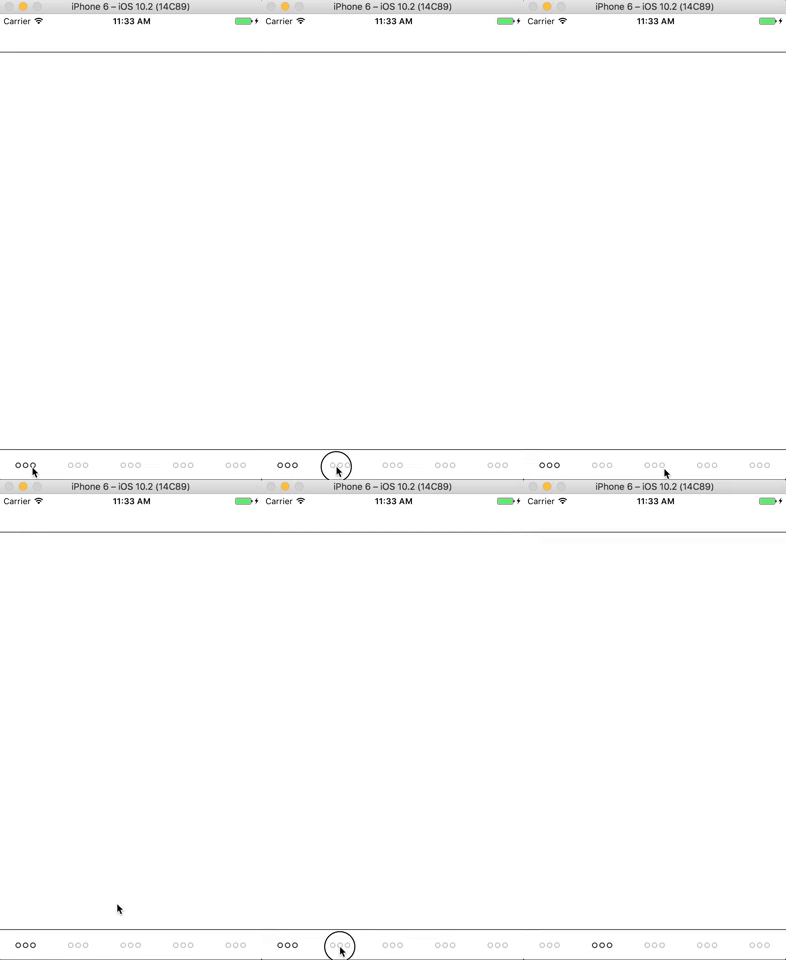
The middle tab has the FloatFromBottom transition. When you press it, the scene shows up very rapidly, but when you exit the scene, it transitions at a normal speed.
MiLeung
on 24 Mar 2017
Related issues
 jobsamuel
·
3Comments
jobsamuel
·
3Comments
 axelg12
·
3Comments
axelg12
·
3Comments
 upbit
·
3Comments
upbit
·
3Comments
 WG-Com
·
3Comments
WG-Com
·
3Comments
 lazywei
·
3Comments
lazywei
·
3Comments
Most helpful comment
@PhilippKrone Thanks for the solution. I would bump the defaultTransitionVelocity up though to avoid flickering and extend from FadeAndroid instead of FloatFromLeft. Thank you very much though you saved me!