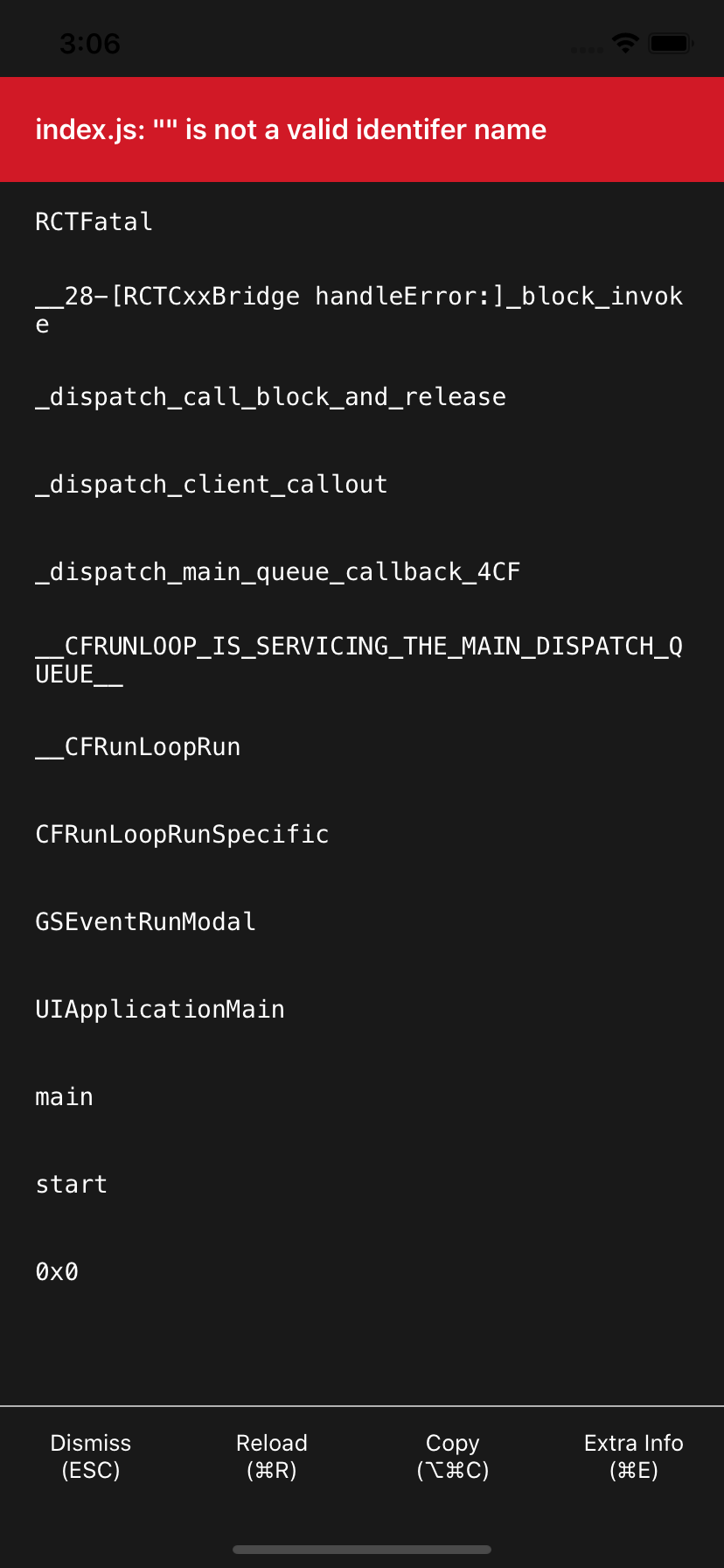
React-native: react native init "index.js: "" is not a valid identifer name" with latest RN Version
React Native version:
System:
OS: macOS Mojave 10.14.6
CPU: (12) x64 Intel(R) Core(TM) i7-8850H CPU @ 2.60GHz
Memory: 737.31 MB / 16.00 GB
Shell: 5.3 - /bin/zsh
Binaries:
Node: 10.15.3 - /usr/local/bin/node
Yarn: 1.16.0 - /usr/local/bin/yarn
npm: 6.12.0 - /usr/local/bin/npm
Watchman: 4.9.0 - /usr/local/bin/watchman
SDKs:
iOS SDK:
Platforms: iOS 13.0, DriverKit 19.0, macOS 10.15, tvOS 13.0, watchOS 6.0
IDEs:
Android Studio: 3.4 AI-183.6156.11.34.5692245
Xcode: 11.0/11A420a - /usr/bin/xcodebuild
npmPackages:
react: 16.9.0 => 16.9.0
react-native: 0.61.3 => 0.61.3
npmGlobalPackages:
react-native-asset: 2.0.0
react-native-cli: 2.0.1
react-native-git-upgrade: 0.2.7
react-native: 0.59.8
Steps To Reproduce
- react-native init example
- cd example
- react-native run-ios
Describe what you expected to happen:
It simply not working at all. This issue just appears after RN 0.61.4. It would work with RN 0.61.3 however now it is not working with RN 0.61.3 with this new react-native init command.
 WrathChaos
All 22 comments
This error started happening when I upgraded from Babel 7.6.4 to 7.7.0.
I've reverted the upgrade and it's back to normal FYI
 beetlebum
on 5 Nov 2019
beetlebum
on 5 Nov 2019
I'm a starter in RN and this is killing me. I started learning it 3 days ago. It was running all good but suddenly this started when I created a new project.
 techsavyravi
on 5 Nov 2019
techsavyravi
on 5 Nov 2019
This error started happening when I upgraded from Babel 7.6.4 to 7.7.0.
I've reverted the upgrade and it's back to normal FYI
I'm gonna try it very fast :)
Edit: Unfortunately, downgrading from scratch project did not work :(
WrathChaos
on 5 Nov 2019
This error started happening when I upgraded from Babel 7.6.4 to 7.7.0.
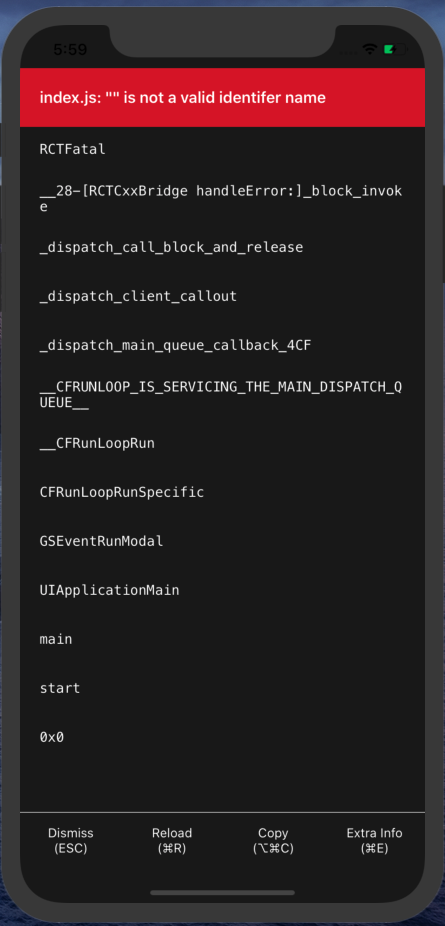
I've reverted the upgrade and it's back to normal FYII'm gonna try it very fast :)
I tried and it's still the same:
techsavyravi
on 5 Nov 2019
I'm a starter in RN and this is killing me. I started learning it 3 days ago. It was running all good but suddenly this started when I created a new project.
Believe me, I understand you :) Please do not give up the React Native. It is awesome and its community is also awesome. I'm sure that, this will be covered ASAP
WrathChaos
on 5 Nov 2019
I also have this issue, just attempted to create a project, same error.
 jonasgroendahl
on 5 Nov 2019
jonasgroendahl
on 5 Nov 2019
Try downgrading @babel/core to 7.64 and @babel/runtime to 7.6.3 and restart metro react-native-start
beetlebum
on 5 Nov 2019
I'm a starter in RN and this is killing me. I started learning it 3 days ago. It was running all good but suddenly this started when I created a new project.
Believe me, I understand you :) Please do not give up the React Native. It is awesome and its community is also awesome. I'm sure that, this will be covered ASAP
Thanks for that 👍 But how this thread goes is going to decide if I stay here or flutter away. :(
techsavyravi
on 5 Nov 2019
Try downgrading
@babel/coreto7.64and@babel/runtimeto7.6.3and restart metroreact-native-start
still the same error
techsavyravi
on 5 Nov 2019
Same error for me using 7.6.0:
"dependencies": {
"react": "16.9.0",
"react-native": "0.60.5"
},
"devDependencies": {
"@babel/core": "7.6.0",
"@babel/runtime": "7.6.0",
"@babel/types":"7.6.0",
"@react-native-community/eslint-config": "^0.0.5",
"babel-jest": "^24.9.0",
"eslint": "^6.6.0",
"jest": "^24.9.0",
"metro-react-native-babel-preset": "^0.57.0",
"react-test-renderer": "16.9.0"
},
The error refers to: TypeError: "" is not a valid identifer name ... node_modules\@babeltypeslibdefinitionscore.js
 anfen
on 5 Nov 2019
anfen
on 5 Nov 2019
I've tried a fresh install of:
- Expo js & ts
- RN js & ts
anfen
on 5 Nov 2019
Try downgrading
@babel/coreto7.64and@babel/runtimeto7.6.3and restart metroreact-native-start
Not working 😔
WrathChaos
on 5 Nov 2019
I can't reproduce the error anymore, but it first happened like so:
- Noticed babel and babel runtime outdated
- Did a
yarn upgrade - Close the metro terminal and
react-native run-ios - The error above happened.
Reverted the yarn.lock file, yarn install, close the metro terminal window, did run-ios again and the error was gone. Bear in mind a few different babel dependencies are upgraded along with the core package.
Hope this helps.
beetlebum
on 5 Nov 2019
The same problem :(
 yanavozniuk
on 5 Nov 2019
yanavozniuk
on 5 Nov 2019
same issue :(
 amiralis1365
on 5 Nov 2019
amiralis1365
on 5 Nov 2019
Babel 7.7.0 was released today
 arthedza
on 5 Nov 2019
arthedza
on 5 Nov 2019
same issue :(
 vipindhangar1107
on 5 Nov 2019
vipindhangar1107
on 5 Nov 2019
Anybody able to successfully workaround this?
techsavyravi
on 5 Nov 2019
arthedza
on 5 Nov 2019
The problem: https://github.com/facebook/react-native/issues/27120#issuecomment-549830783
Solution: https://github.com/facebook/react-native/issues/27120#issuecomment-549832676
 JoeLeung32
on 5 Nov 2019
JoeLeung32
on 5 Nov 2019
Working fine for me as well :
- delete node_modules
- npm install again
Don't change the pods
vipindhangar1107
on 5 Nov 2019
With the new "@babel/runtime": "7.7.1"it solves the problem. Thank you, guys :)
WrathChaos
on 5 Nov 2019
Related issues
 WG-Com
·
3Comments
WG-Com
·
3Comments
 TrakBit
·
3Comments
TrakBit
·
3Comments
 ghost
·
3Comments
ghost
·
3Comments
 DreySkee
·
3Comments
DreySkee
·
3Comments
 josev55
·
3Comments
josev55
·
3Comments
Most helpful comment
Believe me, I understand you :) Please do not give up the React Native. It is awesome and its community is also awesome. I'm sure that, this will be covered ASAP