React-native: fatal error: 'double-conversion/double-conversion.h' file not found during upgrade from rn version 0.59.8 to 0.60.5
I was using the React Native upgrade helper to upgrade from React Native Version 0.59.8 to 0.60.5. After changing all non Android specific files building the project failed with the hint: fatal error: 'double-conversion/double-conversion.h' file not found. A Podfile already existed in the project before upgrading React Native and was modified in the process: Podfile_New.txt,
Podfile_Old.txt
Interestingly changing the line #include <double-conversion/double-conversion.h> to #include <DoubleConversion/double-conversion.h> in ios/Pods/Folly/folly/Conv.h seems to solve this problem, however other errors are then triggered. Also this does not feel like a 'real' solution.
React Native version:
System:
OS: macOS 10.14.6
CPU: (4) x64 Intel(R) Core(TM) i5-5257U CPU @ 2.70GHz
Memory: 51.46 MB / 16.00 GB
Shell: 3.2.57 - /bin/bash
Binaries:
Node: 11.14.0 - /usr/local/bin/node
npm: 6.9.0 - /usr/local/bin/npm
Watchman: 4.9.0 - /usr/local/bin/watchman
SDKs:
iOS SDK:
Platforms: iOS 12.4, macOS 10.14, tvOS 12.4, watchOS 5.3
IDEs:
Android Studio: 3.4 AI-183.5429.30.34.5452501
Xcode: 10.3/10G8 - /usr/bin/xcodebuild
npmPackages:
@react-native-community/cli: 1.10.0 => 1.10.0
react: 16.8.6 => 16.8.6
react-native: 0.60.5 => 0.60.5
npmGlobalPackages:
react-native-cli: 2.0.1
 knight-hub
All 11 comments
Having the same issue.
 RZzero
on 12 Sep 2019
RZzero
on 12 Sep 2019
Same issue.
 Dagorik
on 12 Sep 2019
Dagorik
on 12 Sep 2019
I'm solving that with :
- removing
use_frameworks!from your Podfile - close xCode
- rm -rf ~/library/developer/xcode/deriveddata
- rm -rf ~/.rncache
- rm -rf node_modules && yarn install && cd ios && rm -rf Pods && pod install && cd ..
- clean and run
 kenMarquez
on 12 Sep 2019
kenMarquez
on 12 Sep 2019
Thank you @kenMarquez, your steps solved the problem for me! I skipped the first step (because I never had use_frameworks! in my Podfile) and then executed the remaining 5 steps. After that I only had to unlink a few dependencies and the build was successful.
knight-hub
on 12 Sep 2019
@kenMarquez I need to use use_frameworks since I am using react-native-applozic-chat library and that requires this thing. what would be the solution for me?
 waheedakhter
on 4 Oct 2019
waheedakhter
on 4 Oct 2019
@waheedakhter did you find a solution for this?
 AdrianMrn
on 17 Oct 2019
AdrianMrn
on 17 Oct 2019
@waheedakhter @AdrianMrn If you upgrade your RN version to 0.61.0 in that version solve the problems with the frameworks
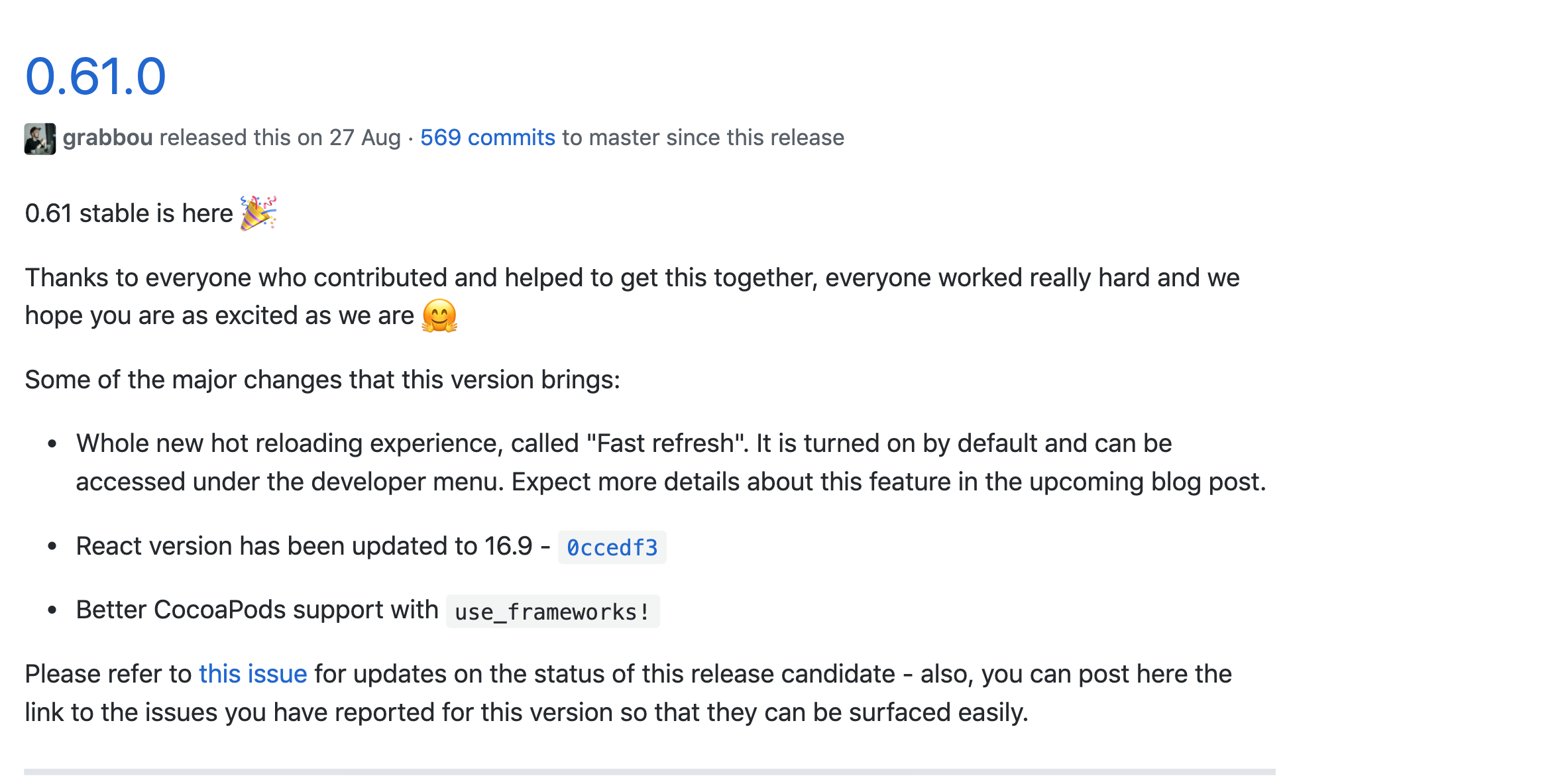
You can also download manually the library and paste into the Frameworks folder and don't forget add in Link Binary With Libraries
kenMarquez
on 17 Oct 2019
@kenMarquez Thanks, I'm upgrading now 🤞
AdrianMrn
on 18 Oct 2019
I'm solving that with :
- removing
use_frameworks!from your Podfile- close xCode
- rm -rf ~/library/developer/xcode/deriveddata
- rm -rf ~/.rncache
- rm -rf node_modules && yarn install && cd ios && rm -rf Pods && pod install && cd ..
- clean and run
If i remove the use_frameworks from the pod file then it give the firebaseMessaging Error =>Protobuf/Any.h not found and to solve this i have to write use_frameworks! in the pod file
so finally iam in the loop of this Error..
 CVRamana
on 7 Jan 2020
CVRamana
on 7 Jan 2020
@waheedakhter @AdrianMrn If you upgrade your RN version to 0.61.0 in that version solve the problems with the frameworks
You can also download manually the library and paste into the Frameworks folder and don't forget add in
Link Binary With Libraries
Please provide the full solution
CVRamana
on 7 Jan 2020
@kenMarquez Solution works. I had the same problem with use framework. So I just upgrade to RN 0.61.5.
@CVRamana just take a look to rn-diff-purge.
 AugustoAleGon
on 17 May 2020
AugustoAleGon
on 17 May 2020
Related issues
 axelg12
·
3Comments
axelg12
·
3Comments
 oney
·
3Comments
oney
·
3Comments
 jobsamuel
·
3Comments
jobsamuel
·
3Comments
 aniss
·
3Comments
aniss
·
3Comments
 despairblue
·
3Comments
despairblue
·
3Comments
Most helpful comment
I'm solving that with :
use_frameworks!from your Podfile