React-native: Toggling inspector causes redirect to first screen in stack navigator
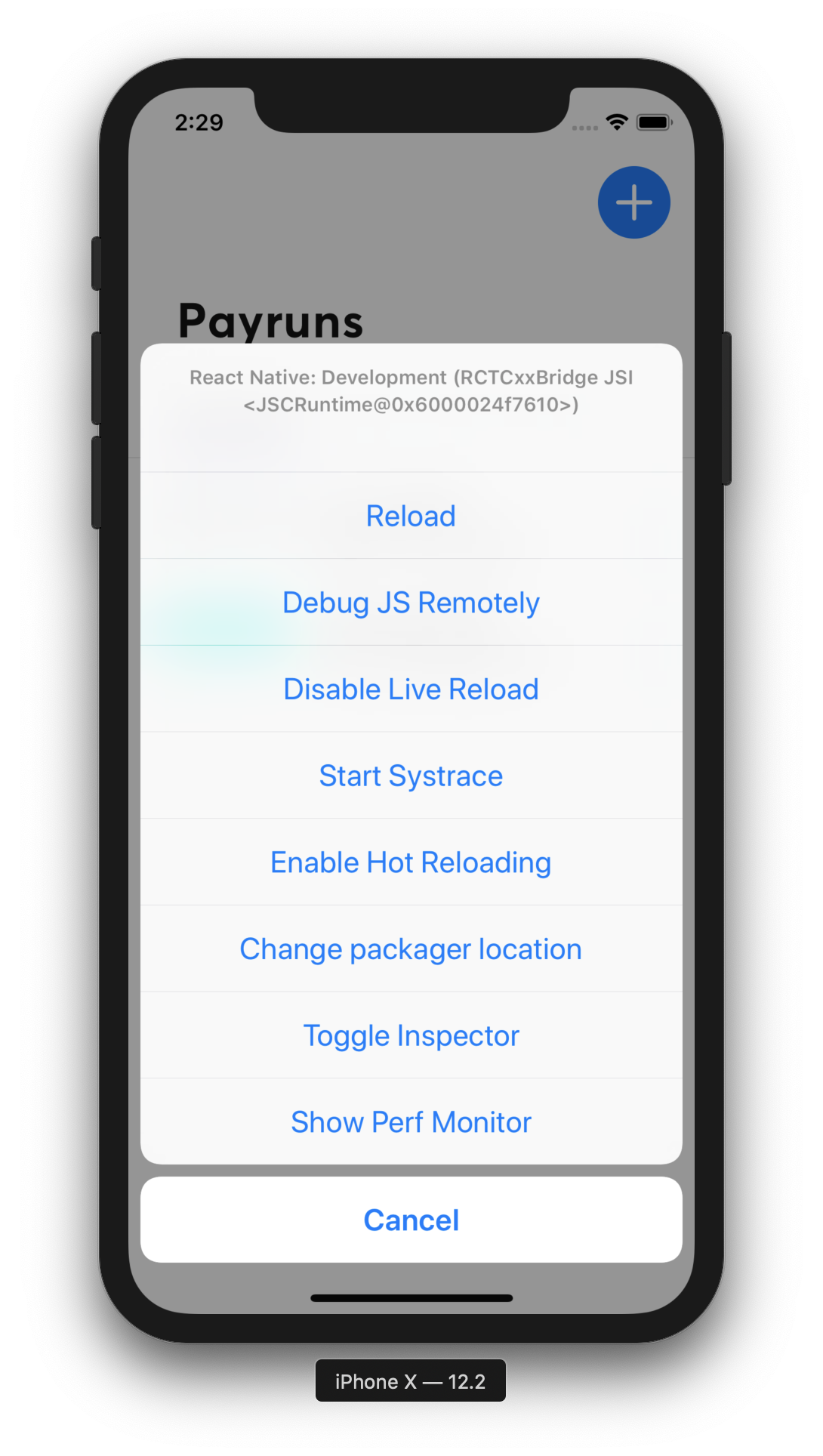
I'm attempting to debug some layout issues in a React Native app. When I open the dev tools menu in the iOS Simulator, and hit 'Toggle Inspector', the app jumps back to the first screen in the react-navigation Stack Navigator, and I am unable to get back to the screen I wanted to inspector without turning off the Inspector.
Has anyone else found this issue? I can't provide a link to the repo, however I can answer any questions you have.
React Native version:
System:
OS: macOS 10.14.6
CPU: (8) x64 Intel(R) Core(TM) i7-6920HQ CPU @ 2.90GHz
Memory: 31.86 MB / 16.00 GB
Shell: 5.3 - /bin/zsh
Binaries:
Node: 10.16.0 - ~/.nvm/versions/node/v10.16.0/bin/node
Yarn: 1.17.3 - /usr/local/bin/yarn
npm: 6.9.0 - ~/.nvm/versions/node/v10.16.0/bin/npm
Watchman: 4.9.0 - /usr/local/bin/watchman
SDKs:
iOS SDK:
Platforms: iOS 12.2, macOS 10.14, tvOS 12.2, watchOS 5.2
IDEs:
Android Studio: 3.5 AI-191.8026.42.35.5791312
Xcode: 10.2.1/10E1001 - /usr/bin/xcodebuild
npmPackages:
@react-native-community/cli: ^3.0.0-alpha.2 => 3.0.0-alpha.2
react: 16.8.3 => 16.8.3
react-native: 0.60.5 => 0.60.5
npmGlobalPackages:
react-native-cli: 2.0.1
Steps To Reproduce
- Open your React Native app in the iOS simulator
- Navigate to a screen which is at leave one level deep in your stack navigator
- Open the dev tools menu (CMD-D), and press 'Toggle Inspector'
- Inspector appears on the first screen of the stack, and you can't get back to the other screen without disabling inspector.
Describe what you expected to happen:
Inspector UI appears on the screen you are currently on, rather than being taken back to the first screen.
Snack, code example, screenshot, or link to a repository:
 nathsimpson
>All comments
My mistake. This is due to me not understanding how the Inspector works 🤦♂
For anyone who has this issue, once you open the inspector, you can switch it on/off by pressing the 'Inspect' button on the toolbar. This will allow you to navigate the app, then turn it on so you can inspect the element you need to.
There seems to be a lack of docs on React Native Inspector, but here is what I did find. https://facebook.github.io/react-native/docs/debugging#integration-with-react-native-inspector
Code: https://github.com/facebook/react-native/tree/master/Libraries/Inspector
nathsimpson
on 9 Sep 2019
Related issues
 axelg12
·
3Comments
axelg12
·
3Comments
 upbit
·
3Comments
upbit
·
3Comments
 arunabha
·
3Comments
arunabha
·
3Comments
 vikeri
·
3Comments
vikeri
·
3Comments
 josev55
·
3Comments
josev55
·
3Comments
Most helpful comment
My mistake. This is due to me not understanding how the Inspector works 🤦♂
For anyone who has this issue, once you open the inspector, you can switch it on/off by pressing the 'Inspect' button on the toolbar. This will allow you to navigate the app, then turn it on so you can inspect the element you need to.
There seems to be a lack of docs on React Native Inspector, but here is what I did find. https://facebook.github.io/react-native/docs/debugging#integration-with-react-native-inspector
Code: https://github.com/facebook/react-native/tree/master/Libraries/Inspector