React-native: No bundle URL present on new project
- [x] I have reviewed the documentation
- [X] I have searched existing issues
- [X] I am using the latest React Native version
Environment
OS: macOS High Sierra 10.13.4
Node: 8.9.1
Yarn: 1.6.0
npm: 4.6.1
Watchman: 4.9.0
Xcode: Xcode 9.3 Build version 9E145
Android Studio: 3.1 AI-173.4697961
Packages: (wanted => installed)
react: 16.3.1 => 16.3.1
react-native: 0.55.2 => 0.55.2
Steps to Reproduce
react-native init testProject
cd testProject
react-native run-ios
Expected Behavior
Well I was expecting the app to run on the iOS emulator. I have tried at least 10 times, and 9/10 I get the same error with new projects.
Actual Behavior
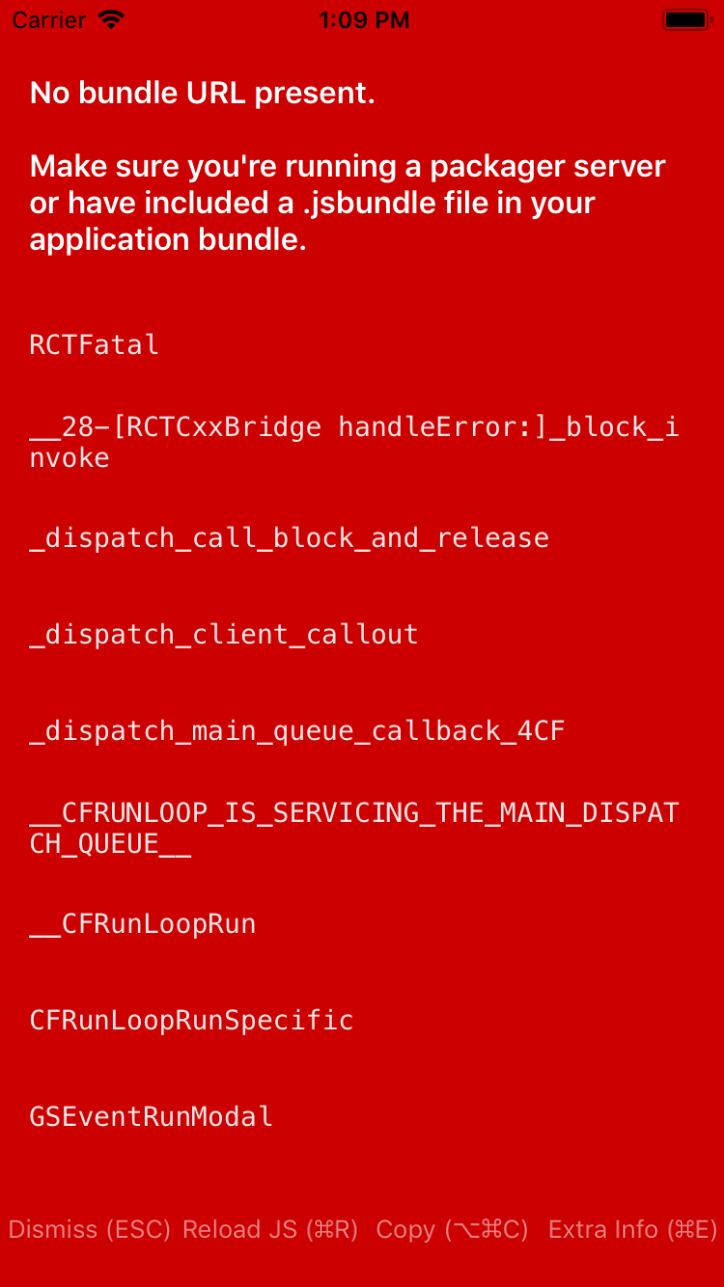
Sometimes there is also this error from the Metro Bundler:
Metro Bundler ready.
ERROR ENOENT: no such file or directory, lstat '/Users/xxxxx/Desktop/test/testProject/ios/build/Build/Intermediates.noindex/React.build/Debug-iphonesimulator/React.build/Objects-normal/x86_64/RCTImageSource.o-041d4dcd'
 captalgert
All 6 comments
Please use Stack Overflow for this type of question.
 react-native-bot
on 29 May 2018
react-native-bot
on 29 May 2018
same issues
 minhphung210
on 6 Jun 2018
minhphung210
on 6 Jun 2018
Have you find any solution?
 anand-neema
on 26 Jun 2018
anand-neema
on 26 Jun 2018
same issue. lanchPackager.command window hanging at Loading dependency graph, done.
 PrimeObjects
on 8 Jul 2018
PrimeObjects
on 8 Jul 2018
I had the same issue and I was able to bypass it by run npm start before run react-native run-ios.
 juniovitorino
on 4 Aug 2018
juniovitorino
on 4 Aug 2018
Same issue, and I solved by add three lines on host file.
Open hosts file: sudo code /private/etc/hosts (if you use VSCode)
Add three lines:
127.0.0.1 localhost
255.255.255.255 broadcasthost
::1 localhost
Run react-native run-ios
 tienlx91
on 12 May 2019
tienlx91
on 12 May 2019
Related issues
 jobsamuel
·
3Comments
jobsamuel
·
3Comments
 upbit
·
3Comments
upbit
·
3Comments
 despairblue
·
3Comments
despairblue
·
3Comments
 oney
·
3Comments
oney
·
3Comments
 vikeri
·
3Comments
vikeri
·
3Comments
Most helpful comment
same issues