React-native: Unrecognized font family
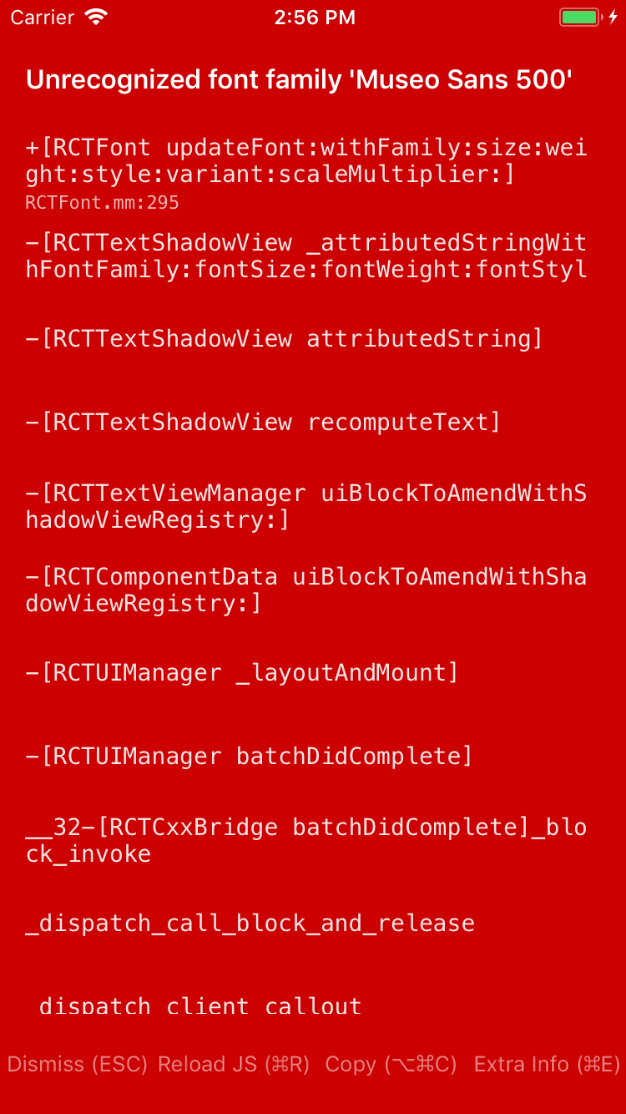
Getting error Unrecognized font family 'Museo Sans 500' in iOS simulator only. App works fine on android emulator.
Environment
Environment:
OS: macOS High Sierra 10.13.3
Node: 9.3.0
Yarn: Not Found
npm: 5.7.1
Watchman: 4.9.0
Xcode: Xcode 9.2 Build version 9C40b
Android Studio: 3.0 AI-171.4443003
Packages: (wanted => installed)
react: 16.2.0 => 16.2.0
react-native: 0.53.2 => 0.53.2
Expected Behavior
App should properly open the app.
Actual Behavior
getting red screen.
Steps to Reproduce
- Downloaded "Museo Sans 500.ttf" and add in the folder
/assets/fonts/ - Add "rnpm": {
"assets": [
"./assets/fonts/"
]
} in package.json - Run the command below in terminal:
react-native link - react-native run-ios throws error.
 pKanijam
All 9 comments
Looks to me that you are missing the native side step of adding it to the Info.plist: https://medium.com/react-native-training/react-native-custom-fonts-ccc9aacf9e5e
If following the linked guide fixes the issue for you, please close it afterwards.
 kelset
on 8 Mar 2018
kelset
on 8 Mar 2018
The third step in the above mentioned steps adds the font in info.plist.
Extract from my info.plist
<key>UIAppFonts</key>
<array>
<string>Museo Sans 500.ttf</string>
</array>
Still getting the same issue.
pKanijam
on 8 Mar 2018
Ok, then I suggest you double check in the Font Book that the name is the right one; there are instances when the name of a font is not the same in Android & iOS (ex. MuseoSans500 vs Museo Sans 500). Double check in XCode too.
kelset
on 8 Mar 2018
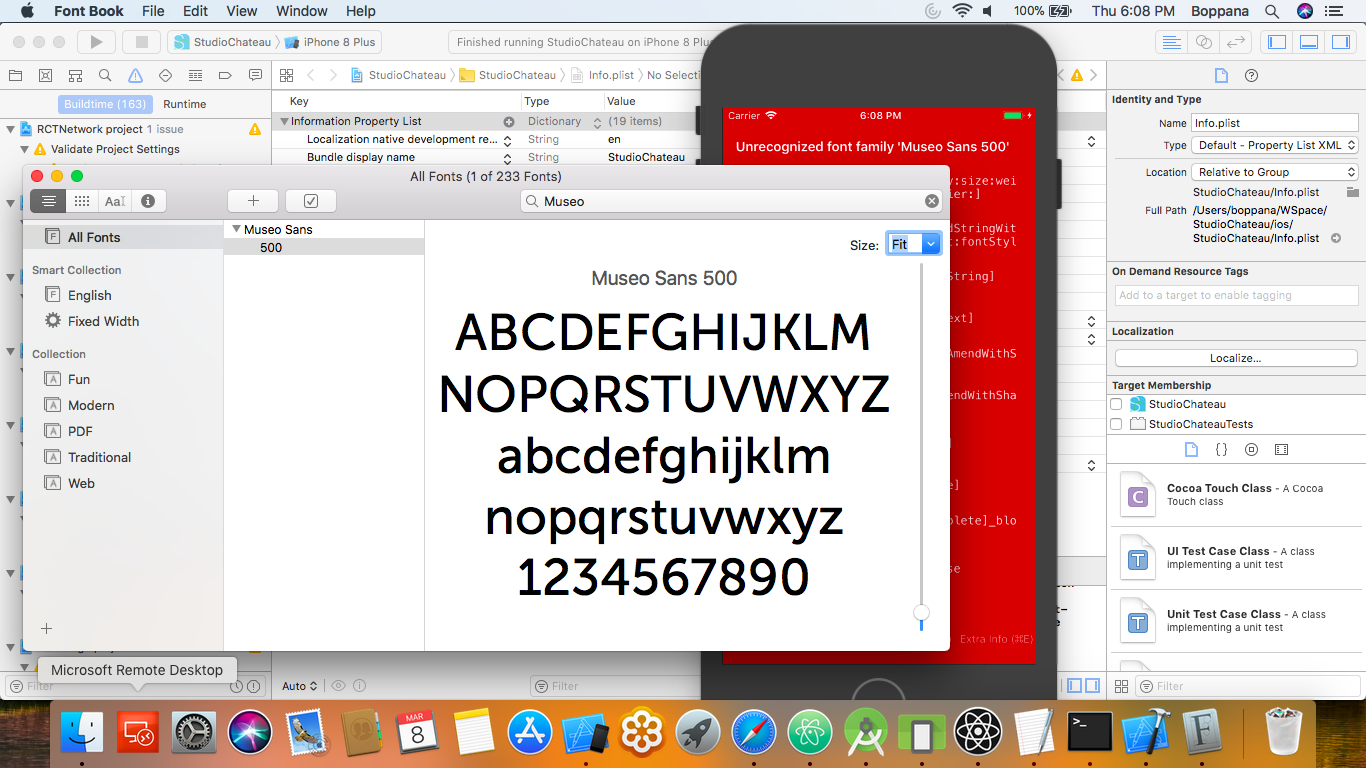
I checked in the Xcode and also in the Font Book. It says 'Museo Sans 500' as shown below:
Also, I did 'Erase all Content and Settings' and restarted the device. Then ran: react-native run-ios.
The issue persists.
pKanijam
on 8 Mar 2018
@pKanijam in that window (FontBook), go to View -> Show font info (I don't know the exact name in the menu) and you should see something like this:

And you should use the PostScript Name and if this doesn't work, you can use the next code:
for (NSString* family in [UIFont familyNames])
  {
    NSLog(@"%@", family);

    for (NSString* name in [UIFont fontNamesForFamilyName: family])
    {
      NSLog(@"  %@", name);
    }
  }
That you should place in "AppDelegate.m", after NSURL *jsCodeLocation;
And of course, after use it, you should delete it.
 LuisUrrutia
on 8 Mar 2018
LuisUrrutia
on 8 Mar 2018
Exactly as @LuisUrrutia is saying 👍
An other link that should explain the 'name difference' visually is in the example here: https://hiddentao.com/archives/2017/03/10/get-custom-fonts-working-in-react-native/ . (as you can see the FontFamily name is different)
kelset
on 8 Mar 2018
Thanks for posting this! It looks like your issue may refer to an older version of React Native. Can you reproduce the issue on the latest stable release?
Thank you for your contributions.
 react-native-bot
on 8 Mar 2018
react-native-bot
on 8 Mar 2018
Issue resolved following the instructions above.
Thanks @LuisUrrutia, your instructions helped me to find the proper font name to use for iOS build.
Thanks @kelset, your last link helped me to organise my stylesheet properly and get the proper fonts on both iOS and android.
pKanijam
on 12 Mar 2018
Thank you very very much @LuisUrrutia , you save my life. I spend more then 3 hour to find YOUR SOLUTION..
 LuongTruong
on 30 Oct 2018
LuongTruong
on 30 Oct 2018
Related issues
 upbit
·
3Comments
upbit
·
3Comments
 jobsamuel
·
3Comments
jobsamuel
·
3Comments
 lazywei
·
3Comments
lazywei
·
3Comments
 despairblue
·
3Comments
despairblue
·
3Comments
 jlongster
·
3Comments
jlongster
·
3Comments
Most helpful comment
@pKanijam in that window (FontBook), go to View -> Show font info (I don't know the exact name in the menu) and you should see something like this:

And you should use the PostScript Name and if this doesn't work, you can use the next code:
That you should place in "AppDelegate.m", after
NSURL *jsCodeLocation;And of course, after use it, you should delete it.