React-native: [Android] Elevation inside a FlatList doesn't work
Is this a bug report?
Yes
Have you read the Contributing Guidelines?
Yes
Environment
Environment:
OS: macOS Sierra 10.12.6
Node: 8.6.0
Yarn: 1.1.0
npm: 5.4.2
Watchman: 4.9.0
Xcode: Xcode 9.0 Build version 9A235
Android Studio: 2.3 AI-162.3871768
Packages: (wanted => installed)
react: 16.0.0-beta.5 => 16.0.0-beta.5
react-native: 0.49.1 => 0.49.1
Target Platform: Android 8.0.0/7.0.0
Steps to Reproduce
Having a shadow inside a flat list(in footerComponent, headerComponent, emptyListComponent and Item) using elevation for android shows nothing, while using shadow props for iOS works perfectly.
Expected Behavior
There should be a shadow in android.
Actual Behavior
No shadow is shown.
Reproducible Demo
renderItem = ({ item }) => {
    return (
        <View style={{
            shadowColor: '#000',
            shadowOffset: { width: 0, height: 2 },
            shadowOpacity: 0.1,
            shadowRadius: 1.5,
            elevation: 3,
            borderWidth: 1,
            borderColor: '#ccc',
            flex: 1,
            height: 42,
            backgroundColor: '#fff',
        }} />
    );
}

render() {
    return (
        <FlatList
            data={this.props.data}
            keyExtractor={item => item.id}
            renderItem={this.renderItem}
        />
    );
}
 am-een
All 7 comments
https://facebook.github.io/react-native/docs/shadow-props.html shadow props are only for iOS. Ran into the same issue.
 nim23
on 19 Oct 2017
nim23
on 19 Oct 2017
Shadow is for iOS but the elevation should draw a shadow, right?
elevation: 3,
 dgruseck
on 19 Oct 2017
dgruseck
on 19 Oct 2017
@nim23 I am using shadow props for iOS and elevation for Android, which normally should add a shadow to the view I am applying it on.
am-een
on 20 Oct 2017
@am-een can u try this?
const StyleElements = () => (
  <ScrollView style={styles.container} contentContainerStyle={styles.content}>
    <View elevation={3}>
      <View style={styles.cardContent}>
        <Text>{'Hola'}</Text>
      </View>
    </View>
  </ScrollView>
);

const styles = StyleSheet.create({
  container: {
    flex: 1,
    backgroundColor: 'white',
  },
  content: {
    flex: 1,
    paddingHorizontal: 20,
    paddingTop: 10,
  },
  cardContent: {
    alignItems: 'center',
    justifyContent: 'center',
    alignSelf: 'stretch',
    height: 200,
  },
});
elevation can be applied as a View prop as well.
 ricbermo
on 23 Oct 2017
ricbermo
on 23 Oct 2017
I upgraded react-native and it looks like it has been fixed in the rn-0.50.2
Closing issue.
am-een
on 14 Nov 2017
give margin to renderItem View...
 ahmedcs2600
on 6 Feb 2018
ahmedcs2600
on 6 Feb 2018
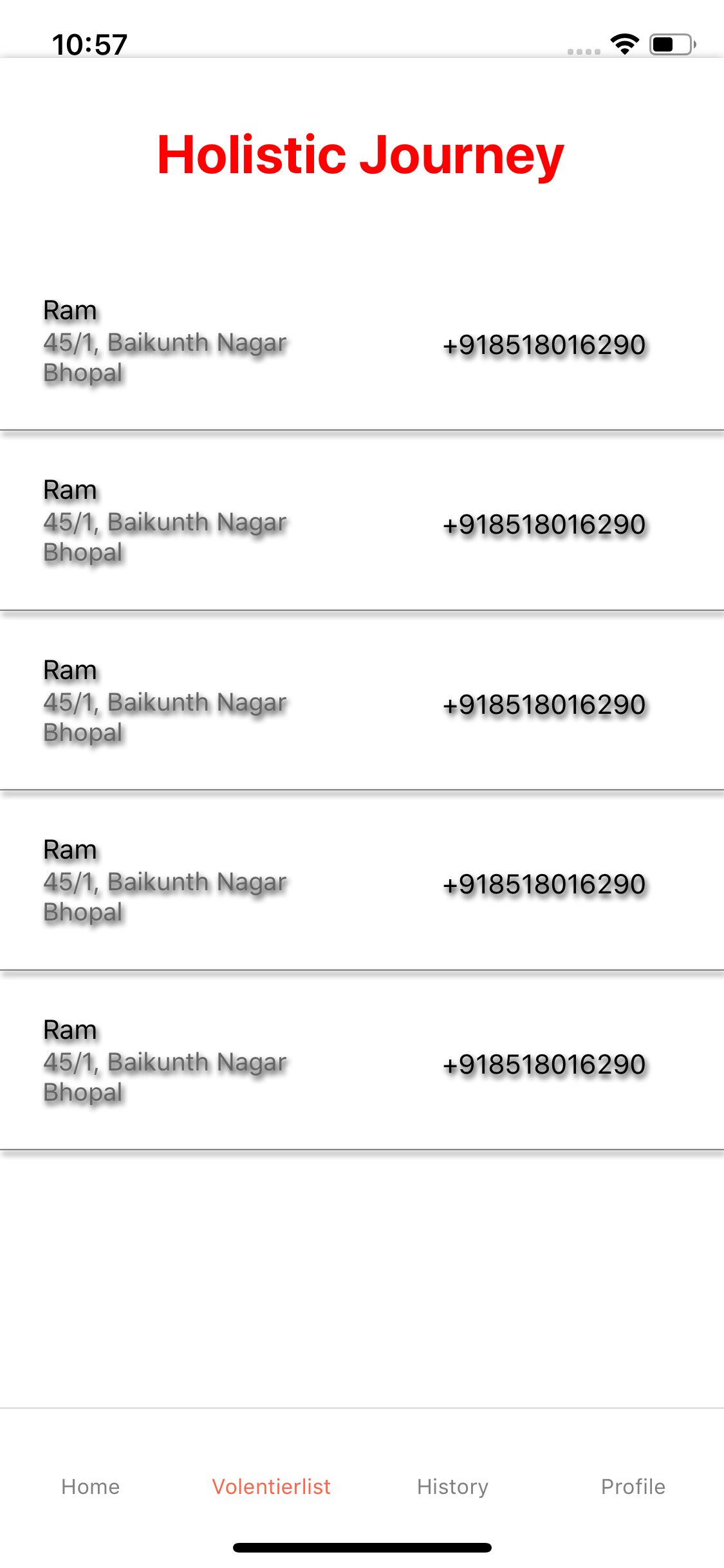
I am using flatlist and it give shadow to all contents of my view that is text inside views ..
Please suggest what should i do
 ChandniSharma
on 4 Nov 2018
ChandniSharma
on 4 Nov 2018
Related issues
 upbit
·
3Comments
upbit
·
3Comments
 axelg12
·
3Comments
axelg12
·
3Comments
 DreySkee
·
3Comments
DreySkee
·
3Comments
 vikeri
·
3Comments
vikeri
·
3Comments
 jlongster
·
3Comments
jlongster
·
3Comments
Most helpful comment
give margin to renderItem View...