React-native: Fractional left or top borders cause large, proportional transparent borders
Description
If a left or top border is 0.5, all of the borders grow at partial opacity in a way that is not obviously deterministic (maybe proportional?).
Reproduction Steps and Sample Code
12401 has several consumers showing reproduction cases. #13305 has another example. Both these issues were closed but this is demonstrably real and reproducible today.
I have isolated cases on expo here:
https://repl.it/ILZ9/26
https://repl.it/ILZ9/31

Solution
Something is doing strange things with fractional borders. Needs root cause analysis, costing/tradeoff analysis, solution.
Additional Information
- React Native version: 46, and also the version in
repl.it(I can't find where that version is listed) - Platform: iOS
- Development Operating System: OSX
- Dev tools: Expo, InjelliJ, Simulator, physical device.
(T22099662)
 SimplGy
All 9 comments
(moving details/updates to this issue)
These workarounds fix the strange border behavior:
borderRadius: 1 // any non-fractional border radius
borderStyle: 'dotted' // or dashed. probably anything except 'solid'. clue.
The last one is a good clue! Maybe it's in RCTGetSolidBorderImage? (update: ermergerd it's here)
SimplGy
on 24 May 2017
@SimplGy Yeah, it should be somewhere inside RCTBorderDrawing. May be you even have a proper fix? 😄
 shergin
on 24 May 2017
shergin
on 24 May 2017
I'm thinking it'll be about rounding any fractional units to something evenly divisible by hairlineWidth (0.33333, 0.5, 1). Or rounding to an Int, if we're in pixel rather than dip space. Haven't found the right place yet.
SimplGy
on 24 May 2017
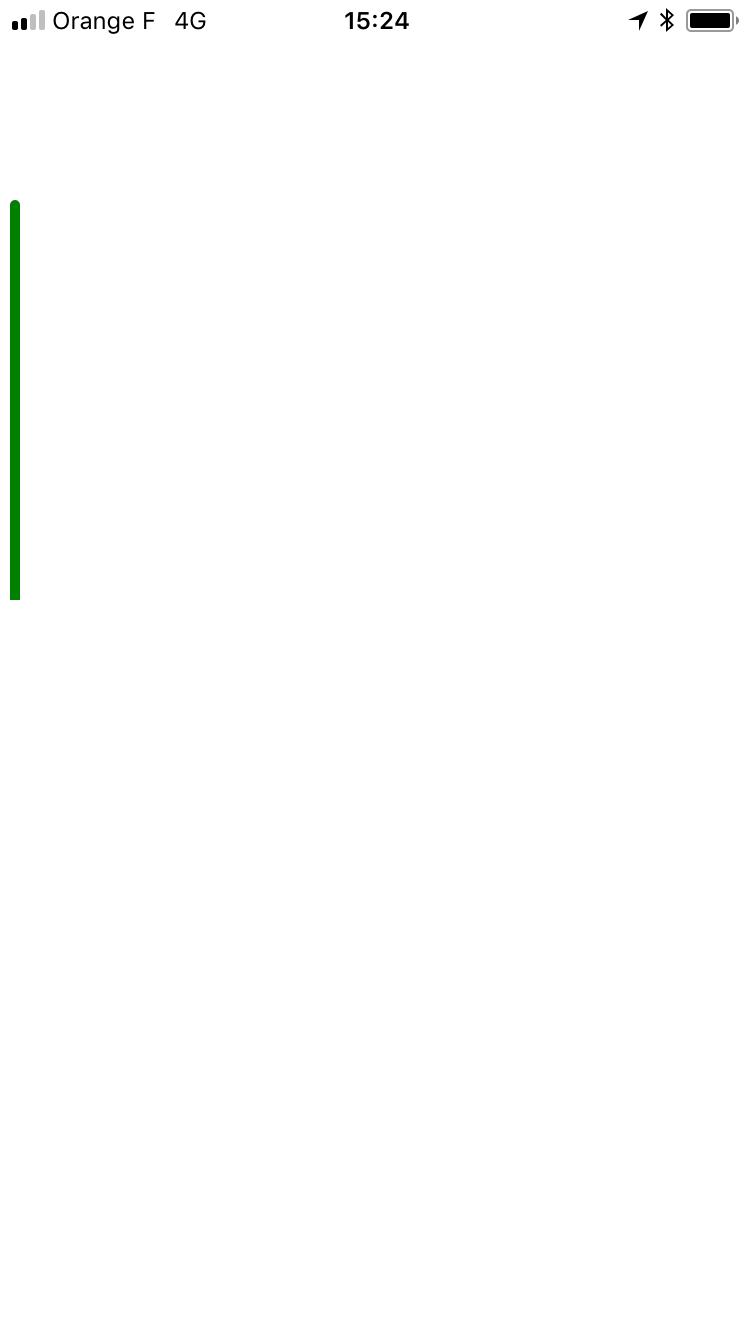
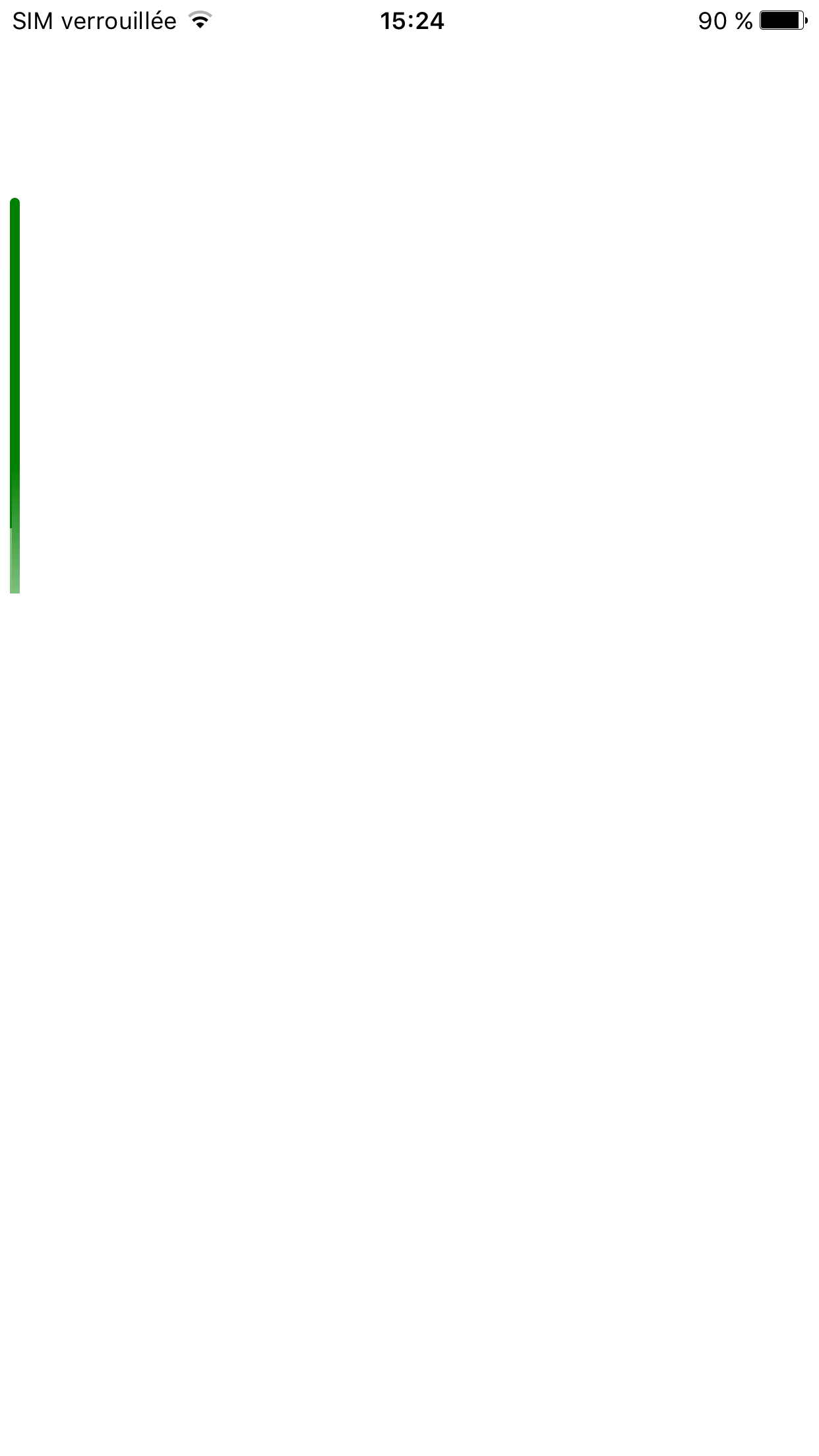
I am having similar issues and I only able to reproduce on certain devices (ios 6 plus, xperia Z5), so it's also probably related to screen resolution/dpi.
Here is a snippet:
import React, { Component } from 'react';
import { Text, View, StyleSheet } from 'react-native';
import { Constants } from 'expo';

export default class App extends Component {
  render() {
    return (
      <View style={styles.row} />
    );
  }
}

const styles = StyleSheet.create({
  row: {
    position: "absolute",
    top: 100,
    left: 5,
    width: 5,
    height: 200,
    borderTopLeftRadius: 4,
    borderTopRightRadius: 4,
    // here when the border radius are not 0 (not the same as the top)
    // a really weird issue is happening
    // setting toplfet/right to 2 hide the issue
    // so I guess indeed there is some rounding issue that can depend on resolution/dpi
    borderBottomLeftRadius: 0,
    borderBottomRightRadius: 0,
    backgroundColor: "green",
  },
});
Here is the result on
iphone 6s
iphone 6s Plus
Here is a playground https://repl.it/ILZ9/46
 MoOx
on 10 Jul 2017
MoOx
on 10 Jul 2017
Hi there! This issue is being closed because it has been inactive for a while. Maybe the issue has been fixed in a recent release, or perhaps it is not affecting a lot of people. Either way, we're automatically closing issues after a period of inactivity. Please do not take it personally!
If you think this issue should definitely remain open, please let us know. The following information is helpful when it comes to determining if the issue should be re-opened:
- Does the issue still reproduce on the latest release candidate? Post a comment with the version you tested.
- If so, is there any information missing from the bug report? Post a comment with all the information required by the issue template.
- Is there a pull request that addresses this issue? Post a comment with the PR number so we can follow up.
If you would like to work on a patch to fix the issue, contributions are very welcome! Read through the contribution guide, and feel free to hop into #react-native if you need help planning your contribution.
 hramos
on 21 Sep 2017
hramos
on 21 Sep 2017
We still have to fix that.
Promoted to T22099662. 😄
shergin
on 22 Sep 2017
Should work now: https://github.com/facebook/react-native/commit/15179f1798b277c1836441fcf7f3b7f0bd5a4636
 Nikita2k
on 22 Nov 2017
Nikita2k
on 22 Nov 2017
Fixed in 15179f1798b277c1836441fcf7f3b7f0bd5a4636. 🎉
Huge thanks to @Nikita2k!
shergin
on 22 Nov 2017
Awesome, thanks guys!
SimplGy
on 22 Nov 2017
Related issues
 WG-Com
·
3Comments
WG-Com
·
3Comments
 jobsamuel
·
3Comments
jobsamuel
·
3Comments
 aniss
·
3Comments
aniss
·
3Comments
 ghost
·
3Comments
ghost
·
3Comments
 grabbou
·
3Comments
grabbou
·
3Comments
Most helpful comment
Should work now: https://github.com/facebook/react-native/commit/15179f1798b277c1836441fcf7f3b7f0bd5a4636