React-native: Bundling large static assets results in Heap out of Memory
Hi All,
I am trying to bundle a react-native app for production, using the following command:
react-native bundle --reset-cache --entry-file index.ios.js --platform ios --dev false --bundle-output ios/main.
The react-native-app that I am building contains a lot of static assets, primarily videos--389 MB to be exact. When I am trying to bundle the app, I get the following output in the command line:
Loading dependency graph, done.
Warning: The transform cache was reset.

<--- Last few GCs --->

   51001 ms: Mark-sweep 1382.5 (1432.9) -> 1382.5 (1432.9) MB, 37.3 / 0.0 ms (+ 0.0 ms in 1 steps since start of marking, biggest step 0.0 ms) [allocation failure] [GC in old space requested].
   51039 ms: Mark-sweep 1382.5 (1432.9) -> 1382.4 (1432.9) MB, 38.8 / 0.0 ms [allocation failure] [GC in old space requested].
   51100 ms: Mark-sweep 1382.4 (1432.9) -> 1382.4 (1396.9) MB, 60.5 / 0.0 ms [last resort gc].
   51134 ms: Mark-sweep 1382.4 (1396.9) -> 1382.4 (1396.9) MB, 34.1 / 0.0 ms [last resort gc].


<--- JS stacktrace --->

==== JS stack trace =========================================

Security context: 0x3880234cfb51 <JS Object>
    1: [Symbol.replace] [native regexp.js:~540] [pc=0x8ed7ac2d43c] (this=0x3c8b808497b1 <JS RegExp>,D=0x1777c0004201 <Very long string[11855109]>,aw=0x3880234ae4d1 <String[1]:  >)
    2: 0x38802348aaf1 <Symbol: 20329980 <String[14]: Symbol.replace>>(aka [Symbol.replace]) [native regexp.js:677] [pc=0x8ed7acf070a] (this=0x3c8b808497b1 <JS RegExp>,D=0x1777c0004201 <Very long string[11855109]>,aw=0...

FATAL ERROR: CALL_AND_RETRY_LAST Allocation failed - JavaScript heap out of memory
 1: node::Abort() [/usr/local/bin/node]
 2: node::FatalException(v8::Isolate*, v8::Local<v8::Value>, v8::Local<v8::Message>) [/usr/local/bin/node]
 3: v8::internal::V8::FatalProcessOutOfMemory(char const*, bool) [/usr/local/bin/node]
 4: v8::internal::Factory::NewRawTwoByteString(int, v8::internal::PretenureFlag) [/usr/local/bin/node]
 5: v8::internal::ReplacementStringBuilder::ToString() [/usr/local/bin/node]
 6: v8::internal::Runtime_StringReplaceGlobalRegExpWithString(int, v8::internal::Object**, v8::internal::Isolate*) [/usr/local/bin/node]
 7: 0x8ed7a7092a7
 8: 0x8ed7ac2d43c
 9: 0x8ed7acf070a
[1]    1938 abort      react-native bundle --reset-cache --entry-file index.ios.js --platform ios
I have referred the to following (closed) issue , but nothing seems to solve the problem. Since this issues is probably due to the size of the static assets, is there a way to manually add those assets to the Xcode project--without passing them through the bundler? Or, perhaps, there is another way around this issue?
Any help will be greatly appreciated.
- React Native version: [0.41.0]
- Platform: [IOS]
- Operating System: [MacOS]
 galeldar
All 20 comments
Did you try increasing the node memory? --max-old-space-size=8192
 sreesharp
on 10 Mar 2017
sreesharp
on 10 Mar 2017
@sreesharp Yes. I did try to increase the node memory.
galeldar
on 10 Mar 2017
I know you said you increased the memory, but was it using this command below? Issue 5196 refers to a few ways of changing it, some of which seem to be outdated.
node --expose-gc --max_old_space_size=4096 ./node_modules/react-native/local-cli/cli.js bundle --entry-file ./index.ios.js --platform ios --dev false --bundle-output "ios/main.jsbundle" --assets-dest "ios" --reset-cache
 henryw374
on 14 Mar 2017
henryw374
on 14 Mar 2017
@henryw374 your suggestion did do the trick! I will mark at as solved and will close the issue! Thank you!
galeldar
on 29 Mar 2017
I hit this during an upgrade from react-native 0.40.0 to 0.46.4.
I cannot make this work, even with --max_old_space_size=16000
I have also tried with node 8.2.1. I'm getting:
node --expose-gc --max_old_space_size=16000 ./node_modules/react-native/local-cli/cli.js bundle --entry-file ./index.ios.js --platform ios --dev false --bundle-output "ios/main.jsbundle" --assets-dest "ios" --reset-cache
transform[stdout]:
transform[stdout]: <--- Last few GCs --->
transform[stdout]:
transform[stdout]: [27292:0x38eda20]   310972 ms: Mark-sweep 1400.5 (1488.2) -> 1400.5 (1487.2) MB, 2265.6 / 0.0 ms  (+ 0.0 ms in 0 steps since start of marking, biggest step 0.0 ms, walltime since start of marking 2266 ms) last resort
transform[stdout]: [27292:0x38eda20]   313353 ms: Mark-sweep 1400.5 (1487.2) -> 1400.5 (1487.2) MB, 2381.0 / 0.0 ms  last resort
transform[stdout]:
transform[stdout]:
transform[stdout]: <--- JS stacktrace --->
transform[stdout]:
transform[stdout]: ==== JS stack trace =========================================
transform[stdout]:
transform[stdout]: Security context: 0x1dd6f1c1bbd9 <JS Object>
transform[stdout]:     2: SourceMapGenerator_serializeMappings [/code/app-react/rn-code/node_modules/source-map/lib/source-map-generator.js:~291] [pc=0x1cb61604b9da](this=0x4a5839b6119 <a SourceMapGenerator with map 0x3874804e651>)
transform[stdout]:     3: SourceMapGenerator_toJSON [/code/app-react/rn-code/node_modules/source-map/lib/source-map-generator.js:381] [pc=0x1cb6161fcdf2](this=0x4a5839b6119 <a SourceMapGenerator with map...
transform[stdout]:
transform[stderr]: FATAL ERROR: CALL_AND_RETRY_LAST Allocation failed - JavaScript heap out of memory
transform[stderr]:  1: node::Abort() [/root/.nvm/versions/node/v8.2.1/bin/node]
transform[stderr]:  2: 0x136849c [/root/.nvm/versions/node/v8.2.1/bin/node]
transform[stderr]:  3: v8::Utils::ReportOOMFailure(char const*, bool) [/root/.nvm/versions/node/v8.2.1/bin/node]
transform[stderr]:  4: v8::internal::V8::FatalProcessOutOfMemory(char const*, bool) [/root/.nvm/versions/node/v8.2.1/bin/node]
transform[stderr]:  5:
transform[stderr]: v8::internal::Factory::NewFillerObject(int, bool, v8::internal::AllocationSpace) [/root/.nvm/versions/node/v8.2.1/bin/node]
transform[stderr]:  6: v8::internal::Runtime_AllocateInTargetSpace(int, v8::internal::Object**, v8::internal::Isolate*) [/root/.nvm/versions/node/v8.2.1/bin/node]
transform[stderr]:  7: 0x1cb615f040bd
 alexanderkjeldaas
on 1 Aug 2017
alexanderkjeldaas
on 1 Aug 2017
I have some problem after upgrading from RN 0.44.0 to 0.48.4. Node do not increase memory size with parametr --max_old_space_size, ignoring it
 povloid
on 17 Nov 2017
povloid
on 17 Nov 2017
i am getting a same issue but not able to get this command mentioned above for android app. The above command is for ios. How can i implement it for android.
 shukla12manish
on 10 Jan 2018
shukla12manish
on 10 Jan 2018
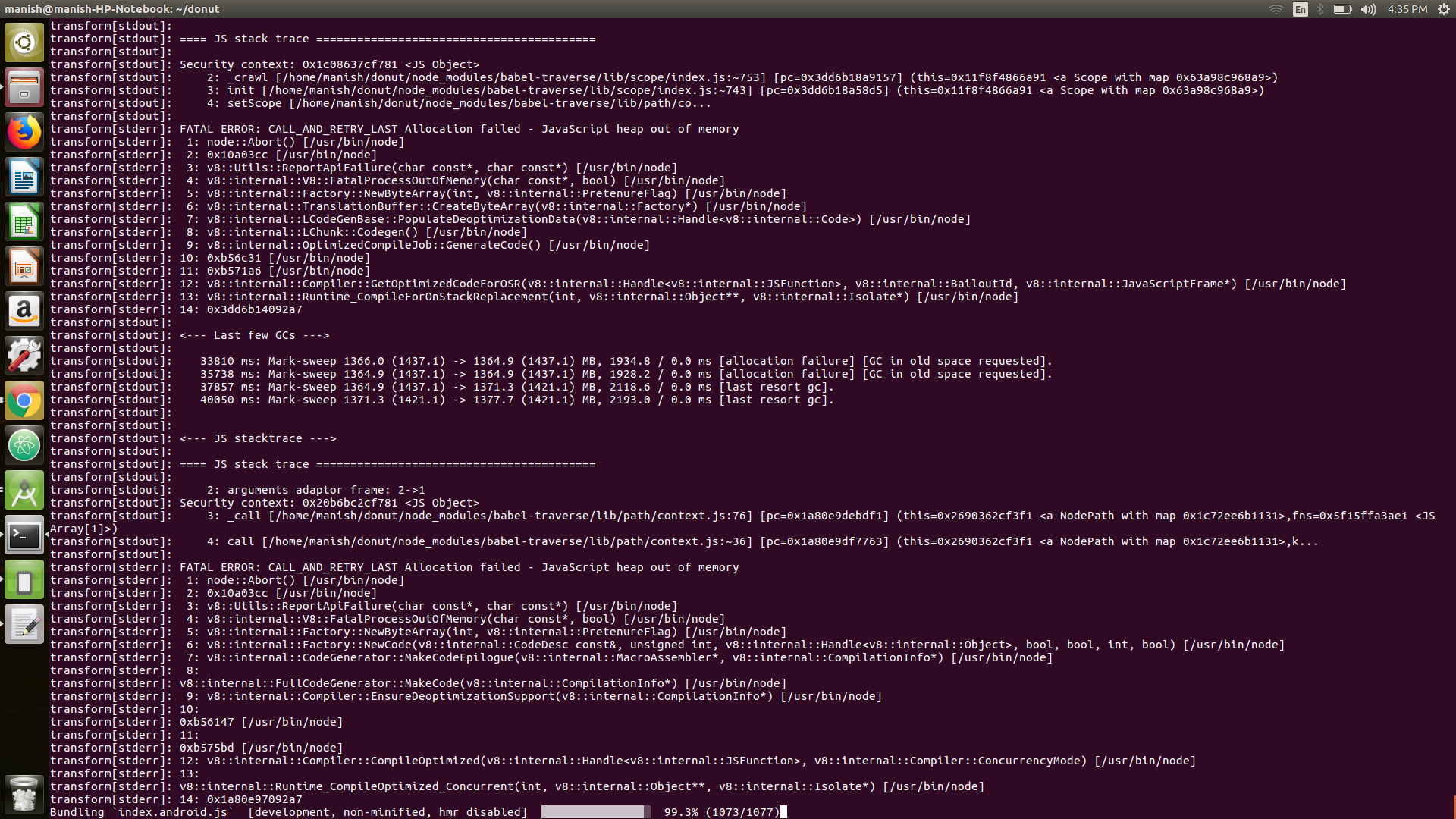
shukla12manish
on 10 Jan 2018
@shukla12manish @galeldar did you find any solution for Android?
 sahir
on 10 Jan 2018
sahir
on 10 Jan 2018
@sahir @shukla12manish The following should _theoretically_ work, though I haven't tested it myself:
- Copy
node_modules/react-native/react.gradleto yourandroid/appfolder - Make the command line modifications suggested by @henryw374 to lines 82-88 on the copied
react.gradleunderandroid/app - Edit
android/app/build.gradleand replaceapply from: "../../node_modules/react-native/react.gradle"withapply from: "./react.gradle"
lmk if that does the trick. I'll give it a try myself when I have some time later today/tomorrow.
 ericnograles
on 10 Jan 2018
ericnograles
on 10 Jan 2018
@sahir not yet
shukla12manish
on 11 Jan 2018
@ericnograles I am still not able to get it. Although i copied the react.gradle file to android/app folder but not able to get 2nd and 3rd step. The modification mentioned by @henryw374 is for ios but i am making app for android with OS Ubuntu 16.04 Node version 6.11.5 and npm version 3.10.10.
shukla12manish
on 11 Jan 2018
If i increase the heap size will it work ? I have used command "node --max-old-space-size=8192 index.js" but it is giving error. Want to know "index.js" refer to which file. I might have this file with different name in my project ?
shukla12manish
on 11 Jan 2018
@shukla12manish index.js refer as a entry point of project. i try this cmd for create bundle node --expose-gc --max_old_space_size=4096 /usr/local/bin/react-native bundle --platform android --dev false --entry-file index.js --bundle-output android/app/src/main/assets/index.android.bundle but still getting error FATAL ERROR: CALL_AND_RETRY_LAST Allocation failed - JavaScript heap out of memory
sahir
on 11 Jan 2018
@ericnograles As per you theoretical suggestion, i have implemented all the steps but still it gives me the FATAL ERROR: CALL_AND_RETRY_LAST Allocation failed - JavaScript heap out of memory
Can you please suggest any working solution of this issue
 GarimaMathur07
on 11 Jan 2018
GarimaMathur07
on 11 Jan 2018
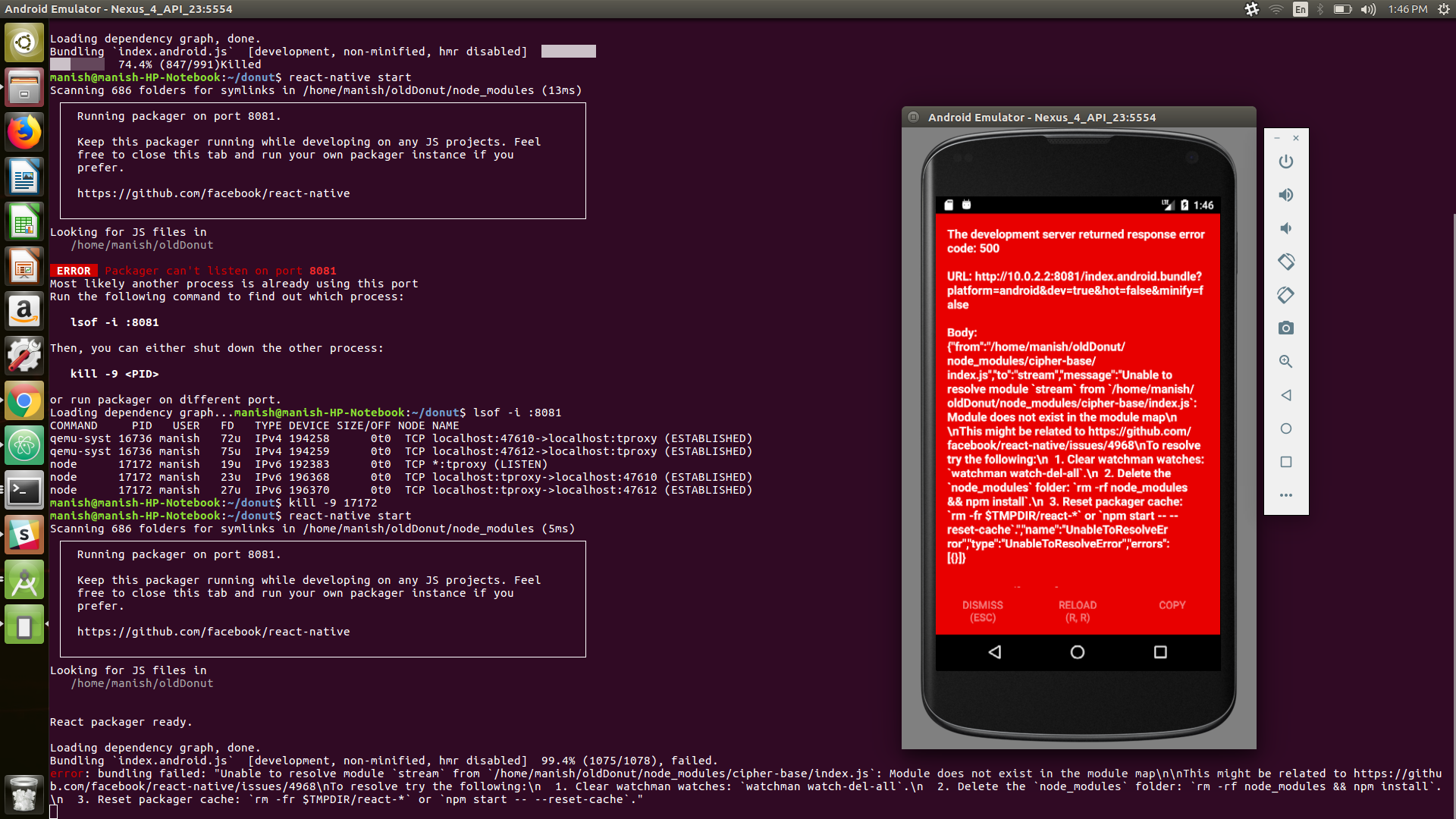
I have increased the memory size of emulator and previous error gone but now new error is coming 'bundling failed: "Unable to resolve module stream from 'node-modules/cipher-base/index.js'
i am attaching the screenshot of current issue.
shukla12manish
on 12 Jan 2018
Now after running command
npm install --save stream
and
npm install --save react-navigation

my build was completed. But now i am getting another issue of
Can't find variable:Buffer
so i am attaching the the screen shot. This issue is similar to Can‘t find variable:Buffer #14796
shukla12manish
on 12 Jan 2018
@tabrindle @shukla12manish using Haul is a command line tool https://github.com/callstack/haul I fixed the issue.
sahir
on 12 Jan 2018
Had this problem with node v6.10.3, upgrading to v9.4.0 solved it for me
 johnnash2018
on 13 Jan 2018
johnnash2018
on 13 Jan 2018
+1 was going to suggest latest LTS or stable build of Node
ericnograles
on 13 Jan 2018
Related issues
 janmonschke
·
3Comments
janmonschke
·
3Comments
 ghost
·
3Comments
ghost
·
3Comments
 despairblue
·
3Comments
despairblue
·
3Comments
 madwed
·
3Comments
madwed
·
3Comments
 jlongster
·
3Comments
jlongster
·
3Comments
Most helpful comment
I hit this during an upgrade from react-native 0.40.0 to 0.46.4.
I cannot make this work, even with
--max_old_space_size=16000I have also tried with node 8.2.1. I'm getting: