React-native: [Android - Crash] Opening dev menu crashes the app
Shaking my phone (Nexus 5, API level 23) in dev mode crashes the app with the following stack trace:
11-10 16:35:03.453 25354-25354/com.truckfly.truckfly W/System.err: android.view.WindowManager$BadTokenException: Unable to add window android.view.ViewRootImpl$W@5d992cf -- permission denied for this window type
11-10 16:35:03.475 25354-25354/com.truckfly.truckfly W/System.err:     at android.view.ViewRootImpl.setView(ViewRootImpl.java:591)
11-10 16:35:03.475 25354-25354/com.truckfly.truckfly W/System.err:     at android.view.WindowManagerGlobal.addView(WindowManagerGlobal.java:310)
11-10 16:35:03.476 25354-25354/com.truckfly.truckfly W/System.err:     at android.view.WindowManagerImpl.addView(WindowManagerImpl.java:85)
11-10 16:35:03.476 25354-25354/com.truckfly.truckfly W/System.err:     at android.app.Dialog.show(Dialog.java:319)
11-10 16:35:03.476 25354-25354/com.truckfly.truckfly W/System.err:     at com.facebook.react.devsupport.DevSupportManager.showDevOptionsDialog(DevSupportManager.java:336)
11-10 16:35:03.476 25354-25354/com.truckfly.truckfly W/System.err:     at com.facebook.react.devsupport.DevSupportManager$1.onShake(DevSupportManager.java:123)
11-10 16:35:03.476 25354-25354/com.truckfly.truckfly W/System.err:     at com.facebook.react.common.ShakeDetector.maybeDispatchShake(ShakeDetector.java:118)
11-10 16:35:03.476 25354-25354/com.truckfly.truckfly W/System.err:     at com.facebook.react.common.ShakeDetector.onSensorChanged(ShakeDetector.java:92)
11-10 16:35:03.476 25354-25354/com.truckfly.truckfly W/System.err:     at android.hardware.SystemSensorManager$SensorEventQueue.dispatchSensorEvent(SystemSensorManager.java:481)
11-10 16:35:03.476 25354-25354/com.truckfly.truckfly W/System.err:     at android.os.MessageQueue.nativePollOnce(Native Method)
11-10 16:35:03.476 25354-25354/com.truckfly.truckfly W/System.err:     at android.os.MessageQueue.next(MessageQueue.java:323)
11-10 16:35:03.476 25354-25354/com.truckfly.truckfly W/System.err:     at android.os.Looper.loop(Looper.java:135)
11-10 16:35:03.476 25354-25354/com.truckfly.truckfly W/System.err:     at android.app.ActivityThread.main(ActivityThread.java:5417)
11-10 16:35:03.476 25354-25354/com.truckfly.truckfly W/System.err:     at java.lang.reflect.Method.invoke(Native Method)
11-10 16:35:03.476 25354-25354/com.truckfly.truckfly W/System.err:     at com.android.internal.os.ZygoteInit$MethodAndArgsCaller.run(ZygoteInit.java:726)
11-10 16:35:03.476 25354-25354/com.truckfly.truckfly W/System.err:     at com.android.internal.os.ZygoteInit.main(ZygoteInit.java:616)
11-10 16:35:03.476 25354-25354/com.truckfly.truckfly W/FlurryAgent: Error logged: uncaught
11-10 16:35:03.477 25354-25354/com.truckfly.truckfly E/AndroidRuntime: FATAL EXCEPTION: main
11-10 16:35:03.477 25354-25354/com.truckfly.truckfly E/AndroidRuntime: Process: com.truckfly.truckfly, PID: 25354
11-10 16:35:03.477 25354-25354/com.truckfly.truckfly E/AndroidRuntime: android.view.WindowManager$BadTokenException: Unable to add window android.view.ViewRootImpl$W@5d992cf -- permission denied for this window type
11-10 16:35:03.477 25354-25354/com.truckfly.truckfly E/AndroidRuntime:     at android.view.ViewRootImpl.setView(ViewRootImpl.java:591)
11-10 16:35:03.477 25354-25354/com.truckfly.truckfly E/AndroidRuntime:     at android.view.WindowManagerGlobal.addView(WindowManagerGlobal.java:310)
11-10 16:35:03.477 25354-25354/com.truckfly.truckfly E/AndroidRuntime:     at android.view.WindowManagerImpl.addView(WindowManagerImpl.java:85)
11-10 16:35:03.477 25354-25354/com.truckfly.truckfly E/AndroidRuntime:     at android.app.Dialog.show(Dialog.java:319)
11-10 16:35:03.477 25354-25354/com.truckfly.truckfly E/AndroidRuntime:     at com.facebook.react.devsupport.DevSupportManager.showDevOptionsDialog(DevSupportManager.java:336)
11-10 16:35:03.477 25354-25354/com.truckfly.truckfly E/AndroidRuntime:     at com.facebook.react.devsupport.DevSupportManager$1.onShake(DevSupportManager.java:123)
11-10 16:35:03.477 25354-25354/com.truckfly.truckfly E/AndroidRuntime:     at com.facebook.react.common.ShakeDetector.maybeDispatchShake(ShakeDetector.java:118)
11-10 16:35:03.477 25354-25354/com.truckfly.truckfly E/AndroidRuntime:     at com.facebook.react.common.ShakeDetector.onSensorChanged(ShakeDetector.java:92)
11-10 16:35:03.477 25354-25354/com.truckfly.truckfly E/AndroidRuntime:     at android.hardware.SystemSensorManager$SensorEventQueue.dispatchSensorEvent(SystemSensorManager.java:481)
11-10 16:35:03.477 25354-25354/com.truckfly.truckfly E/AndroidRuntime:     at android.os.MessageQueue.nativePollOnce(Native Method)
11-10 16:35:03.477 25354-25354/com.truckfly.truckfly E/AndroidRuntime:     at android.os.MessageQueue.next(MessageQueue.java:323)
11-10 16:35:03.477 25354-25354/com.truckfly.truckfly E/AndroidRuntime:     at android.os.Looper.loop(Looper.java:135)
11-10 16:35:03.477 25354-25354/com.truckfly.truckfly E/AndroidRuntime:     at android.app.ActivityThread.main(ActivityThread.java:5417)
11-10 16:35:03.477 25354-25354/com.truckfly.truckfly E/AndroidRuntime:     at java.lang.reflect.Method.invoke(Native Method)
11-10 16:35:03.477 25354-25354/com.truckfly.truckfly E/AndroidRuntime:     at com.android.internal.os.ZygoteInit$MethodAndArgsCaller.run(ZygoteInit.java:726)
11-10 16:35:03.477 25354-25354/com.truckfly.truckfly E/AndroidRuntime:     at com.android.internal.os.ZygoteInit.main(ZygoteInit.java:616)
11-10 16:35:03.478 809-5688/? W/ActivityManager:   Force finishing activity com.truckfly.truckfly/.MainActivity
I'm using RN 0.14.2
 cosmith
All 24 comments
I believe RN (in development) doesn't work with API 23.
 ide
on 10 Nov 2015
ide
on 10 Nov 2015
@mkonicek can you loop in the right person to look at the permissions issue?
ide
on 10 Nov 2015
The permission required is
<uses-permission android:name="android.permission.SYSTEM_ALERT_WINDOW"/>
 mikearmstrong001
on 11 Nov 2015
mikearmstrong001
on 11 Nov 2015
I tried adding the android.permission.SYSTEM_ALERT_WINDOW permission but I still get the crash.
cosmith
on 12 Nov 2015
I'd say the same thing Mike said. Googling "android dialog permission denied for this window type" gives:
http://stackoverflow.com/questions/32224452/android-unable-to-add-window-permission-denied-for-this-window-type
Does that happen on emulator as well? Could it be specific to the device? Can you try googling more? Could be there's some other permission we need to add.
 mkonicek
on 12 Nov 2015
mkonicek
on 12 Nov 2015
We believe it might have to do with how Android M uses runtime permissions and the install-time permissions aren't getting applied. Haven't looked into it deeply though.
ide
on 12 Nov 2015
I found a workaround here: http://stackoverflow.com/questions/32061934/permission-from-manifest-doesnt-work-in-android-6
add this to your MainActivity and call it in your onCreate or something. It will show a screen where you can activate the permission.
    private static final int OVERLAY_PERMISSION_REQUEST_CODE = 2;

    @TargetApi(Build.VERSION_CODES.M)
    private void _askForOverlayPermission() {
        if (!BuildConfig.DEBUG || android.os.Build.VERSION.SDK_INT < Build.VERSION_CODES.M) {
            return;
        }

        if (!Settings.canDrawOverlays(this)) {
            Intent settingsIntent = new Intent(Settings.ACTION_MANAGE_OVERLAY_PERMISSION,
                    Uri.parse("package:" + getPackageName()));
            startActivityForResult(settingsIntent, OVERLAY_PERMISSION_REQUEST_CODE);
        }
    }
There is probably a way of implementing the dev menu that doesn't need this SystemAlertWindow though.
cosmith
on 13 Nov 2015
Interesting! There should be a way to ask for the permission upfront as well on Android M, right?
@foghina The dev menu is just a standard Dialog, right? That seems like a reasonable way to implement it, think there should be some way to ask for the permission to show dialogs upfront on Android M.
mkonicek
on 13 Nov 2015
@mkonicek it is a standard dialog, but its window type is set to system so it can overlay any other dialogs.
@andreicoman11 might know more about the permissions thing.
 foghina
on 13 Nov 2015
foghina
on 13 Nov 2015
This is because of the new permissions model in API 23: in API 23 the SYSTEM_ALERT_WINDOW permission cannot be granted at install time or by asking the user, a specific setting needs to be enabled instead. This permission is needed (for now) in order to display the redbox. There should be a way to display the redbox without that permission, but we haven't had time to look into it yet. Pull requests would be most welcome!
The code above posted by @cosmith is the correct way of addressing this right now.
@mkonicek We should add this check to the activities in our sample apps as well. Even better though, it would be awesome to just open source our abstract activity, which already had this permission check and many other cool features, and extend that one instead.
 andreicoman11
on 13 Nov 2015
andreicoman11
on 13 Nov 2015
Sounds good, thanks for looking @foghina and @andreicoman11!
mkonicek
on 13 Nov 2015
I've the same issue.
I added
 eva1943
on 21 Dec 2015
eva1943
on 21 Dec 2015
@cosmith solution works for me. Are the React Native documents being updated to at least let developers know about this? Took me awhile to figure this out and the permission is not at all mentioned in the docs.
Also, is this only necessary for debug builds? If so, where is that stated? Would like to know more about these details when considering using React for my existing android app.
UPDATE: Also, I can't extend ReactActivity as I'm trying to use React Native just for a few fragments in my app.
Thanks,
 rajuashok
on 20 Apr 2016
rajuashok
on 20 Apr 2016
@rajuashok If you can't extend ReactActivity, please copy the code from there. You usually disable the dev menu on production (it's done in the default template), so shouldn't be a problem.
 satya164
on 22 Apr 2016
satya164
on 22 Apr 2016
@cosmith this works for me - thanks!
This issue is from last year - I just created a new project and ran into the same problem. Is anyone doing anything about it? Is it still active?
 oliversisson
on 10 Oct 2016
oliversisson
on 10 Oct 2016
@oliversisson I'm running into this with 0.35.0.
 DylanVann
on 13 Oct 2016
DylanVann
on 13 Oct 2016
You have to make sure this is in your AndroidManifest.xml
<activity android:name="com.facebook.react.devsupport.DevSettingsActivity"/>
 annelorraineuy
on 24 Apr 2017
annelorraineuy
on 24 Apr 2017
Hey ;) I have this problem some info:
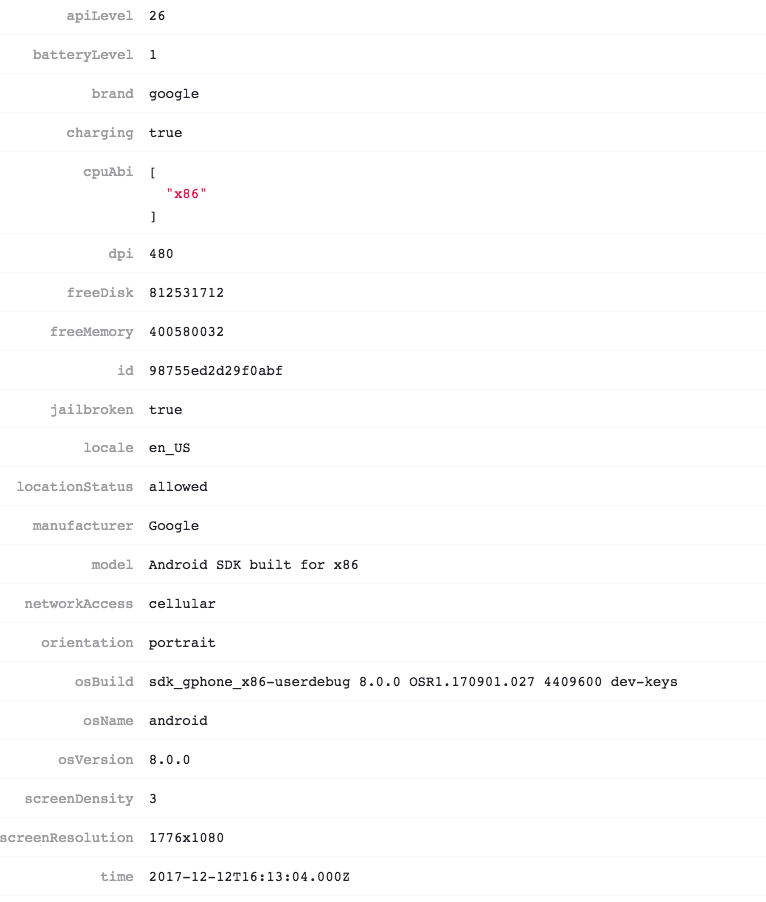

android.view.WindowManager$BadTokenException Unable to add window android.view.ViewRootImpl$W@bcc105e -- permission denied for window type 2006
    ViewRootImpl.java:789 android.view.ViewRootImpl.setView
    WindowManagerGlobal.java:356 android.view.WindowManagerGlobal.addView
    WindowManagerImpl.java:92 android.view.WindowManagerImpl.addView
    DevLoadingViewController.java:145 com.facebook.react.devsupport.DevLoadingViewController.setVisible
    DevLoadingViewController.java:34 com.facebook.react.devsupport.DevLoadingViewController.access$100
    DevLoadingViewController.java:66 com.facebook.react.devsupport.DevLoadingViewController$1.run
    Handler.java:789 android.os.Handler.handleCallback
    Handler.java:98 android.os.Handler.dispatchMessage
    Looper.java:164 android.os.Looper.loop
    ActivityThread.java:6541 android.app.ActivityThread.main
    Method.java:-2 java.lang.reflect.Method.invoke
    Zygote.java:240 com.android.internal.os.Zygote$MethodAndArgsCaller.run
    ZygoteInit.java:767 com.android.internal.os.ZygoteInit.main
I have com.facebook.react.devsupport.DevSettingsActivity and android.permission.SYSTEM_ALERT_WINDOW but still appears. In MainActivity I have:
@Override
    public void onNewIntent (Intent intent) {
        super.onNewIntent(intent);
        setIntent(intent);
    }
Settings from React-native-fcm
 Darex1991
on 13 Dec 2017
Darex1991
on 13 Dec 2017
Also getting this with similar setup to @Darex1991. Error message is for window type 2003.
android.view.WindowManager$BadTokenException: Unable to add window android.view.ViewRootImpl$W@163bc63 -- permission denied for window type 2003
Also, it only happens in Debug. Android 8.0 emulators run the App fine when working in Release mode.
 ben-snaize
on 5 Jan 2018
ben-snaize
on 5 Jan 2018
Encounter the similar problem as @ben-snaize
 KevinHu2014
on 11 Jan 2018
KevinHu2014
on 11 Jan 2018
Same error running on emulator running API 26 after running react-native run-android
 landonmr
on 27 Jan 2018
landonmr
on 27 Jan 2018
Just as @ben-snaize , I'm getting the same error, only in debug mode and only in Android 8.0 devices.
 ferglezt
on 6 Mar 2018
ferglezt
on 6 Mar 2018
Still happening!
compileSdkVersion 26
buildToolsVersion "27.0.2"
defaultConfig {
    applicationId "com.example.app"
    minSdkVersion 16
    targetSdkVersion 26
    versionCode 395
    versionName "2.2.3"
    ndk {
        abiFilters "armeabi-v7a", "x86"
    }
}
Still happening to me. I am pretty sure that using a compile and build tools version of 25 should fix this, however multiple dependencies are now using compile 26 or 27, which means I am stuck with them. I decided to test in debug without Android 8 and release with it
 sfratini
on 9 Apr 2018
sfratini
on 9 Apr 2018
Related issues
 arunabha
·
3Comments
arunabha
·
3Comments
 madwed
·
3Comments
madwed
·
3Comments
 phongyewtong
·
3Comments
phongyewtong
·
3Comments
 vikeri
·
3Comments
vikeri
·
3Comments
 WG-Com
·
3Comments
WG-Com
·
3Comments
Most helpful comment
Same error running on emulator running API 26 after running
react-native run-android