React-native-vector-icons: The icons show up as a crossed out box on some devices
Environment
react-native-vector-icons: 7.1.0
react native: 0.63.4
Android
Description
I'm using react-native-vector-icons in my app. Today a user reported that the icons show up as a crossed out box and shared a screenshot. The problem occurs on Samsung Galaxy Note 20 Ultra. I've tested over 2000 devices, and none had such a problem.
I have the following code at the end of my android/app/build.gradle file:
apply from: "../../node_modules/react-native-vector-icons/fonts.gradle"
Code:
import Icon from 'react-native-vector-icons/FontAwesome5';
.
.
.
<View style={{flexDirection:"row"}}>
<Icon
            name={"cog"}
            color={"black"}
            size={screen_width / 15}
/>
<Icon
            name={"history"}
            color={"black"}
            size={screen_width / 15}
/>
<Icon
            name={"award"}
            color={"black"}
            size={screen_width / 15}
/>
<Icon
            name={"trophy"}
            color={"black"}
            size={screen_width / 15}
/>
</View>
And the result:

 trizin
All 26 comments
The same issue also appears on a Galaxy s10 after the One Ui 3.0 update
trizin
on 4 Jan 2021
I have exactly same issue on my device (Samsung Galaxy Note10+, Android11, OneUI 3.0).
They were show up rightly on other devices like iOS devices or Android Device(Android10, AOSP)
Here's my Environment.
React-native-vector-icons : 7.1.0
React Native : 0.63.3

Like the picture attached above, I found that only FontAwesome5 icons show up with empty box or weird Chinese character. (second and fourth button).
On the other hand, The other buttons that I used with IonIcon shows up rightly.
 CXZ7720
on 4 Jan 2021
CXZ7720
on 4 Jan 2021
Would you like to build by adding fonts.gradle to android/app/build.gradle like this? (not android/build.gradle.)
Please refer to the code below to add it.
Code:
/android/app/build.gradle
 ...
 *   // supply additional arguments to the packager
 *   extraPackagerArgs: []
 * ]
 */

project.ext.react = [
        enableHermes: false,  // clean and rebuild if changing
]

project.ext.vectoricons = [
        iconFontNames: [ 'FontAwesome.ttf', 'FontAwesome5_Regular.ttf',
             'FontAwesome5_Solid.ttf', 'FontAwesome5_Brands.ttf'] // <-- add this line (1/2)
]

apply from: "../../node_modules/react-native-vector-icons/fonts.gradle" // <- add this line (2/2)
apply from: "../../node_modules/react-native/react.gradle"

/**
 * Set this to true to create two separate APKs instead of one:
 ...
/src/App.js
import React from 'react';
import {SafeAreaView, StyleSheet, View, Text} from 'react-native';
import Icon from 'react-native-vector-icons/FontAwesome5';

const App: () => React$Node = () => {
  return (
    <SafeAreaView
      style={{
        justifyContent: 'center',
        alignItems: 'center',
        flexGrow: 1,
      }}>
      <Text style={styles.Header}>RNVC TEST</Text>
      <View style={{flexDirection: 'row'}}>
        <Icon name={'cog'} color={'black'} size={24} />
        <Icon name={'history'} color={'black'} size={24} />
        <Icon name={'award'} color={'black'} size={24} />
        <Icon name={'trophy'} color={'black'} size={24} />
      </View>
    </SafeAreaView>
  );
};

const styles = StyleSheet.create({
  Header: {
    fontSize: 24,
  },
});

export default App;
I created an RN project to reproduce the issue, installed react-native-vector-icons, and added Font Awesome 5 icons after setting,
but the problem is not occurring.
My env:
react-native: 0.63.4
react-native-vector-icons: 7.1.0
And I tested Samsung Galaxy Note 20 Ultra 5G(SM-N986N / Android 11(One UI 3.0)).

 edoko
on 4 Jan 2021
edoko
on 4 Jan 2021
@edoko
Thanks for your reply and testing. I already added those two lines in my build.gradle(I double checked that it is android/app/build.gradle) and copied all fonts files in node_modules/react-native-vector-icons/fonts.
Unfortunately, the magic didn't happened to me. I re-inastalled the package and re-linking files, but it doesn't work.
CXZ7720
on 4 Jan 2021
@edoko
Thanks for your reply and testing. I already added those two lines in mybuild.gradle(I double checked that it isandroid/app/build.gradle) and copied all fonts files innode_modules/react-native-vector-icons/fonts.Unfortunately, the magic didn't happened to me. I re-inastalled the package and re-linking files, but it doesn't work.
@CXZ7720 Copying font files is a necessary action when manually configuring native settings.
Are you having the same problem if you add the above two lines to android/app/build.gradle
above apply from: "../../node_modules/react-native/react.gradle"?
(When the react-native link command is not executed and the font directory is not copied)
And how are your device's resolution, system font/language set?
I think that I see the two people having problems, it's a problem with Samsung's One UI 3.0.
However, it is difficult to debug because it does not occur on my device with the same One UI 3.0.
I'm sorry for not being able to help you much 😢
edoko
on 4 Jan 2021
@edoko
Thanks for your reply and testing. I already added those two lines in mybuild.gradle(I double checked that it isandroid/app/build.gradle) and copied all fonts files innode_modules/react-native-vector-icons/fonts.
Unfortunately, the magic didn't happened to me. I re-inastalled the package and re-linking files, but it doesn't work.@CXZ7720 Copying font files is a necessary action when manually configuring native settings.
Are you having the same problem if you add the above two lines to
android/app/build.gradle
aboveapply from: "../../node_modules/react-native/react.gradle"?
(When thereact-native linkcommand is not executed and the font directory is not copied)And how are your device's resolution, system font/language set?
I think that I see the two people having problems, it's a problem with Samsung's One UI 3.0.
However, it is difficult to debug because it does not occur on my device with the same One UI 3.0.I'm sorry for not being able to help you much 😢
Hello again @edoko .
Following your tips, I just removed copy of font files, added only two lines in my build.gradle and then, re-building application. Then, all icons changed to empty box or Chinese character!! 😭
I think some copy process while running ../../node_modules/react-native-vector-icons/fonts.gradle in auto linking doesn't work properly and only manual linking works somehow. But, it works except fontAwsome icons.
My device's resolution is WQHD+(3040 x 1440) and system font is Samsung Sans . My language set is Korean. (I changed system font to default and 나눔바른고딕, nothing was changed.)
CXZ7720
on 4 Jan 2021
@CXZ7720 Then, when you click the icon with the developer tool, does the font family appear normally?
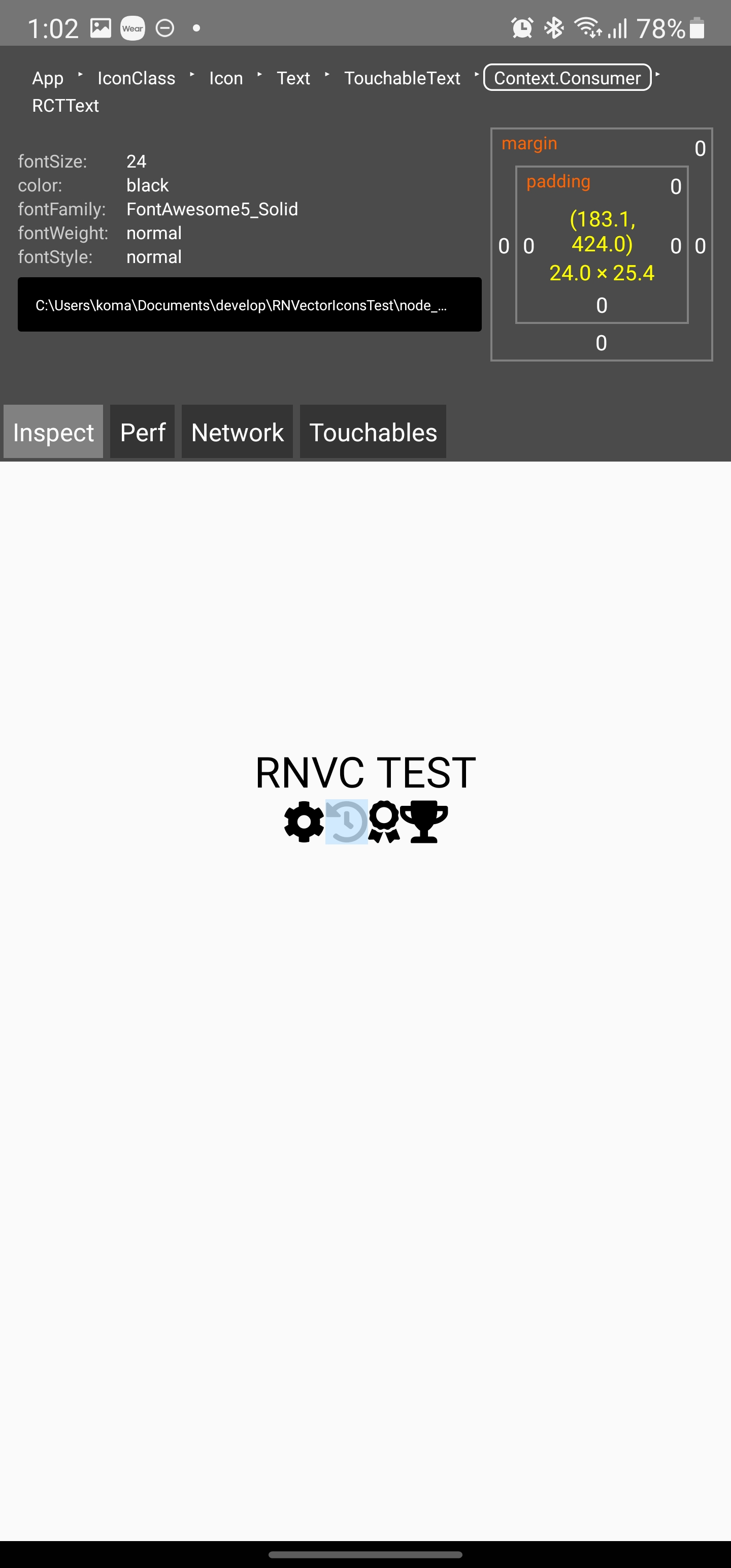
edoko
on 4 Jan 2021
@edoko I already have react-native-vector-icons/fonts.gradle in my app/build.gradle file.
The user who reported the issue is using a Samsung Galaxy Note20 Ultra 5G and the device language is English.
Could you test the app on your Note 20 Ultra device if I send you the Google Play Store link via email?
trizin
on 4 Jan 2021
@edoko I already have
react-native-vector-icons/fonts.gradlein myapp/build.gradlefile.
The user who reported the issue is using a Samsung Galaxy Note20 Ultra 5G and the device language is English.Could you test the app on your Note 20 Ultra device if I send you the Google Play Store link via email?
@trizin Sure! If I can be of your help, I'll be happy to test.
Email is written on my Github Profile,
so please forward it here.
It's too late for now, so I'll test it during the day and leave a comment on the issue.
Thank you
edoko
on 4 Jan 2021
@edoko
In developer tool, fonts are loaded successfully. I can find FontAwesome5_Solid in inspector.
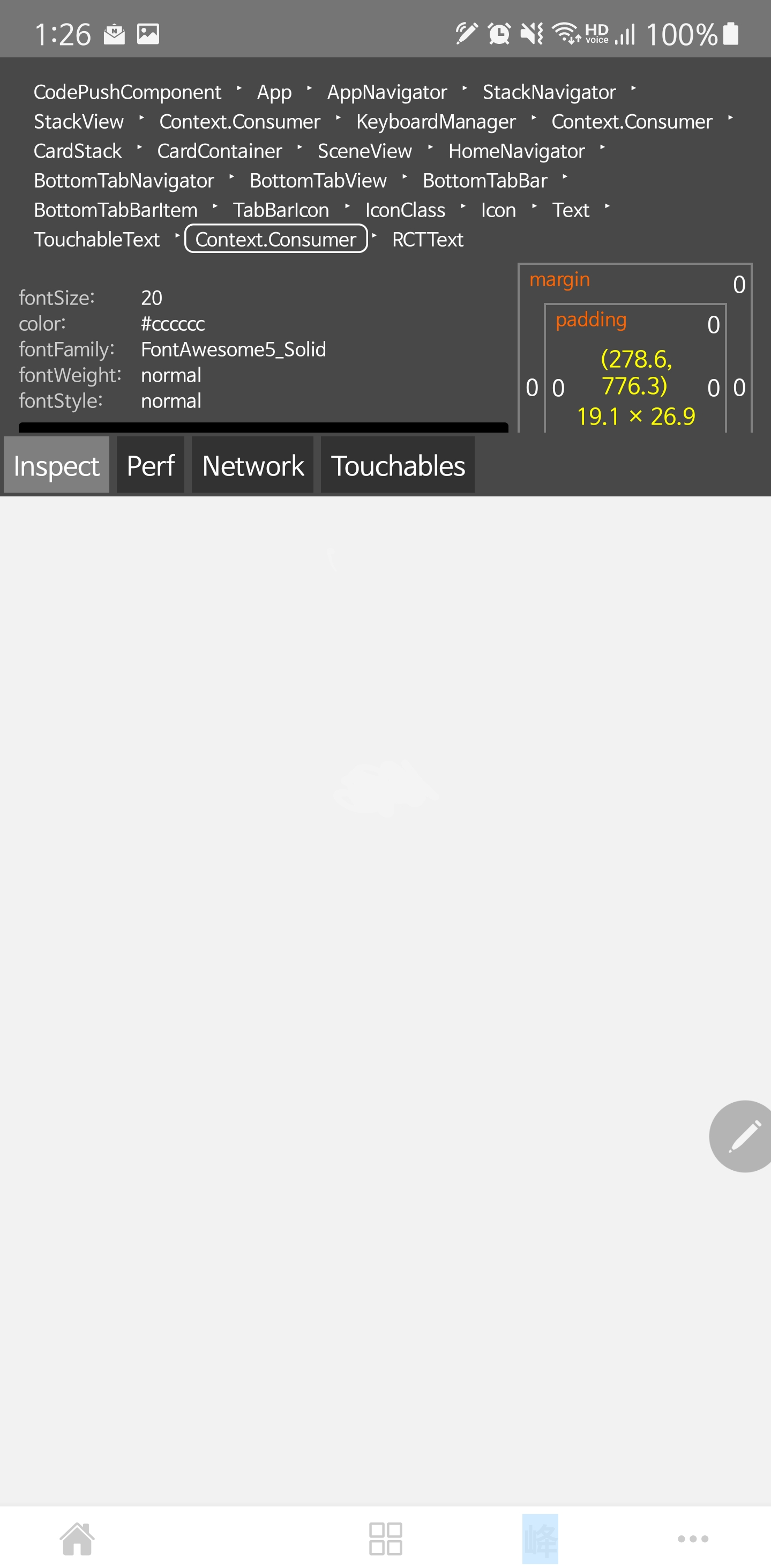
CXZ7720
on 4 Jan 2021
@trizin I installed and run your app.
The icons are displayed normally.
I will give you a screenshot of the icon area and software information for the device I am using.!

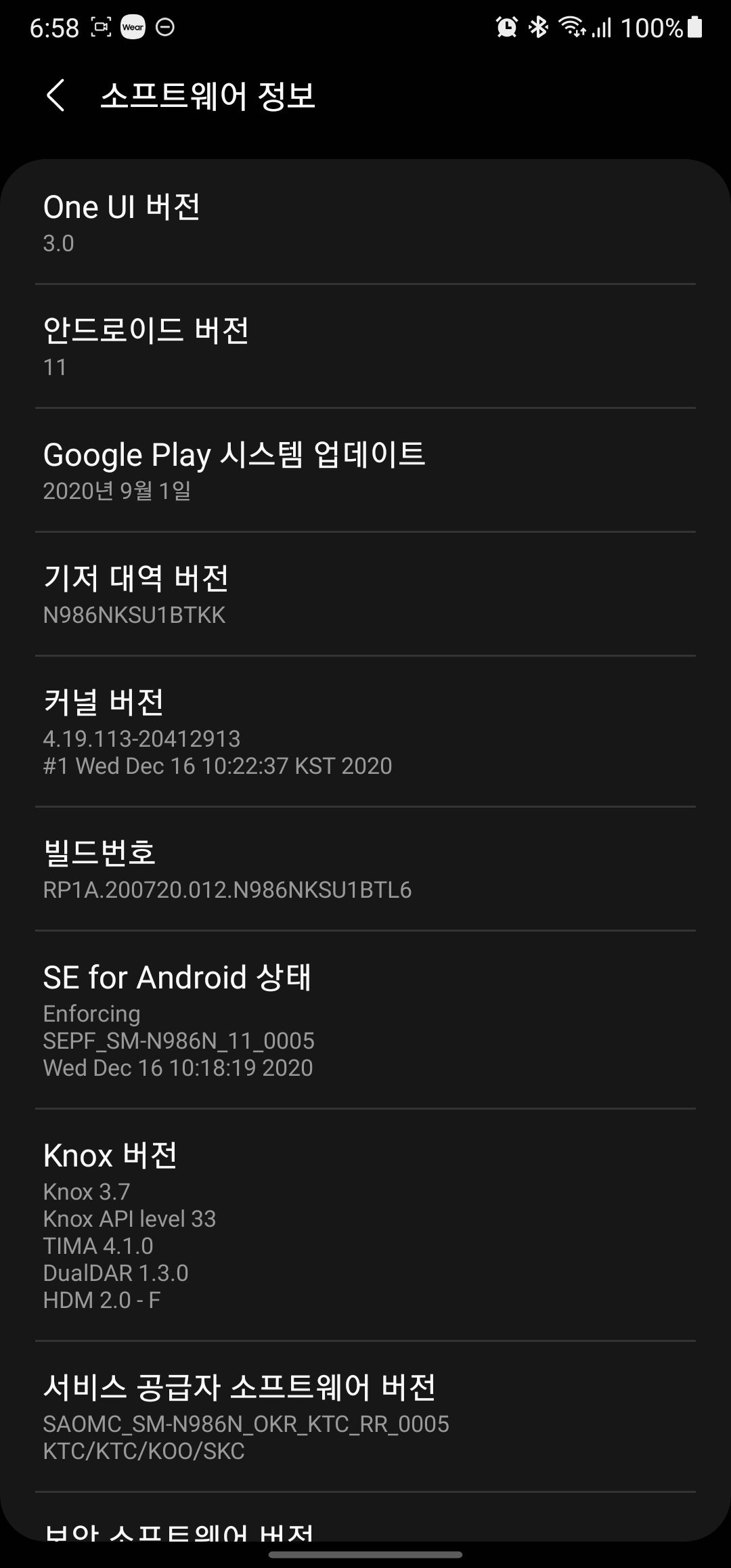
edoko
on 4 Jan 2021
@trizin @CXZ7720
I had a problem when I changed the system font.
In addition to Samsung One, I changed to Samsung Sans, Nanum Barun Gothic, Bold Font, etc.
This is presumed to be a problem occurring in everything other than the default font.
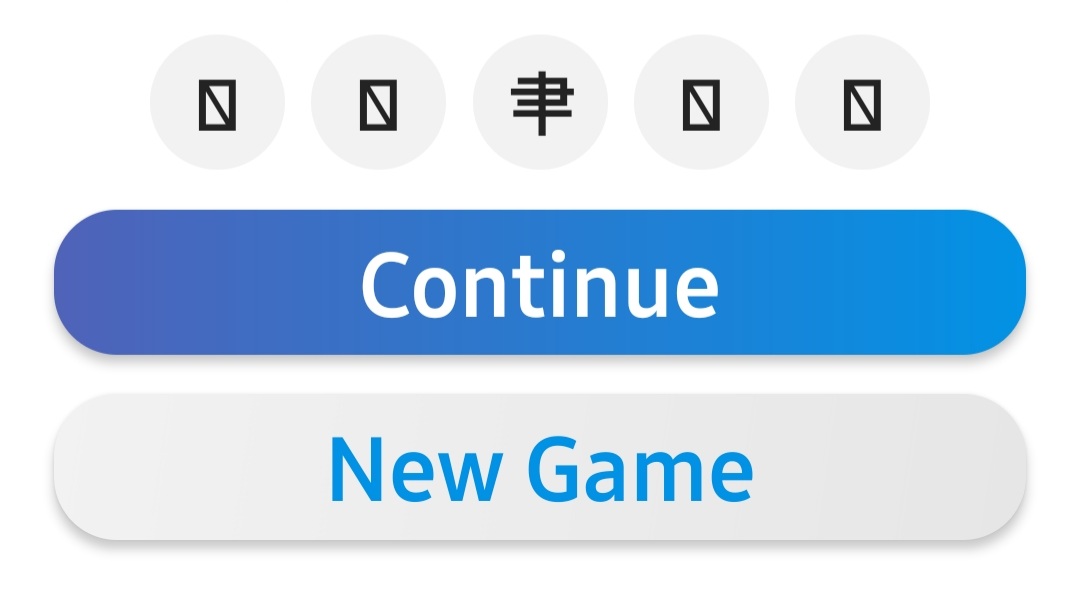

edoko
on 4 Jan 2021
@edoko
Thanks for your test and attention!
I checked that FontAwesome5 icons are loaded very well in Default font.
I agree with your opinion, it seems that there are some problem with rendering icons if system font was changed.

CXZ7720
on 5 Jan 2021
I'm having this issue as well (default system font on Samsung Galaxy S10e)
The issue has persisted with every icon font component I've tried: MaterialCommunityIcons, Ionicons, etc.
Weirdly enough, the "about" icon seems to work, but I couldn't get any others to show anything more than a crossed-out box. The example in the photo is the "home".

UPDATE
I realized that I made a typo, that was what cause the initial display issue, now I'm running into a similar issue with strange characters showing instead of the desired icons.
When using Ionicons:

When using MaterialIcons:

 turtlebasket
on 7 Jan 2021
turtlebasket
on 7 Jan 2021
This problem was due to the firmware of the device, and Samsung replied that it will be resolved through an OS update later.
The attached screenshot is Samsung's response written in Korean.
Thank you.

edoko
on 19 Jan 2021
Still using (for a test device) a Samsung Galaxy S6 from 2015. I have a feeling this firmware update won't be available for my device since I tried to do a system update and it said that the last update (which is the current one) for my device was in 2018. I'm getting the Chinese characters along with X boxes as well.
 KjellConnelly
on 20 Jan 2021
KjellConnelly
on 20 Jan 2021
@KjellConnelly That's pretty weird.
Could you make sure if you have apply from: "../../node_modules/react-native-vector-icons/fonts.gradle" in your app level build.gradle? https://github.com/oblador/react-native-vector-icons/issues/1294#issuecomment-753985142
trizin
on 20 Jan 2021
@trizin Yep. I got that there: ./android/app/build.gradle. I tried the manual way, but there was some sort of conflict saying I was importing the vector-icons module twice (probably some caching issues). Characters on 2 virtual devices (Pixel 3 API 28, and Pixel 4 API 30) have all boxes with X's in them. On the physical device, I'm getting Chinese-ish looking characters with the boxes with X's as well. Just updated to the latest Android Studio version. Using this module via react-native-paper:
```
package.json
{...
"react": "^17.0.1",
"react-native": "0.63.4",
"react-native-paper": "^4.7.0",
"react-native-svg": "^12.1.0",
"react-native-vector-icons": "^8.0.0"
...}
Works perfectly on iOS.
KjellConnelly
on 20 Jan 2021
@KjellConnelly I've never had such situation on Pixel devices. Would be good if you share a piece of code where the issue reproduces so I can test it on my device.
trizin
on 20 Jan 2021
@trizin Here is an index component that just should show the button with the icon. I'm getting the text for the button, but not the icon via react-native-paper.
// index.js
import React, {Component} from 'react'
import {StyleSheet,View,AppRegistry} from 'react-native'
import {Provider as PaperProvider, Button as PaperButton } from 'react-native-paper'
import Ionicons from 'react-native-vector-icons/Ionicons'

class Index extends Component {
render() {
    return (
      <View style={styles.container}>
        <PaperProvider
          settings={{
            icon: props => <Ionicons {...props} />,
        }}>
          <PaperButton style={{marginTop:40}} icon='add-circle' onPress={()=>console.log('Pressed')}>
            {"Press Me"}
          </PaperButton>

        </PaperProvider>
      </View>
    )
  }
}

const styles = StyleSheet.create({
  container: {
    backgroundColor:'rgb(233,233,233)',
    flex: 1,
    alignSelf:"stretch",
    alignItems: 'center',
  }
})


AppRegistry.registerComponent('MyApp', () => Index)
Edit: This also doesn't work (box with an X) in the render function:
render() {
   return (
      ...
      <Ionicons name="add-circle" size={30} color="#900" />
)}
@KjellConnelly Hey there
The code looks ok.
I've tested it on my Pixel 3 device with react native 0.63.4. At first, the icons seemed like crossed outed boxes. After running react-native link the icons became visible.
Not sure what exactly is causing the problem. You may try running react-native link, checking here again, or create a fresh project and build it up.

trizin
on 22 Jan 2021
@trizin I thought react-native link wasn't needed anymore after autolinking? I'm not quite sure how this command works vs autolinking, and I don't want it to mess with my other modules I've installed. Do you know why that works for you? I can try tomorrow (not at my computer now).
KjellConnelly
on 23 Jan 2021
@KjellConnelly I guess it's still needed to link assets such as font files. Since this package relies on font files, this works. I don't think that it will mess other modules, anyway, you can take a backup before you try.
trizin
on 23 Jan 2021
@trizin Dang, I tried react-native link and nothing changed. Also tried a few more solutions hoping it would work:
npm uninstall react-native-vector-icons && npm i react-native-vector-icons
react-native link react-native-vector-icons
cd android && ./gradlew clean
npm start -- --reset-cache
Anymore ideas other than this?
KjellConnelly
on 23 Jan 2021
@KjellConnelly no ideas :/ perhaps you can create a new react project, make sure that vector icons work, and rebuild your old project there.
trizin
on 23 Jan 2021
We're running into this as well on Android 11 when a font is changed away from default system app (Samsung)
 dorthwein
on 26 Jan 2021
dorthwein
on 26 Jan 2021
Related issues
 jasan-s
·
23Comments
jasan-s
·
23Comments
 bhoomesh950
·
28Comments
bhoomesh950
·
28Comments
 arelstone
·
36Comments
arelstone
·
36Comments
 junge68
·
28Comments
junge68
·
28Comments
 amang8662
·
92Comments
amang8662
·
92Comments
Most helpful comment
This problem was due to the firmware of the device, and Samsung replied that it will be resolved through an OS update later.
The attached screenshot is Samsung's response written in Korean.
Thank you.