React-native-vector-icons: Unrecognized font family 'FontAwesome5Pro-Regular'
- [x] Review the documentation: https://github.com/oblador/react-native-vector-icons
- [x] Search for existing issues (including closed issues): https://github.com/oblador/react-native-vector-icons/issues
Environment
OS: macOS Mojave
OS version: 10.14.6
Target platform: iOS
React Native Vector Icons version: 6.6.0
React Native version: 0.60.5
Description
I have FontAwesome 5 Pro and I followed this installation guide to add FontAwesome 5 Pro icons to my project, but I cannot use any of the icons. (regular, light, etc). It throws the following error (if I use regular):
Unrecognized font family 'FontAwesome5Pro-Regular'
Reproducible Demo
Create a new React Native project -> add react-native-vector-icons to your package.json -> follow this installation guide -> run your project with the following code in it and see if it works:
import FontAwesome5Pro from 'react-native-vector-icons/FontAwesome5Pro';

<FontAwesome5Pro style={styles.icon} size={17} name="plus-circle"/>
Extra information
I see a folder called assets. In that folder there is a folder called fonts and it contains the following files:
FontAwesome5_Pro_Brands.ttf
FontAwesome5_Pro_Light.ttf
FontAwesome5_Pro_Regular.ttf
FontAwesome5_Pro_Solid.ttf
Thank you for helping me in advance.
EDIT:
- Yes, the pro installation was executed correctly according to the output in the console.
 rauldeheer
All 10 comments
Did you check this out?
 hampustagerud
on 30 Sep 2019
hampustagerud
on 30 Sep 2019
@hampustagerud No I did not. Thank you for providing me with that information, but I don't really understand what it has to do with my issue. Isn't this meant for people with custom fonts and components?
rauldeheer
on 1 Oct 2019
Hmm no, I linked the troubleshooting section? 🤔 Anyway, at the bottom of the README is a Troubleshooting section. There is one title that says "Red screen with "Unrecognized font family" error on iOS", that is the information I tried to link and sometimes remedies the problems people using either bundled or custom fonts experience 🙂
hampustagerud
on 1 Oct 2019
@hampustagerud Thank you. I think I was redirected to the wrong section at first. It redirects correctly now! Thanks a lot, I will try to see if I can fix it. I'll let you know if I can/can't.
Thanks in advance!
rauldeheer
on 2 Oct 2019
To fix this issue myself, i had to manually add the pro fonts (ex. FontAwesome5_Pro_Light.ttf ) as an item in the info.plist "Fonts provided by application" section. Section should already exists with all regular fonts.
Remember to also add it to the bundle output inside build phases.
 Cnordbo
on 8 Dec 2019
Cnordbo
on 8 Dec 2019
I've tried all the step in troubleshooting and a reference in my info.plist and still having an issue 'FontAwesome5Pro-Regular'
 mthomas-github
on 14 Feb 2020
mthomas-github
on 14 Feb 2020
any update?
mthomas-github
on 24 Feb 2020
following this because I'm also having this issue.
 danieltov
on 6 Apr 2020
danieltov
on 6 Apr 2020
any update?
 jaimeneto85
on 3 Jun 2020
jaimeneto85
on 3 Jun 2020
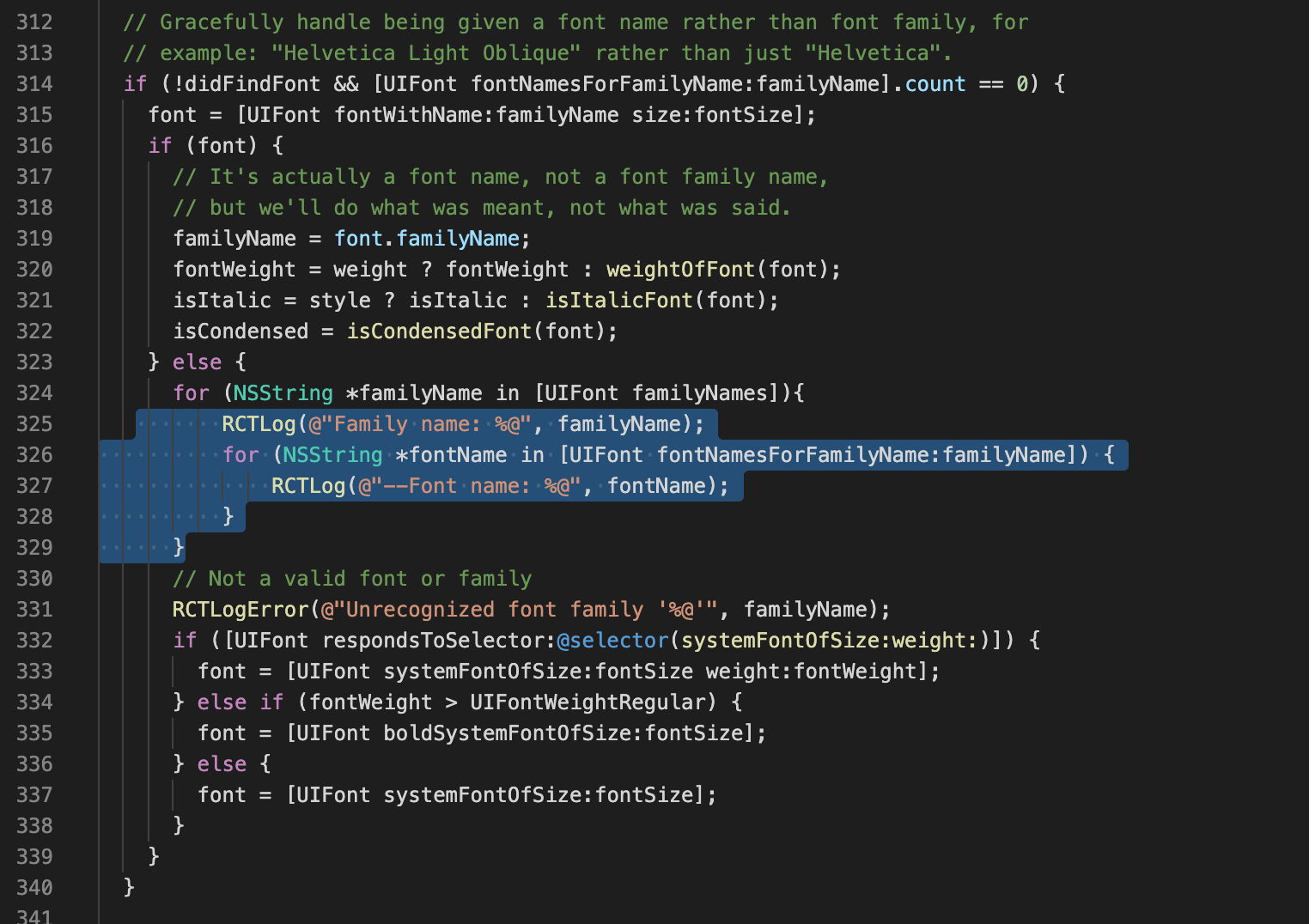
I'm facing with this issue and discovered some things. I Listed availables font in my project including Font Awesome Pro. The problem are in this part of code:
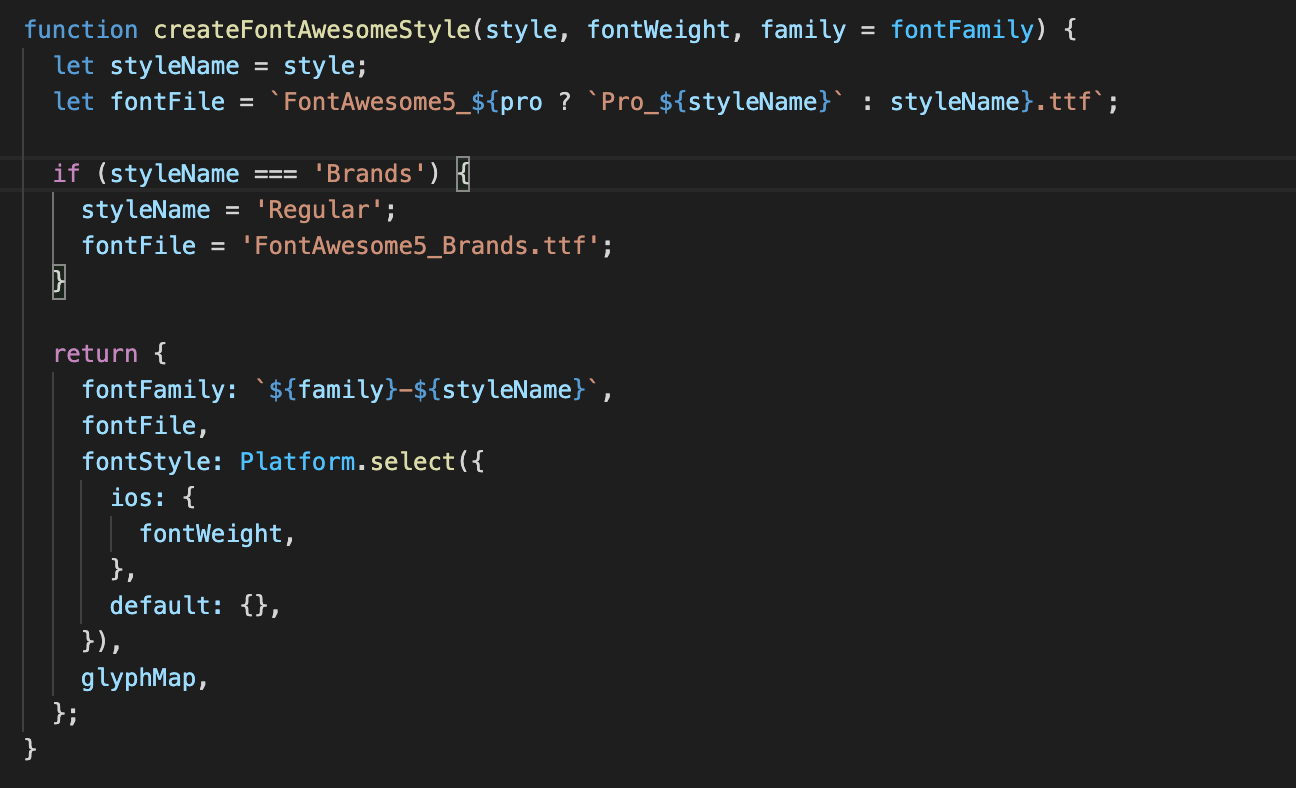
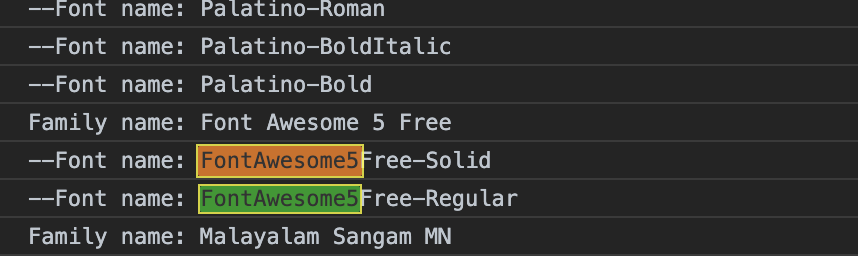
Fonts who are listed for me is:
FREE:
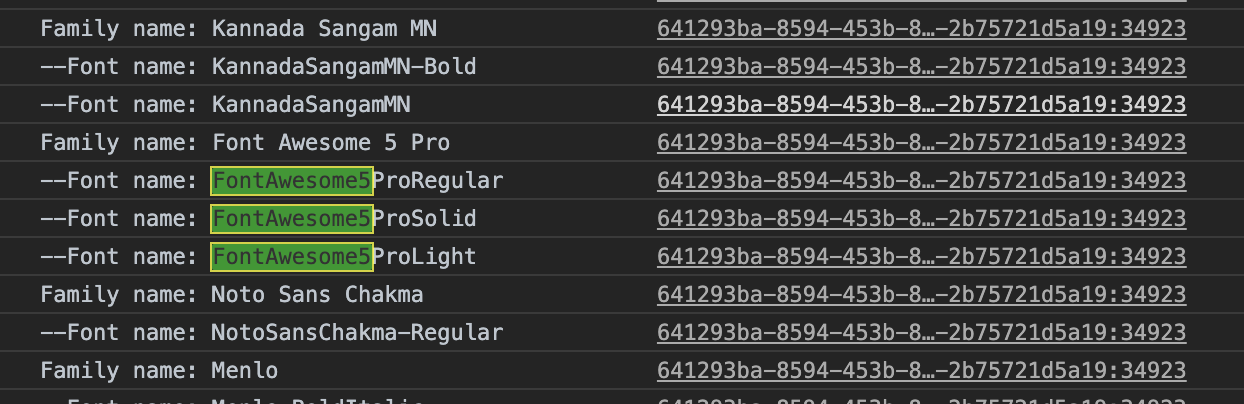
PRO:
I used it to list:
package.json: {
react-native: 0.59.10,
react-native-vector-icons: 6.7.0
}
 gbferreira
on 4 Aug 2020
gbferreira
on 4 Aug 2020
Related issues
 NKGS
·
21Comments
NKGS
·
21Comments
 junge68
·
28Comments
junge68
·
28Comments
 mrousavy
·
29Comments
mrousavy
·
29Comments
 thanhcuong1990
·
21Comments
thanhcuong1990
·
21Comments
 hepu-appmeup
·
33Comments
hepu-appmeup
·
33Comments
Most helpful comment
@hampustagerud Thank you. I think I was redirected to the wrong section at first. It redirects correctly now! Thanks a lot, I will try to see if I can fix it. I'll let you know if I can/can't.
Thanks in advance!