React-native-ui-kitten: CheckBox and Toggle iOS, no tick icons on checked items
💬 Question
I am not sure whether this is an issue in UI-Kitten or not.
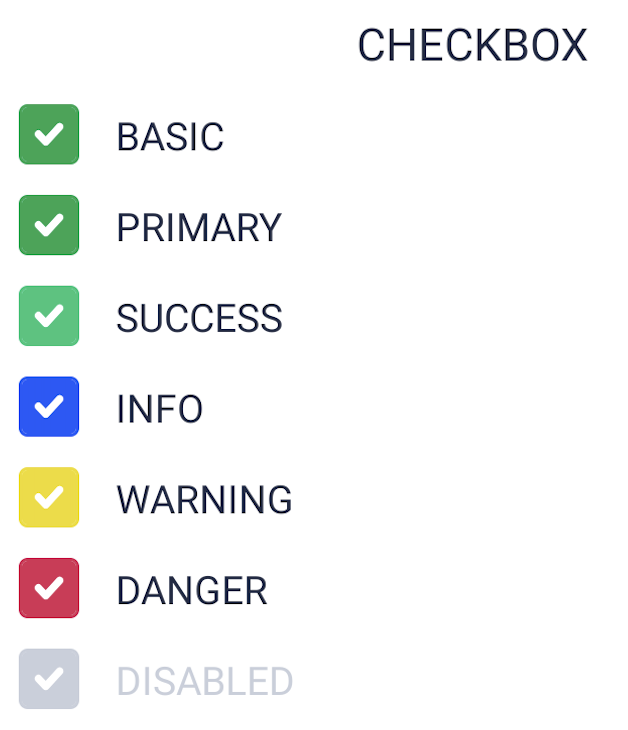
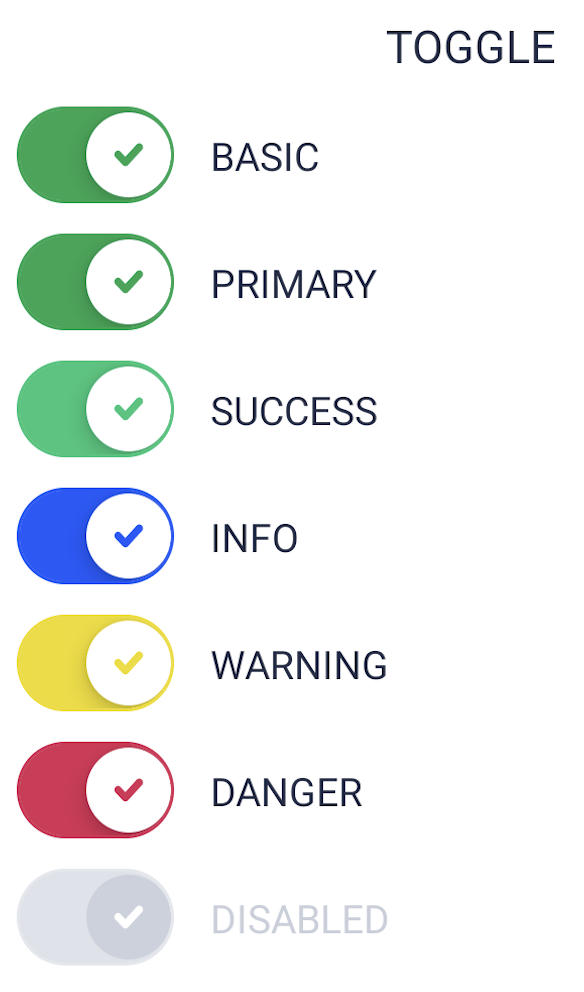
On Android, the ticks on checked items of Checkbox and Toggle components are displayed correctly.
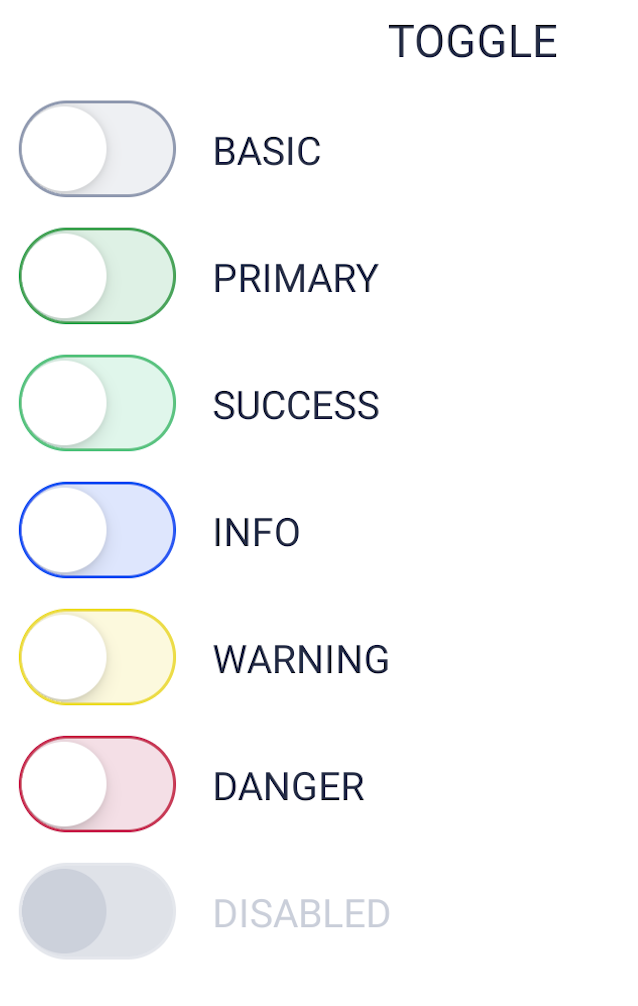
However, on iOS, there are no ticks on those items, only the rest of the item changes style. Below are screenshots of these in the checked false (left) and true (right) states.
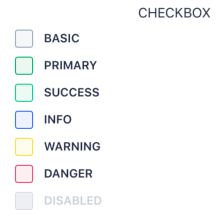
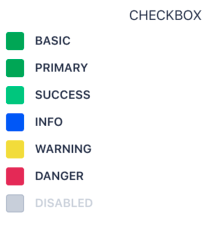

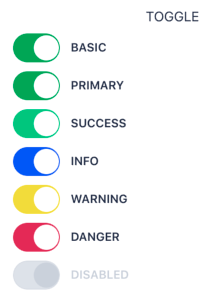
For comparison, here is the same running on Android:
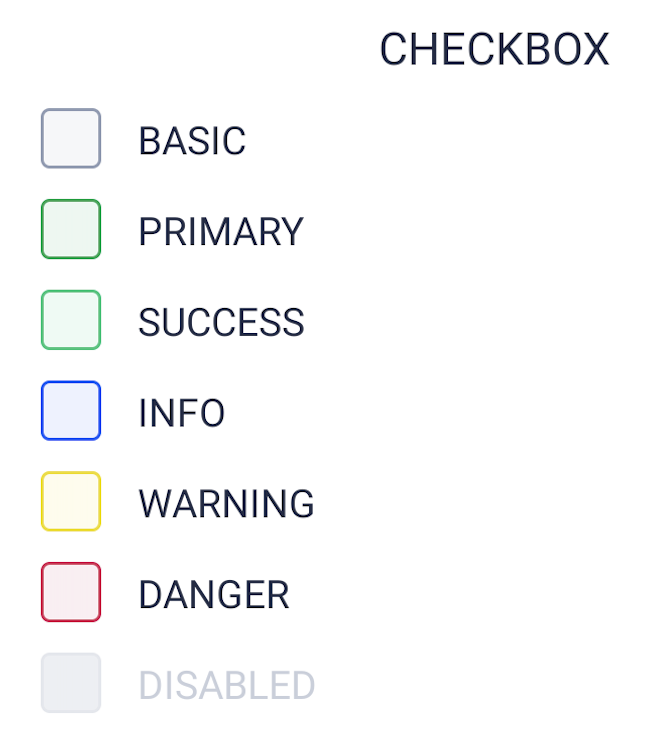
I am using a metro.config.js (as in the "improving performance" guide), within an expo environment (expo-cli 3.21.1, Expo SDK 37.0.0.1 - React Native 0.61 - React 16.9).
I do have a branding JSON (exported as JSON from the colors.eva.design website) and a custom mapping JSON (this last one is empty, placeholder for further adjustments).
The same happens in both iOS 12.x and 13.x, and both in a simulator and a real device (iPhone SE with iOS 13).
Can you help me figure out what the issue is?
UI Kitten and Eva version
| Package | Version |
| ----------- | ----------- |
| @eva-design/eva | 2.0.0 |
| @ui-kitten/components | 5.0.0 |
 CostachescuCristinel
All 6 comments
Which @ui-kitten/eva-icons and react-native-svg version do you run?
 artyorsh
on 27 May 2020
artyorsh
on 27 May 2020
Hi,
I am running @ui-kitten/eva-icons: 5.0.0 and react-native-svg: 12.1.0
I also have <IconRegistry icons={EvaIconsPack} /> in my App.js, not really sure if it was needed though.
CostachescuCristinel
on 27 May 2020
rnsvg v12 is not currently supported by expo as far as I know. Make sure to run expo install react-native-svg, then pod install and restart your app with clearing cache: expo start -c
artyorsh
on 27 May 2020
It works properly in this config. See Snack
artyorsh
on 27 May 2020
I have run yarn remove react-native-svg and then expo install react-native-svg (and then expo start -c), and it finally works correctly!
For people who are accustomed to installing packages directly through npm/yarn, expo installed react-native-svg at version 11.0.1.
Thank you very much for your help, @artyorsh !
CostachescuCristinel
on 27 May 2020
@CostachescuCristinel you should use expo install for everything within the Expo managed apps
artyorsh
on 27 May 2020
Related issues
 iosdev-republicofapps
·
3Comments
iosdev-republicofapps
·
3Comments
 sobiso
·
3Comments
sobiso
·
3Comments
 shiqian123
·
3Comments
shiqian123
·
3Comments
 evangunawan
·
3Comments
evangunawan
·
3Comments
 chamatt
·
3Comments
chamatt
·
3Comments