React-native-ui-kitten: TopNavigation leftControl does not display
Issue type
I'm submitting a ... (check one with "x")
- [x] bug report
- [ ] feature request
Issue description
Current behavior:
The TopNavigation component does not display its leftControl component.
Expected behavior:
To display it. Display the associated icon.
Steps to reproduce:
function createIcon(name) {
  return props => <Icon {...props} name={name} />
}
<TopNavigation
     leftControl={props => <TopNavigationAction {...props} icon={createIcon('arrow-back-outline')} />}
     title={currentDirectory}
/>


md5-60070863ed031d1f0169a76415193631


On iOS 13 simulator and react-native-web
 dherault
All 5 comments
MY BAD !
--> leftControl accepts a node not a component
dherault
on 29 Oct 2019
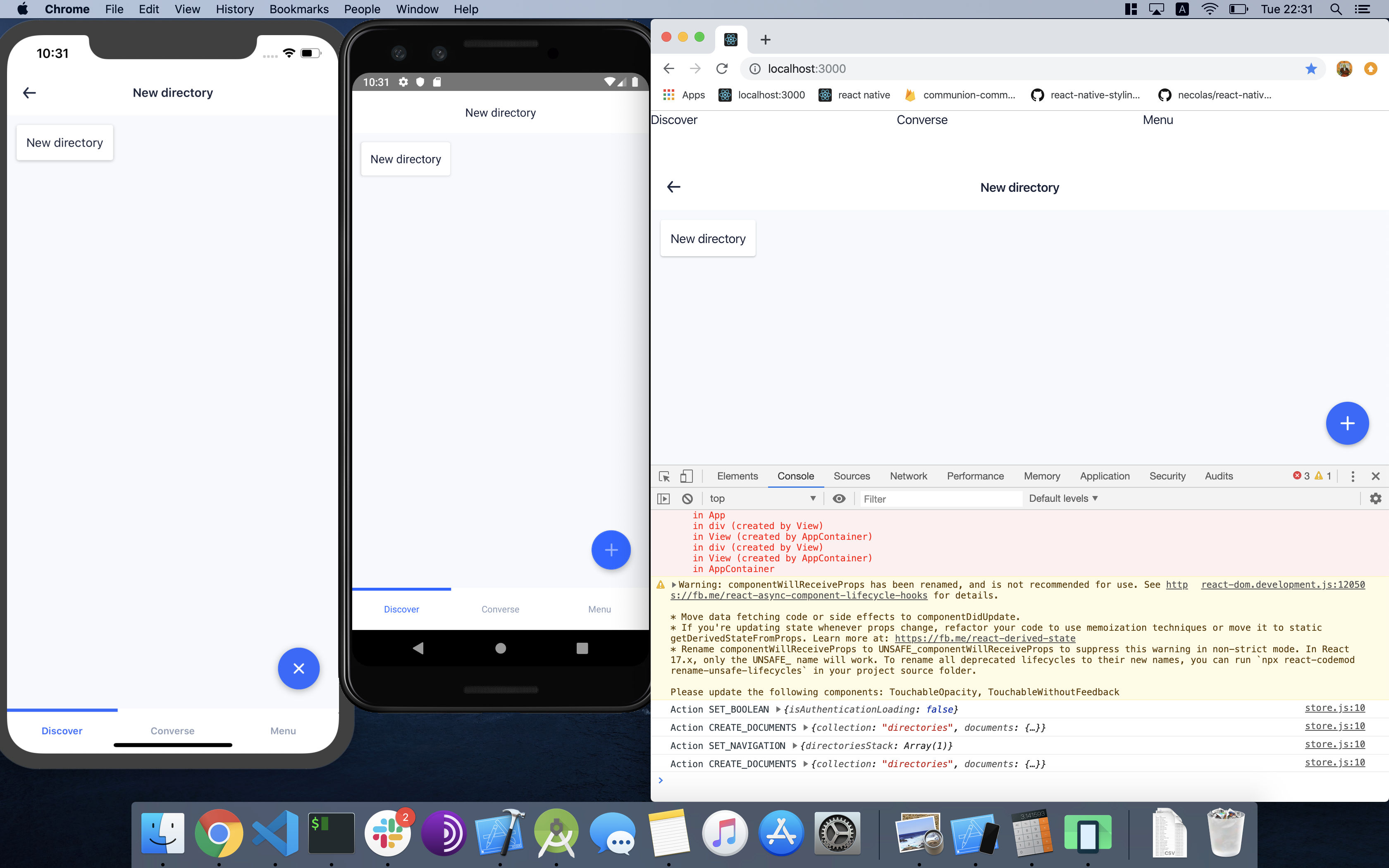
New bug: On Android the leftControl does not display. On the picture: iOS, Android, web.
dherault
on 29 Oct 2019
Can you share the full code, please?
 artyorsh
on 29 Oct 2019
artyorsh
on 29 Oct 2019
@dherault you can find the runnable example of TopNavigation with actions (and related code) in our docs. Make sure to follow the api standards. Just tried this on each platform and could not reproduce your issue
artyorsh
on 29 Oct 2019
A rebuild did the trick, still by looking at the picture I cannot help but think there is a bug somewhere. Must be emulator or server-related.
I love your lib ❤️
dherault
on 30 Oct 2019
Related issues
 betodasilva
·
3Comments
betodasilva
·
3Comments
 gimli01
·
3Comments
gimli01
·
3Comments
 iosdev-republicofapps
·
3Comments
iosdev-republicofapps
·
3Comments
 PORA69
·
3Comments
PORA69
·
3Comments
 MScMechatronics
·
3Comments
MScMechatronics
·
3Comments
Most helpful comment
A rebuild did the trick, still by looking at the picture I cannot help but think there is a bug somewhere. Must be emulator or server-related.
I love your lib ❤️