React-native-track-player: Play tracks from filesystem using RNFetchBlob.fs.dirs.DocumentDir
Hi, thank you for the hard work! The project looks amazing.
I tried to download a track (using fetch-blob) and play it.
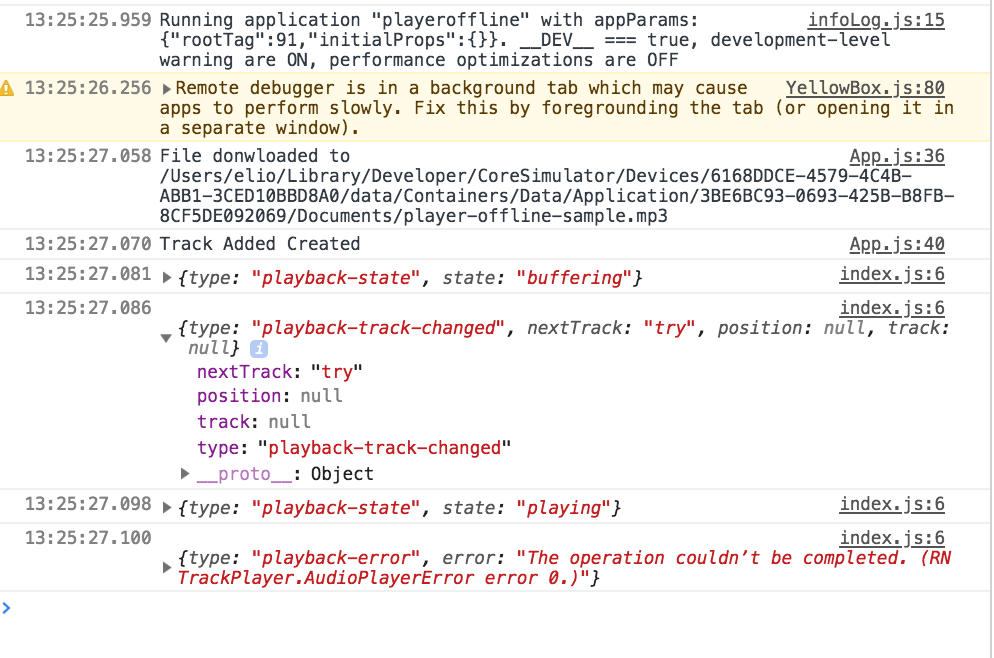
It can play from the url but not from the file in the IOS simulator
Any advice for the use case? I would like to download and play audio offline.
```
componentDidMount() {
    const dirs = RNFetchBlob.fs.dirs.DocumentDir
    let file_url =
https://elio.mobi/media/filer_public/03/35/0335c133-6fca-40a4-bb04-5fa0810dd38c/mountain_of_anxiety_2.mp3
let file_path =${dirs}/player-offline-sample.mp3
console.log(Ready to download to ${file_path})
RNFetchBlob.config({ path : file_path}).fetch('GET', file_url, {}).then(
(res) => {
console.log(File downloaded to ${file_path}`);
TrackPlayer.setupPlayer().then(() => {
let track = { id:'try', url:file_path,title:"try artist",artist:"artist"}
TrackPlayer.add([track]).then(function() {
console.log("Track Added Created")
TrackPlayer.play()
});
})
  }).catch(function(error) {
console.log(error);
});
}
````
 elioscordo
All 3 comments
Everything works just prefixing the uri with
file://
elioscordo
on 3 Jul 2018
Yes, you actually need to prepend file:/// to play any file in both platforms. A few other methods might work, but this is the recommended solution
 Guichaguri
on 3 Jul 2018
Guichaguri
on 3 Jul 2018
And I want from app's files folder.
file:///storage/emulated/0/Android/data/com.myproject/files/audios/myaudio.mp3
How??
I am doing by
url:"file:///storage/emulated/0/Android/data/com.myproject/files/audios/myaudio.mp3".
Also Tried
url:"file:///" + RNFB.fs.dirs.DocumentDir + "/audios/myaudio.mp3",
 imran1992
on 15 Nov 2018
imran1992
on 15 Nov 2018
Related issues
 curiousdustin
·
4Comments
curiousdustin
·
4Comments
 b3rkaydem1r
·
3Comments
b3rkaydem1r
·
3Comments
 tarahiw
·
3Comments
tarahiw
·
3Comments
 toooldmohammad
·
3Comments
toooldmohammad
·
3Comments
 mckmarc
·
4Comments
mckmarc
·
4Comments
Most helpful comment
Everything works just prefixing the uri with
file://