React-native-tab-view: How to use position ?
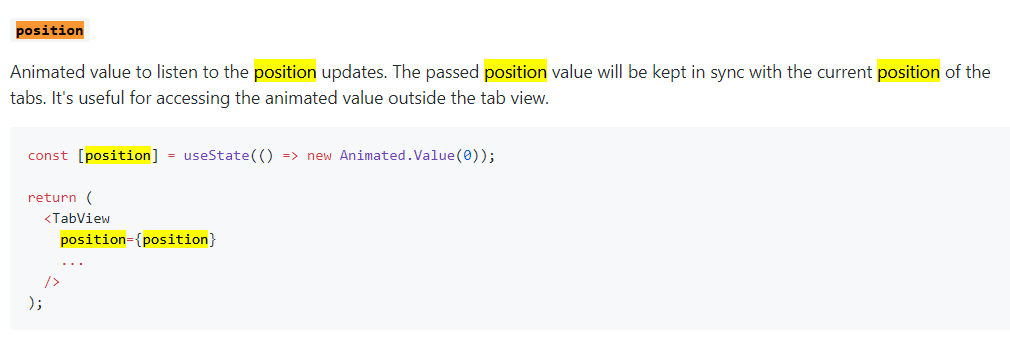
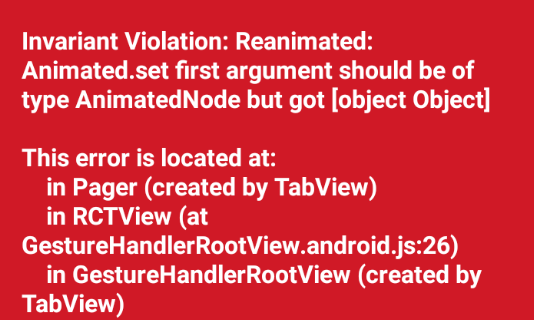
After updating to 2.0, position safety is broken and the previous method of use.
export default function TabViewExample() {
    const [index, setIndex] = useState(0);
    const [position] = useState(() => new Animated.Value(0));
    const [routes] = useState([
        { key: '1', title: 'Home' },
        { key: '2', title: 'Test' },
    ]);

    const renderScene = SceneMap({
        1: FirstRoute,
        2: SecondRoute,
    });

    return (
        <TabView
            position={position}
            navigationState={{ index, routes }}
            renderScene={renderScene}
            onIndexChange={setIndex}
            initialLayout={initialLayout}
            renderTabBar={({
                navigationState,
                position
            }) => (
            <Animated.View style={{
                height: lineHeight,
                width: lineWidth,
                marginLeft: width / (num * 2) - lineWidth / 2,
                backgroundColor: theme,
                transform: [{
                    translateX: position.interpolate({
                        inputRange,
                        outputRange,
                    }),
                }],
            }} />
            )}
        />
    );
}
Current behaviour
Expected behaviour
Code sample
For Syntax Highlighting check this link
Screenshots (if applicable)
What have you tried
Your Environment
| software | version
| ---------------------------- | -------
| ios or android | android
| react-native | 0.62
| react-native-tab-view | ^2.14.0
| react-native-gesture-handler | ^1.6.1
| react-native-reanimated | ^1.8.0
| node | 12.10.0
| npm or yarn | yarn
 Lizhooh
All 2 comments
Since one of my projects used an 1.x version to upgrade to 2.x, an error occurred, and now I need to change Animated to react-native-reanimated and run it normally.
import { Animated } from 'react-native';
import Animated from 'react-native-reanimated';
And update usage:
translateX: Animated.interpolate(position, {
    inputRange,
    outputRange,
}),
THANK YOU @Lizhooh !! My animation was stopping when the user released his finger while sliding (I was using the 'left' style prop), and thanks to you it works now when using 'translateX', I didn't think about it and I was struggling, big thank 🎉
 YanvegHD
on 9 Feb 2021
YanvegHD
on 9 Feb 2021
Related issues
 ashusdn
·
4Comments
ashusdn
·
4Comments
 chen504554911
·
3Comments
chen504554911
·
3Comments
 compojoom
·
4Comments
compojoom
·
4Comments
 karthikeyansundaram2
·
3Comments
karthikeyansundaram2
·
3Comments
 f6m6
·
3Comments
f6m6
·
3Comments
Most helpful comment
Since one of my projects used an 1.x version to upgrade to 2.x, an error occurred, and now I need to change Animated to
react-native-reanimatedand run it normally.import { Animated } from 'react-native';import Animated from 'react-native-reanimated';
And update usage: