React-native-tab-view: can't dynamic change Tablabel fonsize
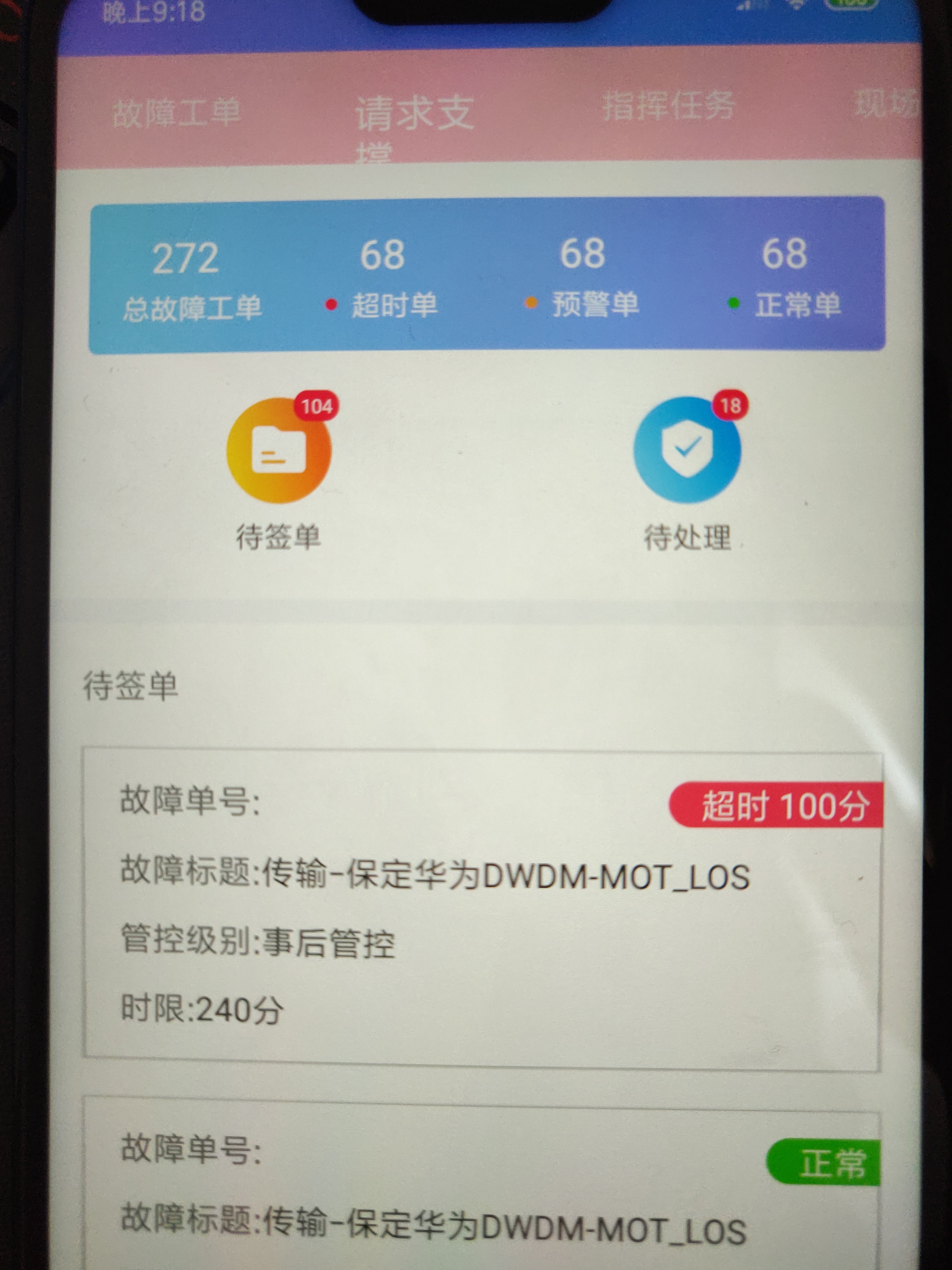
dynamic change Tablabel fonsize and it will incomplete display.
renderScene={SceneMap({
troubleTicket: () => (
requestSupport: () => (
commandMission: () => (
onSiteAcceptance: () => (
riskOperation: () => (
onSiteCooperation: () => (
businessOpening: () => (
resourceChange: () => (
jobPlan: () => (
})}
renderTabBar={props =>
style={styles.tabViewStyle}
tabStyle={styles.tabBarStyle}
scrollEnabled={true}
renderIndicator={() => (null)}
renderLabel={({ route, focused, color }) => {
if (focused)
return (
)
return (
)
}}
/>
}
onIndexChange={this.onTabChange}
initialLayout={{ width: Dimensions.get('window').width }}
lazy
/>
 chen504554911
All 11 comments
The code you have written is wrong, you have to close Text tag
Closing as it's not an issue
 chakrihacker
on 1 Jul 2019
chakrihacker
on 1 Jul 2019
<TabView
   navigationState={tabRoute}
   renderScene={SceneMap({
    troubleTicket: () => <WaitDoneInfo />,
    requestSupport: () => <WaitDoneInfo />,
    commandMission: () => <WaitDoneInfo />,
    onSiteAcceptance: () => <WaitDoneInfo />,
    riskOperation: () => <WaitDoneInfo />,
    onSiteCooperation: () => <WaitDoneInfo />,
    businessOpening: () => <WaitDoneInfo />,
    resourceChange: () => <WaitDoneInfo />,
    jobPlan: () => <WaitDoneInfo />
   })}
   renderTabBar={props => (
    <TabBar
     {...props}
     style={styles.tabViewStyle}
     tabStyle={styles.tabBarStyle}
     scrollEnabled={true}
     renderIndicator={() => null}
     renderLabel={({ route, focused, color }) => {
      if (focused){
       return <Text style={{ color, fontSize: 15 }}> {route.title} </Text>;
      }
      return <Text style={{ color, fontSize: 15 }}> {route.title} </Text>;
     }}
    />
   )}
   onIndexChange={this.onTabChange}
   initialLayout={{ width: Dimensions.get("window").width }}
   lazy
/>
it is wrong? i mean how can i dynamic change Tab label fonsize
chen504554911
on 1 Jul 2019
fontSize is same for both focused and non focused elements!!
chakrihacker
on 1 Jul 2019
renderTabBar={props =>
          <TabBar
            {...props}
            style={styles.tabViewStyle}
            tabStyle={styles.tabBarStyle}
            scrollEnabled={true}
            renderIndicator={() => (null)}
            labelStyle={{ fontSize: 17 }}
            renderLabel={({ route, focused, color }) => {
              if (!focused)
                return (
                  <Text style={{ color, fontSize: 14 }}>
                    {route.title}
                  </Text>
                )
              return (
                <Text style={{ color, fontSize: 17 }}>
                  {route.title}
                </Text>
              )
            }}
          />
        }
        onIndexChange={this.onTabChange}
        initialLayout={{ width: Dimensions.get('window').width }}
        lazy
      />
sorry,my code ,In fact, this is the case。so fontSize can change? i changed and Showing a bit of a problem
chen504554911
on 1 Jul 2019
chen504554911
on 1 Jul 2019
You can set custom height and width in tabStyle to make sure your text fits.
 satya164
on 1 Jul 2019
satya164
on 1 Jul 2019
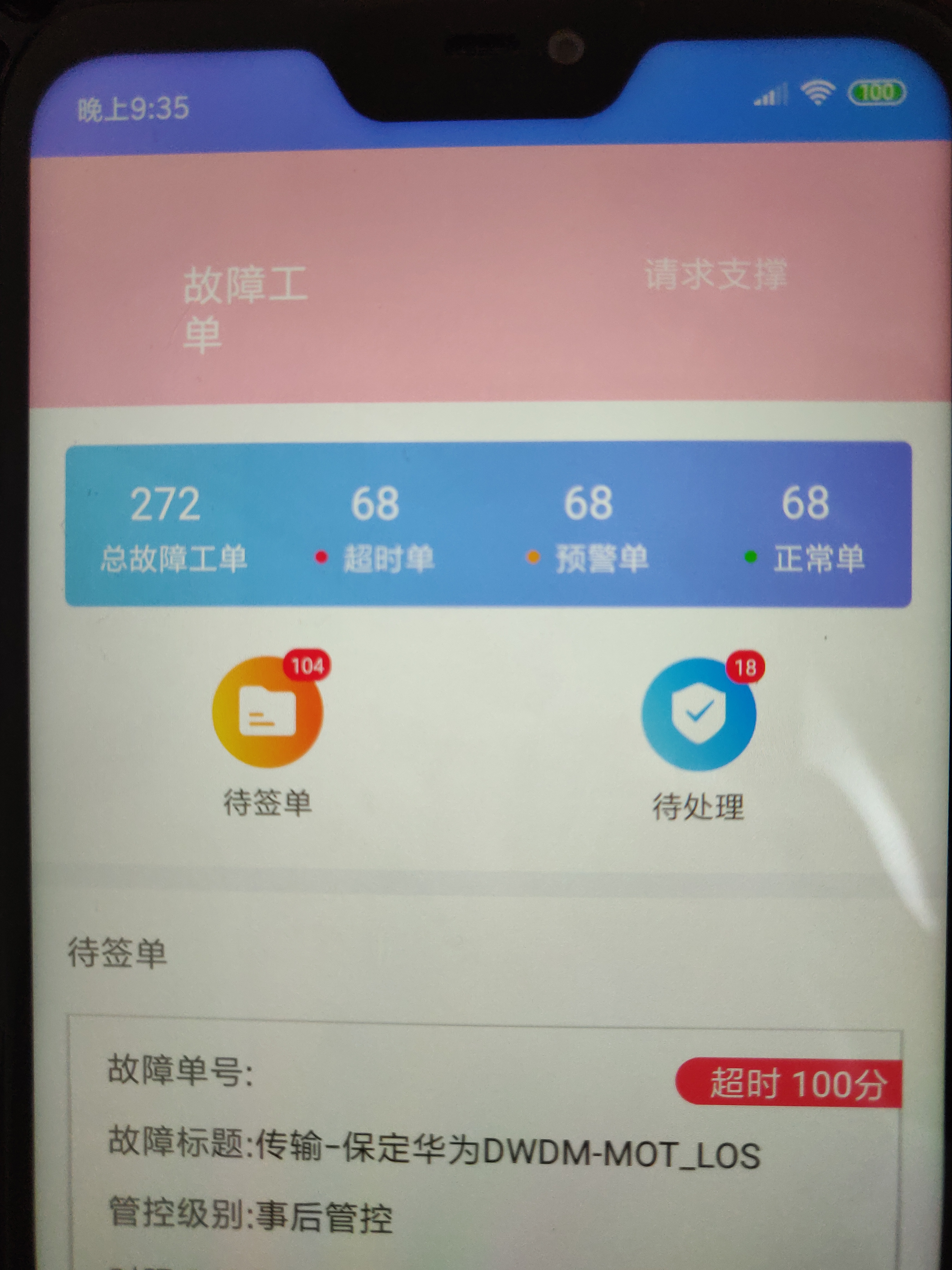
I set custom height and width,but i does't work.
chen504554911
on 1 Jul 2019
tabBarStyle: {
    width: Dimensions.get('window').width / 2,
    height: 100
  },
chen504554911
on 1 Jul 2019
renderLabel={({ route, focused, color }) => {
  if (focused){
    return <Text style={{ color, fontSize: 15, minWidth: 100, textAlign: 'center' }}> {route.title} </Text>;
  }
  return <Text style={{ color, fontSize: 15, minWidth: 100, textAlign: 'center' }}> {route.title} </Text>;
}}
Try to give a minWidth to the Text element. @chen504554911
 349989153
on 13 Dec 2019
349989153
on 13 Dec 2019
@chakrihacker Your answer doesn't mean anything to solve the problem. You can't solve the problem. By closing the problem, you close the opportunity for others to solve the problem
 whereiscode
on 21 Apr 2020
whereiscode
on 21 Apr 2020
<TabBar
       {...props}
       renderLabel={this._renderLabel}
 />
_renderLabel = ({ route, focused }) => {
        if (focused) {
            return <Text style={{ fontSize: 15 }}> {route.title} </Text>;
        }
        return <Text style={{ fontSize: 18 }}> {route.title} </Text>;
    }
 ajithes1
on 6 Aug 2020
ajithes1
on 6 Aug 2020
Related issues
 AndriiUhryn
·
3Comments
AndriiUhryn
·
3Comments
 t3chnoboy
·
3Comments
t3chnoboy
·
3Comments
 glennvgastel
·
3Comments
glennvgastel
·
3Comments
 ios-dev-newbie
·
3Comments
ios-dev-newbie
·
3Comments
 moerabaya
·
4Comments
moerabaya
·
4Comments
Most helpful comment
it is wrong? i mean how can i dynamic change Tab label fonsize