React-native-swiper: image shift by about 1 cm when swiping left or right and shift increase the more we swipe
Which OS ?
Mac OS 10.15.2
iOS: 13.3.1
Version
Which versions are you using:
- react-native-swiper v? 1.6.0
- react-native v0.?.? 0.61.5
Expected behaviour
If we start with image at position 0, then we swipe left, image 1 is supposed to show without any shift or offset. Then any subsequent swipes shows next images.
Actual behaviour
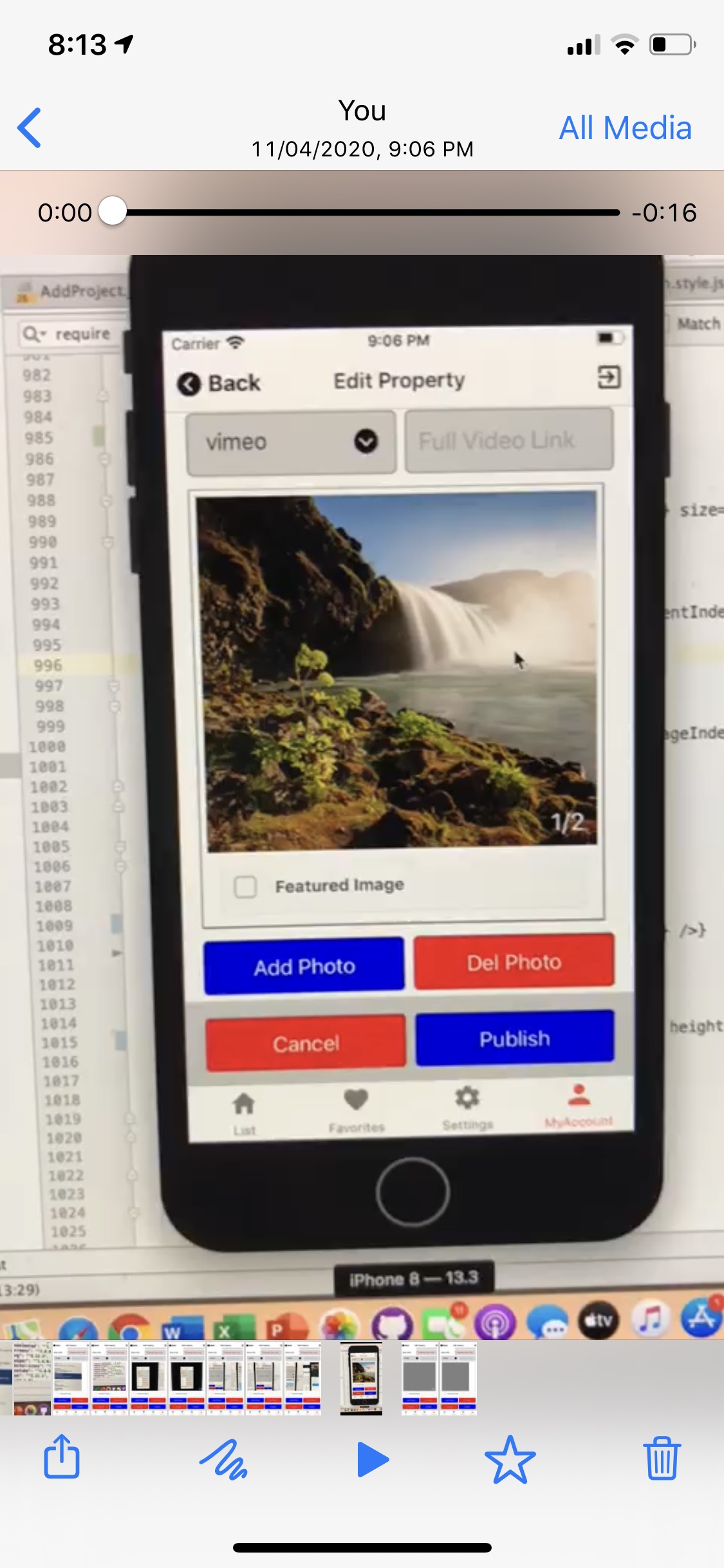
If we start with image at position 0, then we swipe left, image 1 shows shifted by about 1 cm and shows a part of image 2. When we tap on image 1, the shift is removed and the image is back into position. when we shift again to the left, image 2 is showing shifted more than previous showing more of image 3. The more we shift, the more the shift get bigger.
The only thing that made this behavior disappear is when we remove the onIndexChanged method. But, we need this method to to keep the current index of the image, so that if we want to delete an image from the image array, we know which is the current image index to delete.
Please note this behavior does not happen on android.
How to reproduce it>
To help us, please fork this component, modify one example in examples folder to reproduce your issue and include link here.
- Here is the piece of code I am using:
function myFunc(props) {
// this is the initial index of 1 image out of the array of images which is set as featured image
let initFeaturedImageIndex = -1; // means initially no images in the array set as featured image

// this is the initial index of the current image displayed in the swiper
let initPhotoCurrentIndex = -1; // means array empty. If array have 1 or more images, its initial value is 0

// this is the array that holds all the images that should be shown in the swiper
const [photos, setPhotos] = useState();

// this is an object that holds both the featured image index and the current image index
const [featPhotoCurrIndex, setFeatPhotoCurrIndex] = useState({
    featuredImageIndex: initFeaturedImageIndex,
    photoCurrentIndex: initPhotoCurrentIndex
});
// this is an array that holds the images deleted from the array of images & do not show in the swiper
const [deletedPhotos, setDeletedPhotos] = useState([]);

// things for photos //
const options = {
    title: "Select Photos",
    cancelButtonTitle: "Cancel",
    takePhotoButtonTitle: "Camera",
    chooseFromLibraryButtonTitle: "Gallery",
    quality: 0.3
    //noData: true,
};

const [imgLoading, setImgLoading] = useState(false);

const selectPhoto = () => {
    setImgLoading(true);
    ImagePicker.showImagePicker(options, response => {
    if (response.didCancel) {
        //console.log('User cancelled image picker');
    } else if (response.error) {
        //console.log('ImagePicker Error: ', response.error);
        Alert.alert("Error Reading Image", response.error);
    } else {
        let fileName = "";
        if (response.fileName) {
            fileName = response.fileName;
        } else {
            let lastSlashIndex = response.uri.lastIndexOf("/");
            fileName = "IMG_" + response.uri.substr(lastSlashIndex + 1);
        }

            let newPhotos = [...photos, { type: "uri", uri: response.uri, imageid: 0, fileName: fileName, data: response.data } ];

        if (newPhotos.length == 1) {
                setFeatPhotoCurrIndex({
                        featuredImageIndex: featPhotoCurrIndex.featuredImageIndex,
                        photoCurrentIndex: 0
                });
            }
            setPhotos(newPhotos);
    }
    setImgLoading(false);
    });
};

const delPhoto = index => {
    if (index != -1) {
        let newPhotos = photos;
        // if image is from server, save it in deletedPhotos array to delete it later from server
        if (newPhotos[index].type == "url") {
            setDeletedPhotos([...deletedPhotos, newPhotos[index]]);
        }
        // delete current photo
        newPhotos.splice(index, 1);

        // update featuredImageIndex
        let featuredImgIndx = featPhotoCurrIndex.featuredImageIndex;
        if (index == featuredImgIndx) {
                featuredImgIndx = -1;
        } else if (index < featuredImgIndx) {
                featuredImgIndx = featuredImgIndx - 1;
        }

        // update photoCurrentIndex
        let photoCurrIndx = featPhotoCurrIndex.photoCurrentIndex;
        if (index == photos.length) {
                photoCurrIndx = index - 1;
        }

        if (photoCurrIndx == -1) {
                featuredImgIndx = -1;
        }

        // refresh view
        setFeatPhotoCurrIndex({
                featuredImageIndex: featuredImgIndx,
                photoCurrentIndex: photoCurrIndx
        });

        // set photos array to new array
        setPhotos(newPhotos);
    }
};

const featuredImageChanged = () => {
    if ( featPhotoCurrIndex.featuredImageIndex == featPhotoCurrIndex.photoCurrentIndex ) {
        setFeatPhotoCurrIndex({
            featuredImageIndex: -1,
            photoCurrentIndex: featPhotoCurrIndex.photoCurrentIndex
        });
    } else {
        setFeatPhotoCurrIndex({
            featuredImageIndex: featPhotoCurrIndex.photoCurrentIndex,
            photoCurrentIndex: featPhotoCurrIndex.photoCurrentIndex
        });
    }
};

const renderPagination = (index, total, context) => {
    return (

        <Text style={{ color: "white" }}>

            {index + 1}/{total}

    );
};

onPhotoIndexChange = (index) => {
    setFeatPhotoCurrIndex({
        featuredImageIndex: featPhotoCurrIndex.featuredImageIndex,
        photoCurrentIndex: index
    });
}

return (
    <ScrollView keyboardShouldPersistTaps="always">
        <View style={{ ...styles.container }}>

            <View
                style={{...styles.imagesView, flex: 1, flexDirection: "column", justifyContent: "space-between"}}
            >

                    {photos.length != 0 ? (
                            <View style={{ flex: 1 }}>
                                {imgLoading ? (
                                        <ActivityIndicator style={{ flex: 1 }} size="large" />
                                ) : (
                                        <Swiper
                                        key={photos.length}
                                        containerStyle={{ flex: 1 }}
                                        index={featPhotoCurrIndex.photoCurrentIndex}
                                        renderPagination={renderPagination}
                                        loop={false}
                                        onIndexChanged={ index => onPhotoIndexChange(index) }
                                        >
                                        {photos.map((photo, i) => {
                                                return (
                                                    <View
                                                            key={i}
                                                            style={{flex:1}}
                                                            title={<Text numberOfLines={1} />}
                                                    >

                                                           <Image
                                                        resizeMode="cover"
                                                        key={i}
                                                        style={{ width: width - 52, height: 290 }}
                                                        source={{ uri: photo.uri }}
                                                           />
                                                    </View>
                                                );
                                        })}

                                        </Swiper>
                                )}
                            </View>
                    )}

                    <CheckBox
                            title="Featured Image"
                            style={{ heigh: 100 }}
                            checked={ featPhotoCurrIndex.featuredImageIndex == featPhotoCurrIndex.photoCurrentIndex && featPhotoCurrIndex.photoCurrentIndex != -1 ? true : false }
                            onPress={() => {
                                featuredImageChanged();
                            }}
                    />
                    </View>

                    <View style={styles.photoButtonView} flexDirection={"row"}>
                    <View style={{ flex: 0.49 }}>
                            <Button
                                buttonStyle={{ ...styles.photoButton, backgroundColor: "blue" }}
                                title="Add Photo"
                                onPress={() => {
                                        selectPhoto();
                                }}
                        />

                    </View>

                    <View style={{ flex: 0.49 }}>
                            <Button
                                buttonStyle={{ ...styles.photoButton, backgroundColor: "red" }}
                                title="Del Photo"
                                disabled={photos.length != 0 ? false : true}
                                onPress={() => {
                                        Alert.alert( "Delete Selected Photo", "Are you sure you want to delete this photo",
                                        [ {
                                                text: "OK",
                                                onPress: () => {
                                                        delPhoto(featPhotoCurrIndex.photoCurrentIndex);
                                                }
                                            },
                                            { text: "Cancel", onPress: () => null } ],
                                        { Cancelable: false }
                                        );
                                }}
                            />
                    </View>
                    </View>

        </View>
    </ScrollView>
);
}
const styles = StyleSheet.create({
container: {
    paddingLeft: 16,
    paddingRight: 16
},

imagesView: {
    width: width - 40,
    height: 360,
    marginTop: 5,
    marginBottom: 5,
    padding:5,
    borderColor: "gray",
    borderWidth: 1,
    justifyContent: "center",
    backgroundColor: "transparent"
},

photoButtonView: {
    justifyContent: "space-between",
    alignItems: "center",
    marginTop: 5,
    marginBottom: 5,
    borderRadius: 5
},

photoButton: {
    borderColor: "gray",
    borderWidth: 1,
    borderRadius: 5,
    padding: 10
},

paginationStyle: {
    position: "absolute",
    bottom: 10,
    right: 10
},

paginationText: {
    color: "white",
    fontSize: 20
}
});
Steps to reproduce
- Load above code on a new project
- Build and run on iOS device or simulator
- Add some images to the swiper, then try to swipe
 tbechnati
All 13 comments

tbechnati
on 12 Apr 2020
you can see the white band on the right side of image2. If u tap on that image, it goes back into place.
tbechnati
on 12 Apr 2020
Got the exact same issue. We were using this component in 3 places in our app but it was rendering like this in 1 of the places. The 2 places it was working fine the <Swiper /> takes up 100% screen width. The 1 place it was having this issue it was inside a container with horizontal padding. Removing the padding from the parent container has fixed the issue though not an ideal workaround.
 willdady
on 27 Apr 2020
willdady
on 27 Apr 2020
I faced the same issue, It happened only when I'm updating state. Can anyone help me?
 alammoiz
on 27 Apr 2020
alammoiz
on 27 Apr 2020
Got the exact same issue. We were using this component in 3 places in our app but it was rendering like this in 1 of the places. The 2 places it was working fine the
<Swiper />takes up 100% screen width. The 1 place it was having this issue it was inside a container with horizontal padding. Removing the padding from the parent container has fixed the issue though not an ideal workaround.
There is no padding
alammoiz
on 27 Apr 2020
I faced the same issue when I update the state
react-native-swiper: 1.6.0-nightly.5
 matteocollina
on 27 Apr 2020
matteocollina
on 27 Apr 2020
I made a small Patch and PR to fix it. PR #1181.
```diff --git a/node_modules/react-native-swiper/src/index.js b/node_modules/react-native-swiper/src/index.js
index 3e63ca7..22da3f7 100644
--- a/node_modules/react-native-swiper/src/index.js
+++ b/node_modules/react-native-swiper/src/index.js
@@ -263,7 +263,7 @@ export default class extends Component {
     }

     // Default: horizontal
-    const { width, height } = Dimensions.get('window')
+    const { width, height } = state

     initState.dir = props.horizontal === false ? 'y' : 'x'
```
Read this for more details on how to apply patches
 MounirDhahri
on 27 Apr 2020
MounirDhahri
on 27 Apr 2020
I made a small Patch and PR to fix it. PR #1181.
index 3e63ca7..22da3f7 100644 --- a/node_modules/react-native-swiper/src/index.js +++ b/node_modules/react-native-swiper/src/index.js @@ -263,7 +263,7 @@ export default class extends Component { } // Default: horizontal - const { width, height } = Dimensions.get('window') + const { width, height } = state initState.dir = props.horizontal === false ? 'y' : 'x'Read this for more details on how to apply patches
Not work for me, I face this issue on iPhone :(
alammoiz
on 27 Apr 2020
Same problem here, if parent width is less than 100%, like 90% then rest of width (10%) will offset slides :/
 kenobi91
on 16 May 2020
kenobi91
on 16 May 2020
I had this problem. Adding loadMinimal={true} seems to have fixed it for me. Hope it works for you!
 gfirmacionpear
on 28 May 2020
gfirmacionpear
on 28 May 2020
I had this problem. Adding
loadMinimal={true}seems to have fixed it for me. Hope it works for you!
Thank You
 maikosoft
on 14 Jul 2020
maikosoft
on 14 Jul 2020
I had this problem. Adding
loadMinimal={true}seems to have fixed it for me. Hope it works for you!
Thank !!
 LimanASL
on 14 Sep 2020
LimanASL
on 14 Sep 2020
I had this problem. Adding
loadMinimal={true}seems to have fixed it for me. Hope it works for you!
I had the same problem in "react-native-swiper": "^1.6.0-rc.3", and this method doesn't work.
 timerg
on 23 Oct 2020
timerg
on 23 Oct 2020
Related issues
 gwhite-dayspring
·
3Comments
gwhite-dayspring
·
3Comments
 hadrienbbt
·
3Comments
hadrienbbt
·
3Comments
 wrannaman
·
3Comments
wrannaman
·
3Comments
 diegolmello
·
3Comments
diegolmello
·
3Comments
 agzuniverse
·
3Comments
agzuniverse
·
3Comments
Most helpful comment
I had this problem. Adding
loadMinimal={true}seems to have fixed it for me. Hope it works for you!