React-native-swiper: How can i change the dots and buttons position?
Current:
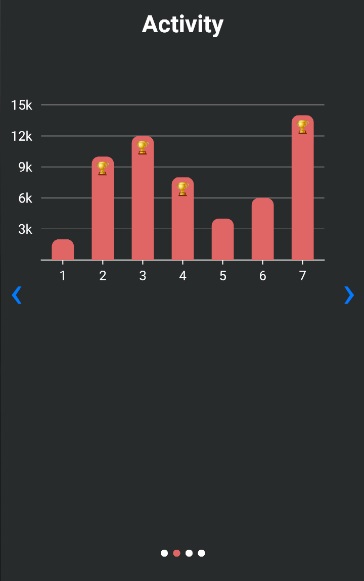
I need some help with customizing on the swiper. Is it possible to move the dots and buttons up to the text area?
Like this:
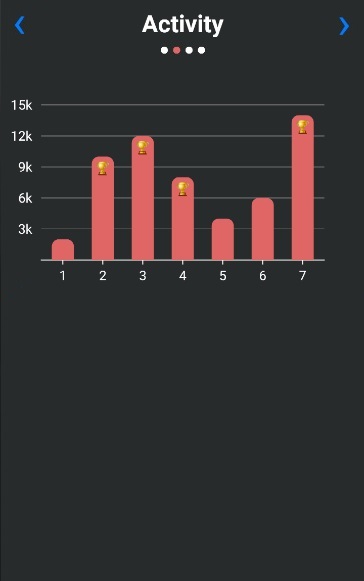
And how can i change the color on the buttons?
 JonasOmdal
All 3 comments
This was closed. Any idea how is this to be achieved?
 sonicvision
on 12 Mar 2019
sonicvision
on 12 Mar 2019
👍2
bump @ buttons
about pagination in my case:
paginationStyle={{bottom: undefined,
    left: undefined,
    top: 0,
    right: 0}}
u gotta overwrite default styles with undefined sometimes
 jacek213
on 13 Mar 2019
jacek213
on 13 Mar 2019
👍4
So the paginationStyle prop refers to the pagination container. What worked for me was to set top: 0 and alignItems: "flex-start" (since the pagination container by default has flexDirection: "row"). And then apply paddings to your liking
 Billydubb
on 24 Sep 2020
Billydubb
on 24 Sep 2020
Was this page helpful?
0 / 5 - 0 ratings
Related issues
 kliuj
·
3Comments
kliuj
·
3Comments
 nomoreboredom
·
3Comments
nomoreboredom
·
3Comments
 commit-master
·
3Comments
commit-master
·
3Comments
 tibic
·
3Comments
tibic
·
3Comments
 tokict
·
3Comments
tokict
·
3Comments
Most helpful comment
bump @ buttons
about pagination in my case:
paginationStyle={{bottom: undefined,
    left: undefined,
    top: 0,
    right: 0}}
u gotta overwrite default styles with undefined sometimes