React-native-swipe-list-view: Undefined is not an object (Version 1.3.0)
I've got this error while try to trigger closeRow function :
undefined is not an object (evaluating 'rowMap[rowKey].closeRow')
I'm using FlatList option. This is my closeRow function code:
closeRow(rowMap, rowKey) {
  rowMap[rowKey].closeRow();
}
This is my trigger touch code :
<TouchableOpacity onPress={ _ => this.closeRow(rowMap, rowData.item.id) }>
This is SwipeListView (FlatList). When I swipe spesific row, another row I've swiped not closing automatically.
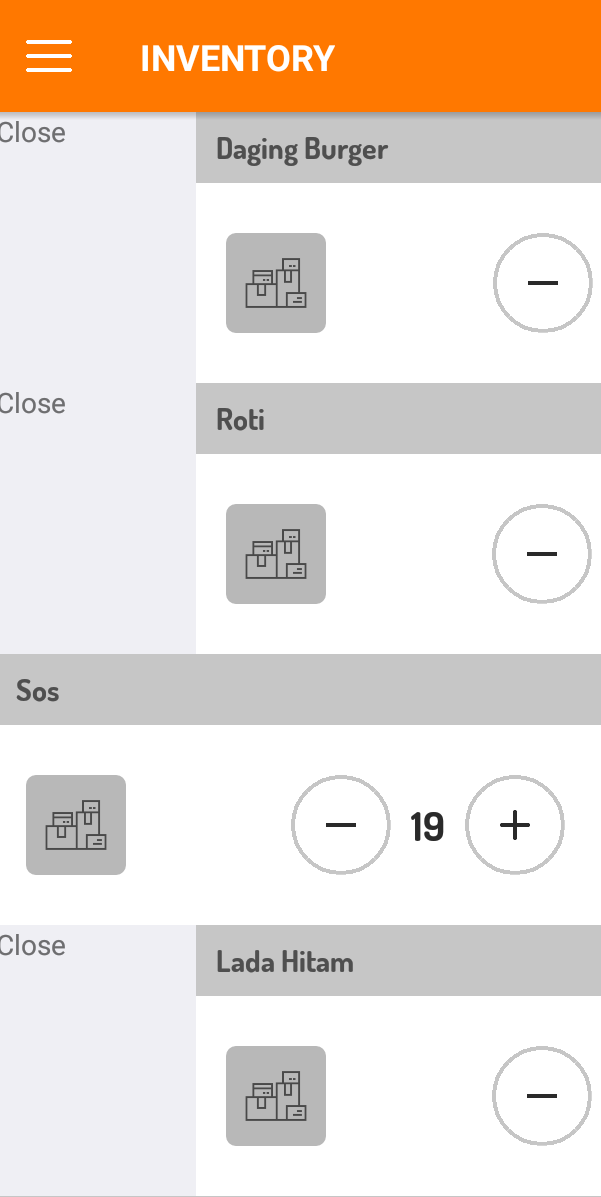
Please help.
 nzrin
nzrin
All 5 comments
Hey @nzrin can I see the structure of your data and how you're using the key property or if you're passing a keyExtractor prop, thanks!
 jemise111
on 23 May 2018
jemise111
on 23 May 2018
Yes sure, this is my structure of data :
{
"data": [
{
"id": 3,
"name": "Daging Burger",
"quantity": 80
},
{
"id": 5,
"name": "Sos",
"quantity": 21
},
{
"id": 6,
"name": "Lada Hitam",
"quantity": 14
},
{
"id": 7,
"name": "Mayonis",
"quantity": 46
},
{
"id": 27,
"name": "Cheesy",
"quantity": 6
},
{
"id": 81,
"name": "Kokpu",
"quantity": 10
}
]
}
Can you try adding a key to your data, so it looks like
"data": [
        {
            "key": 3,
            "id": 3,
            "name": "Daging Burger",
            "quantity": 80
        },
...
or using a key extractor prop:
<SwipeLisView
   keyExtractor={(item, index) => item.id}
   ...
/>
and seeing if that fixes it?
jemise111
on 23 May 2018
Thank you! It works fine when I use keyExtractor.
nzrin
on 23 May 2018
👍 glad to hear it
jemise111
on 23 May 2018
Related issues
 terencestone
·
5Comments
terencestone
·
5Comments
 VitaliiK91
·
3Comments
VitaliiK91
·
3Comments
 2JJ1
·
5Comments
2JJ1
·
5Comments
 Slapbox
·
3Comments
Slapbox
·
3Comments
 lsbiosite
·
6Comments
lsbiosite
·
6Comments
Most helpful comment
Can you try adding a
keyto your data, so it looks likeor using a key extractor prop:
and seeing if that fixes it?