React-native-snap-carousel: Example is overly complex and hard to understand
Is this a bug report, a feature request, or a question?
Feature request
Example is overly complex
Thanks for a great package.
Can I suggest adding a simple and easy to understand example?
npx react-native init carousel-simple-example
cd carousel-simple-example
npm install react-native-snap-carousel
App.js
import React from 'react';
import {
  Text,
  View,
  SafeAreaView } from 'react-native';
import Carousel from 'react-native-snap-carousel';

export default class App extends React.Component {

    constructor(props){
        super(props);
        this.state = {
          activeIndex:0,
          carouselItems: [
          {
              title:"Item 1",
              text: "Text 1",
          },
          {
              title:"Item 2",
              text: "Text 2",
          },
          {
              title:"Item 3",
              text: "Text 3",
          },
          {
              title:"Item 4",
              text: "Text 4",
          },
          {
              title:"Item 5",
              text: "Text 5",
          },
        ]
      }
    }

    _renderItem({item,index}){
        return (
          <View style={{
              backgroundColor:'floralwhite',
              borderRadius: 5,
              height: 250,
              padding: 50,
              marginLeft: 25,
              marginRight: 25, }}>
            <Text style={{fontSize: 30}}>{item.title}</Text>
            <Text>{item.text}</Text>
          </View>

        )
    }

    render() {
        return (
          <SafeAreaView style={{flex: 1, backgroundColor:'rebeccapurple', paddingTop: 50, }}>
            <View style={{ flex: 1, flexDirection:'row', justifyContent: 'center', }}>
                <Carousel
                  layout={"default"}
                  ref={ref => this.carousel = ref}
                  data={this.state.carouselItems}
                  sliderWidth={300}
                  itemWidth={300}
                  renderItem={this._renderItem}
                  onSnapToItem = { index => this.setState({activeIndex:index}) } />
            </View>
          </SafeAreaView>
        );
    }
}
Running on a device
npx react-native run-android
npx react-native run-ios
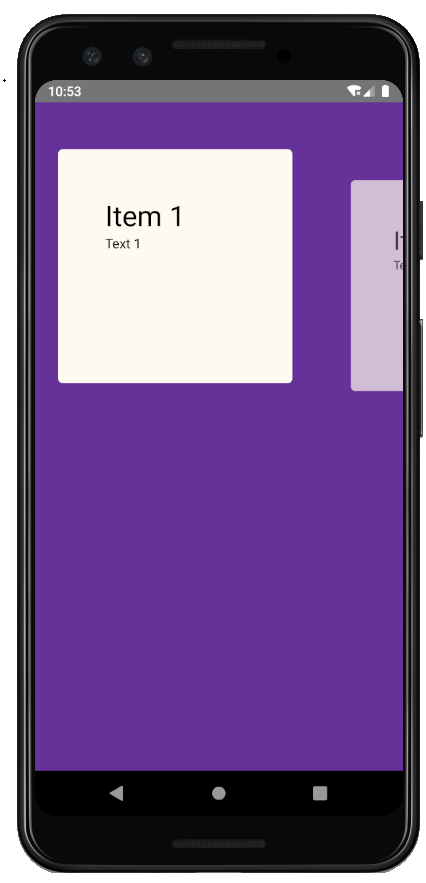
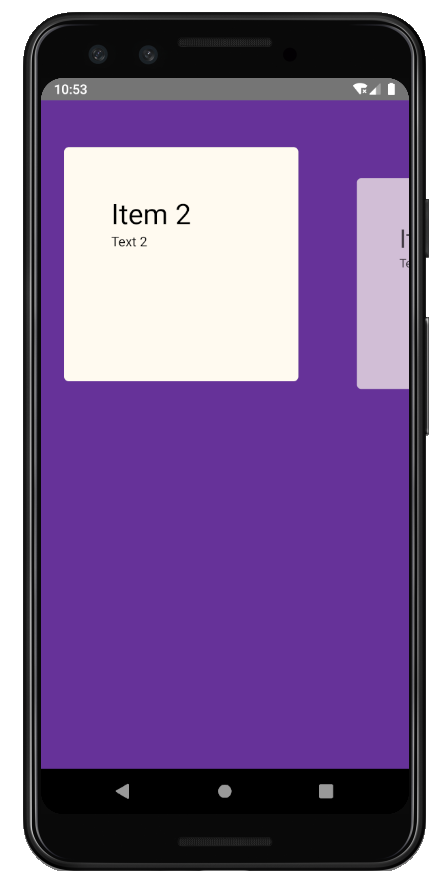
 ViktorMS
All 7 comments
can't agree more
 FEhao
on 4 Mar 2020
FEhao
on 4 Mar 2020
@ViktorMS What about a Snack example like this one? https://snack.expo.io/BJj3dQTV8
If you're ok with putting it into a Snack, I can add both links to the README.
 bd-arc
on 4 Mar 2020
bd-arc
on 4 Mar 2020
@ViktorMS What about a Snack example like this one? https://snack.expo.io/BJj3dQTV8
If you're ok with putting it into a Snack, I can add both links to the README.
That's more like it! Thanks for the prompt reply.
Here is my suggestion in Snack form: https://snack.expo.io/@vitkor/carousel-simple-example
ViktorMS
on 5 Mar 2020
@ViktorMS Unfortunately I'm faced with the following error when trying to play your example in the browser: Device: Unable to resolve module 'module://expo-constants.js'. This happens with both the iOS and Android previews.
Do you know where this could come from?
bd-arc
on 6 Mar 2020
@ViktorMS Unfortunately I'm faced with the following error when trying to play your example in the browser:
Device: Unable to resolve module 'module://expo-constants.js'. This happens with both the iOS and Android previews.Do you know where this could come from?
Removed:
import Constants from 'expo-constants';
Expo added this line when I created a new Snack.
Works for me on both devices either way.
Does it work for you now?
https://snack.expo.io/@vitkor/carousel-simple-example
ViktorMS
on 6 Mar 2020
please, create a PR, i'll check the files by myself.
We need a simples guide, the README is so confused
 williamtorres1
on 14 Mar 2020
williamtorres1
on 14 Mar 2020
@ViktorMS Forgot to tell you that I had added it to the doc: https://github.com/archriss/react-native-snap-carousel/#example
Thanks again for the Snack 👍
bd-arc
on 4 Apr 2020
Related issues
 littlehome-eugene
·
3Comments
littlehome-eugene
·
3Comments
 NikitaNeganov
·
3Comments
NikitaNeganov
·
3Comments
 CarbonC
·
4Comments
CarbonC
·
4Comments
 duongkhoilinh
·
4Comments
duongkhoilinh
·
4Comments
 codejet
·
5Comments
codejet
·
5Comments
Most helpful comment
can't agree more