React-native-snap-carousel: Items appear offset by half the width of the container width, how do I align it at the start of the container?
Is this a bug report, a feature request, or a question?
question
What I would like to have is just two entries inside the carousel that take the full width of the screen when active. I am not sure whether I am setting the width values correctly but the items (I only have two fixed ones) appear centered off by half the width of the container and I cannot scroll horizontally. As you can see here the pink is the contentContainer and the blue/red is the first entry that should be at the all the way to the left of the container. I've tried setting the padding of the contentContainer and the alignItems property to flex-start but that does not work.
https://i.imgur.com/BgzDwT5.jpg
This is my Carousel component
` The width variable which I am referencing is the screen's width obtained by the dimensions module. Then the component1 and component2 have identical containers with the backgroundColor property and
                    containerCustomStyle={{backgroundColor : 'red', flex : 1}}

                    contentContainerCustomStyle={{backgroundColor : 'pink', flex : 1}}

                    data={cases}

                    renderItem={({item}) => {
                        if(item === cases[0])
                        {
                            return (<Component1 />);
                        }
                        else
                        {
                            return (<Component2 />);
                        }
                    }}
                    sliderWidth={((width * 2) || 600)}
                    itemWidth={width || 280}
                    />`
let {height, width} = Dimensions.get('window');flex :1.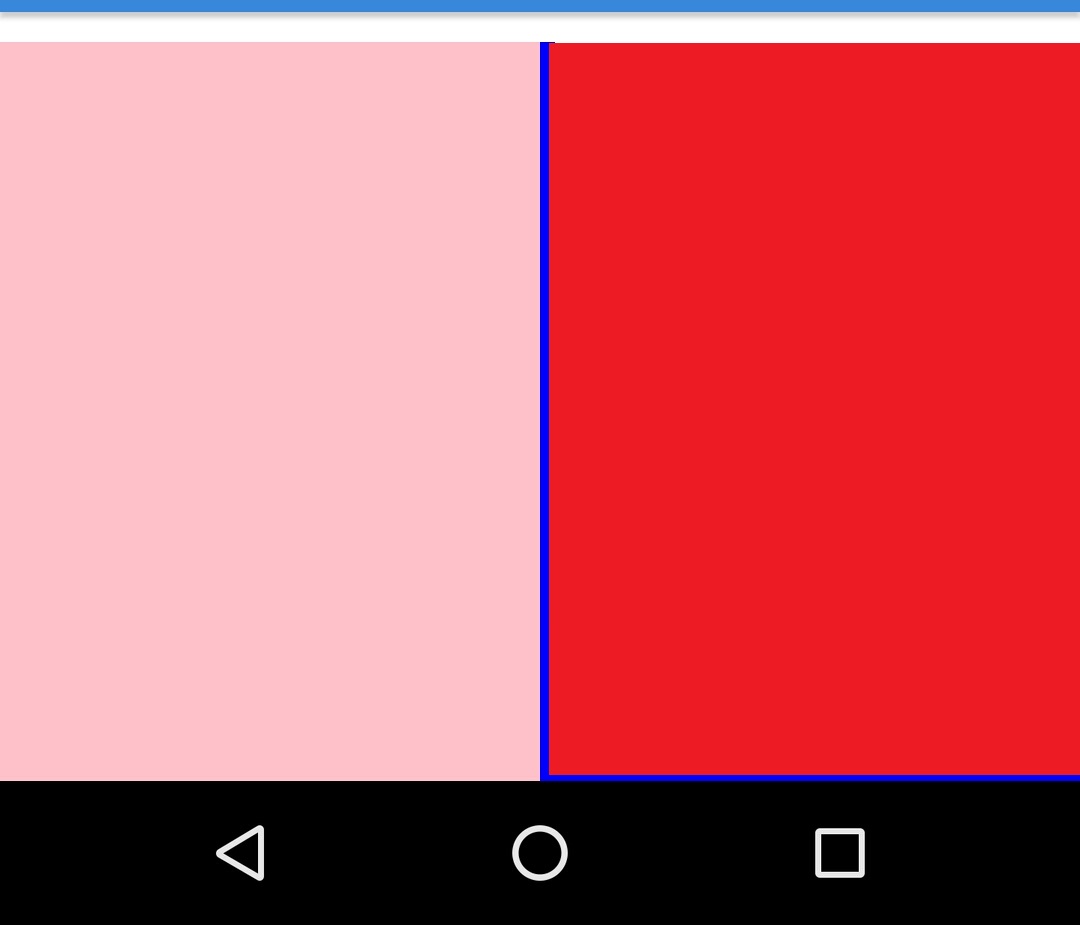
 Alanz2223
>All comments
removed flex:1 from the containers and that fixed the not scrolling part.. Set activeSlideAlignment to 'start' for alignment
Alanz2223
on 27 Aug 2018
Related issues
 KarlosQ
·
4Comments
KarlosQ
·
4Comments
 sujitpk-perennial
·
3Comments
sujitpk-perennial
·
3Comments
 SnowDang
·
4Comments
SnowDang
·
4Comments
 naffiq
·
5Comments
naffiq
·
5Comments
 akyker20
·
3Comments
akyker20
·
3Comments
Most helpful comment
removed flex:1 from the containers and that fixed the not scrolling part.. Set activeSlideAlignment to 'start' for alignment