React-native-snap-carousel: Question about layout={'stack'} on android
I understand that there are issues with android, but my question is the following.
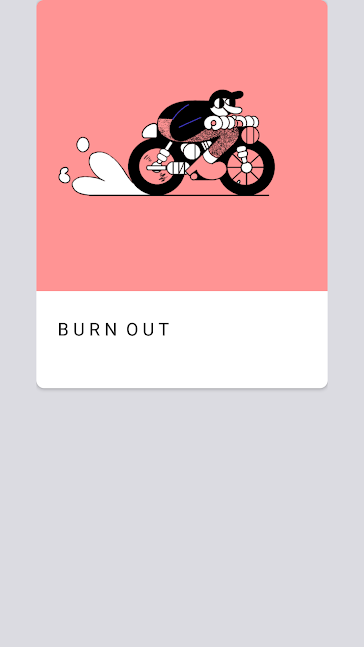
The initial layout that I get before swiping is this:
and after swiping the layout looks like:
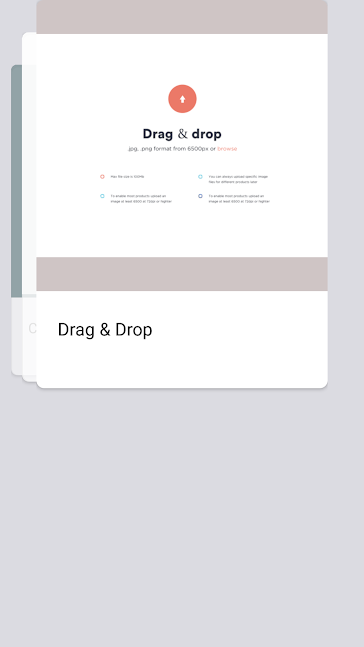
I assume this is the expected result? But what I want is more close to what you show in the examples for iOS.
I want the initial view to be stacked with the first view being on top:

and as I swipe to move them out of the view to the left. At the moment new elements come in from right.
How would I be able to achieve this?
Thanks in advance
 iremlopsum
All 8 comments
Ok, I figured it out. You kinda had the answer in the docs as well, but I wish you would be more verbose in what needs to be done.
For future people here's the solution:
const items = whateverDataSet.reverse();

<Carousel
  firstItem={items.length - 1}
  containerCustomStyle={{
    transform: [{ scaleX: -1 }]
  }}
/>
And then you probably want to add transform: [{ scaleX: -1 }] to your rendered item as well :)
iremlopsum
on 17 Mar 2018
@iremlopsum Well, the real solution solution would be for React Native to fix the Android zIndex bug ;-)
Anyway, you did find a pretty interesting hack. Previously, I've tried something like that to handle RTL layouts, with mixed results. But I didn't think about using it to work around Android limitations.
Did you experience any drawback? I'll run a few tests myself and see if this hack can make it to the core - might be a bit tricky to handle loop mode and custom indexes though...
 bd-arc
on 18 Mar 2018
bd-arc
on 18 Mar 2018
@bd-arc Haha, yeah, the real solution is for RN to fix their shit.
So far no drawbacks, performance is the same as it is with default layout. I think you should be able to add it to the core, most stuff works, and some stuff I haven't tested.
iremlopsum
on 18 Mar 2018
@bd-arc Here's a quick demo of the performance in a release build - https://cloudup.com/cQhHns5eCk4
iremlopsum
on 18 Mar 2018
@iremlopsum Thanks for the heads up! Indeed, this looks pretty good, and so does your app ;-)
I'll try to find some time in order to work on testing and implementing it.
bd-arc
on 18 Mar 2018
@bd-arc Here's a quick demo of the performance in a release build - https://cloudup.com/cQhHns5eCk4
Hey,
Can you please post the code for carousel. I have tried a lot but unable to reach the one you have made. Please.
 kp2506
on 23 Jun 2019
kp2506
on 23 Jun 2019
Ok, I figured it out. You kinda had the answer in the docs as well, but I wish you would be more verbose in what needs to be done.
For future people here's the solution:
const items = whateverDataSet.reverse();

<Carousel
  firstItem={items.length - 1}
  containerCustomStyle={{
    transform: [{ scaleX: -1 }]
  }}
/>
And then you probably want to add
transform: [{ scaleX: -1 }]to your rendered item as well :)
This hack doesn't work for me :(
How can I make it look the same now? maybe there was some updates since you post this?
 idocme
on 4 Jul 2019
idocme
on 4 Jul 2019
@iremlopsum It doesn't work for me, can you post the code
 kishanshettyb
on 1 Nov 2020
kishanshettyb
on 1 Nov 2020
Related issues
 akyker20
·
3Comments
akyker20
·
3Comments
 wkwyatt
·
4Comments
wkwyatt
·
4Comments
 SnowDang
·
4Comments
SnowDang
·
4Comments
 ajonno
·
4Comments
ajonno
·
4Comments
 radiosilence
·
4Comments
radiosilence
·
4Comments
Most helpful comment
Ok, I figured it out. You kinda had the answer in the docs as well, but I wish you would be more verbose in what needs to be done.
For future people here's the solution:
And then you probably want to add
transform: [{ scaleX: -1 }]to your rendered item as well :)