React-native-screens: Memory leak while moving from one screen to another in the same stack
Description
One can observe retained memory while moving across different screens in the application. Even if you have one single stack with 3 different pages, you can observer a memory leak there. I have created a sample project to reproduce this issue. The link is given below
https://github.com/abhaynpai/rn-screens-leak
Screenshots
This is a YouTube video showcasing the leak in the project.
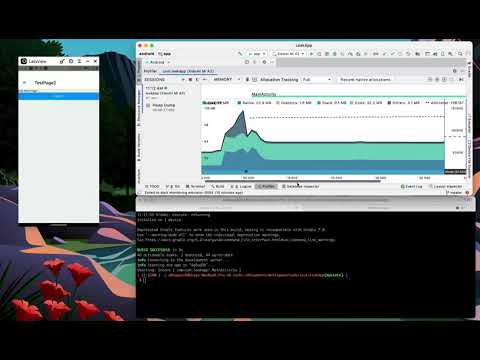 alt="IMAGE ALT TEXT HERE" width="240" height="180" />
Steps To Reproduce
The steps are given in this GitHub link - https://github.com/abhaynpai/rn-screens-leak
Expected behavior
No memory leak should be displayed while moving across page.
Actual behavior
While moving between pages you can observe multiple memory leaks.
Snack or minimal code example
App.js

import React from 'react';
import {NavigationContainer} from '@react-navigation/native';
import {StatusBar} from 'react-native';

import {enableScreens} from 'react-native-screens';

import TestStack from './src/TestStack';

enableScreens();

const App: () => React$Node = () => {
  return (
    <NavigationContainer>
      <StatusBar barStyle="dark-content" />
      {TestStack()}
    </NavigationContainer>
  );
};

export default App;

________________________

TestStack.js

import React from 'react';
import {createNativeStackNavigator} from 'react-native-screens/native-stack';

import TestPage1 from './TestPage1';
import TestPage2 from './TestPage2';
import TestPage3 from './TestPage3';

const Stack = createNativeStackNavigator();

const TestStack = () => {
  return (
    <Stack.Navigator>
      <Stack.Screen name="TestPage1" component={TestPage1} />
      <Stack.Screen name="TestPage2" component={TestPage2} />
      <Stack.Screen name="TestPage3" component={TestPage3} />
    </Stack.Navigator>
  );
};

export default TestStack;
Package versions
- React: 16.13.1
- React Native: 0.63.4
- React Native Screens: 2.18.1
 abhaynpai
All 13 comments
@abhaynpai this is very scary. plz fix it.
 jp928
on 4 Mar 2021
jp928
on 4 Mar 2021
Just notice you didn't do super.onCreate(null) in MainApplication.java. Not sure if this is the reason.
jp928
on 4 Mar 2021
Hey @jp928
Even after adding super.onCreate(null) in MainApplication.java you can observe the memory leak.
I am unsure on how to fix it. Do you have any idea on the potential root cause for this memory leak?
abhaynpai
on 4 Mar 2021
I feel like it might be related to this issue perhaps: https://github.com/react-navigation/react-navigation/issues/7078
 omaryoussef
on 5 Mar 2021
omaryoussef
on 5 Mar 2021
@omaryoussef - I think the it is somewhat related but not exactly. This issue highlights the actual issue with native navigation + screens.
If you disable enableScreens and run the exact same test then you will not be able to see the memory leak.
abhaynpai
on 7 Mar 2021
It's the same for me! on my situation, I was using too many scenes in the same stack then get a memory leak issue. Anyway, I did try to disable enableScreen() and try it again. The memory leak issue is gone but I get the very slow animation...
I think it's have a problem who can be to fixing or explain?
 Thunderbird7
on 22 Mar 2021
Thunderbird7
on 22 Mar 2021
I know how we can recreate the issue but I am unsure on what exactly is causing this memory leak.
abhaynpai
on 30 Mar 2021
Same issue, not sure if it's a good idea to upgrade to 3.0.0 with this still happening (as the latest release enables screens by default)
 Alaa-Ben
on 7 Apr 2021
Alaa-Ben
on 7 Apr 2021
I'm having this bug too.
It's a severe problem please check it.
 TNBoiBoi
on 14 Apr 2021
TNBoiBoi
on 14 Apr 2021
The behavior described by the tools as a leak is the consequence of keeping the ScreenFragments in the memory. It is done like this because, in react-native, we cannot destroy and then make new views by restoring the state of the Fragment, since each view has its reactTag etc. The behavior is shown as a leak due to heuristics of the leak detector tools, which say that if onDestroy was called on a Fragment, then the reference to it should not be kept anywhere, but, as mentioned above, it is not applicable to react-native apps, since we do not recreate the views of the Fragment, but rather
call remove on the them when they become invisible and then add them back on the Screen becoming visible with the same Screen attached to it.
I hope this resolves the issue, so I will close it since I don't think we can do much more about it. If you have any questions or can propose other solutions, please write here and I can reopen it.
 WoLewicki
on 4 May 2021
WoLewicki
on 4 May 2021
I've profiled the Navigation router and it doesn’t show any memory leaks. The Navigation router uses Android's native back stack to manage the scenes. Android doesn't call onDestroy on a Fragment in the back stack until it's popped and the pop animation has completed.
 grahammendick
on 5 May 2021
grahammendick
on 5 May 2021
@grahammendick using back stack can be a way to go, it is even implemented in the RNScreens, but there were problems with integrating them with React Navigation iirc. Does this approach have benefits other than just not calling this lifecycle method on the Fragment, which we are not using at the moment?
WoLewicki
on 5 May 2021
@WoLewicki A couple of benefits that spring to mind
- Native custom animations - when you add a fragment to the back stack you specify the 4 different animations (enter, exit, popEnter and popExit). Android takes care of running them depending on how the scene is moving through or off the stack. The medley Navigation router example has 4 scenes called north, south, east and west and Android animates them from and to these compass points as they’re popped and pushed. The animations are specified in React and point at a java resource file
- Native shared elements - the fragment back stack supports shared element animations. Android plays these animations when the scene is pushed and plays them in reverse when the scene is popped. The zoom Navigation router example shows a list of colors and a color details scene. Android animates the selected color as the details scene is pushed and popped. Notice that you can change the color on the details scene and Android will correctly run the shared element animation on the new color when its popped. Again the animations are fully customisable in React but must point at a java resource file
grahammendick
on 5 May 2021
Related issues
 bitttttten
·
3Comments
bitttttten
·
3Comments
 sibelius
·
3Comments
sibelius
·
3Comments
 OmarBasem
·
4Comments
OmarBasem
·
4Comments
 jeveloper
·
5Comments
jeveloper
·
5Comments
 bartzy
·
3Comments
bartzy
·
3Comments
Most helpful comment
@omaryoussef - I think the it is somewhat related but not exactly. This issue highlights the actual issue with native navigation + screens.
If you disable
enableScreensand run the exact same test then you will not be able to see the memory leak.