React-native-router-flux: Subviews not visible when adding Router in Android
Hi I am new to react native. I am using
- react-native-router-flux v4.0.0-beta.24
- react-native v0.51.0
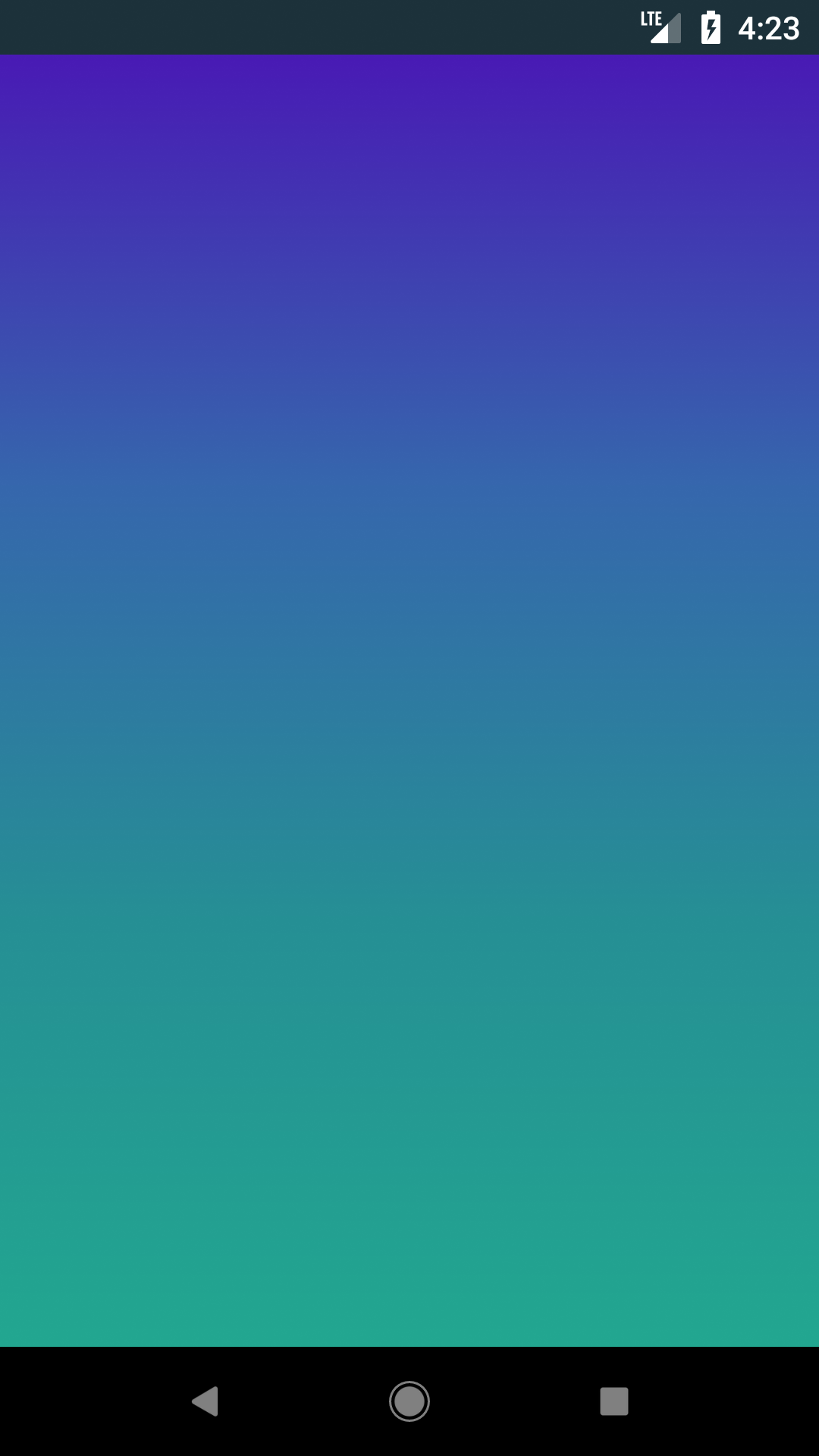
I have created registration and login views. In iOS, i can able to view all UI elements and navigate to login by clicking button. While running in android, there is no error and build is successful. But it displays an empty blank screen and i don't find any UI elements in it.
 Selvamhibiz
All 38 comments
Show your code please, your issue is really incomplete. It feels more like you have a problem with displaying your Views as you are new than an issue with this library.
 Blapi
on 13 Dec 2017
Blapi
on 13 Dec 2017
I have attached my app.js and registration.js source code. Also check with the attached screenshots. I can display subviews without router flux in both iOS and android (Screenshot without Router Flux by having “Registration” @ line.no 37 in App.js). If i set registration view as initial view in router class, the subviews are not displayed in android (Screenshot with Router Flux by having “Routes” @ line.no 37 in App.js). But still it works fine in iOS without any issues.
 Selvamhibiz
on 14 Dec 2017
Selvamhibiz
on 14 Dec 2017
Show me your Routes code please then, and not in a .docx ! GitHub is smart enough to have a way of sharing a snippet of your code in a comment.
Blapi
on 14 Dec 2017
import React, { Component } from 'react';
import {Router, Stack, Scene} from 'react-native-router-flux';
import Login from './pages/Login';
import Registration from './pages/Registration';
import Home from './pages/Home';
export default class Routes extends Component<{}> {
render() {
    return (
        <Router>
            <Stack key="root" hideNavBar={true} >
              <Scene key="login" component={Login} title="Login"/>
              <Scene key="register" component={Registration} title="Register" initial={true}/>
              <Scene key="home" component={Home} title="Home" />
               </Stack>
        </Router>
)
}
}
Selvamhibiz
on 14 Dec 2017
Add Reducer in the import from RNRF in Routes.js, then add this outside of your class
const reducerCreate = (params) => {
  const defaultReducer = new Reducer(params)
  return (state, action) => {
    console.log('Action :', action)
    console.log('State :', state)
    return defaultReducer(state, action)
  }
}
And finally, in your <Router>, add this : createReducer={reducerCreate}
Now, when you launch your app with the debugger, you will see what happens in your navigation, ping me when you have info about how the navigation works when you're using
Blapi
on 14 Dec 2017
Added as per your instruction. But, now it throws an error stating as "Undefined is not an object. evaluating 'child.props.clone"
Selvamhibiz
on 14 Dec 2017
Have you changed something else? Show me your Routes.js and your App.js please, and the stacktrace of your error
Blapi
on 14 Dec 2017
Routes.js
import React, { Component } from 'react';
import {Router, Stack, Scene, Reducer} from 'react-native-router-flux';
import Login from './pages/Login';
import Registration from './pages/Registration';
import Home from './pages/Home';
import AddCoverage from './pages/AddCoverage';
const reducerCreate = (params) => {
const defaultReducer = new Reducer(params)
return (state, action) => {
console.log('Action :', action)
console.log('State :', state)
return defaultReducer(state, action)
}
}
export default class Routes extends Component<{}> {
render() {
    return (
        <Router>

            <Stack key="root" hideNavBar={true} >

                createReducer={reducerCreate}
              <Scene key="login" component={Login} title="Login"/>
              <Scene key="register" component={Registration} title="Register" initial={true}/>
              <Scene key="home" component={Home} title="Home" />
              <Scene key="addCoverage" component={AddCoverage} title="AddCoverage"/>
            </Stack>
        </Router>
)
}
}
App.js
import React, { Component } from 'react';
import {
StyleSheet,
Text,
View,
StatusBar
} from 'react-native';
import LinearGradient from 'react-native-linear-gradient';
import Routes from './src/Routes';
import Registration from './src/pages/Registration';
import Login from './src/pages/Login';
import Home from './src/pages/Home';
import AddCoverage from './src/pages/AddCoverage';
export default class App extends Component<{}> {
render() {
return (

  <LinearGradient colors={['#491ab5', '#3667ad', '#268f95', '#22a790']} style={styles.linearGradient}>

       <View style={styles.container}>

            <StatusBar
               backgroundColor="#1c313a"
               barStyle="light-content"
            />

            <Routes/>

      </View>

  </LinearGradient>

);
}
}
const styles = StyleSheet.create({
container: {
flex: 1,
backgroundColor: 'transparent',
},
linearGradient: {
flex: 1,
justifyContent: 'center',
alignItems: 'center',
},
});

Selvamhibiz
on 14 Dec 2017
createReducer={reducerCreate} is a prop of Router
Blapi
on 14 Dec 2017
okay, where should i have to add 'createReducer={reducerCreate}'
Selvamhibiz
on 14 Dec 2017
<Router createReducer={reducerCreate}>
Blapi
on 14 Dec 2017
As createReducer={reducerCreate} is a prop of Router, let me know, whether i need to add it in
Selvamhibiz
on 14 Dec 2017
Just add this and launch your app with the debugger, you will have the logs of what is happening in the navigation as I said earlier.
Blapi
on 14 Dec 2017
'Action :', { type: 'Navigation/INIT' }
'State :', { index: 0,
routes:
[ { routeName: 'register',
key: 'Init-id-1513248334309-0',
params: { title: 'Register', init: true } } ] }
Selvamhibiz
on 14 Dec 2017
That's all? And what if you add a log in componentDid/WillMount of your Regitration component, is there something?
Blapi
on 14 Dec 2017
i added "console.log('SetUp Registration View');" in render() method of registration component.
Selvamhibiz
on 14 Dec 2017
Is it logged in the console?
Blapi
on 14 Dec 2017
yes
Selvamhibiz
on 14 Dec 2017
Then it's not a problem with this library
Blapi
on 14 Dec 2017
okay, can you give any suggestion to fix this
Selvamhibiz
on 14 Dec 2017
Yep, comment all your code in the render of your Registration Component and just put
<View style={{ flex: 1, justifyContent: 'center', alignItems: 'center }}>
  <View style={{ height: 50, width: 50, backgroundColor: 'red' />
</View>
If you see a red square, that means that the problem is within your render code, so check why it's working on iOS and not Android by checking the ScollView documentation, maybe you did something wrong, I don't know iOS.
If you really do see the red square, then take your previous code and render it step by step, the issue might be there.
Just tell me if you see the red square first
Blapi
on 14 Dec 2017
no change in android. still empty screen is showing. But in iOS i can see red square
Selvamhibiz
on 14 Dec 2017
When i removed this library, i can run my app in both iOS and android.
Selvamhibiz
on 14 Dec 2017
Get the code
git clone https://github.com/aksonov/react-native-router-flux.git
cd react-native-router-flux/Example
Install dependencies
yarn
Run it
react-native run-android
Try the Example project please
Blapi
on 14 Dec 2017
okay,
Selvamhibiz
on 14 Dec 2017
I have run the sample project in my system, seems navigation is working in both android and ios.
Selvamhibiz
on 15 Dec 2017
Well, then there's something wrong with your implementation, have a look on how it is done with the Example project because there is no issue with the library, and I haven't seen what you could have done wrong, I can still try to help you if you show me the appropriate code.
Blapi
on 15 Dec 2017
Below is my registration screen source code. Kindly check and let me know what i have done wrong. I had already shown my app.js and routes.js code. If required please let me know i will post it again here
import React, { Component } from 'react';
import {
Platform,
StyleSheet,
Image,
Text,
Button,
TextInput,
ScrollView,
View,
Alert,
} from 'react-native';
import LinearGradient from 'react-native-linear-gradient';
import {Actions} from 'react-native-router-flux';
export default class Registration extends Component<{}> {
constructor(props){
super(props)
this.state = {
  firstName: '',
  lastName: '',
  email:'',
  mobile:'',
  password: '',
  confirmPassword: '',
  country:'',
  state:'',
  city: '',
  gender:'',
  dob:'',
}
}
onPress() {
Actions.login();
}
_onPressSearchCare() {
Alert.alert('Account Exist, Load Login View');
}
render() {
console.log('SetUp Registration View');
return (

  <LinearGradient colors={['#491ab5', '#3667ad', '#268f95', '#22a790']} style={styles.linearGradient}>

  <View style = {styles.baseContainer}>

    <ScrollView showVerticalScrollIndicator = {false} automaticallyAdjustContentInsets={true} contentContainerStyle={styles.contentContainer}>

      <View style = {styles.imageBgView}>

        <Image style={[styles. profileImage, {tintColor: "#27A19C"}]} source={{uri:"/Users/punitha/Documents/Punitha/React Project Workout/Sample/AwesomeProject/assets/camera/camera.png"}} />
      </View>

      <TextInput style={styles. fnTextField}
          placeholder='First Name'
          placeholderTextColor = '#C4C4C4'
          underlineColorAndroid='transparent'
          onChangeText={(text) => this.setState({firstName:text})}
        />

        <View style = {styles.lineStyle}></View>

        <TextInput style={styles. commonTextField}
          placeholder='Last Name'
          placeholderTextColor = '#C4C4C4'
          underlineColorAndroid='transparent'
          onChangeText={(text) => this.setState({lastName:text})}
        />

        <View style = {styles.lineStyle}></View>


        <TextInput style={styles. commonTextField}
          placeholder='Email'
          keyboardType = 'email-address'
          placeholderTextColor = '#C4C4C4'
          underlineColorAndroid='transparent'
          onChangeText={(text) => this.setState({email:text})}
        />

        <View style = {styles.lineStyle}></View>

         <TextInput style={styles. commonTextField}
          placeholder='Mobile'
          keyboardType = 'phone-pad'
          placeholderTextColor = '#C4C4C4'
          underlineColorAndroid='transparent'
          onChangeText={(text) => this.setState({mobile:text})}
        />

        <View style = {styles.lineStyle}></View>

        <TextInput style={styles. commonTextField}
          placeholder='Password'
          placeholderTextColor = '#C4C4C4'
          secureTextEntry={true}
          underlineColorAndroid='transparent'
          onChangeText={(text) => this.setState({password:text})}
        />

        <View style = {styles.lineStyle}></View>


        <TextInput style={styles. commonTextField}
          placeholder='Confirm Password'
          placeholderTextColor = '#C4C4C4'
          secureTextEntry={true}
          underlineColorAndroid='transparent'
          onChangeText={(text) => this.setState({confirmPassword:text})}
        />

        <View style = {styles.lineStyle}></View>

         <TextInput style={styles. commonTextField}
          placeholder='United States'
          placeholderTextColor = '#C4C4C4'
          underlineColorAndroid='transparent'
          onChangeText={(text) => this.setState({country:text})}
        />

        <View style = {styles.lineStyle}></View>

        <TextInput style={styles. commonTextField}
          placeholder='State'
          placeholderTextColor = '#C4C4C4'
          underlineColorAndroid='transparent'
          onChangeText={(text) => this.setState({state:text})}
        />

        <View style = {styles.lineStyle}></View>


        <TextInput style={styles. commonTextField}
          placeholder='City'
          placeholderTextColor = '#C4C4C4'
          underlineColorAndroid='transparent'
          onChangeText={(text) => this.setState({city:text})}
        />

        <View style = {styles.lineStyle}></View>

        <TextInput style={styles. commonTextField}
          placeholder='Gender'
          placeholderTextColor = '#C4C4C4'
          underlineColorAndroid='transparent'
          onChangeText={(text) => this.setState({gender:text})}
        />

        <View style = {styles.lineStyle}></View>


        <TextInput style={styles. commonTextField}
          placeholder='Date of Birth'
          placeholderTextColor = '#C4C4C4'
          underlineColorAndroid='transparent'
          onChangeText={(text) => this.setState({dob:text})}
        />

        <View style = {styles.lineStyle}></View>

        <View style = {styles.buttonContainer}>
            <Button onPress={this.onPress.bind(this)} title="Register" color="#27A19C" accessibilityLabel="Tap on Me"/>
        </View>

    </ScrollView>

  </View>

</LinearGradient>


);
}
}
const styles = StyleSheet.create({
linearGradient: {
flex: 1,
justifyContent: 'center',
alignItems: 'center',
},
baseContainer: {
flex: 1,
justifyContent: 'center',
alignItems: 'stretch',
backgroundColor: 'transparent',
height: Platform.OS === 'ios' ? 900 : 1100,
width: Platform.OS === 'ios' ? 375 : 355,
},
contentContainer: {
paddingVertical: 20,
justifyContent: 'center',
alignItems: 'stretch',
backgroundColor: 'transparent',
height: Platform.OS === 'ios' ? 900 : 1100,
width: Platform.OS === 'ios' ? 375 : 355,
},
buttonContainer: {
backgroundColor: Platform.OS === 'ios' ? '#FFFFFF' : 'transparent',
borderRadius: 10,
padding:5,
marginLeft:60,
marginRight:60,
marginTop:20
},
profileImage: {
width: 100,
height: 100,
},
imageBgView: {
width: 100,
height: 100,
marginTop: 80,
marginLeft: Platform.OS === 'ios' ? 145 : 130,
backgroundColor: '#FFFFFF',
borderRadius: 50
},
fnTextField: {
fontFamily:'Comfortaa-Regular',
fontSize: 18,
textAlign: 'left',
color: '#FFFFFF',
marginTop: 60,
marginLeft: 10,
marginRight: 10,
},
commonTextField: {
fontFamily:'Comfortaa-Regular',
fontSize: 18,
textAlign: 'left',
color: '#FFFFFF',
marginTop: 13,
marginLeft: 10,
marginRight: 10,
},
lineStyle:{
borderWidth: 0.5,
borderColor:'#C4C4C4',
marginLeft:10,
marginRight:10,
marginTop:Platform.OS === 'ios' ? 10 : 3
},
searchCare: {
marginTop: 10,
},
searchLineStyle:{
borderWidth: 0.5,
borderColor:'#FFFFFF',
marginLeft:164,
marginRight:115,
marginTop:-7
},
});
Selvamhibiz
on 18 Dec 2017
Would you mind adding me on your GitHub project so that I can have a better overview on your project? I have to admit that I have some difficulties to find the solution.
Blapi
on 18 Dec 2017
Sorry, i cannot add you on my GitHub repository. Shall i give my source code in .zip format?
Selvamhibiz
on 18 Dec 2017
Yes sure, feel free to send me a mail on my mail address that you can find on my profile !
Blapi
on 18 Dec 2017
okay, shall i send only app.js, routes.js and registration.js class file or the entire source code
Selvamhibiz
on 18 Dec 2017
Everything will be easier, don't forget to remove node_modules please
Blapi
on 18 Dec 2017
Actually, what about you fork your actual repo and put it as public? This is by far the best solution so I won't have your source code on my computer.
Blapi
on 18 Dec 2017
No i can't make it as public. So, I have sent the source code through email from my mail address ([email protected]).
Selvamhibiz
on 18 Dec 2017
The issue you're having is because of the LinearGradient. When you remove it from the App.js, everything works fine. As you can see on the LinearGradient library, there are some issues with react-native v.0.51.0, try downgrading to 0.50.3 or fix the LinearGradient with the PRs available.
As said before, this issue is not related with RNRF, I'm closing this now, good luck with your project !
Blapi
on 18 Dec 2017
okay, thanks
Selvamhibiz
on 18 Dec 2017
@Blapi You guys have the patience of saints!
 kylanhurt
on 19 Dec 2017
kylanhurt
on 19 Dec 2017
Related issues
 vinayr
·
3Comments
vinayr
·
3Comments
 VictorK1902
·
3Comments
VictorK1902
·
3Comments
 willmcclellan
·
3Comments
willmcclellan
·
3Comments
 moaxaca
·
3Comments
moaxaca
·
3Comments
 maphongba008
·
3Comments
maphongba008
·
3Comments
Most helpful comment
@Blapi You guys have the patience of saints!